

Quick answer
Air-conditioning installation and servicing need separate pages because installation customers need a quote after an assessment, while servicing customers need a booking. The installation page explains assessment needs and steps, the servicing page explains routine service scope, and each has its own action and form: Request an assessment and Book a service.
- Tell installation customers what you need to quote, such as space, rooms and access, and that a visit may follow.
- Keep routine service separate from fault repair so the customer knows what is covered and what may be quoted separately.
- Use two separate forms, tailored to each job, and submit test requests on both to check routing and confirmations.
Installation customers need a quote after an assessment. Servicing customers need a booking. Putting both on one page confuses each. This guide compares what each page needs and how to design the actions. All technical statements need review by qualified technicians.
1. Explain installation assessment needs
An installation page should help the customer prepare. Explain what you need to quote, such as the size and use of the space, the number of rooms, the electrical supply and access, and that a site visit may be required. Explain the steps: enquiry, assessment, written quote, installation and handover. State what the customer decides and what you decide.
Avoid promising that a particular size or model will suit before assessment. Describe your approach to recommending a solution in general terms.
2. Describe routine service scope
A servicing page should say what a routine service includes in plain words, how often customers commonly schedule it as your technicians recommend, and what happens if a problem is found. Separate routine service from fault repair, so the customer knows what is covered and what may be quoted separately.
Keep to what your team confirms. Do not claim that servicing will prevent all faults or guarantee performance.
Related reading: How Air-Conditioning Contractors Can Attract Local Service Enquiries.
3. Show genuine project evidence
Use real installations and service examples, with permission and no identifying details. Short summaries are enough: type of premises, what was done and what the customer was told. Do not use manufacturer photographs as your own work. For commercial customers, show approved examples that match their situation.
4. Use distinct quote and booking actions
Installation uses “Request an assessment”. Servicing uses “Book a service”. Keep the forms separate and tailored.
- Installation form: property type, room or space, area, preferred timing, photos if helpful.
- Servicing form: unit type or brand if known, the issue in the customer’s words, area, preferred times and access.
Confirm receipt, state when the customer will hear back and route each form to the right person. See the air-conditioning website guide for the wider structure and bookings and service reminders for the booking workflow.
5. Test and review
Submit test requests on both forms. Check that routing works, that confirmations make sense and that the stated reply times are realistic. Review which page produces which enquiries each month.
Side-by-side service-page wireframes
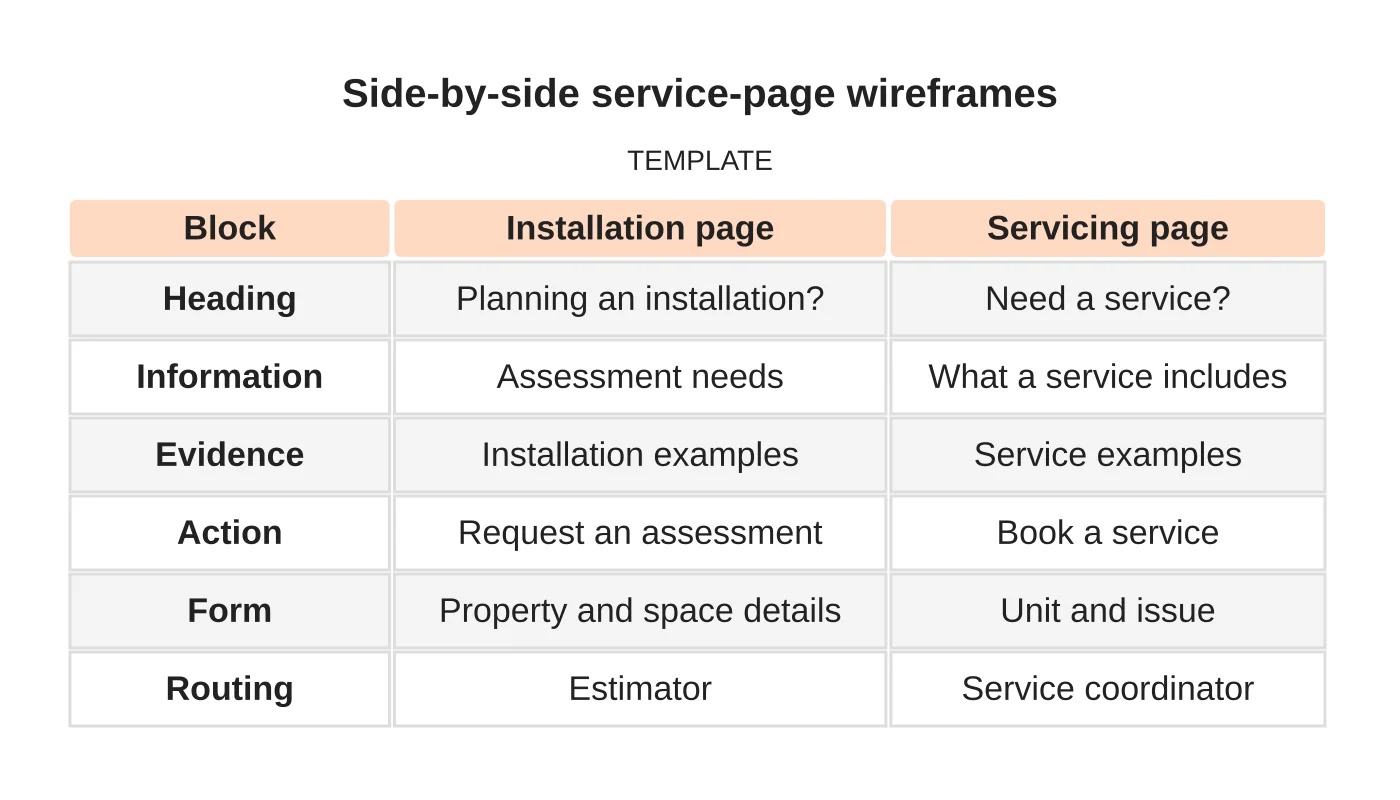
| Block | Installation page | Servicing page |
|---|---|---|
| Heading | Planning an installation? | Need a service? |
| Information | Assessment needs | What a service includes |
| Evidence | Installation examples | Service examples |
| Action | Request an assessment | Book a service |
| Form | Property and space details | Unit and issue |
| Routing | Estimator | Service coordinator |
Common mistakes
- Using one form for everything.
- Promising specific systems before assessment.
- Mixing routine servicing and fault repair.
- Using stock images as project evidence.
- Not testing routing.
Questions contractors ask
Can I combine installation and servicing on one page? You can mention both on the home page, but each deserves its own page with its own action.
Should I show prices for servicing? If your servicing price is standard, showing it helps. Keep it current and state what it covers.
Next step
Request a website review or discuss the pages and enquiry workflow your business needs. Read about our web design service or contact us.
Frequently asked questions
Should installation and servicing share one page?
You can mention both on the home page, but each deserves its own page with its own action. Installation uses Request an assessment and servicing uses Book a service, with separate, tailored forms routed to the right person.
What should a servicing page include?
What a routine service includes in plain words, how often customers commonly schedule it as your technicians recommend, and what happens if a problem is found. Keep to what your team confirms and do not claim servicing will prevent all faults.
Should I show servicing prices?
If your servicing price is standard, showing it helps. Keep it current and state what it covers. Installation is different, because customers need a quote after an assessment, so do not promise a size or model beforehand.
Sources and notes
Last updated 21 November 2026. This guide is general information based on Web Design Davao’s web design and digital marketing practice. It cites no statistics and makes no promise about rankings, enquiries or contracts. Web Design Davao is not licensed or certified in this industry, so check technical, safety, legal and regulatory matters with a suitably qualified professional. Examples are templates or illustrations, not client results.


