

Quick answer
When changing website agencies, first inventory who owns and can log in to your domain, hosting, website admin, analytics, search console, email, advertising accounts and listings. Your business should own its domain and key accounts. Then secure a tested backup and files, plan the cut-over with redirects, and confirm support responsibilities in writing.
- Request a complete copy of the website files, database and content, and check that the backup can be restored.
- Keep the old site running until the new one is built and tested, and preserve URLs or plan redirects.
- Check contract notice periods before ending services, and confirm in writing who handles updates, security, backups and emergencies.
Many businesses discover they do not control their domain, hosting or website login only when they try to leave an agency. Taking inventory first protects you. This guide gives a transition checklist. Contract and ownership matters need legal review. It is not a recommendation to leave any particular agency.
1. Inventory ownership and access
List the domain registration, hosting, website administrator account, analytics, search console, email, advertising accounts and business listings. For each, record the registered owner and who holds the login. Your business should be the owner of its domain and key accounts.
2. Secure files, backups and records
Request a complete copy of the website files, database and content, and a backup. Check that the copy can be restored. Collect passwords through a secure method and change them after handover. Keep copies of contracts, invoices and any licence terms for themes and plugins.
3. Plan transition and continuity
Plan the cut-over to avoid downtime: build and test the new site, keep the old one running, then switch. Preserve URLs or plan redirects, and keep tracking and forms working. Check contract notice periods before ending services.
4. Verify responsibilities after handover
Confirm in writing who handles updates, security, backups, support and emergencies, and how to reach them. Test enquiry forms and notifications after the switch.
5. Review after launch
Check traffic, enquiries, errors and rankings after the move and fix problems quickly. See the service-business workflow guide and why enquiries get lost.
Agency transition checklist
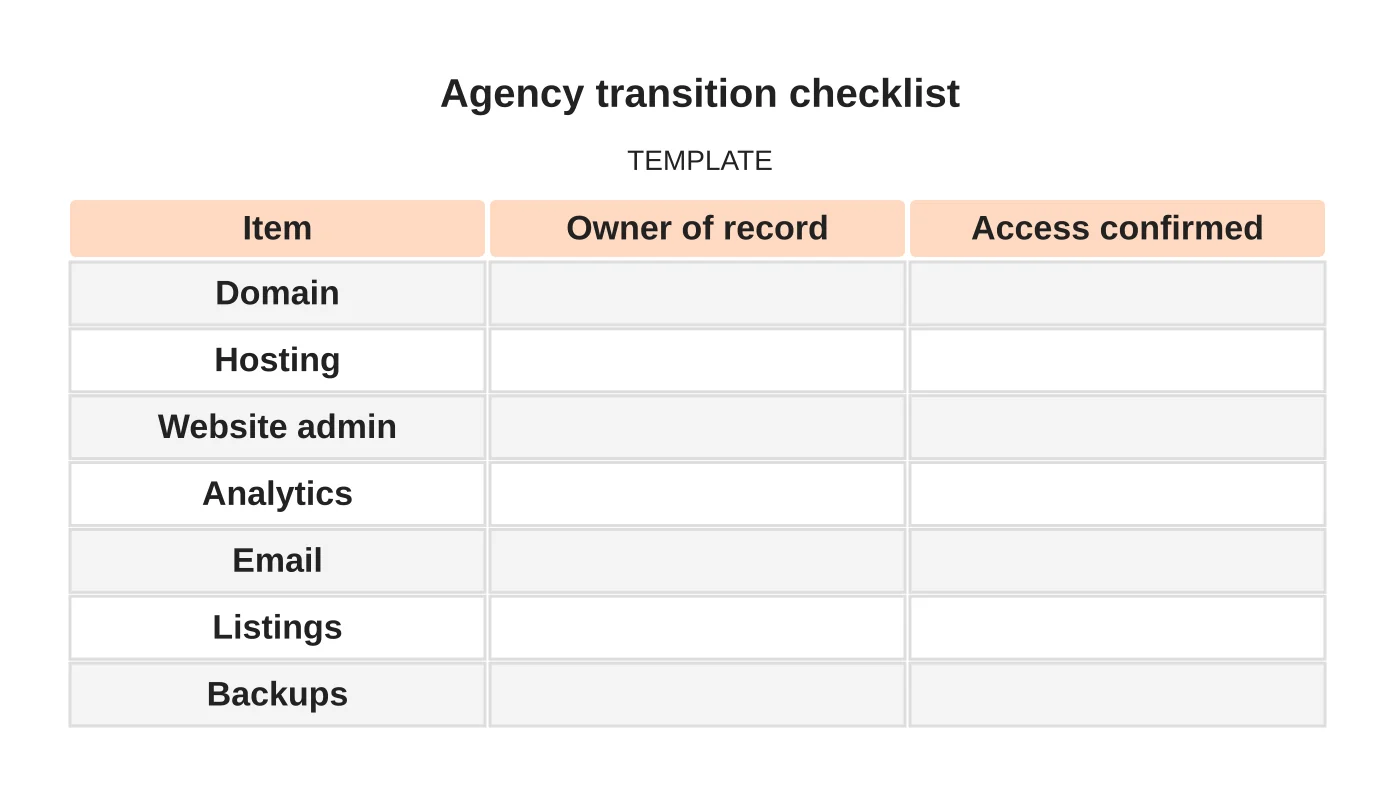
| Item | Owner of record | Access confirmed |
|---|---|---|
| Domain | ||
| Hosting | ||
| Website admin | ||
| Analytics | ||
| Listings | ||
| Backups |
Common mistakes
- Agency listed as domain owner.
- No tested backup.
- Cutting over without redirects.
- Ending services before the new site works.
- Unclear support after handover.
Questions owners ask
Who should own the domain? Your business, in your name.
Can I keep the design? It depends on your contract. Check ownership and licence terms.
Next step
Discuss ongoing website checks, updates and support responsibilities with Web Design Davao. Read about our website maintenance service or contact us.
Frequently asked questions
Who should own my domain?
Your business, in your name. Many businesses discover they do not control their domain, hosting or website login only when they try to leave an agency, so record the registered owner and who holds the login for each account.
Can I keep my website design when I leave?
It depends on your contract. Check ownership and licence terms, including terms for themes and plugins, and keep copies of contracts and invoices. Contract and ownership matters need legal review before you rely on any assumption.
How do I avoid downtime during the switch?
Build and test the new site while the old one keeps running, then switch. Preserve URLs or plan redirects, keep tracking and forms working, and test enquiry forms and notifications after the switch to confirm they still arrive.
Sources and notes
Last updated 21 November 2026. This guide is general information based on Web Design Davao’s web design and digital marketing practice. It cites no statistics and makes no promise about rankings, enquiries or contracts. Web Design Davao is not licensed or certified in this industry, so check technical, safety, legal and regulatory matters with a suitably qualified professional. Examples are templates or illustrations, not client results.


