

Quick answer
A branch page should help a customer decide to visit or call that branch and send their enquiry to the right people. Show verified details such as address, phone, hours and the services that branch actually offers, add a correct map and access notes, then test routing by submitting an enquiry from each page.
- Verify each branch’s address, phone, hours including public holidays and photos, and match the Google listing.
- Never copy one page across branches with only the suburb changed, or create a page where you have no presence.
- Test every branch page on a phone and computer, call each number at different times, and retest after website changes.
A branch page has one job: help a customer who wants this branch decide to visit or call it, and make sure their enquiry reaches the right people. Pages that repeat generic text, or forms that land at head office, waste the local advantage. This guide covers what a branch page should show and how to test that routing works. It makes no promise about rankings.
1. Show genuine branch details
Collect details from each branch and verify them: the address, phone, opening hours including public holidays, the team or manager if the branch is happy to feature them and real photographs of the premises. Use the same name and details as the Google listing. Do not create a page for a location where you have no real presence, and do not copy one page across branches with only the suburb changed.
2. Explain local services and hours
State which services this branch actually offers. Branches rarely offer everything, and a customer who arrives for a service that is not available leaves unhappy. Explain any local booking arrangements, appointment rules or seasonal hours. Write a short, original introduction that is true of the branch and useful, such as how to find it and what customers usually come for, as the branch confirms.
3. Add appropriate maps and contacts
Embed a map or link to directions with the correct pin, and describe access: parking, public transport, accessibility and landmarks customers use. Show the branch’s own phone number and enquiry route, not only the head-office line. Keep the page light on mobile, since many visitors will be on a phone, standing outside looking for the door.
4. Test routing by location
Routing is where branch pages most often fail. Submit a test enquiry from each branch page on a phone and a computer. Check that the right person at that branch receives it, that the customer gets an acknowledgement and that the stated reply time is realistic. Call each listed number at different times. Record results, fix failures straight away and retest after any website change.
5. Keep pages current
Ask each branch to confirm details when anything changes and during a regular review. See keeping branch information accurate for the review routine.
Branch-page template and routing test
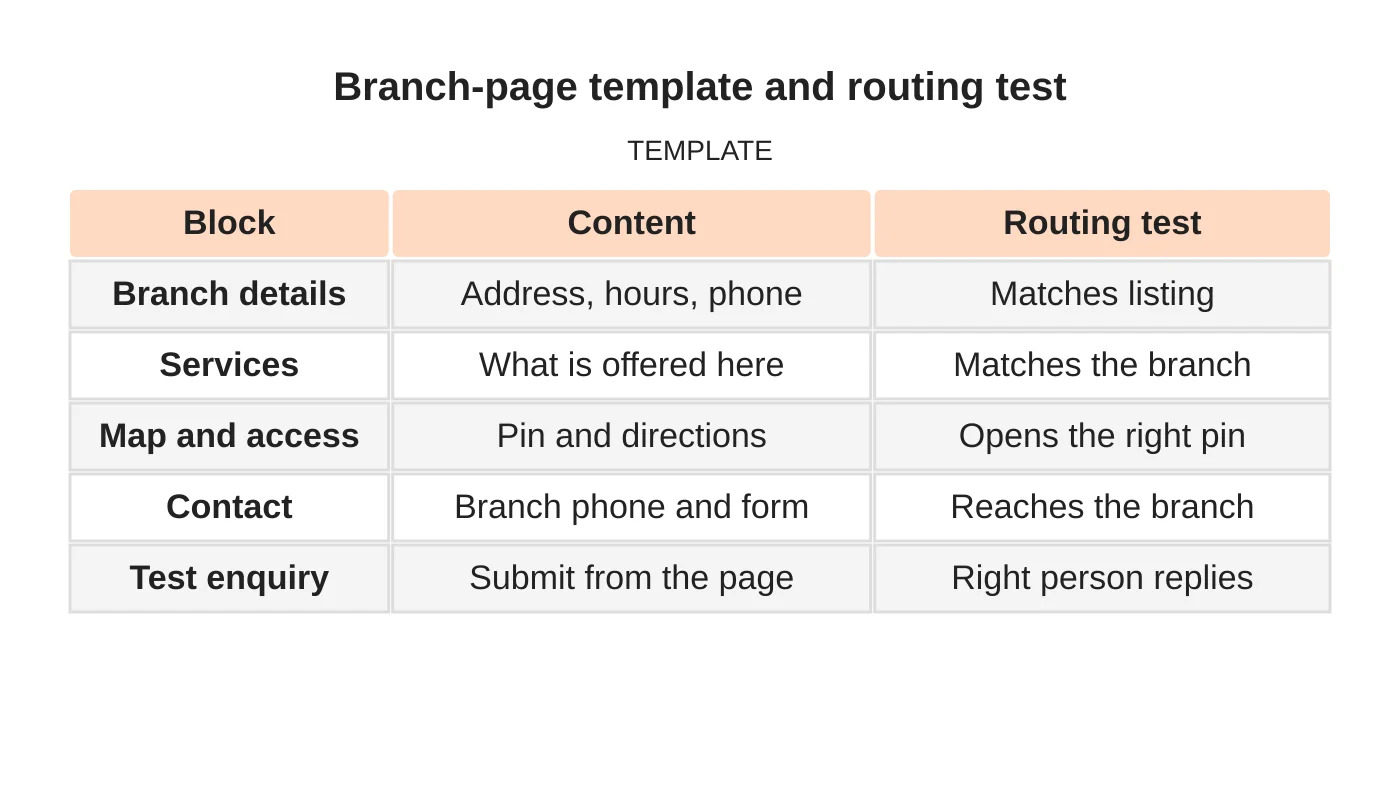
| Block | Content | Routing test |
|---|---|---|
| Branch details | Address, hours, phone | Matches listing |
| Services | What is offered here | Matches the branch |
| Map and access | Pin and directions | Opens the right pin |
| Contact | Branch phone and form | Reaches the branch |
| Test enquiry | Submit from the page | Right person replies |
Common mistakes
- Duplicate text with a different suburb name.
- Listing services the branch does not offer.
- All forms going to head office.
- A map pin in the wrong place.
- Never testing the phone numbers.
Questions multi-location businesses ask
How long should a branch page be? Long enough to be useful. Accurate details matter more than length.
Should each branch have its own phone number? Usually yes, if the branch answers it during stated hours.
See the multi-location strategy guide and keeping branch information accurate.
Next step
Request a website review or discuss the pages and enquiry workflow your business needs. Read about our web design service or contact us.
Frequently asked questions
What should a branch page include?
The branch’s verified address, phone, opening hours including public holidays, and real photographs. Add the services this branch actually offers, any local booking rules, a correct map pin and access details such as parking and public transport. Use the same name and details as the Google listing.
How do I check that enquiries reach the right branch?
Submit a test enquiry from each branch page on a phone and a computer. Check that the right person at that branch receives it, that the customer gets an acknowledgement and that the reply time is realistic. Record results, fix failures straight away and retest after any change.
Should each branch have its own phone number?
Usually yes, if the branch answers it during stated hours. Show the branch’s own phone number and enquiry route, not only the head-office line, and call each listed number at different times to confirm it is answered.
Sources and notes
Last updated 21 November 2026. This guide is general information based on Web Design Davao’s web design and digital marketing practice. It cites no statistics and makes no promise about rankings, enquiries or contracts. Web Design Davao is not licensed or certified in this industry, so check technical, safety, legal and regulatory matters with a suitably qualified professional. Examples are templates or illustrations, not client results.


