

Quick answer
The real cost of a workflow is the hours spent working around the tool multiplied by hourly cost, plus software and add-on subscriptions, plus the cost of errors and rework, plus the cost of delay. In an illustrative example, a PHP 5,000 monthly tool sat inside a workflow costing about PHP 33,250 a month.
- Time the steps your software does not do, and price them at a loaded hourly cost including salary and overheads.
- Count errors and rework as well as subscriptions, such as ten corrections a month at PHP 500 each.
- If the number is small, keep the tool; if large but fixable, simplify the process before comparing tools.
A software subscription is easy to price. The work built around it usually is not. That is how a $99 or PHP 5,000 monthly tool can sit inside a process that costs many times more than the invoice suggests.
This guide gives you a simple formula for the real cost of a workflow, a worked example and a short list of what to do with the answer.
Price versus cost of operating
Judge software by what it costs to operate around. The licence is only one part. The business also pays for everything the tool does not do: manual workarounds, duplicate entry, integrations, extra admin and the human bridge between two platforms that do not talk to each other.
That is the argument in That Cheap Software Might Be Your Most Expensive Workflow, and it connects with You Bought the AI. Where’s the Productivity?, which asks where the productivity went after the AI tools were bought. In both cases the invoice looks reasonable while the workflow quietly gets expensive.
The five hidden costs
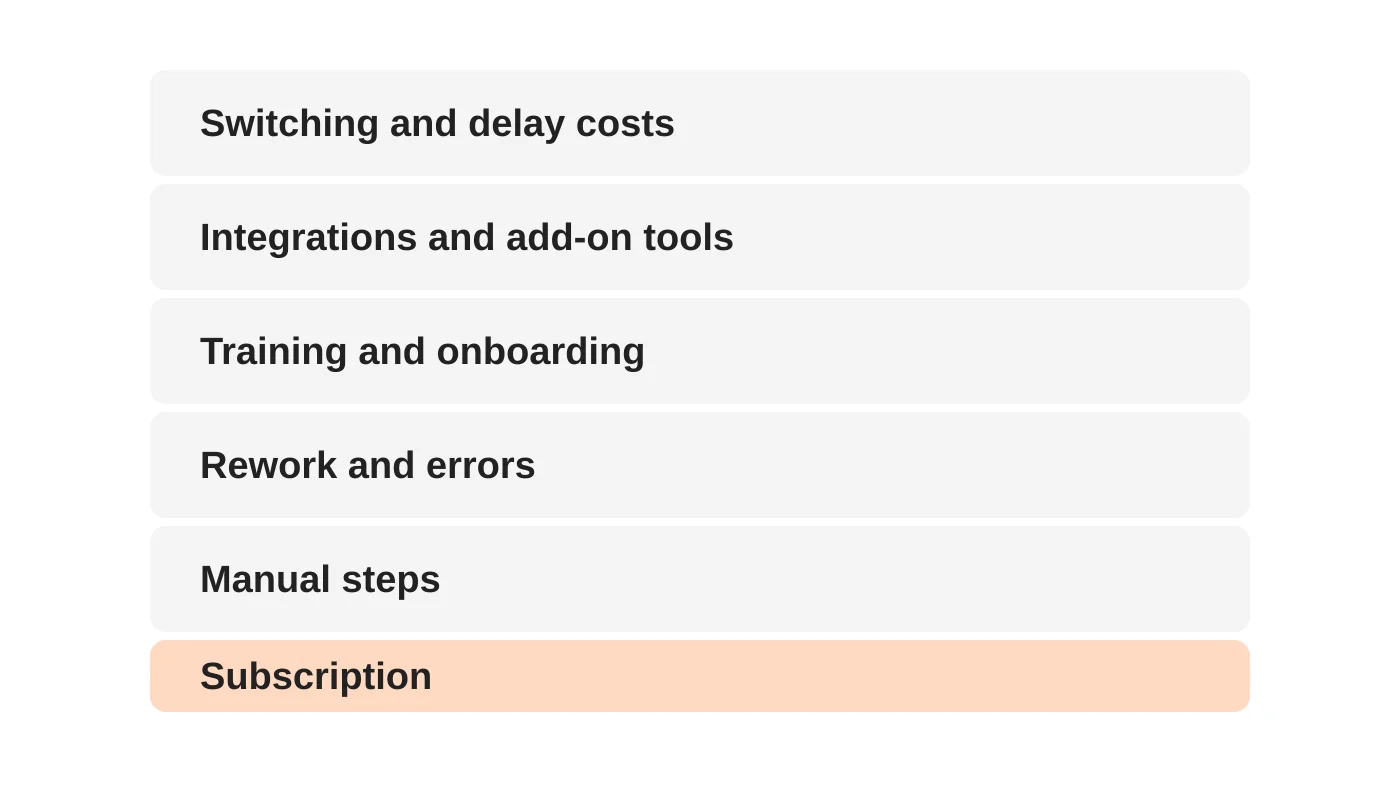
1. Manual steps
Someone exports a file, reformats it, uploads it elsewhere and checks the record exists in both places. Each task looks small. Multiplied across a team and a year, the hours add up.
2. Rework and errors
Duplicate entry creates mistakes. Fixing them takes time, and some reach customers.
3. Training and onboarding
Every extra tool needs accounts, permissions and instructions. New staff spend longer learning the workarounds than the software.
4. Integrations and add-on tools
A second tool to move data, a third for reporting and a fourth for scheduling. Each one adds a subscription, a login and something that can fail.
5. Switching and delay costs
Waiting costs money. Slow quotes, late invoices and customers chasing updates all reduce conversion and cash flow. Switching away later also costs time, so the longer a poor fit stays, the more it costs to leave.
A simple formula
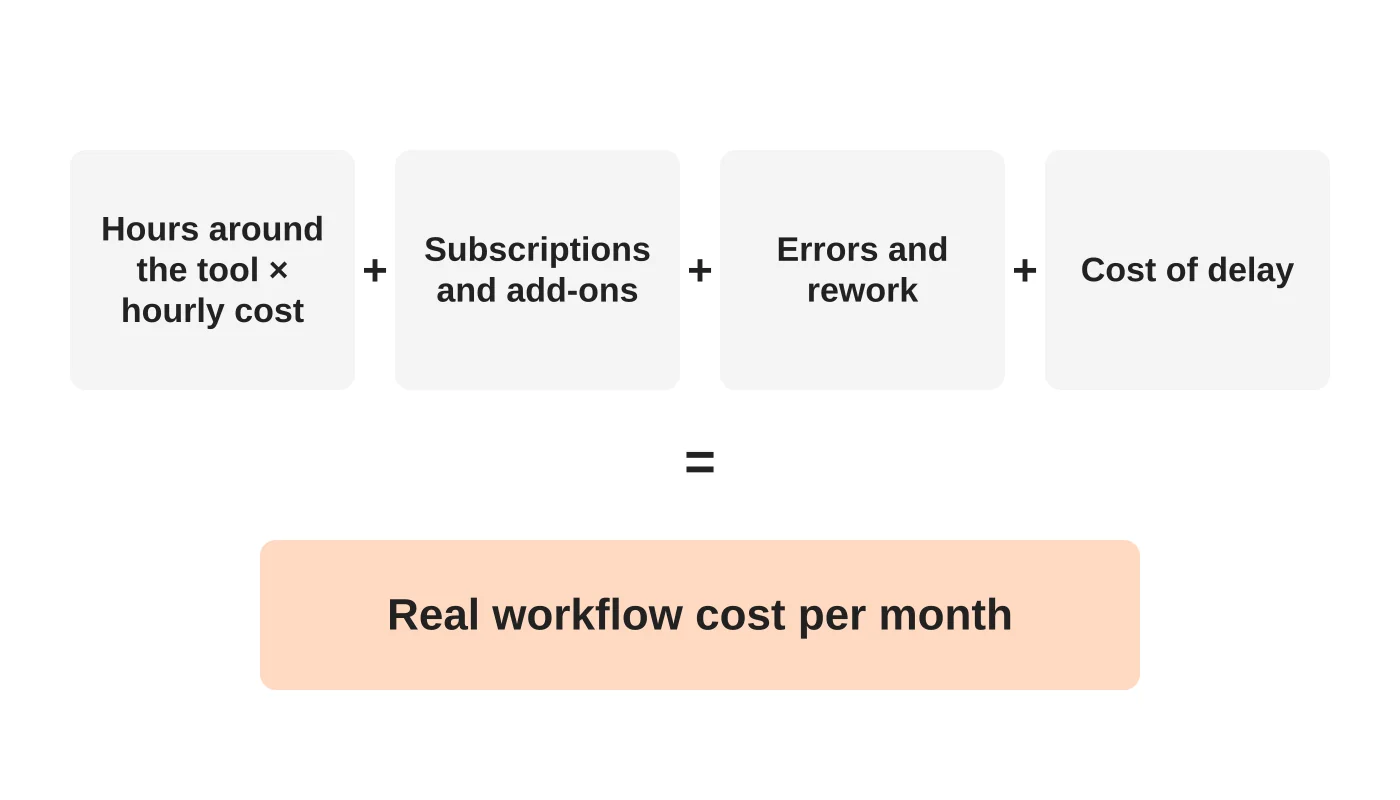
Real workflow cost per month = (Hours of work spent around the tool x hourly cost of that time) + software and add-on subscriptions + cost of errors and rework + cost of delay
To use it:
- Pick one process that frustrates your team, such as quoting, onboarding a client or monthly reporting.
- Time it. Add up the hours per month spent on the steps the software does not do for you.
- Set an hourly cost. Use a loaded figure that includes salary and overheads, not just pay.
- List the subscriptions that support the process.
- Estimate errors. How many mistakes a month, and what does each cost to fix?
- Estimate delay. What does waiting cost in lost sales, slower payment or reduced capacity? If you cannot put a number on it, record it as a note.
To see what each new customer really costs, learn how to calculate customer acquisition cost.
Related reading: Why Real Estate Developers Need SEO-Driven Websites to Close More Sales in 2025.
A worked example
The numbers are illustrative assumptions. Replace them with your own.
A six-person operations team spends 30 minutes a day each working around a system. On roughly 260 working days a year that is 6 x 0.5 x 260 = 780 hours a year, or 65 hours a month.
| Item | Monthly cost |
|---|---|
| Workaround time: 65 hours x PHP 250 loaded hourly cost | PHP 16,250 |
| Subscriptions for the main tool and two add-ons | PHP 12,000 |
| Errors and rework: 10 corrections x PHP 500 | PHP 5,000 |
| Delay (not priced) | Note only |
| Real monthly cost, excluding delay | PHP 33,250 |
The tool that looked like PHP 5,000 a month sits inside a workflow costing about PHP 33,250 a month, before any cost of delay. Over a year that is nearly PHP 400,000.
That does not prove you should build something. It shows that the sticker price was the wrong thing to compare.
Web Design Davao hosts free calculators on its tools page.
What to do with the answer
- If the number is small: keep the tool and move on. Do not over-engineer.
- If it is large but fixable: simplify the process first. Remove steps, cut reports nobody reads, or use a built-in integration.
- If it is large and recurring: compare other tools or a focused custom application against the full cost of the current way. Off-the-shelf software vs custom web app explains the decision.
- If you have added AI tools recently: measure time to an accepted result, including corrections. See how to choose AI tools for your business.
Be careful, too, about the cost of ignoring digital problems. The real cost of ignoring your online presence makes a related argument.
Frequently asked questions
How do I put a value on staff time?
Use a loaded hourly cost, including salary, benefits and overheads. If you have no figure, use a conservative estimate and state the assumption.
Should I count time that staff would otherwise waste?
Count only time that is genuinely spent on the workaround and could be used for something more valuable.
What if the numbers are small?
Then the software is probably fine. This exercise is for processes that recur often.
How often should I run this?
Once a year for your main tools, and whenever a process starts to feel slow.
Does this apply to AI subscriptions?
Yes. Count the time spent prompting, checking and correcting the output as part of the workflow.
From the Wired for Growth newsletter
This guide builds on That Cheap Software Might Be Your Most Expensive Workflow from Duarne Bernhagen’s LinkedIn newsletter, Wired for Growth. A related issue, You Bought the AI. Where’s the Productivity?, asks where the productivity went after the AI tools arrived.
Book a workflow review
If the number surprised you, Web Design Davao’s web application team can review the workflow with you. Book a workflow review and bring your numbers.


