
Quick answer
Ask four questions before buying an AI tool: is our data usable, is the process worth improving, can our people use it well, and are we willing to change how the work gets done? Then score one specific use case and pilot it for 30 days before spending more.
- Score each use case from 1 to 5 on five criteria; 20 or more of 25 is ready to pilot.
- Run a four-week rollout: choose one workflow, prepare data and rules, pilot with human review, then keep, change or stop.
- Check what a vendor stores, who can see it and whether it is used for training before connecting business data.
Buying AI has become easier than getting value from it. A team hits a bottleneck, someone finds a platform, the demo looks impressive and the spend is approved. Six months later the business has more tools, more logins and roughly the same problems.
That is rarely a technology problem. It is a diagnosis problem. This guide gives you four questions to ask before the next purchase, a scorecard you can copy and a 30-day rollout plan.
Why most AI purchases disappoint
The hidden assumption is that better technology produces better results. But technology enters a real organisation: messy data, workflows designed years ago, teams with different skills and habits built before AI existed.
A good AI tool can strengthen a sound process. It can also become an expensive layer on top of a weak one. The more useful question than “what can this tool do?” is “what has to be true inside our business for this tool to create measurable value?”
The newsletter issue Before You Buy Another AI Tool, Ask These 4 Questions sets out this thinking, and You Bought the AI. Where’s the Productivity? asks the follow-up: you bought the AI, so where is the productivity?
The four questions
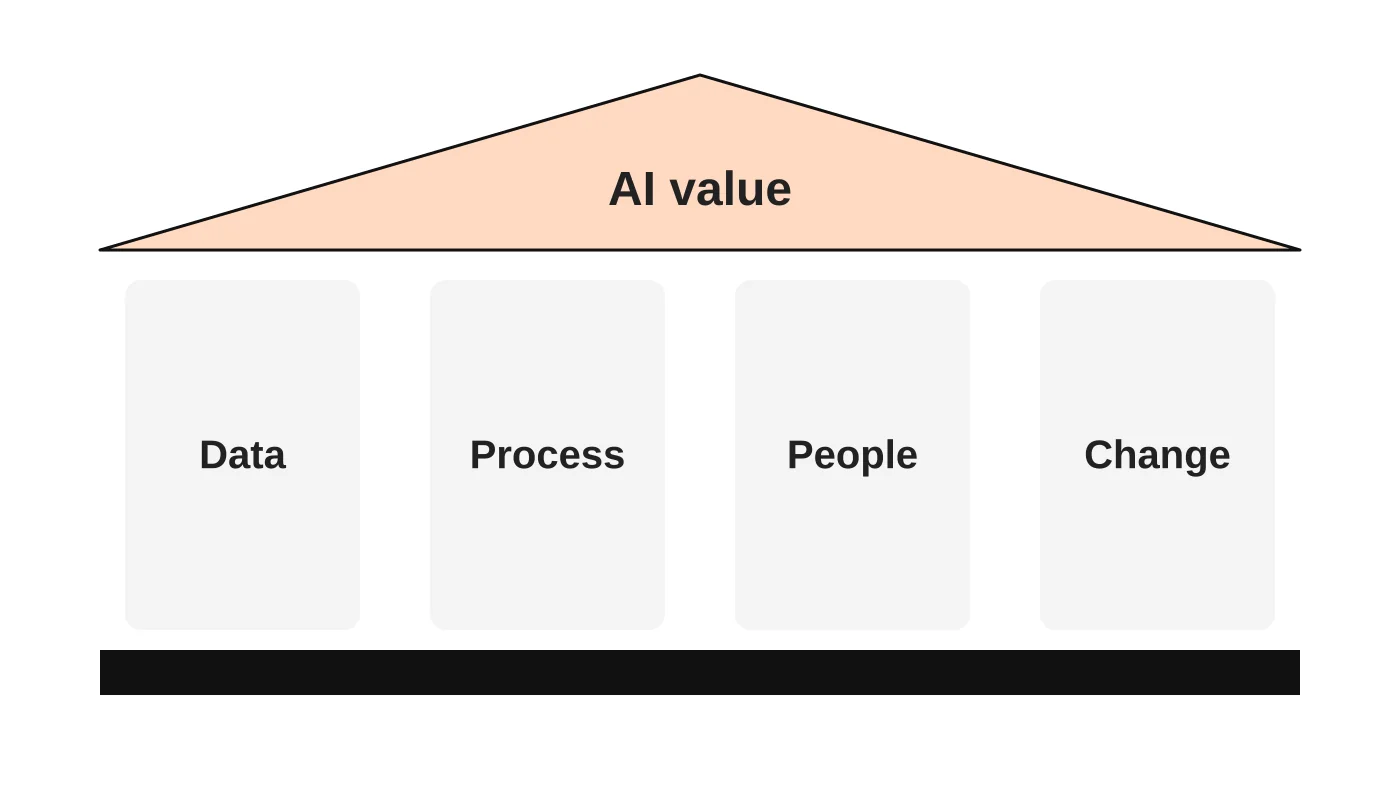
1. Is our data usable?
AI needs information to work with. Ask where the relevant data lives, whether it is complete and current, and whether different systems contradict each other. Ask whether staff can find the right answer without checking five folders and three colleagues. If your organisation cannot reliably reach its own knowledge, AI will struggle too, and you may blame the model for a data problem.
Signal to act on: if the tool cannot reliably access what it needs to make a useful decision, fixing the data foundation may be your best first investment.
2. Is the process worth improving?
Before automating, ask why the task exists in its current form. A ten-step approval might need four steps removed, not an AI assistant. A weekly report nobody reads might need to disappear. Staff copying data between three systems may need an integration. Automating a bad process just makes the inefficiency faster.
Signal to act on: map where work waits, where it is duplicated and where information is lost, then decide what remains.
3. Can our people use it well?
A licence gives someone access. It does not give judgement. People need to know when to use AI, how to give it context, how to check the output and how to redesign their work around it. That is a business capability, not a software feature.
Signal to act on: if staff are not using the tools you already own, buying another will not fix that.
4. Are we willing to change how the work gets done?
If AI saves five hours and the team is simply given five more hours of the same work, nothing has changed. Real adoption means roles, ownership and expectations may shift, and some tasks may stop being valuable.
Signal to act on: ask what you are prepared to stop doing if the tool works as promised. If the honest answer is “nothing,” think before you buy.
A use case before a strategy
Many businesses are told they need an AI strategy. A more useful starting point is a use case: one specific piece of work with a clear start, a clear finish and a person who owns the outcome. Strategy can follow once you have evidence from something real. Pilot one workflow, measure it, then decide where to go next.
AI use-case scorecard
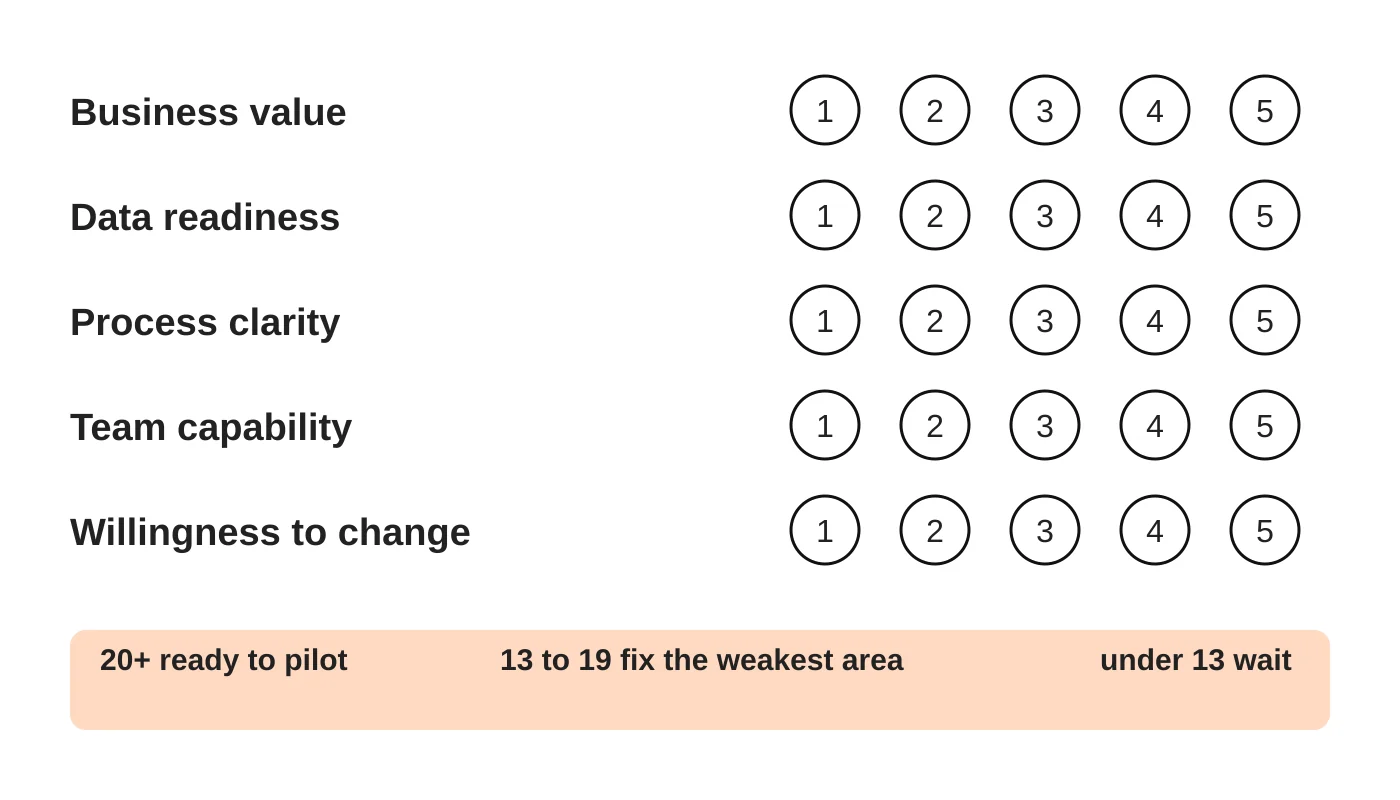
Score each candidate use case from 1 (weak) to 5 (strong). Copy this table for each idea.
| Criterion | What a 5 looks like | Score |
|---|---|---|
| Business value | Clear, measurable result (time, cost, revenue or quality) | |
| Data readiness | Data is accurate, accessible and permitted for this use | |
| Process clarity | The workflow is documented and worth keeping | |
| Team capability | Staff know how to use and check the output | |
| Willingness to change | Owner and leadership will adjust roles and rules | |
| Total (out of 25) |
A rough guide: 20 or more is ready to pilot, 13 to 19 means fix the weakest area first, and below 13 means wait. This is a thinking tool, not a scientific measure, so adjust it to your context.
Where AI plus a managed human team beats tools alone
Tools produce output, but someone has to brief them, check the results and handle exceptions. For many small businesses, the practical answer is a blend: AI to prepare and draft, a trained person to review, decide and communicate. How AI and offshore staffing combine to cut costs without cutting corners explores the idea, and the future of work looks at how teams are being redefined. If you are weighing building an AI team, see should you buy or build your AI team.
Related reading: How Do I Choose the Right Digital Marketing Tools?
A 30-day rollout
| Week | Focus | Actions |
|---|---|---|
| 1 | Choose | Pick one workflow. Score it. Name the owner and what “good” looks like. |
| 2 | Prepare | Tidy the data the tool will use. Simplify the process. Write usage rules, including what AI must not do. |
| 3 | Pilot | Run it with a small group. Keep humans reviewing all output. Record time to an accepted result, including corrections. |
| 4 | Decide | Compare against your baseline. Keep, change or stop. Write down what you learned. |
Also check privacy and security before you connect business data to any AI service. Ask what is stored, who can see it and whether it is used for training.
If you want ideas for putting AI to work on your website and marketing, see how AI and automation are transforming website marketing and AI tools for your next website project.
Frequently asked questions
Should a small business have an AI strategy?
Start with a use case. One working, measured example teaches more than a strategy document.
How do I know an AI tool is worth paying for?
Define the result first, run a short pilot and compare time and quality against your current method, including the time spent correcting output.
Is it better to use many AI tools or a few?
Fewer, used well. Each extra tool adds accounts, training, security and integration work.
What about customer data and privacy?
Check what the vendor stores and how it uses your data, and follow your obligations under privacy law before connecting anything. See what the Data Privacy Act expects.
Can AI replace my staff?
It can change what people spend time on. Most businesses still need people to supervise, decide and handle exceptions.
From the Wired for Growth newsletter
This guide builds on Before You Buy Another AI Tool, Ask These 4 Questions from Duarne Bernhagen’s LinkedIn newsletter, Wired for Growth, applying it to small and mid-sized businesses. Related issues are You Bought the AI. Where’s the Productivity? and You Don’t Need an AI Strategy. You Need an AI Use Case..
Talk to us about an AI-enabled team
Web Design Davao’s managed virtual staffing combines trained people with AI tools. Book an AI-enabled team consultation and bring one workflow you would like to improve.


