
Quick answer
Resort pages for weddings, team building and group bookings should be separate from room pages and built around planners’ questions. Show verified capacity by layout, facilities and accessibility, explain what each package includes and what is extra, set conditions such as deposits and cancellation, and give groups an enquiry route that reaches a named person.
- Verify capacity against your actual permits and safety limits, and never inflate figures.
- Ask only what your team needs to reply well, make budget optional, and avoid identification or card details.
- Track each enquiry as new, quoted, site visit, confirmed or lost, and record why enquiries are lost.
Group business is different from a family booking. A company planning a team-building day, a couple planning a wedding or a family organising a reunion has more people to please, more at stake and a longer decision. They need detailed information, and they want a person to talk to.
This guide shows how to build pages that answer their questions and give your team good leads. The venue in the examples is illustrative.
Separate events from room bookings
Do not mix group and event content into your standard room pages. Create:
- A group and events overview page explaining what you host.
- A page for each main event type you really do, such as weddings, team building and reunions.
- A route to enquire designed for groups.
Only create pages for events you want and can serve. See the resort website checklist for the individual room pages these link to.
Read next: Why Your Website Copy Attracts the Wrong Customers (and How to Fix Your Positioning).
Show verified capacity and facilities
Planners need numbers. Show, for each space:
- Maximum capacity by layout, such as seated meals, standing or theatre. State how the figure was set and keep it accurate.
- Indoor or outdoor, weather arrangements and any noise limits.
- Facilities like power, sound system, tables and chairs, restrooms and parking.
- Accommodation for overnight groups, with room counts.
- Accessibility for guests with limited mobility.
Verify capacity against your actual permits and safety limits. Never inflate figures.
Read next: From Clicks to Conversions: Mastering the Art of Digital Sales Funnels.
Explain packages
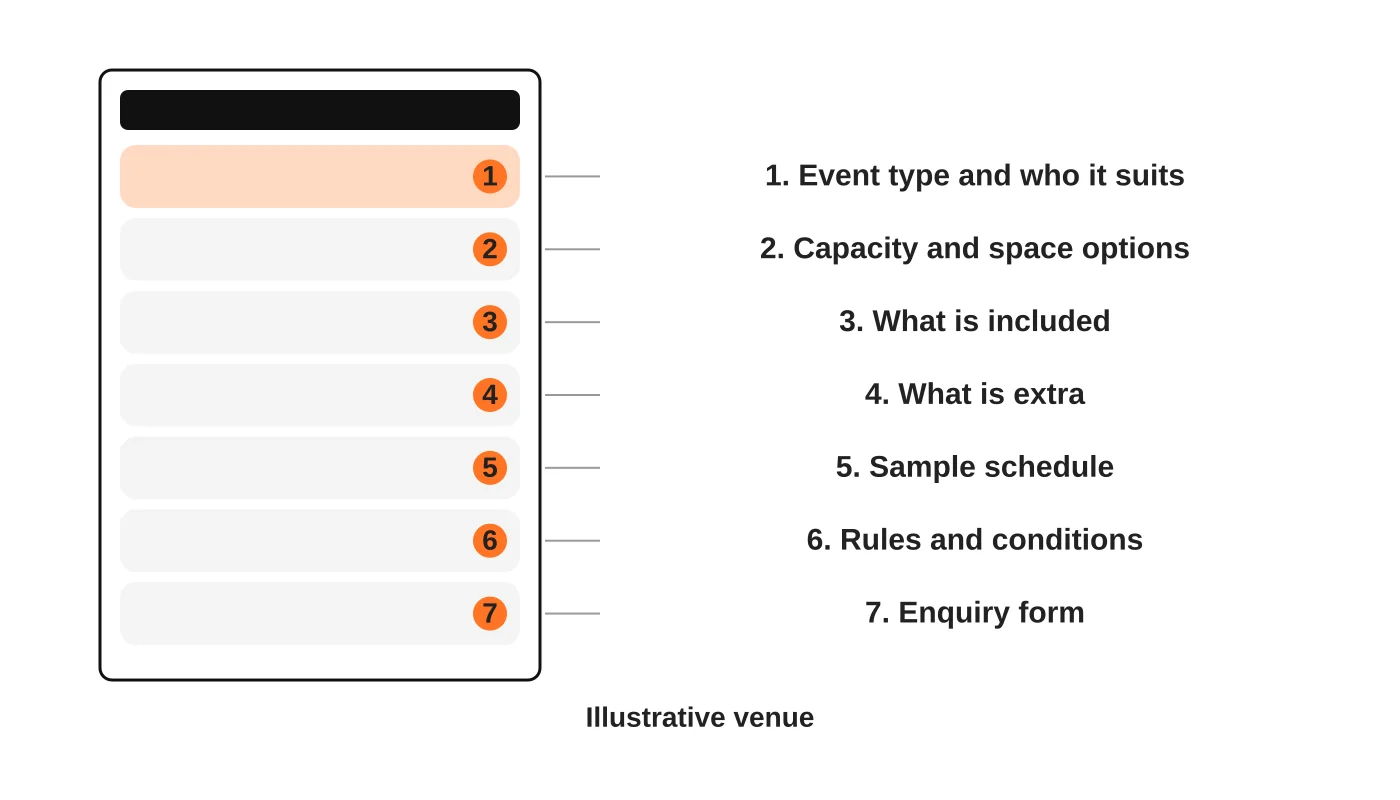
For each event type, include:
- Who it suits and typical group size.
- What is included, such as venue, meals, equipment and coordination.
- What is extra, such as decorations, entertainment, transport and overtime.
- A sample schedule for a typical day.
- Conditions: deposits, cancellation, minimum numbers, outside suppliers and house rules.
- How to enquire.
Be honest about what is not included. Surprises at the final bill harm trust and reviews. If you cannot show prices, explain what drives them. Do not publish prices you cannot honour.
Qualify dates and group size
A group enquiry needs more information than a room booking. Ask for what your team needs to reply well, and not much more.
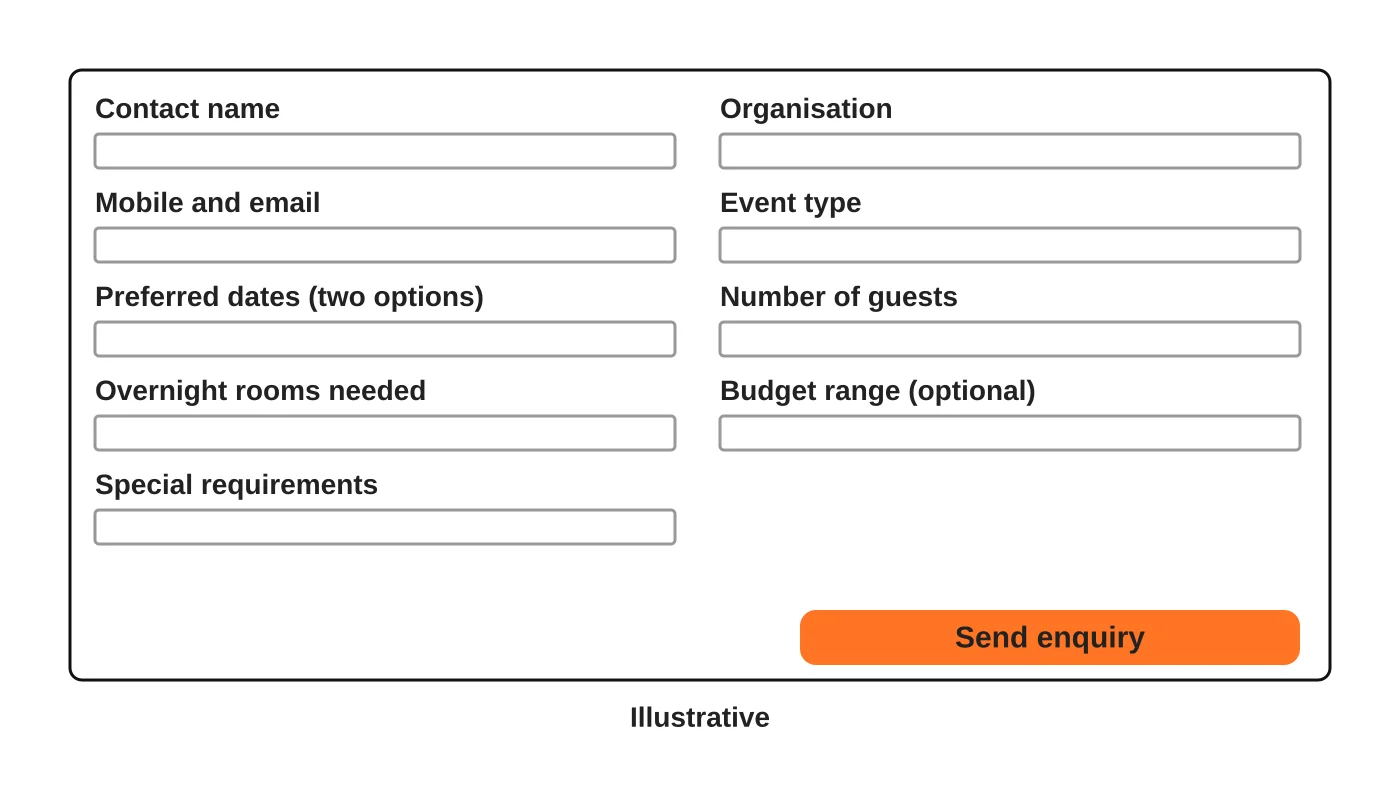
The form is illustrative. Add fields only if they change your answer. Make budget optional. Say what happens next and when. Avoid asking for sensitive details such as identification numbers or payment card information. See the Data Privacy Act checklist.
Hand enquiries to the right person
Decide who responds to events and groups. A general front desk may not be able to quote a wedding. Set up a shared inbox or a named contact, use a template reply and track each enquiry’s status: new, quoted, site visit, confirmed or lost. Record why enquiries are lost so you can improve.
Help planners visit
Many groups want a site visit. Say how to arrange one, what days are available and what the planner can see. Provide a downloadable fact sheet if useful, and keep it identical to the website.
Photos and proof
Use real photos of the actual spaces, set up for events, and show scale with tables and chairs. Only use photos of events you hosted with permission from the people shown. Never use stock images that suggest facilities you do not have.
Be found for group searches
Group planners search differently from families. They look for the type of event, the area and capacity. A dedicated page with real details can match those needs. See local SEO for resorts in Davao and the resort marketing guide.
Frequently asked questions
Do I need a separate website for weddings?
Usually not. A section or pages within your main site are easier to maintain.
Should I list outside suppliers?
Only if you have agreements and current details. Otherwise explain your policy on outside suppliers.
How fast should I respond to group enquiries?
As fast as you can, and say in the form what to expect. Do not promise what you cannot meet.
Can I use customer events as examples?
Only with permission from the organisers and people involved.
Sources
Plan your event pages
Web Design Davao’s web design team can help plan pages that explain your group and event packages. Get in touch.


