

Quick answer
If Google Ads brings the wrong leads, define a qualified lead, review the search terms report by cost and enquiries, add negative keywords for wrong-intent words such as free or jobs, make the ad, landing page and form say the same thing, and add one or two gentle qualifying questions. Change one thing at a time and track outcomes.
- Write down what a good enquiry looks like and what is not, and agree it with whoever handles enquiries.
- Check the search terms report for clicks, enquiries and qualified leads, marking terms to keep, exclude and test.
- Judge changes over a reasonable window rather than pausing everything after one bad week, and track enquiry source and outcome.
More clicks do not fix a lead problem. If your Google Ads bring enquiries from people who cannot or will not buy, the issue is usually in the search terms, the offer or how you qualify. This guide shows how to find the mismatch and fix it, for clinics, professional firms and logistics providers.
The numbers in the worksheet are synthetic and show a method only. Check the current controls in Google Ads before changing settings. No result is promised.
Step 1: define a qualified lead
Write what a good enquiry looks like: right service, right area, right size, ready to talk. Write what is not: job seekers, suppliers, students, free-advice seekers, the wrong location. Agree it with the person who handles enquiries. Without a definition, you cannot judge quality.
Step 2: inspect the search terms
In your Google Ads account, open the report of search terms that triggered your ads. Sort by cost and by enquiries.
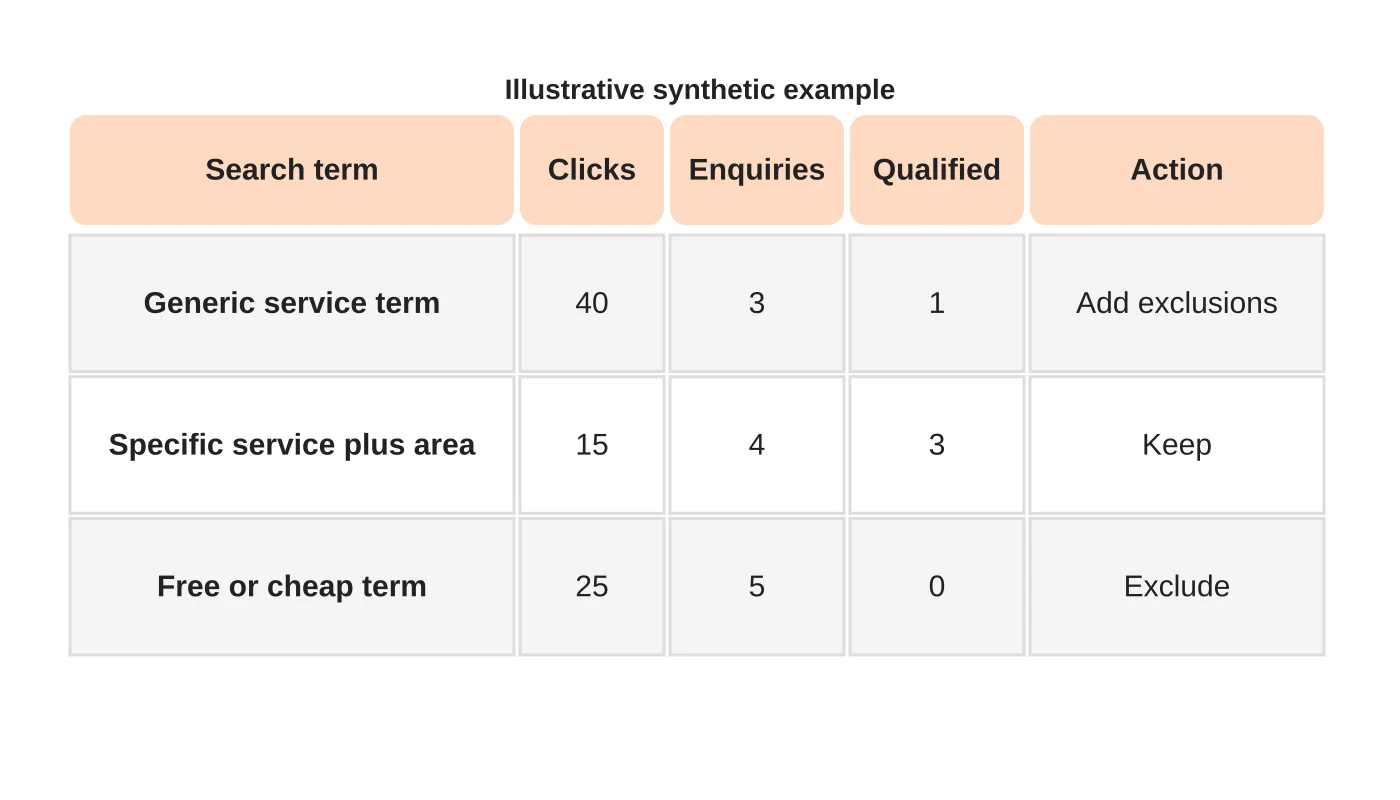
For each term, record clicks, enquiries and how many were qualified. Mark terms to keep, to exclude and to test. Look for words that signal the wrong intent, such as “free”, “jobs”, “training” or terms for services you do not offer. Add them as negative keywords where it is appropriate.
Related reading: How can Google AdWords Remarketing Work for You?
Step 3: align the ad and the offer
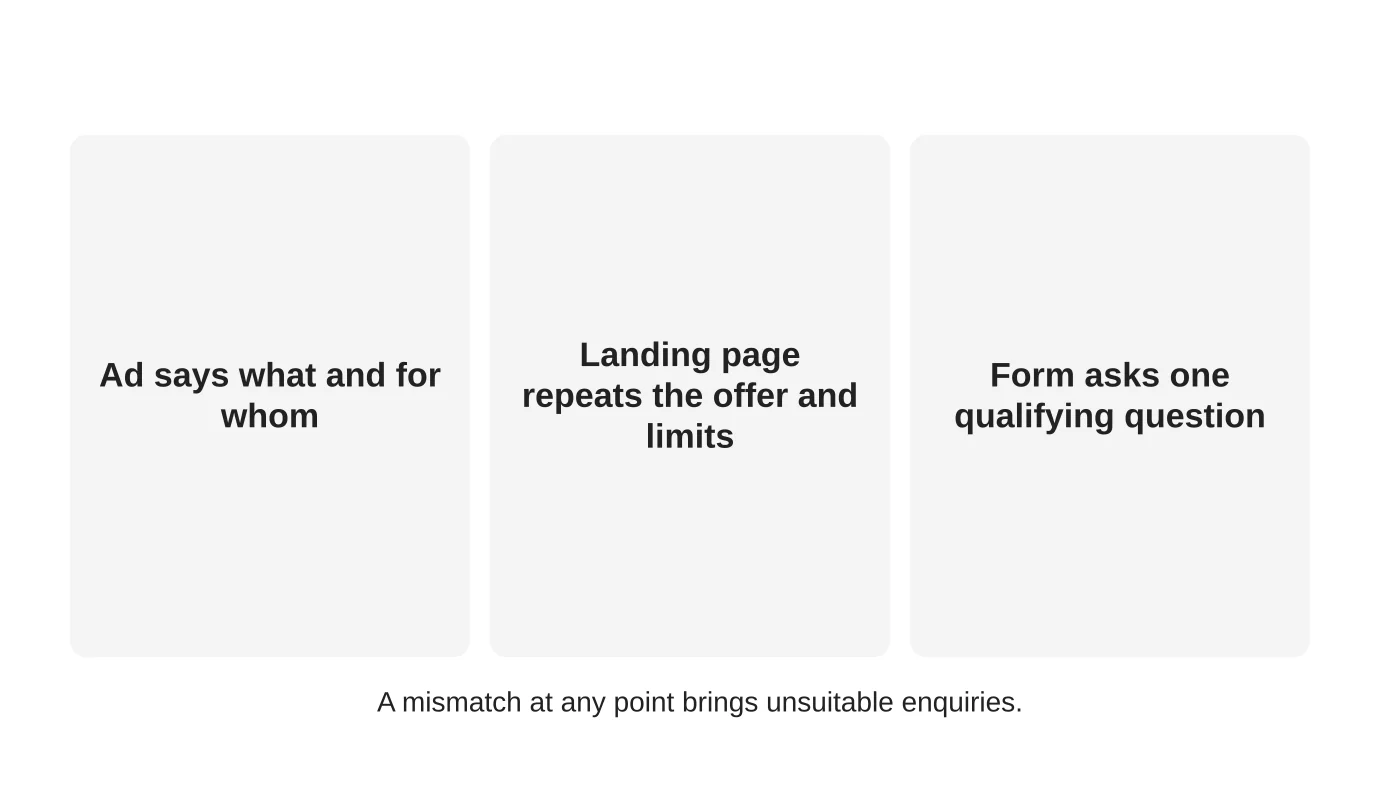
Check what the ad promises, what the page says and what the form asks. A mismatch causes the wrong enquiries. Make the ad say what you do and for whom, including limits such as area or minimum size. Make the landing page repeat it. See a Google Ads landing page checklist.
Related reading: Will Google Ads be Beneficial In 2019?
Step 4: qualify gently on the form
Add one or two questions that help you and the visitor: service needed, location or timing. Avoid questions that feel like a hurdle or collect sensitive details. Explain what happens next. For positioning issues behind poor-fit enquiries, see why website copy attracts the wrong customers.
Step 5: test and track outcomes
Change one thing at a time. Track enquiry source, qualified status and outcome in a log, and compare by search term group. Review weekly at first. See using reports to optimise Google Ads. Do not pause everything because of one bad week; judge on a reasonable window.
Step 6: decide the right place for paid spend
If your cost per qualified enquiry stays too high, check whether SEO or a different channel suits you better. See SEO or Google Ads for a Davao business.
Frequently asked questions
Should I use broad match?
Only with strong controls and monitoring. Review the terms it triggers.
How many negatives are enough?
There is no number. Keep reviewing search terms.
Can I filter by location?
You can set location targeting, but check how people in the area are defined. Review the report.
What if the leads are good but sales fail?
Look at your follow-up speed and process.
Sources
Review your Ads leads
Web Design Davao’s SEO and online advertising team can discuss a review of your search terms and landing pages. Get in touch.
Related guide: Job Seekers Clicking Your Service Ads: How to Review the Search Intent Mismatch


