

Quick answer
The difference between managed WordPress hosting and an unmanaged VPS is mostly who does the work. On managed hosting the provider typically handles server software and often backups and some security. On a VPS you or someone you hire handles setup, updates, security, backups and troubleshooting, so price that effort alongside the plan.
- List each duty, from server setup to incident response, and name who does it under each option.
- Add maintenance hours and the cost of a mistake such as downtime or a breach to the VPS price.
- A VPS may suit custom software and skilled teams; managed hosting may suit owners who want less to look after.
The price of a virtual private server (VPS) can look low next to managed WordPress hosting. The difference is often who does the work. This guide compares the two by responsibility, so you can price the effort as well as the plan.
It is for growing businesses and technical buyers. Offers differ by provider, so confirm what each includes. The hours are hypothetical.
What each option means
- Managed WordPress hosting: the provider runs the servers and typically handles server software, some security features and often backups, tuned for WordPress. What it covers varies.
- Unmanaged VPS: you get a virtual server and the freedom to set it up. You, or someone you hire, handle setup, updates, security, backups and troubleshooting.
Neither is better by itself. The question is who will do what, and whether they will actually do it.
Split server duties from application duties
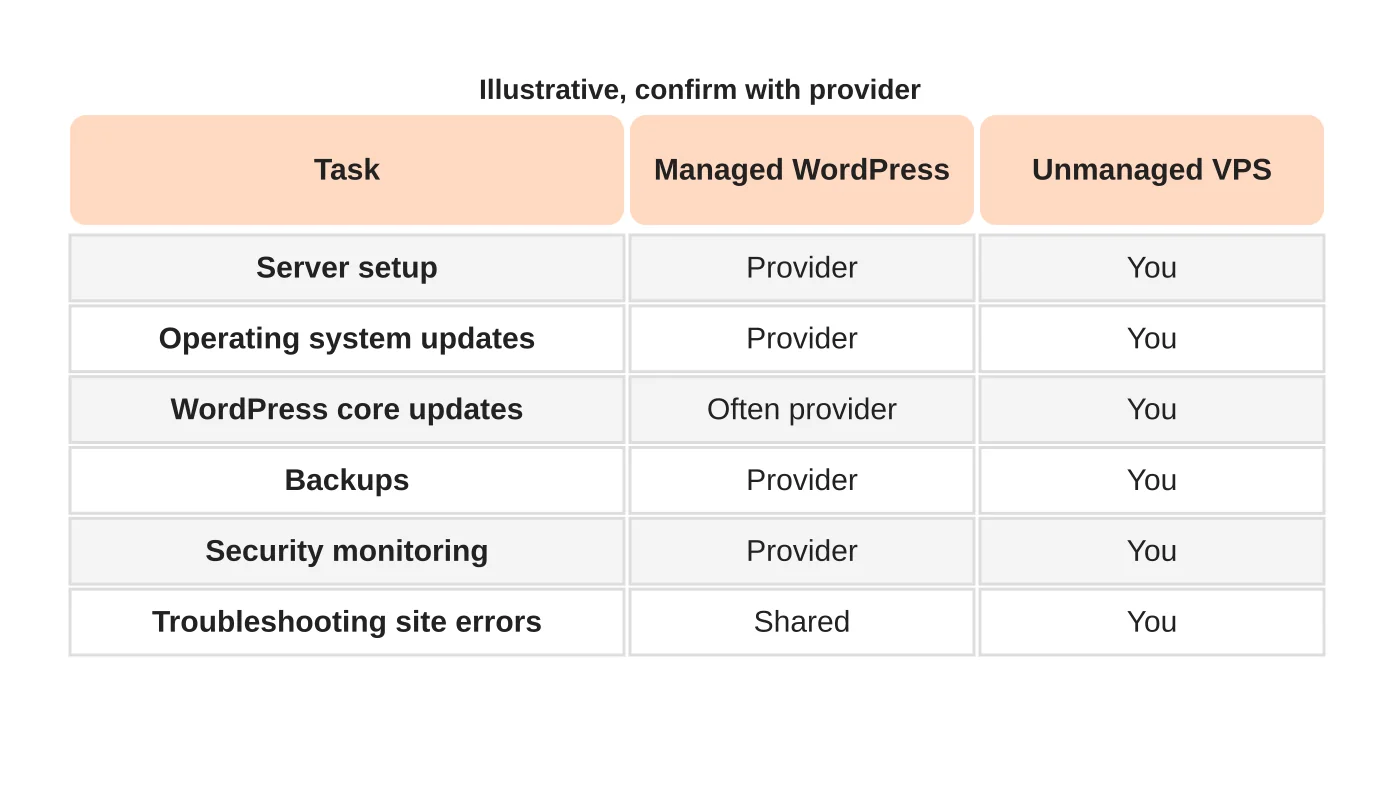
List the duties: server setup, operating system updates, web server and database configuration, WordPress core, themes and plugins, backups, security monitoring, certificates, performance tuning and incident response. For each option, mark who does it. The table is illustrative, so ask providers to fill in the real one. Where the answer is “you”, name a person.
Compare skills and access
An unmanaged server needs someone comfortable with server administration and with the risks of mistakes. If your team or agency lacks the skill, either buy it or choose managed. Check who has access to the server and how access is controlled. See advanced security in web hosting.
Price the effort
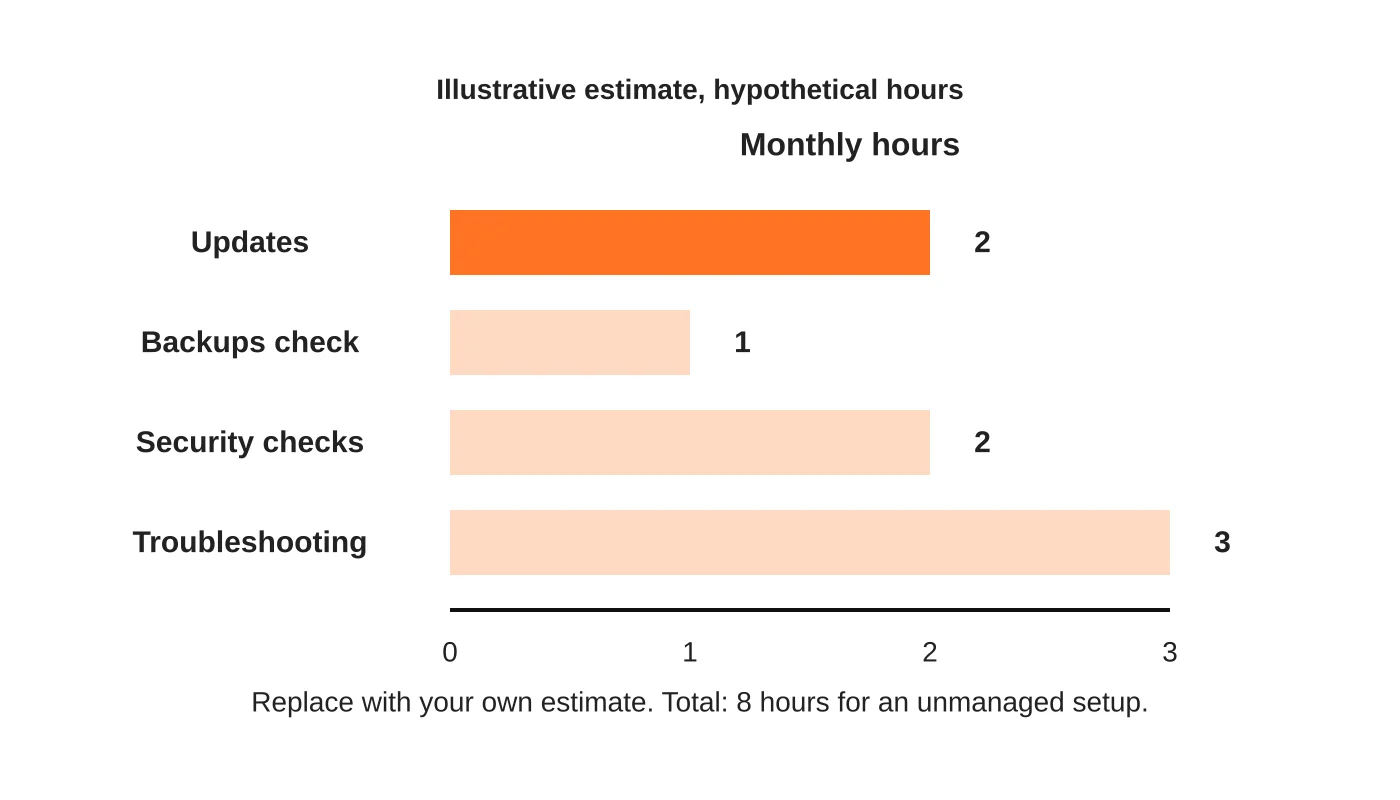
Add the time to the price. If a person spends hours each month maintaining a VPS, include that cost, whether it is staff or an agency. Also include the cost of a mistake, such as downtime or a breach. Compare the total with a managed plan, not only the monthly fee.
Choose by support needs
Ask how fast and how well each option would help at the worst moment. Managed hosting often includes support with WordPress knowledge. A VPS provider may support only the server. Decide what your business needs. For maintenance, see what a maintenance plan should include. For platform security, see is WordPress a secure CMS.
When a VPS makes sense
A VPS may fit when you need custom software, unusual configuration or more control, and have the skills. It can also suit developers hosting several projects.
When managed makes sense
Managed hosting may suit businesses that want less to look after, predictable support and security features. Check resource limits too. See understanding hosting resource limits.
Frequently asked questions
Can I move from one to the other later?
Yes, with planning. See moving a website to a new host.
Is a VPS more secure?
Not by itself. Security depends on who configures and maintains it.
Do managed hosts take care of everything?
No. Check what is excluded, such as plugin conflicts and content problems.
Which is cheaper?
It depends on how you value time and risk.
Sources
Decide who does the work
Web Design Davao’s hosting team can discuss which option fits your site and team. Get in touch.


