

Quick answer
To support a course launch, map every system involved and who runs it, estimate modest, likely and high demand, assign monitoring and escalation, and test the full journey before announcing. A website host cannot fix a third-party platform outage, so confirm payment, sign-in and backup responsibilities in advance.
- Plan for the high-demand case, and ask each provider about limits and what happens if demand exceeds them.
- Run a full test of sign-up, payment, confirmation, access and a support request, including on a phone.
- Name who watches the site, payments and sign-in during launch, and prepare a message for learners if something fails.
Launch day brings traffic spikes, and a failed payment or login costs sales and trust. Planning dependencies helps. This guide gives a checklist. It promises no uptime or sales.
1. Map website, payment and learning-platform responsibilities
List each system involved: website host, payment provider, email service and learning platform, and who runs each. A website host cannot fix a third-party platform outage. Record support contacts.
2. Estimate launch demand
Estimate modest, likely and high demand from your list size, past launches and campaign plans. Ask each provider about limits and what happens if demand exceeds them. Plan for the high case.
3. Plan monitoring and escalation
Name who watches the site, payments and sign-in during the launch window and who to call at each provider. Agree what you will tell learners if something fails.
4. Test before launch
Run a full test: sign-up, payment, confirmation, access and support request. Test on a phone. Fix problems before announcing.
5. Verify backups and recovery ownership
Confirm backups exist, where they are and who can restore them. Know how long recovery would take and what you would say to buyers. See the independent course website guide and campaigns and landing pages.
Course launch dependency checklist
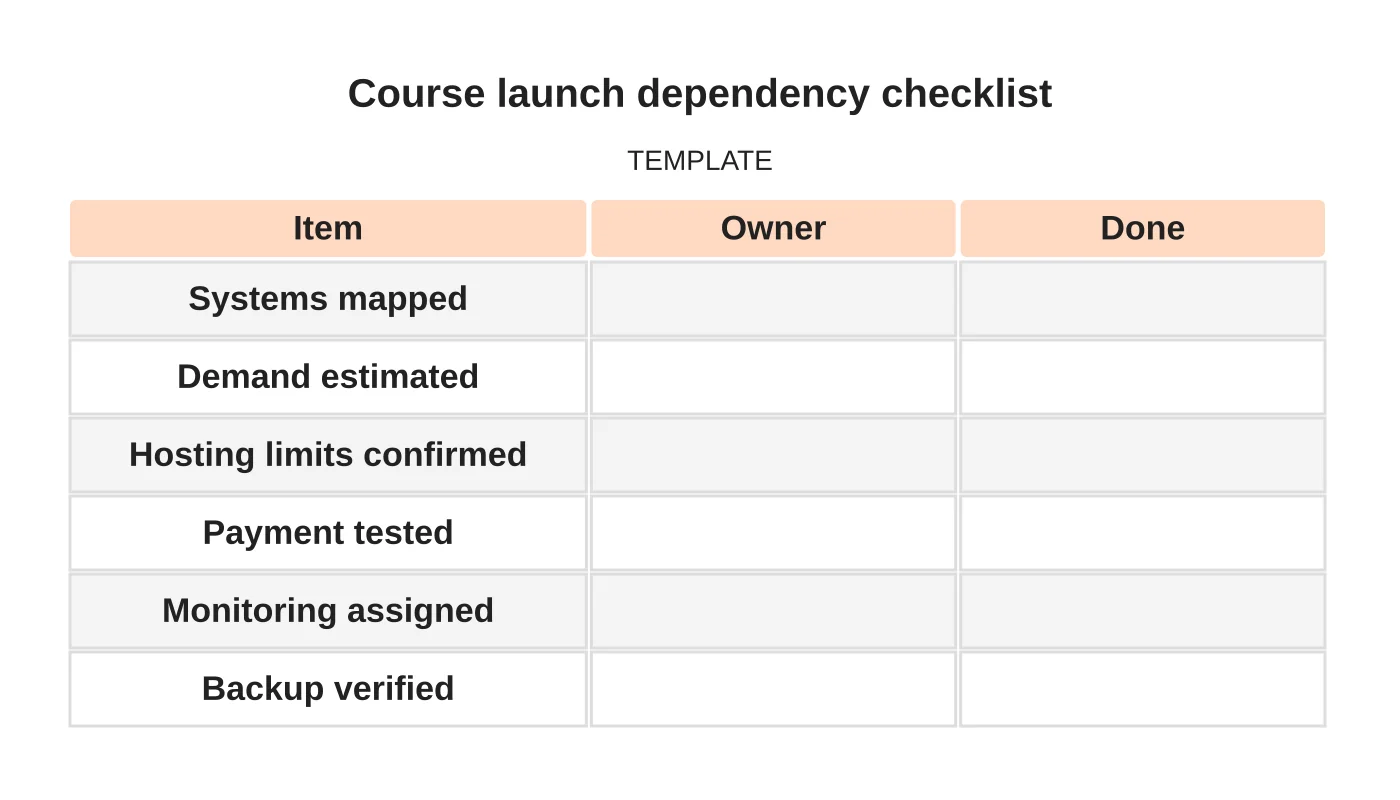
| Item | Owner | Done |
|---|---|---|
| Systems mapped | ||
| Demand estimated | ||
| Hosting limits confirmed | ||
| Payment tested | ||
| Monitoring assigned | ||
| Backup verified |
Related reading: Course Registration or Direct Checkout: Choosing the Right Enrolment Journey.
Common mistakes
- Launching without a full test.
- No contact at the payment provider.
- Assuming hosting covers every system.
- No message ready for outages.
- Unverified backups.
Questions course creators ask
Do I need a bigger host? Ask your provider about expected traffic, and plan for the high case.
Who handles problems on launch day? Name a person for each system before you start.
Next step
Request a review of your website hosting, dependencies and continuity requirements. Read about our secure hosting service or contact us.
Frequently asked questions
Do I need a bigger host for a course launch?
Ask your hosting provider about expected traffic and its limits, and plan for the high-demand case. Estimate modest, likely and high demand from your list size, past launches and campaign plans, and ask what happens if demand exceeds the limits.
Who handles problems on launch day?
Name a person for each system before you start: website, payments, sign-in and the learning platform, with a support contact at each provider. Agree in advance what you will tell learners if something fails.
What should I test before announcing a course?
Test the whole journey: sign-up, payment, confirmation, access and a support request, on a phone as well. Fix problems before announcing. Also confirm backups exist, where they are, who can restore them and how long recovery would take.
Sources and notes
Last updated 21 November 2026. This guide is general information based on Web Design Davao’s web design and digital marketing practice. It cites no statistics and makes no promise about rankings, enquiries or contracts. Web Design Davao is not licensed or certified in this industry, so check technical, safety, legal and regulatory matters with a suitably qualified professional. Examples are templates or illustrations, not client results.


