

Quick answer
A virtual assistant for a property manager can log maintenance requests, schedule inspections, send approved reminders, prepare standard letters for review and keep records, using approved templates. Urgent, legal and financial matters, such as safety issues, legal notices and contractor decisions, go straight to the property manager.
- Use approved templates, and do not let the assistant negotiate, promise repairs or timeframes, or give legal or tenancy advice.
- Give named logins with access only to what the role needs, and no trust or payment account access without approval.
- Review response times, missed tasks, escalations and errors each month, then update templates and limits.
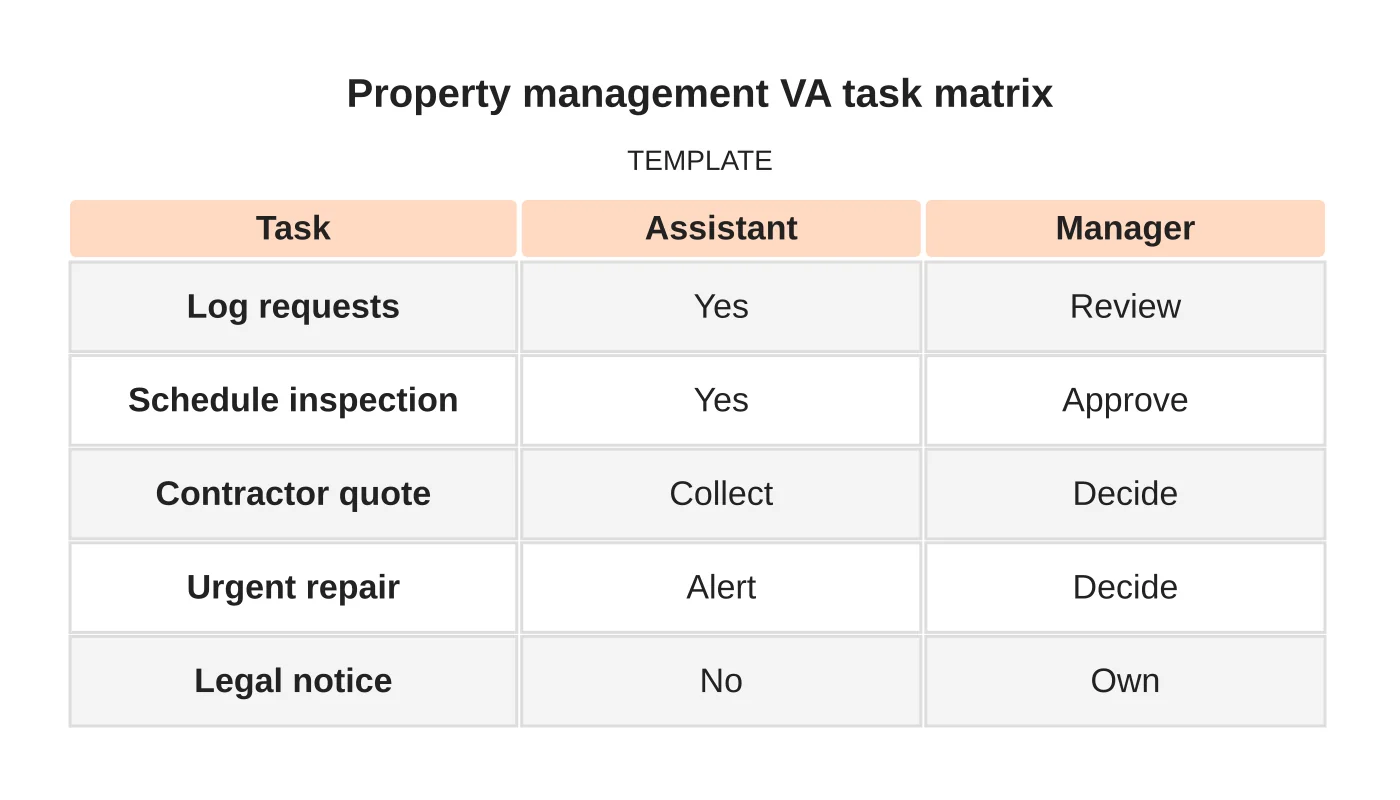
A remote assistant can handle routine administration, but tenant, contractor and regulated decisions need limits. This matrix sets them out. Staffing details, hours and tools need confirmation before any commitment.
1. Define remote administrative tasks
List routine tasks the assistant may do: logging maintenance requests, scheduling inspections and appointments, sending approved reminders, preparing standard letters for review, updating records and keeping the enquiry tracker. Each task has a template and an owner.
2. Set tenant and contractor communication limits
Use approved templates and set clear limits. The assistant does not negotiate, promise repairs or timeframes, give legal or tenancy advice or discuss owners’ finances. When asked, the reply is that the request will be passed to the property manager.
3. Control document and account access
Give access only to what the role needs, with named logins and no shared passwords. Keep tenant and owner records private, store documents in a controlled place and remove access when staff leave. The assistant has no access to trust or payment accounts unless your principal approves and the law allows.
4. Escalate urgent and regulated decisions
Reports of safety issues, damage, emergency repairs, tenant disputes, legal notices, bond or deposit matters and any financial decision go to the property manager at once by the agreed method. The assistant uses approved holding messages only.
5. Review
Each month, review response times, missed tasks, escalations and any errors. Update templates and limits. See the owner-focused website guide and owner intent.
Property management VA task matrix
| Task | Assistant | Manager |
|---|---|---|
| Log requests | Yes | Review |
| Schedule inspection | Yes | Approve |
| Contractor quote | Collect | Decide |
| Urgent repair | Alert | Decide |
| Legal notice | No | Own |
Related reading: Property Management Service Pages: Fees, Responsibilities and Owner Enquiries.
Common mistakes
- Assistants promising repairs.
- Shared logins.
- Delayed escalation of urgent issues.
- No templates.
- Access to accounts that is not needed.
Questions property managers ask
Can the assistant speak to tenants? Only with approved templates and the limits above.
Can it cover after hours? Only if agreed, staffed and described accurately.
Next step
Share your recurring tasks, required hours and approval boundaries so Web Design Davao can discuss a suitable staffing role. Read about our outsourced staffing service or contact us.
Frequently asked questions
Can a virtual assistant speak to tenants?
Only with approved templates and clear limits. The assistant does not negotiate, promise repairs or timeframes, give legal or tenancy advice or discuss owners’ finances. When asked, the reply is that the request will be passed to the property manager.
Which issues should be escalated at once?
Reports of safety issues, damage, emergency repairs, tenant disputes, legal notices, bond or deposit matters and any financial decision go to the property manager immediately by the agreed method. The assistant uses approved holding messages only.
Can the assistant cover after-hours enquiries?
Only if it is agreed, staffed and described accurately. Staffing details, hours and tools need confirmation before any commitment, and urgent matters still go to the property manager using the agreed escalation method.
Sources and notes
Last updated 21 November 2026. This guide is general information based on Web Design Davao’s web design and digital marketing practice. It cites no statistics and makes no promise about rankings, enquiries or contracts. Web Design Davao is not licensed or certified in this industry, so check technical, safety, legal and regulatory matters with a suitably qualified professional. Examples are templates or illustrations, not client results.


