

Quick answer
Give a clinic service its own page when patients search for it by name, the visit or practitioner differs, you can say something accurate and useful, and you will keep it updated. Each page should cover who it is for, what a visit involves, who provides it, what affects cost, practical questions and how to book.
- Group minor or similar services on one page, and avoid near-duplicate pages that add maintenance and confuse patients.
- Have the practitioner confirm every clinical statement, and avoid promised outcomes, fear-based language and diagnosis-like wording.
- Answer real front-desk questions such as HMO acceptance, appointment length, follow-ups and cancellations, listing only HMOs you currently accept.
A clinic may offer dozens of services but give them one line each on a single page. Patients cannot tell what applies to them. Or the clinic creates a page for every possible term, with the same text repeated. Both fail the patient.
This guide helps you choose which services deserve a page and what each page should contain. It is about structure and wording, not clinical advice. Any clinical statement must be checked by a qualified practitioner.
Decide which services get a page
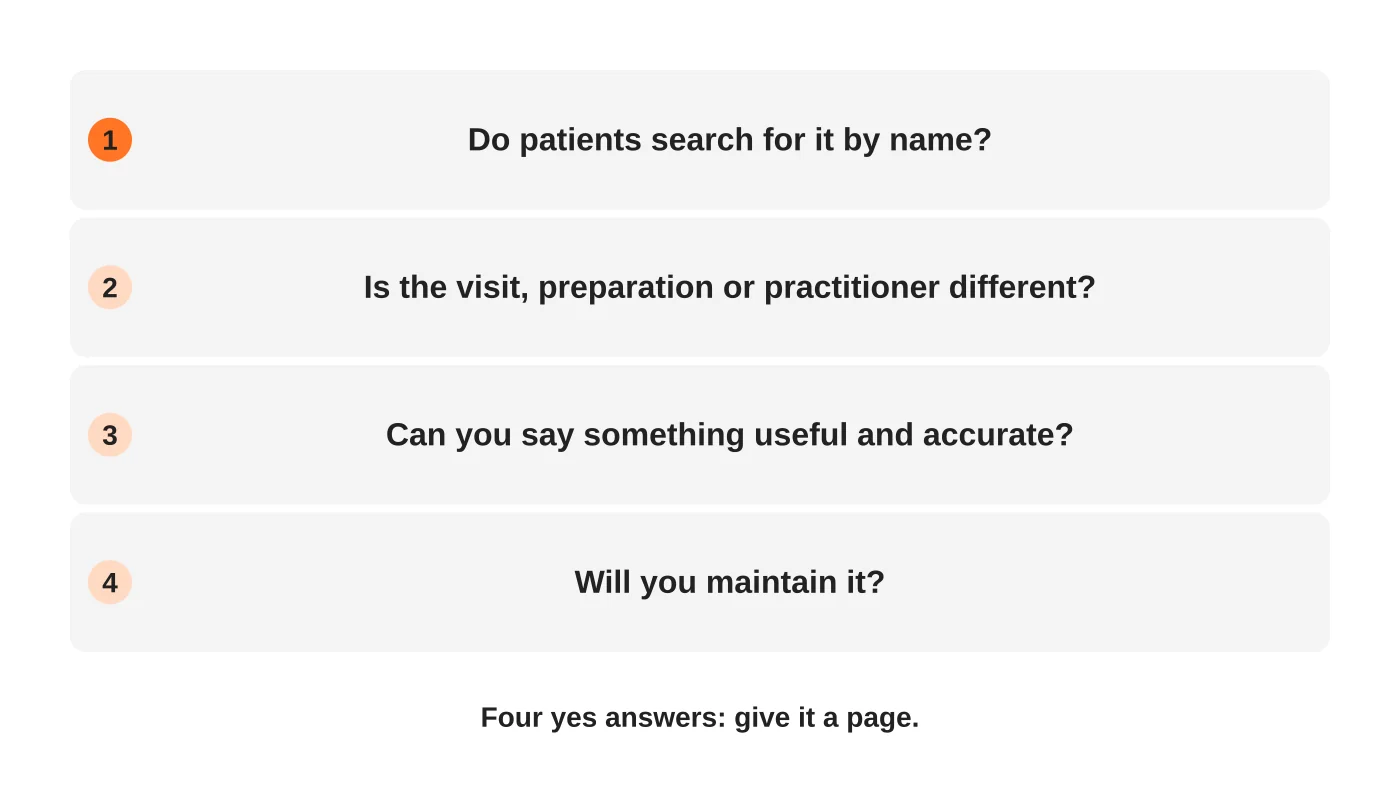
Give a service its own page when all four are true: patients look for it by name, the visit or practitioner is different, you can say something useful and accurate, and you will keep it updated. Group minor or similar services on one page. Avoid near-duplicate pages, which add maintenance and confuse patients. See the content audit for deciding what to keep or merge.
Read next: Why Your Website Copy Attracts the Wrong Customers (and How to Fix Your Positioning).
A page template
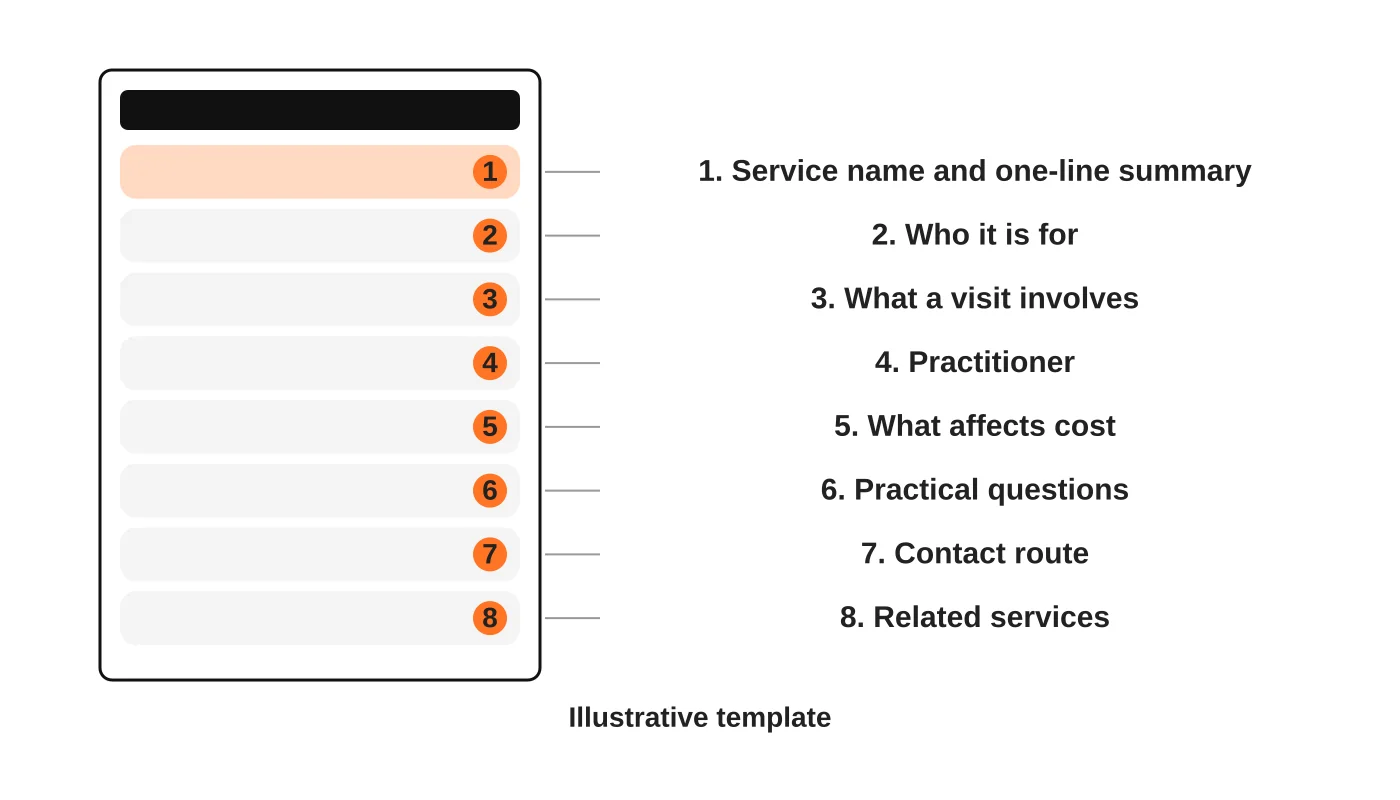
The wireframe is an illustrative template. Adapt it.
1. Service name and summary
Use the name patients use, not only the clinical term. Add the clinical term in brackets if both help. One sentence says what it is.
2. Who it is for
Describe the situations where patients usually ask about it, and when to see someone urgently or somewhere else. Do not diagnose. Do not suggest a person definitely needs treatment.
3. What a visit involves
Give the steps from arrival to leaving, how long it usually takes and what to bring or prepare. Only state what your clinic actually does.
4. Who provides it
Name the responsible practitioner with a verified title. Link to their profile. Do not claim qualifications you cannot show.
5. What affects cost
If you can show prices, do. If not, explain what changes the cost and how to ask for an estimate. Avoid “cheapest” and other claims you cannot support.
6. Practical questions
Answer the real questions your front desk hears: insurance or HMO acceptance, appointment length, follow-ups, payment methods, cancellations. Base these on real enquiries. Only list HMOs you currently accept. See answer-first pages and real FAQs.
7. The contact route
Say how to ask: call, message or request an appointment. Match the page to the right route. See appointment request forms.
8. Related services
Link to the services patients usually consider next, using descriptive anchor text.
Wording to avoid
- Guarantees and promised outcomes.
- Comparisons with other clinics.
- Fear-based language.
- Before and after images without proper consent and review. This is general information, not legal advice. Check your situation with a qualified adviser.
- Anything that reads as a diagnosis.
Keep the writing plain. Aim for the reading level of a patient, not a journal.
Review before publishing
Ask the practitioner to confirm every clinical statement and your data protection lead to check forms and notices. Date the review. Revisit pages when staff, prices or processes change. See the Data Privacy Act checklist.
Link the pages together
Each service page should link to related services, to your practitioner pages and to your contact route. Your overview page should link to each service. The hub-and-spoke pattern is described in the clinic website and marketing guide and the medical clinic website checklist.
Frequently asked questions
How long should a service page be?
As long as needed to answer the patient’s questions. There is no ideal length.
Do I need a page for every dentist or doctor?
If they provide different services or patients ask for them by name, a profile page helps. Otherwise group them.
Can I reuse text from a supplier or brochure?
Do not copy text you do not own. Write in your own words and check accuracy.
Should I add schema?
Only if it matches the visible page and you can maintain it. See schema markup for AI search.
Sources
Plan your service pages
Web Design Davao’s web design team can help you plan the service pages your clinic website needs. Ask for help.


