

Quick answer
A training centre course page should answer who the course is for, when it runs, how much it costs and how to register. State prerequisites and suitability, show dates, duration, delivery mode, location, fees and inclusions, make registration simple on a phone, and state recognition only where confirmed.
- State prerequisites, course level and who the course does not suit; clear suitability reduces unsuitable enrolments and refund requests.
- Show what is included and what costs extra, such as materials or assessments, and keep intake dates current.
- Name the recognising body for any accreditation, and promise no employment or pass rates without evidence.
A course page is a decision page. It should answer who the course is for, when it runs, how much it costs and how to register. Recognition and outcome statements must be confirmed before publishing.
1. Explain prerequisites and suitability
State prerequisites, the level of the course and who it suits and does not suit. Say what learners need to bring or complete before starting. Clear suitability reduces unsuitable enrolments and refund requests.
2. Show schedule, fees and inclusions
Show dates, duration, delivery mode, location and fees, with what is included and what costs extra, such as materials or assessments. Keep intake dates current. If places are limited, say so honestly.
3. Support accessible registration
Make registration simple on a phone, and offer help by phone or message. Use accessible forms, clear labels and confirmation messages. Explain what happens after registering.
4. State confirmed recognition and outcomes
State accreditation or recognition only where confirmed, naming the awarding or recognising body and the scope. Do not promise employment, income or pass rates without evidence.
5. Review each intake
Check the page against the current course details before each intake. See the training centre marketing guide and keeping websites accurate between intakes.
Course-page checklist
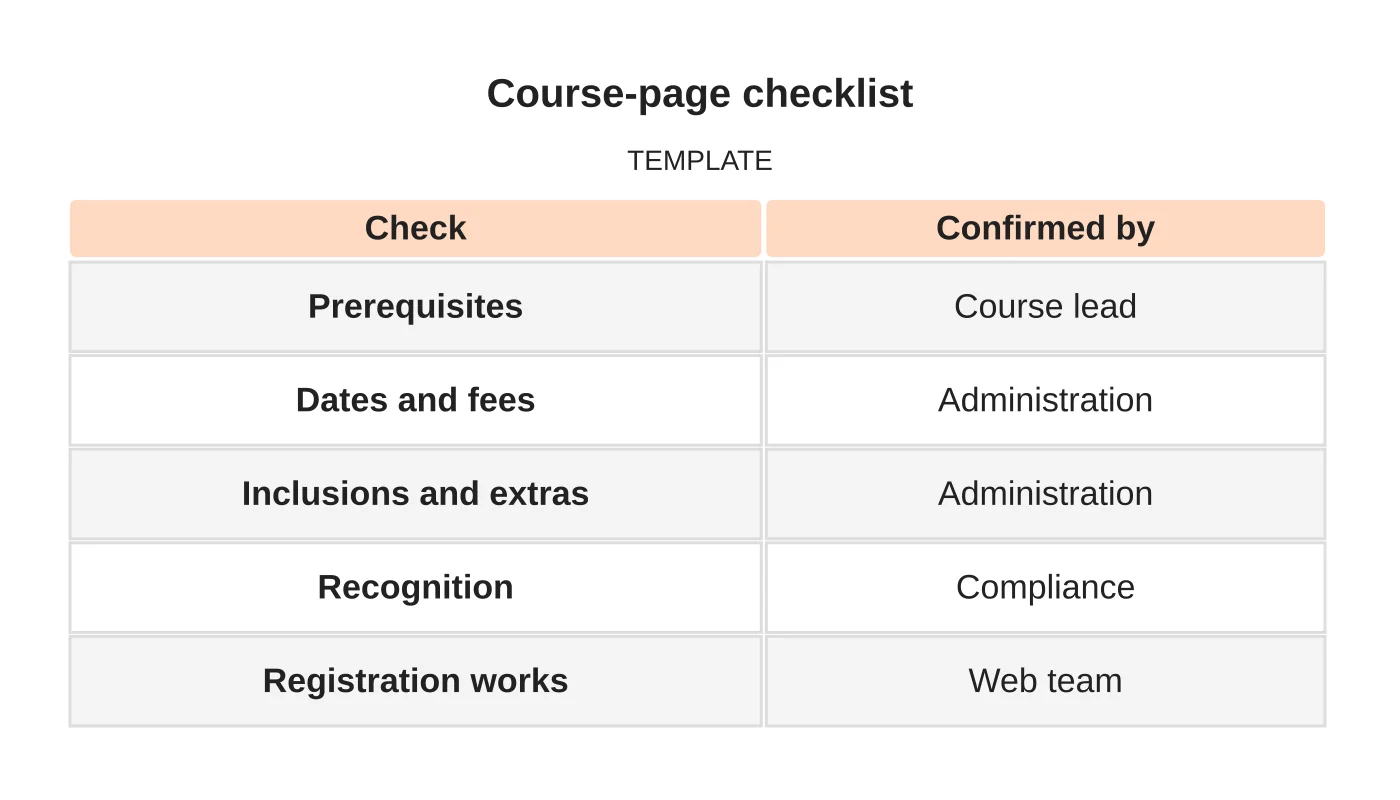
| Check | Confirmed by |
|---|---|
| Prerequisites | Course lead |
| Dates and fees | Administration |
| Inclusions and extras | Administration |
| Recognition | Compliance |
| Registration works | Web team |
Common mistakes
- Missing prerequisites.
- Unclear fees.
- Claiming recognition that is not confirmed.
- Complicated registration.
- Old intake dates.
Questions centres ask
Should I list instructors? If approved, with accurate, verifiable backgrounds.
Do I need testimonials? Only genuine ones with permission.
Related reading: Local SEO for Training Centres with Multiple Courses and Locations.
Next step
Request a website review or discuss the pages and enquiry workflow your business needs. Read about our web design service or contact us.
Frequently asked questions
What should a course page show about fees?
Show dates, duration, delivery mode, location and fees, with what is included and what costs extra, such as materials or assessments. Keep intake dates current, and if places are limited, say so honestly.
Can I say a course is accredited?
Only where recognition is confirmed, naming the awarding or recognising body and the scope. Do not promise employment, income or pass rates without evidence. Have your compliance contact confirm the wording before publishing.
How should registration work?
Make it simple on a phone, offer help by phone or message, and use accessible forms with clear labels and confirmation messages. Explain what happens after registering, and check that registration works before each intake.
Sources and notes
Last updated 21 November 2026. This guide is general information based on Web Design Davao’s web design and digital marketing practice. It cites no statistics and makes no promise about rankings, enquiries or contracts. Web Design Davao is not licensed or certified in this industry, so check technical, safety, legal and regulatory matters with a suitably qualified professional. Examples are templates or illustrations, not client results.


