

Quick answer
Keep a training centre website accurate between intakes by naming an owner for dates, fees, seats and course details, updating fees and availability before each intake is promoted, testing registration forms, retiring expired intake content and keeping a short change log. Check that the website, listings, brochures and campaigns all agree.
- Name who owns dates, fees, seats and course details for each course, and who approves website changes.
- Submit test registrations and enquiries on mobile and computer, checking routing, acknowledgements and payment steps, and fix failures straight away.
- Mark past intakes as closed or replace them, and decide after SEO review whether to redirect or remove discontinued courses.
Old dates and fees frustrate applicants and produce wrong enquiries. A routine between intakes fixes it. This guide gives a QA checklist with named owners.
1. Assign schedule ownership
Name who owns dates, fees, seats and course details for each course, and who approves website changes. Without owners, errors persist because everyone assumes someone else will fix them.
Related reading: Course Pages for Training Centres: Dates, Fees, Requirements and Registration.
2. Update fees and availability
Update fees and seat availability before each intake is promoted. Check that the website, listing, brochures and campaigns agree. Remove expired offers.
3. Test forms and confirmations
Submit test registrations and enquiries on mobile and computer. Check that routing, acknowledgements and payment steps work. Fix failures straight away.
4. Retire or refresh expired intake content
Mark past intakes as closed or replace them, and avoid dead links. Where a course is discontinued, decide whether to redirect or remove, after SEO review.
5. Record changes and review
Keep a short log of changes, who approved them and when. After each intake, review enquiries, registrations and any errors learners reported. See the training centre marketing guide and local SEO for training centres.
Intake website QA checklist
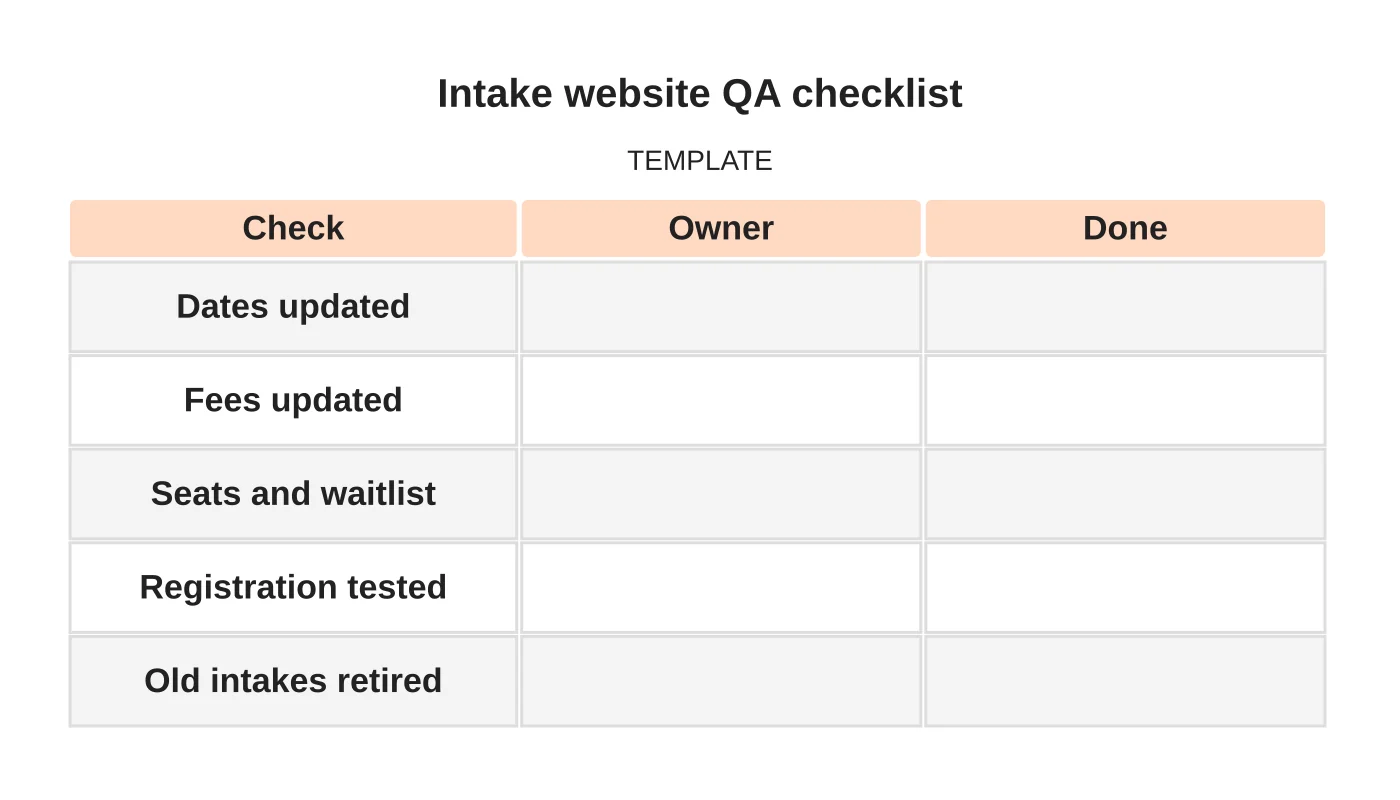
| Check | Owner | Done |
|---|---|---|
| Dates updated | ||
| Fees updated | ||
| Seats and waitlist | ||
| Registration tested | ||
| Old intakes retired |
Common mistakes
- No named owners.
- Updating the website but not the listing.
- Untested registration.
- Dead links to past intakes.
- No change log.
Questions centres ask
How far ahead should we update? Before each intake is promoted, and again when seats change.
Who should test? Someone who did not build the form.
Next step
Discuss ongoing website checks, updates and support responsibilities with Web Design Davao. Read about our website maintenance service or contact us.
Frequently asked questions
How far ahead should a training centre update its website?
Update fees and seat availability before each intake is promoted, and again when seats change. Check that the website, listings, brochures and campaigns agree, and remove expired offers so applicants are not misled by old dates or fees.
Who should test the registration form?
Someone who did not build the form. They should submit test registrations and enquiries on mobile and computer, and check that routing, acknowledgements and payment steps work. Any failure should be fixed straight away rather than left until the next intake.
What should happen to old intake pages?
Mark past intakes as closed or replace them, and avoid dead links. If a course is discontinued, decide whether to redirect or remove the page after an SEO review. Keep a short log of changes, who approved them and when.
Sources and notes
Last updated 21 November 2026. This guide is general information based on Web Design Davao’s web design and digital marketing practice. It cites no statistics and makes no promise about rankings, enquiries or contracts. Web Design Davao is not licensed or certified in this industry, so check technical, safety, legal and regulatory matters with a suitably qualified professional. Examples are templates or illustrations, not client results.


