

Quick answer
Domain registration, DNS, web hosting and email hosting are separate services that may sit with different providers, so a website problem can lie elsewhere. The registrar holds the domain, DNS tells the internet where your website and email live, and hosting stores the site. Record each provider, owner and renewal date in a register.
- Find where each service lives by checking the registrar, the DNS provider and who sends renewal notices, rather than guessing.
- The business should own its domain and key accounts, registered to an address several trusted people can access.
- Never store passwords in the register, and require a second person to confirm any DNS or nameserver change.
A business owner often says “my website is down” when the problem lies elsewhere. Domain, DNS, web hosting and email are separate services, and they may sit with different providers. When no one knows which controls what, simple changes become stressful. This guide explains the pieces and gives a register to record them.
The register uses synthetic entries and must never hold passwords. Check your providers’ own documentation.
The pieces
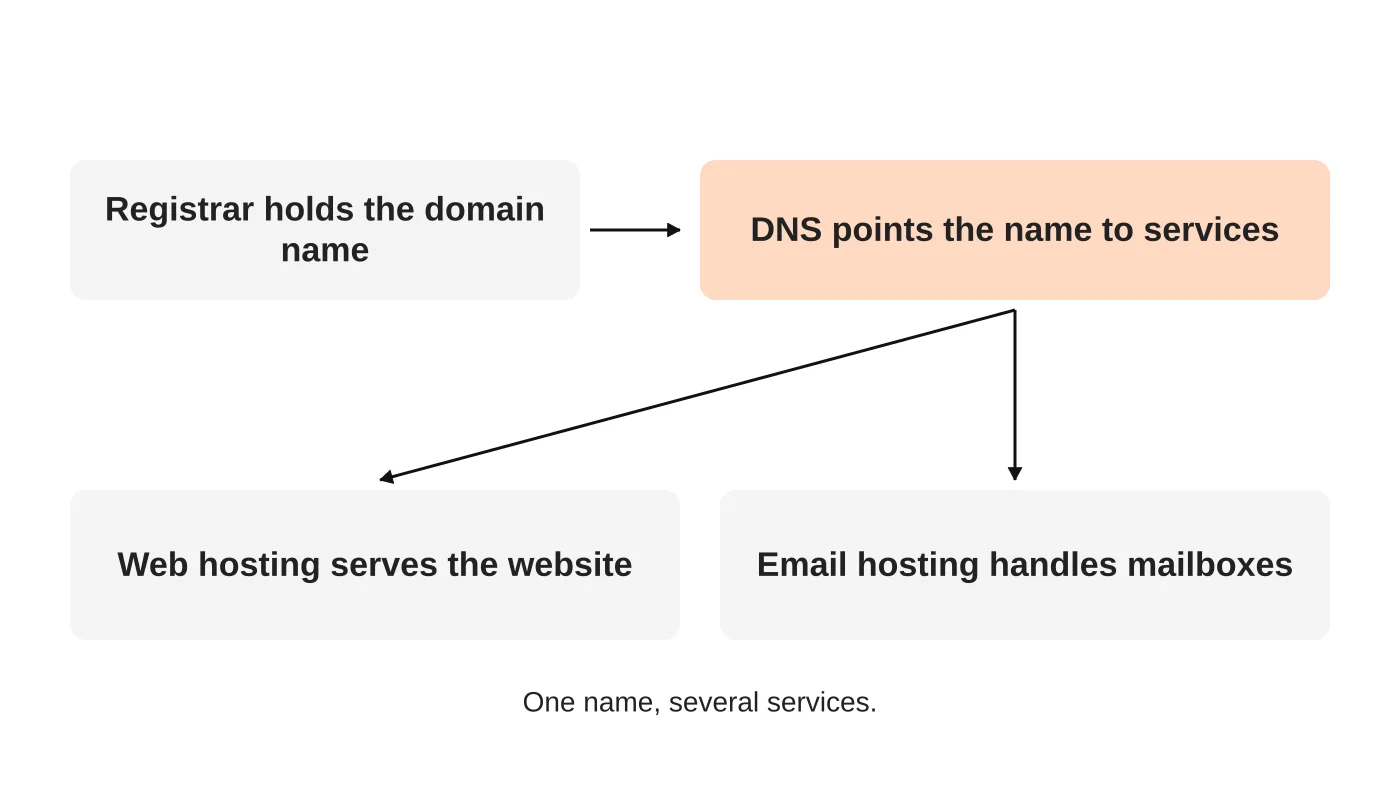
- Registrar: the company where the domain name is registered. It holds the registration and renewal.
- DNS: the records that tell the internet where your website and email live. Where DNS is managed may be the registrar, the host or a separate service.
- Web hosting: the server that stores and serves your website.
- Email hosting: the service that handles mailboxes. It may be separate from web hosting. See SPF, DKIM and DMARC for the authentication records.
Changing one without understanding the others causes outages. Moving web hosting while DNS stays elsewhere, or changing nameservers and forgetting email, are common causes. See moving a website to a new host.
Related reading: Changing Website Agencies: Taking Control of Domains, Hosting and Accounts.
Step 1: find where each service lives
Check your domain’s registrar and DNS provider. Look at who sends the renewal notices. Ask your developer, agency or IT contact what they manage. Do not guess.
Step 2: assign ownership
The business should own its domain and key accounts, registered with a business email address that several trusted people can access. Avoid accounts in a freelancer’s or agency’s personal name. If an agency manages the services, record that they act on your behalf. See choosing a domain name for related decisions.
Step 3: build the register
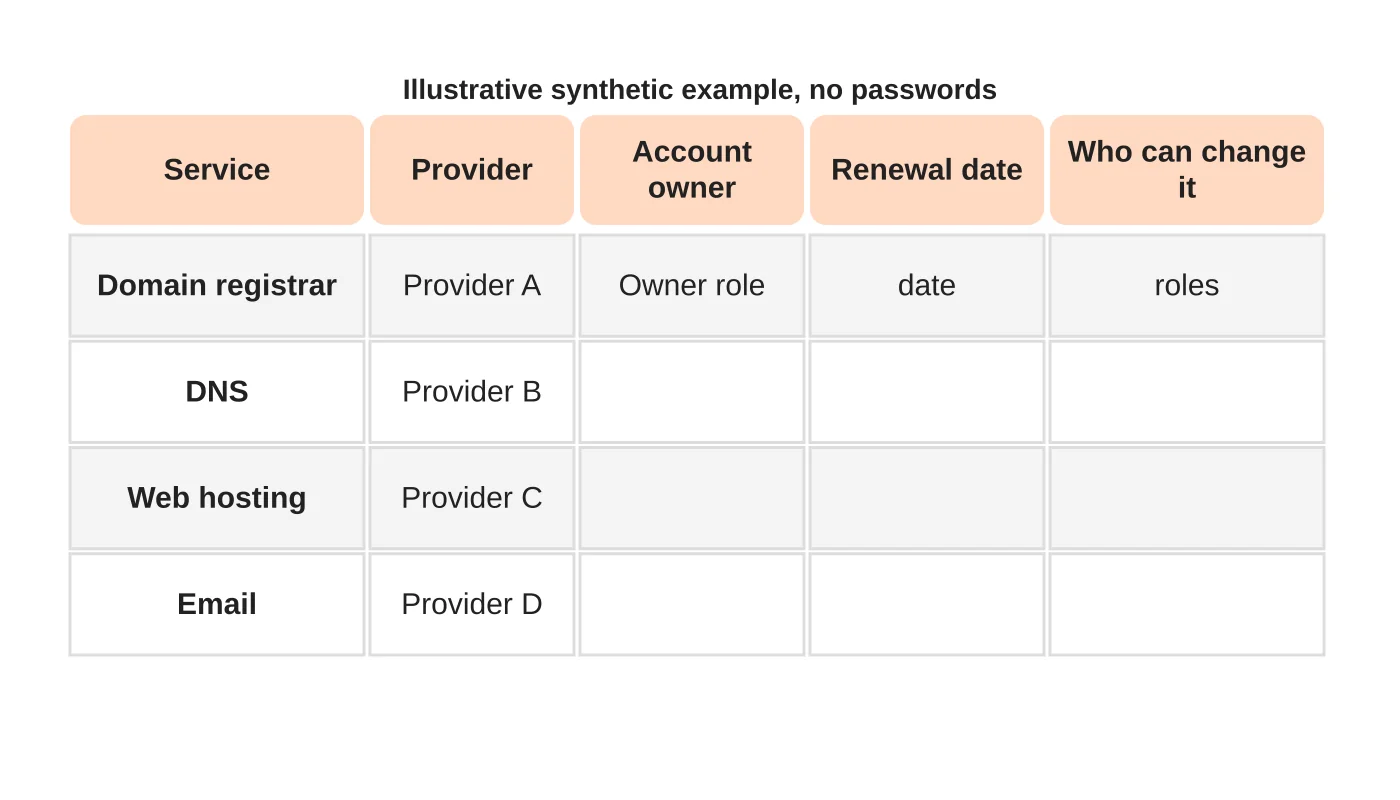
For each service record: provider, account owner role, renewal date, what is connected and who may make changes. Include where recovery steps live, but do not store passwords in this register. Use a password manager with shared access for those.
Step 4: agree change responsibilities
Decide who may change DNS, who may renew the domain and who approves a host move. Require a second person to confirm any DNS or nameserver change. Set calendar reminders for renewals, and consider auto-renewal with a valid payment method.
Step 5: review twice a year
Check that the register is current, that former staff or agencies no longer have access and that contact details are right. See what a maintenance plan should include.
Frequently asked questions
Can my domain and hosting be with different companies?
Yes, and it is common. Record both.
Who should own the domain?
The business.
What if my agency registered it?
Ask for transfer or for ownership to be recorded in your name, and keep written confirmation.
What happens if the domain expires?
The site and email can stop. Treat renewals as critical.
Sources
Map your accounts
Web Design Davao’s hosting team can help you document and tidy your domain, hosting and email setup. Get in touch.


