
Quick answer
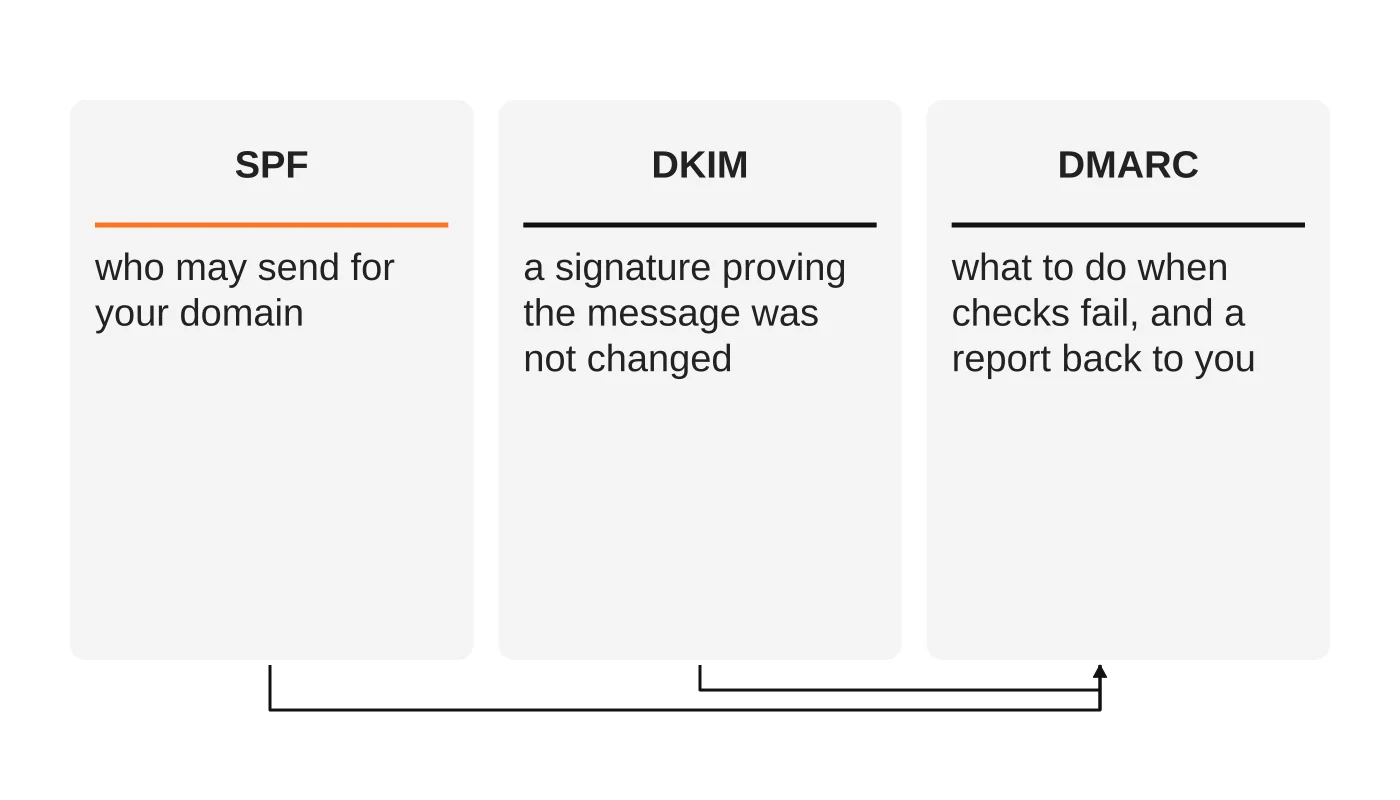
SPF lists which services may send email for your domain, DKIM adds a digital signature to each message, and DMARC tells receivers what to do when those checks fail and sends you reports. Together they help your email reach inboxes and make it harder to forge your domain. Roll them out in monitor mode first.
- List every service that sends mail as you, including your website, newsletter tool and invoicing system, before editing DNS.
- Publish one SPF record per domain, turn on DKIM for each service, and start DMARC with a policy of none.
- Read DMARC reports for a few weeks, fix failing senders, and only then move to quarantine and later reject.
If your emails land in spam, or a customer receives an invoice that looks like it came from you but did not, the cause is often the same: your domain does not prove who is allowed to send mail for it. Three DNS records fix that. They have confusing names, and they are less hard than they sound.
This guide explains them in plain English, shows a safe order to set them up, and lists what to check for a typical Davao business using a website form, a newsletter tool and a mailbox provider.
Why this matters now
Mailbox providers have raised the bar. Google’s email sender guidelines say that, since 2024, all senders to personal Gmail accounts must set up SPF or DKIM, and bulk senders must set up SPF, DKIM and DMARC. Google defines bulk sending as more than 5,000 messages a day to Gmail accounts. Most small businesses send far less, but the same checks help your ordinary mail reach the inbox, and they make it harder for criminals to forge your domain. That second benefit is the one behind AI-written phishing and how to defend against it.
Three records, three jobs
SPF: who may send for you
Sender Policy Framework is a list, published in your DNS, of the servers and services allowed to send email from your domain. If a message arrives from somewhere not on the list, the receiver can treat it as suspicious.
DKIM: a signature
DomainKeys Identified Mail adds a digital signature to each outgoing message. The receiver checks it against a public key in your DNS. A valid signature shows the message came from a system you authorised and was not altered on the way.
DMARC: the policy and the reports
DMARC tells receivers what to do when SPF and DKIM checks fail, and it asks them to send you reports. Google’s guidelines add that the domain in the visible From address must align with the SPF or DKIM domain for DMARC to pass. In practice that means each tool sending as you must be set up to sign or send using your own domain, not only its own.
The services that send email as you
Before touching DNS, list every service that sends mail with your address in the From line. For most small businesses this includes:
- Your mailbox provider (your own staff email).
- Your website, which sends contact form, booking and order emails.
- A newsletter or marketing tool.
- An invoicing or accounting tool.
- A helpdesk, booking or CRM system.
Each one needs to be authorised in SPF and set to sign with DKIM. Missing one is the usual reason a legitimate email goes to spam after a rollout.
Once an enquiry arrives, a simple email follow-up sequence helps turn it into a consultation.
A safe rollout
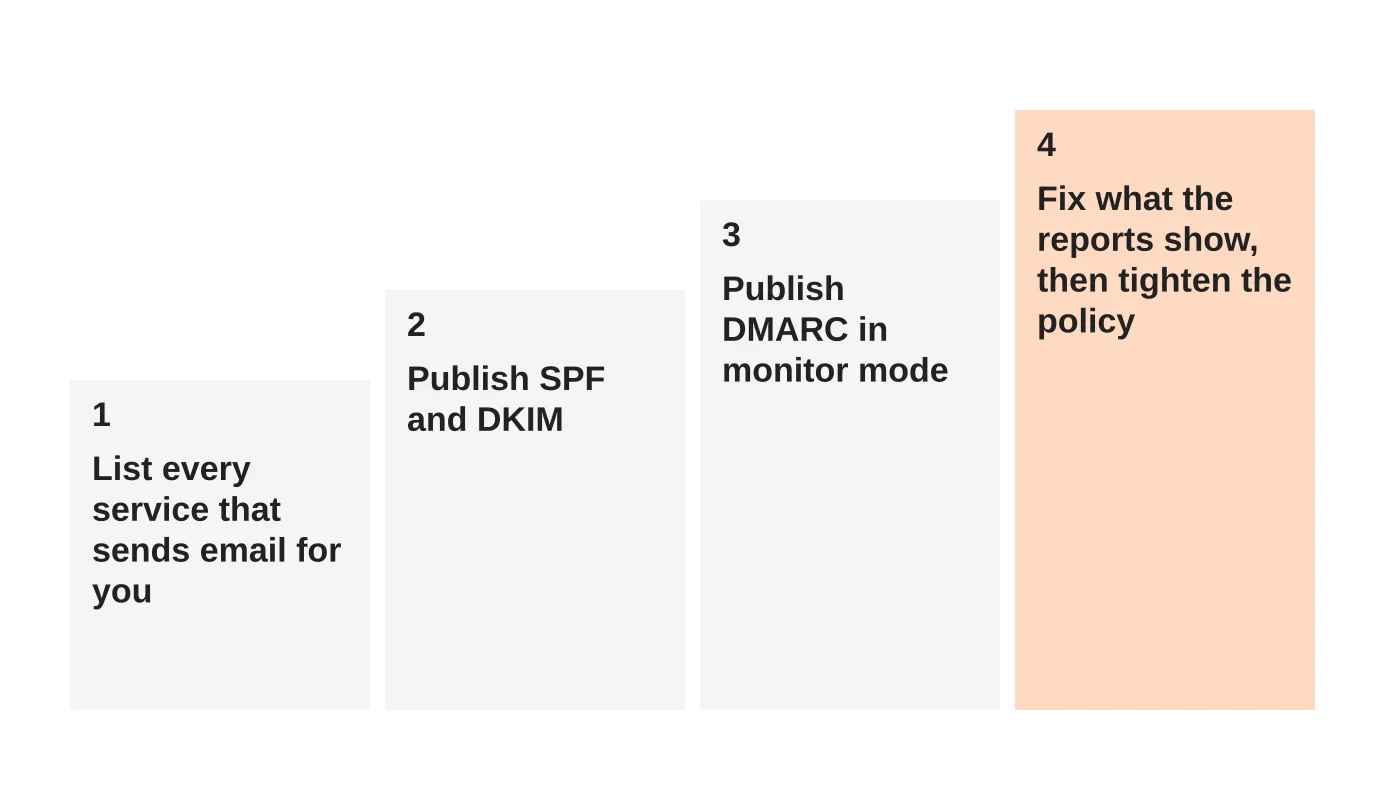
- List the senders. Ask whoever manages your website, newsletters and accounts which tools send as your domain.
- Publish SPF and turn on DKIM for each service, following each provider’s own setup page. Use only one SPF record per domain; combine services into it.
- Publish DMARC in monitor mode first. A policy of “none” asks receivers to report but not to reject. Google’s FAQ notes that bulk senders need at least a DMARC record with a policy of none.
- Read the reports for a few weeks, fix the senders that fail, and only then move to a stricter policy such as quarantine and later reject.
Skipping step 3 is how businesses accidentally block their own invoices.
It also helps to know which service controls your domain, hosting and email.
Other things mailbox providers check
For bulk or newsletter senders, Google’s guidelines also expect a one-click unsubscribe, a user-reported spam rate kept low (Google recommends below 0.1 per cent and says to avoid reaching 0.3 per cent), a TLS connection and a working sending setup. If you send marketing email, use a reputable platform and keep your list clean. If you do not send bulk mail, the authentication records are the main job.
How to check your setup
Send a test message from each service to a mailbox you control and look at the message’s technical headers for SPF, DKIM and DMARC results. Free online checkers can read your DNS records too. If you use Google Postmaster Tools and send in volume, its compliance dashboard shows authentication and spam-rate status.
Who should do it
DNS changes are simple but unforgiving. A wrong edit can take a website or mailbox offline. If your domain registrar, hosting and email are in different places, ask your web provider to make the changes or to review them. This is part of normal website maintenance and of the monthly security audit.
If you are changing providers, follow this plan for moving hosts without disrupting email.
Frequently asked questions
Do I need all three records if I send very little email?
Set up SPF and DKIM at least. Add DMARC in monitor mode as well: it is free and gives you visibility.
Why did my website’s contact form emails go to spam?
Often because the website sends from your domain without being listed in SPF or signing with DKIM. Use a properly authenticated sender or an SMTP service set up for your domain.
Will DMARC stop all spoofing?
It stops forged mail that fails the checks, once you set a strict policy. It does not stop look-alike domains or compromised real accounts.
Can I set a strict DMARC policy on day one?
It is risky. Start with monitor mode so you can find legitimate senders you missed.
How often should I review these records?
Whenever you add or remove a tool that sends email, and as part of your regular security review.
Get it set up correctly
Web Design Davao’s hosting and email setup team can audit your sending services and publish the records safely. Ask for an email setup check.


