

Quick answer
Optimising a Google Business Profile means claiming and verifying it, using your real-world business name, choosing accurate categories and keeping address, hours, services, photos and description current and consistent with your website. Ask genuine customers for reviews, reply to every one, and never offer rewards for reviews or add keywords to your name.
- Use your real-world business name exactly as on your signage and website; keywords or taglines can lead to suspension.
- If customers do not visit your address, hide it and set service areas you genuinely cover instead.
- Check profile performance monthly: searches, calls, direction requests, website clicks, review count and average rating, looking for trends.
For “near me” searches, your Google Business Profile often matters more than your homepage. It is the card that shows your hours, reviews, photos and directions at the exact moment someone is deciding where to go or whom to call.
This is a practical checklist for Davao business owners. It covers set-up, a 12-point optimisation list, reviews, service areas, measuring results and the mistakes that get profiles suspended. Google’s rules change, so check its help pages for the latest version.
Why your profile matters more than your homepage for “near me” searches
When someone searches for a clinic, restaurant or lawyer in Davao City, Google often shows a map and a short list of businesses before any website links. People decide from what they see there: rating, number of reviews, photos, distance and whether you are open now. Many never click through to a website.
Your profile is also a source of facts that search and AI answers draw on. If the details are wrong or thin, you lose visibility even if your website is excellent. The newsletter issue Service Area Pages: The Local SEO Strategy You’re Probably Overlooking explains why clear signals of where you serve matter for local SEO, and Brutally Honest Google Business Profile Advice You Wish You Heard Sooner summarises an expert’s video on profile advice. This article is our own checklist, written for Davao.
If your listing ever disappears, here is what to check when a Google Business Profile is suspended.
Read next: Local SEO for Dental Clinics in Davao: A Practice Owner’s Guide.
Set-up basics
Verification and ownership
Claim your profile and complete Google’s verification. Make sure the business, not a former agency or staff member’s personal account, owns it. Add a second owner or manager so you cannot be locked out.
Business name
Google’s guidelines say your name should reflect your business’s real-world name, as used consistently on your storefront, website and stationery. Adding keywords, locations or taglines that are not part of your name is not permitted and can lead to suspension.
Address and service areas
Create your profile for your actual, real-world location. Google’s guidance says that if you serve customers at your address and want to set a service area, your location should be staffed and able to receive customers during its stated hours. If you work from a home address and customers do not visit, hide the address and set service areas instead.
Categories
Choose one primary category that matches your core business, then add a few secondary categories that are accurate. Categories strongly influence which searches you appear for, so avoid broad or irrelevant ones.
Read next: Digital Marketing for Davao Accounting Firms: A Practical Client Acquisition Plan.
The 12-point optimisation checklist
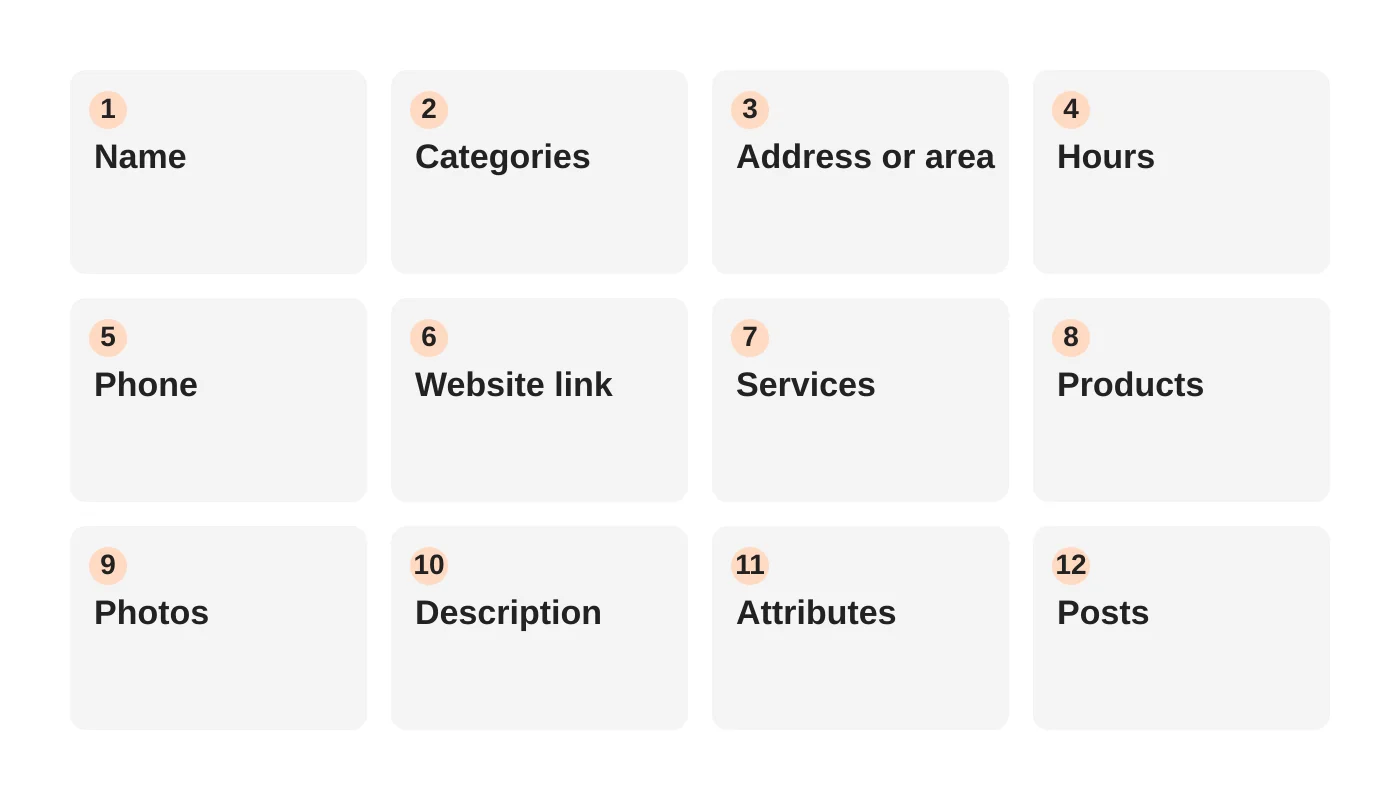
- Name: your real-world business name, exactly as on your signage and website.
- Primary and secondary categories: accurate, specific and limited.
- Address or service area: correct and consistent with your website and directories.
- Opening hours: correct, including special hours for public holidays. Davao festivals such as Kadayawan can change your hours.
- Phone number: a local number that is answered. Track calls if you can.
- Website link: to the most relevant page, such as a location or service page, not always the homepage.
- Services list: add every service you provide, with a short description for each.
- Products (where relevant): featured items with photos and clear descriptions.
- Photos and videos: exterior, interior, team, work examples and products. Add new ones regularly.
- Business description: a clear summary of what you do and whom you serve. Do not include links, promotional prices or offers. Google lists links and special promotions or prices among content not allowed in the description.
- Attributes: such as accessibility, payment methods, languages spoken and online appointments.
- Posts and updates: regular posts about news, offers (where allowed in posts) and events.
Also add questions and answers where the feature is available, so common questions are answered in your words. Keep your details identical to your website and any directory listings. See our AEO and GEO guide for how consistent details help AI answers.
Reviews: how to ask, how to reply, what not to do
How to ask
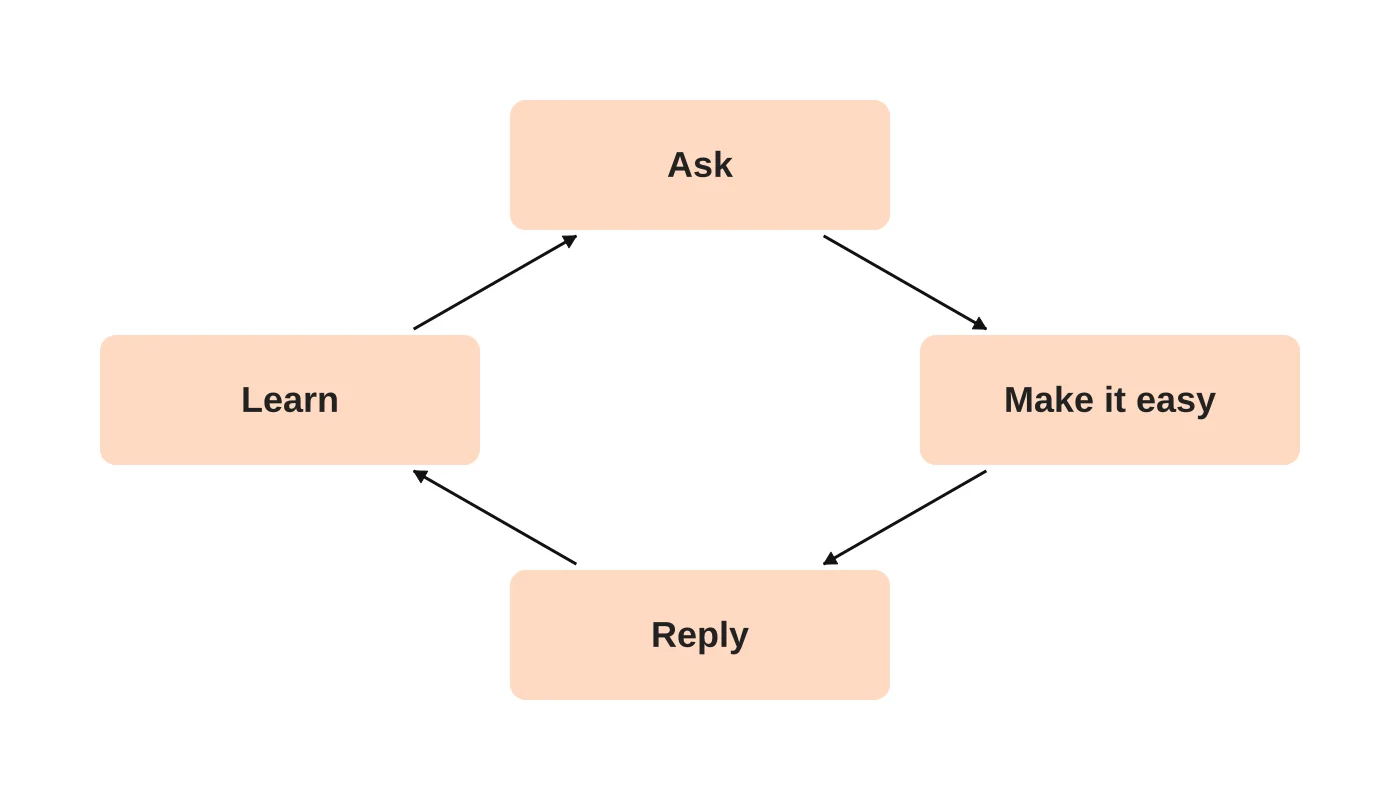
- Ask every happy customer at the moment they are most satisfied.
- Give a short link or QR code that opens the review form directly.
- Ask your team to make it part of the routine, such as after a completed job.
How to reply
- Reply to every review, positive and negative, in a calm, specific way.
- Thank people by name where appropriate and mention something concrete.
- For negative reviews, acknowledge the problem, offer to resolve it offline and keep it short. Never argue.
What not to do
- Do not offer money or gifts in exchange for reviews.
- Do not write fake reviews or ask friends who have not used you.
- Do not post private details about customers in your replies.
Our guides on why Google reviews are the secret weapon of local SEO and the free Google Review Calculator help you set a review target.
Photos, posts, products and questions
Photos show real work. Use clear, well-lit images that match what a visitor will find. Add team and premises photos so people know what to expect.
Posts are short updates that appear on your profile. Keep them current. An unused posts section looks neglected.
Questions and answers can be seeded with common queries, such as parking, opening times during holidays or whether you take walk-ins.
Service-area businesses: how to set areas without spamming
If you travel to customers, set service areas that you realistically serve. Listing every city in the region does not help and can look manipulative. Instead:
- List the areas you genuinely cover.
- Build a dedicated page on your website for each major area, with real information about how you serve it, and link to it from your profile. See why your competitors rank in every area of Davao and you do not for the website structure.
- Never create extra profiles for addresses where you do not actually operate.
Davao examples by sector
- Clinic: list every service and doctor-led specialty, add accessibility attributes, show appointment links and respond to reviews without sharing patient information. The medical clinic website checklist covers the website side.
- Restaurant or cafe: keep menus, photos and hours current, add attributes like dine-in and takeaway, and post specials. See how restaurants and cafes can drive more foot traffic.
- Law or professional firm: use accurate categories, service pages for each practice area and careful, professional review replies.
Some customers search in English, Bisaya or Tagalog. Where it feels natural, reflect that in your description and posts, but do not stuff keywords.
Tracking results
Check your profile’s performance each month:
| Measure | What it tells you |
|---|---|
| Searches that showed your profile | How visible you are |
| Calls | Direct enquiries from the profile |
| Direction requests | Intent to visit |
| Website clicks | Traffic from the profile to your site |
| Review count and average rating | Reputation trend |
Record the numbers in a simple sheet and compare month to month. Look for trends, not one-off spikes.
Mistakes that get profiles suspended
Google’s policies say that repeated violations can lead to restricted access to your Business Profile, and that profiles for businesses that do not exist at the location claimed may be disabled. Avoid:
- Keyword-stuffed business names.
- Fake or virtual addresses for a business that does not operate there.
- Multiple profiles for the same business at one location.
- Fake or incentivised reviews.
- Changing your name, category or address repeatedly without a real reason.
- Irrelevant, misleading or low-quality content.
If you are suspended, read the guidelines carefully, correct the issue and use the reinstatement process rather than creating a new profile.
Running more than one location? Read our guide to local SEO for multiple branches.
Frequently asked questions
Does a Google Business Profile cost anything?
Creating and managing a profile is free. Costs come from the time you spend or from an agency that manages it.
How long until I see results?
Fixing errors can show effects in weeks. Reviews and engagement build more slowly.
Do I need a website if I have a profile?
You should have both. The profile gets you found, and the website gives people the detail to decide and contact you.
Can I hide my home address?
If customers do not visit you at that address, Google lets service-area businesses hide it and set service areas. Check the current guidelines.
What if someone leaves an unfair review?
Reply professionally. If it breaks Google’s policies, you can report it for review, but you cannot remove it simply because you disagree.
From the Wired for Growth newsletter
This checklist is our own Davao-focused guide. For related ideas, see Brutally Honest Google Business Profile Advice You Wish You Heard Sooner, which summarises a video by a third-party expert on Google Business Profile advice, and Service Area Pages: The Local SEO Strategy You’re Probably Overlooking on service area pages in Duarne Bernhagen’s LinkedIn newsletter, Wired for Growth.
Book a local SEO review
Web Design Davao’s SEO and local search service can audit your profile and website together. Book a local SEO review, or start with the free Google Review Calculator. For the wider picture, read the future of local SEO for Davao businesses.
Sources
- Guidelines for representing your business on Google, Google Business Profile Help
- Overview of Google Business Profile policies, Google Business Profile Help
Policies change. Check the linked help pages for the current rules before acting.


