
Quick answer
Before appealing a suspended Google Business Profile, read the notice, compare your profile with Google’s guidelines, check who has access and what was recently changed, and gather genuine evidence. Then follow Google’s official appeal steps once, accurately. Do not create a new profile or pay anyone who promises reinstatement.
- Save screenshots of the notice, since a suspension, removal, verification problem and limited edit mean different things.
- Common issues include a name that is not your real-world name, a mismatched category or address, or a virtual office.
- Use real documents and photos only; fake evidence can make things worse, and duplicate submissions can slow things down.
A suspended Google Business Profile can cut off calls and directions overnight. The urge is to appeal immediately or start a new profile. Neither is usually wise before you understand why. This guide gives a calm checklist to follow before you appeal.
It makes no promise of reinstatement. Rules and processes change, so follow Google’s current instructions.
Step 1: read the notice
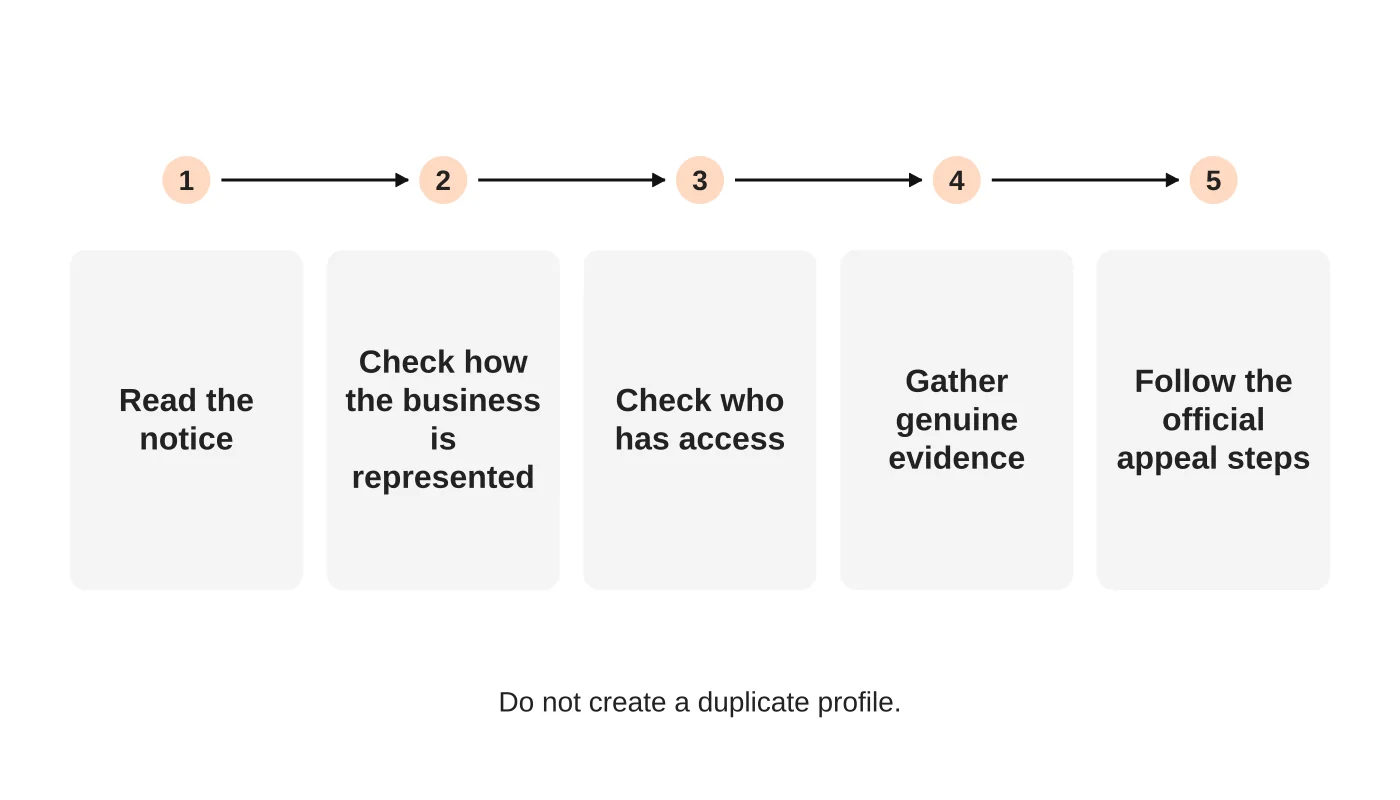
Note exactly what the message says, the date and which profile it concerns. Different notices mean different things: a suspension, a removal, a verification problem or a limited edit. Do not guess. Save screenshots.
Step 2: check how the business is represented
Compare your profile to Google’s guidelines. Common issues include a name that is not your real-world name, a category or address that does not match your actual setup, a service-area business showing an address it should hide, or a virtual or shared office. Check the website and signage match too. Keep your own representations accurate and consistent. See the Business Profile guide and the official guidelines.
Related reading: Google’s New Broad Core Algorithm And What You Need To Know.
Step 3: check access and changes
Find out who has access to the profile, and whether anyone recently changed the name, address, category or hours. A well-meaning edit by an agency or staff member can trigger a review. Check whether anyone used a personal account, and whether the profile was merged or duplicated. Review who should own it. If you work with an agency, ask them what changed. See how to evaluate an SEO provider.
Step 4: gather genuine evidence
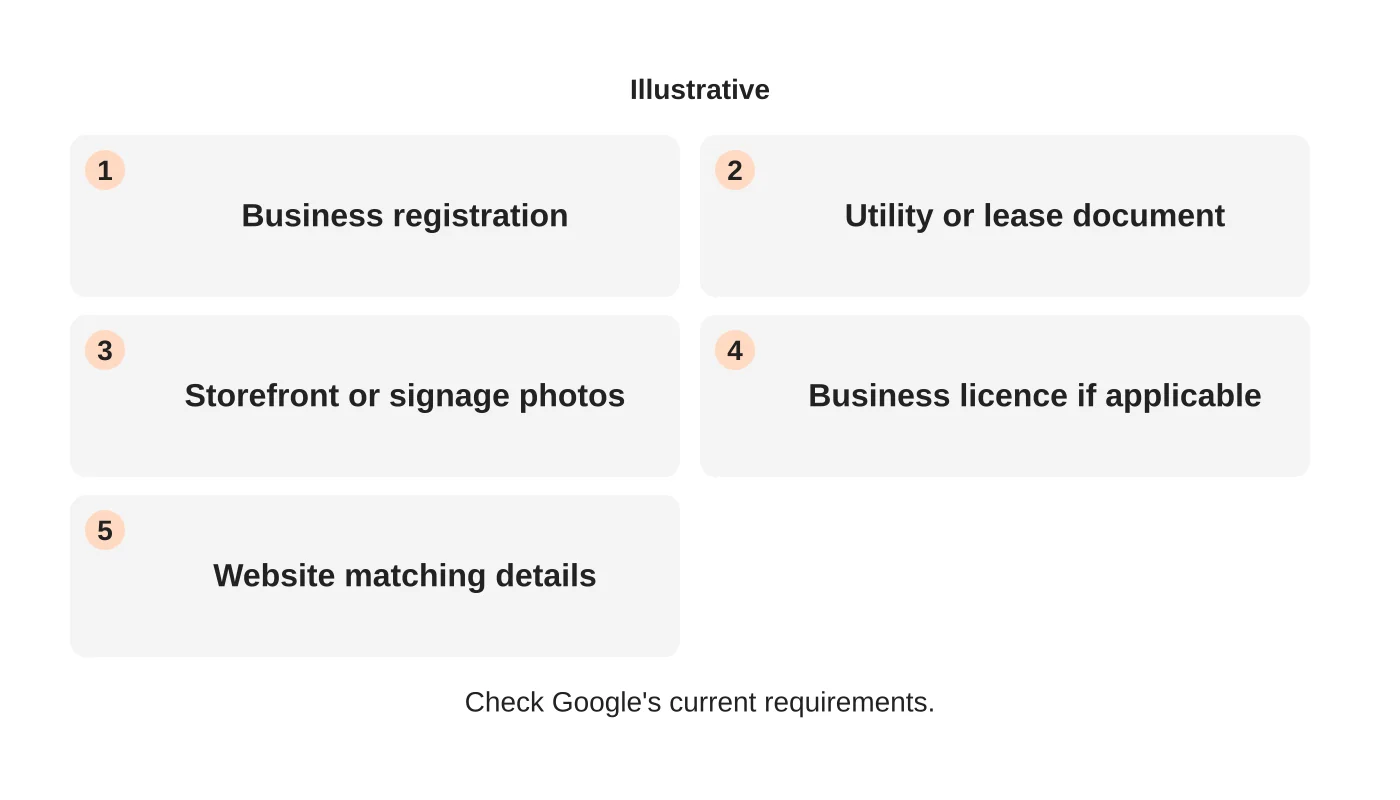
Google may ask you to show that the business is real and operates where it says. Collect real documents and photos, as the current instructions require. Do not edit or fabricate anything. Fake evidence can make things worse and may be illegal.
Step 5: follow the official steps
Use the appeal route Google gives in the notice or Help pages. Submit once, accurately, and keep a record. Repeated or duplicate submissions can slow things down. Do not pay anyone who guarantees reinstatement.
While you wait
- Do not create a new profile for the same business.
- Keep the website’s contact details visible and accurate.
- Tell customers through your site and social pages how to reach you.
- Check for duplicates once the profile returns.
After reinstatement
Update your register, remove unnecessary access and write down what you changed. For businesses with several locations, see local SEO for several branches.
Frequently asked questions
How long does an appeal take?
It varies. Check what Google says in the notice.
Can an agency fix it for me?
An agency can prepare evidence and manage the process, but cannot guarantee a result.
Will a new profile help?
Usually not, and it may cause further problems.
Can reviews cause a suspension?
Policy violations in reviews and the business setup can both matter. Read the notice.
Sources
- Guidelines for representing your business on Google, Google Business Profile Help
- Creating helpful, reliable, people-first content, Google Search Central
Get a second pair of eyes
Web Design Davao’s digital marketing team can help review your profile setup and prepare for an appeal. Get in touch.


