
Quick answer
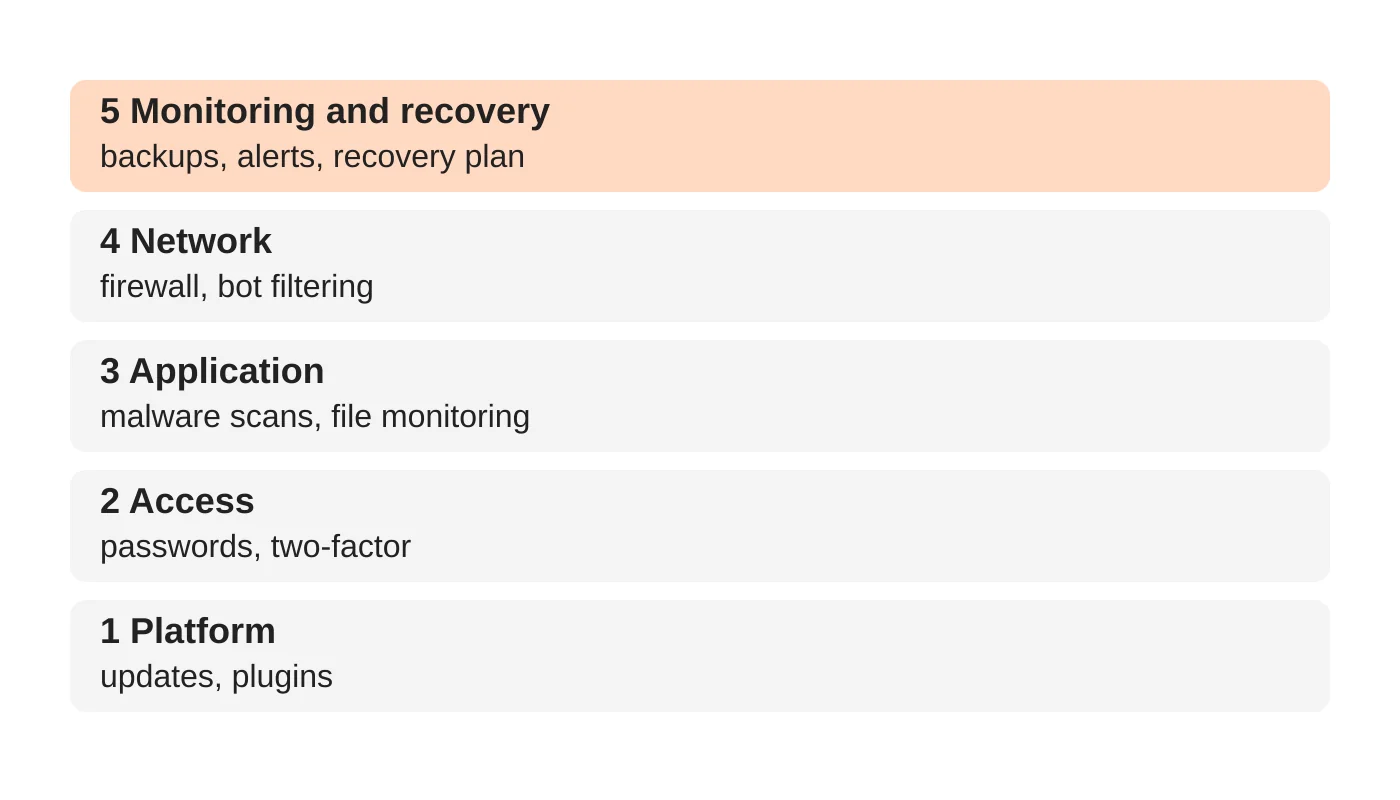
Website security needs five layers, not a single plugin: platform updates, access control, application protection, network protection, and monitoring and recovery. If one layer fails, another can catch the problem. A security plugin helps with access and application checks but does not cover updates, tested backups or recovery.
- Fix updates and access first, then verify that off-server backups restore properly, since recovery matters most.
- Turn on two-factor authentication for every administrator and editor, and remove accounts for former contractors.
- Put ten questions to your host, including who applies updates and how backups are tested.
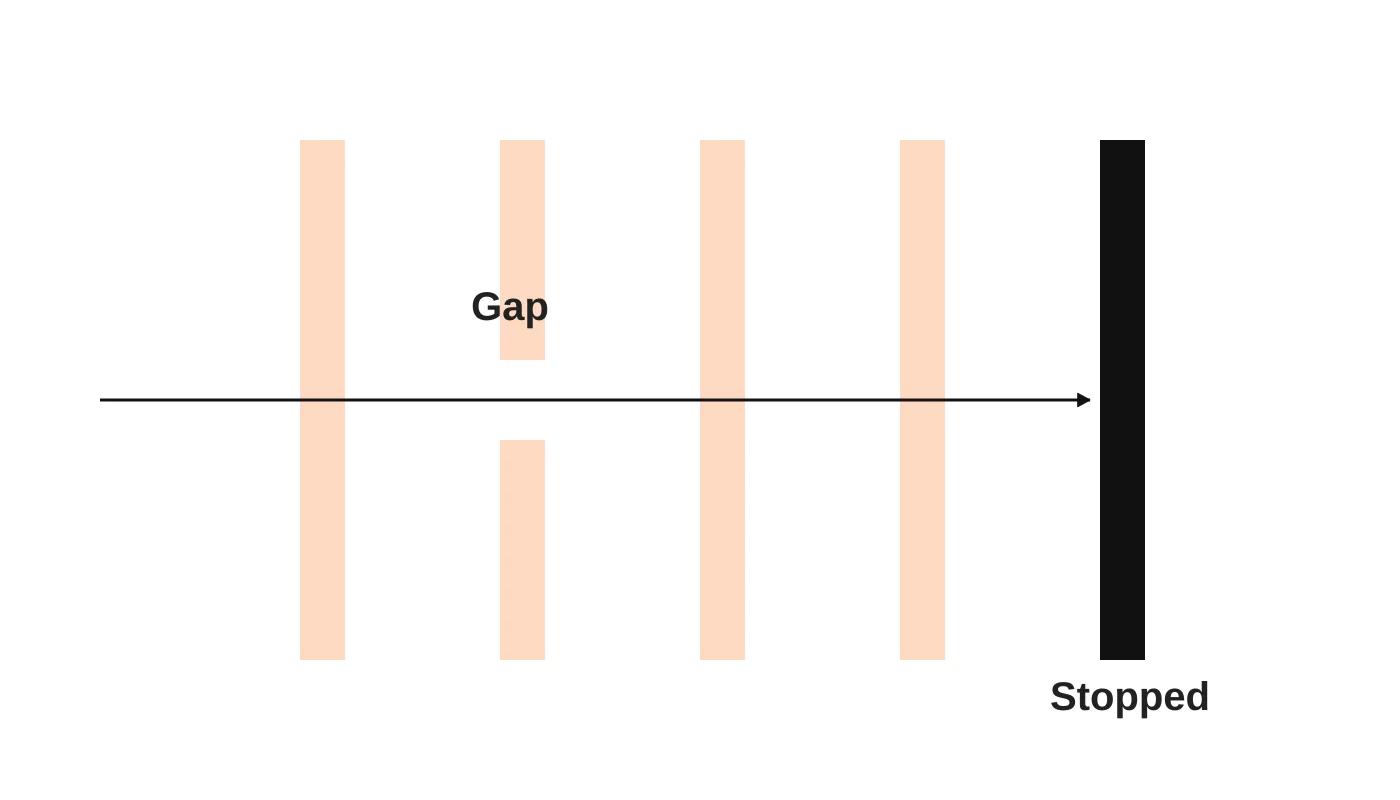
“We installed a security plugin” is the most common answer when a business owner is asked how their website is protected. It is also the most common reason sites end up compromised. A plugin is one tool. Real protection comes from layers that work together, so that when one fails, another catches the problem before it becomes a disaster.
This guide walks through five layers, what failure looks like at each one, and the questions to put to your hosting or maintenance provider.
Why “we have a security plugin” is not a security plan
Security professionals design systems on the assumption that any single control will eventually fail. A firewall can be misconfigured. A password can be guessed. A plugin can have a flaw that nobody has found yet.
A modern website is not a static page. It is software made of a content management system, themes, plugins, integrations, a hosting environment and tracking scripts. Every part adds complexity, and complexity adds ways in. A single tool cannot cover all of that, which is why layering matters.
Another trap is believing that a site that loads normally is a safe one. Attackers often want the site to keep working, because a working site keeps delivering visitors to whatever they have planted. Normal behaviour on the surface tells you nothing about whether the software underneath is patched. That is the point of Your Website Still Works. That Doesn’t Mean It’s Safe..
Related reading: Is Your Business Safe? Discover the 10 Vital Website Security Measures for 2024.
The five layers
Layer 1: Platform security
What it is: the foundation, meaning your CMS, themes, plugins and server software, kept current.
- Apply CMS, theme and plugin updates promptly.
- Remove plugins and themes you no longer use.
- Watch for published vulnerabilities in the software you run.
What failure looks like: a site running a plugin with a known flaw months after the fix was released. Outdated software is among the most common ways sites are compromised.
What it costs to fix: usually little if done routinely, and a great deal if left until after an incident.
Layer 2: Access control
What it is: deciding who can enter the system and with what powers.
- Require strong, unique passwords and a password manager.
- Turn on two-factor authentication for every administrator and editor.
- Keep admin accounts to the people who truly need them.
- Limit repeated login attempts.
What failure looks like: a former contractor’s account still active, or one shared login that five people use. Many breaches come from stolen or weak credentials, not clever hacking. Tightening access often removes a large share of everyday risk.
What it costs to fix: staff time and a short policy, rather than money.
Layer 3: Application protection
What it is: controls inside the website itself that spot malicious code and risky behaviour.
- Scheduled malware scanning.
- File integrity monitoring, which flags files that changed unexpectedly.
- Vulnerability monitoring and plugin security reviews.
What failure looks like: injected code sitting in a theme file for weeks, quietly redirecting some visitors. Because owners rarely see it themselves, it can run unnoticed.
What it costs to fix: a monitored security tool or a service that runs these checks for you.
Layer 4: Network protection
What it is: a gatekeeper that blocks bad traffic before it reaches your site.
- A web application firewall (WAF).
- Bot filtering and rate limiting.
- DDoS protection.
What failure looks like: your site slowing or crashing under automated traffic, or scripted attacks probing login pages all day.
What it costs to fix: often bundled with quality hosting or a content delivery network, and worth confirming rather than assuming.
Layer 5: Monitoring and recovery
What it is: the layer that assumes something will eventually get through, and prepares you to find out fast and recover quickly.
- Automated, off-server backups that are tested by restoring them.
- Uptime and change monitoring with alerts that reach a real person.
- A written recovery plan with named responsibilities.
What failure looks like: discovering a compromise only when a customer emails you, then finding the latest backup is months old.
What it costs to fix: modest monthly costs for storage and monitoring, against the very large cost of a long outage.
If a security advisory names one of your plugins, here is how to decide whether to patch, replace or disable it.
How the layers fail together
Consider a typical small business site in Davao. It runs WordPress with eighteen plugins, shared hosting, and one admin login used by the owner, a designer and a former marketing assistant.
- A plugin has not been updated (Layer 1 weak).
- The old marketing assistant’s account is still active with a reused password (Layer 2 weak).
- There is no scanner, so injected code goes unnoticed (Layer 3 weak).
- Shared hosting offers little filtering (Layer 4 thin).
- Backups run on the same server and have not been tested (Layer 5 weak).
No single failure here is dramatic. Together they let a small problem become a long outage, a loss of customer data, and a hit to search rankings. With even two of the layers solid, the story usually ends earlier.
Ten questions to ask your host or maintenance provider
- Who applies updates to core, themes and plugins, and how fast?
- Do you enforce two-factor authentication and remove old users?
- How is malware scanned for, and how often?
- Is there a web application firewall and bot protection in front of my site?
- How often are backups taken, where are they stored, and when did you last test a restore?
- What is monitored, and who gets the alerts?
- What happens in the first hour after a suspected compromise?
- How quickly do you respond, and during which hours?
- Will I get a report that shows what was done each month?
- Who is responsible for notifying customers or regulators if personal data is involved?
If an answer is vague, treat that as information. The best providers answer in specifics.
What good looks like each month
Strong security is a routine, not a purchase. A monthly rhythm might include updates applied and logged, user access reviewed, scans and alerts checked, a backup verified, and a short report. You can run a basic version yourself with our 1-hour monthly website security audit. If something does go wrong, our guide to the signs your website has been hacked shows what to do in the first hour.
For more on how secure hosting supports both protection and rankings, see secure web hosting for better SEO performance and how secure websites build trust. If you run WordPress, is WordPress a secure CMS answers the common worry. Older articles on advanced security in web hosting and the risks of insecure hosting go deeper on the hosting side.
Frequently asked questions
Is a security plugin enough for a small business site?
A good plugin helps at layers 2 and 3, but it does not cover updates, network protection, tested recovery or monitoring. Treat it as one part of the system.
Which layer should I fix first?
Start with the cheapest and most common causes: updates (Layer 1) and access (Layer 2). Then verify your backups (Layer 5), since recovery matters most when everything else has failed.
Does hosting quality really matter for security?
Yes. Hosting affects network protection, isolation from other sites, backup options and how fast a problem is handled. Cheap hosting can be fine for some sites, but you should know what it does and does not include.
How do I know if my provider is doing all five layers?
Ask the ten questions above and request a monthly report. Specifics and evidence are the signal.
Do small businesses really get targeted?
Many attacks are automated and look for any site running vulnerable software, regardless of size. A small business is not too small to be found.
From the Wired for Growth newsletter
This pillar guide builds on The 5 Layers of Website Security Every Business Needs from Duarne Bernhagen’s LinkedIn newsletter, Wired for Growth, which sets out the same layered idea. A second issue, Your Website Still Works. That Doesn’t Mean It’s Safe., explains why a site that still works is not necessarily safe.
Get a security review
Web Design Davao’s website maintenance and security service and secure web hosting cover these layers in one managed package. Request a website security review and we will show you which layers are strong, which are thin, and what to fix first.


