
Quick answer
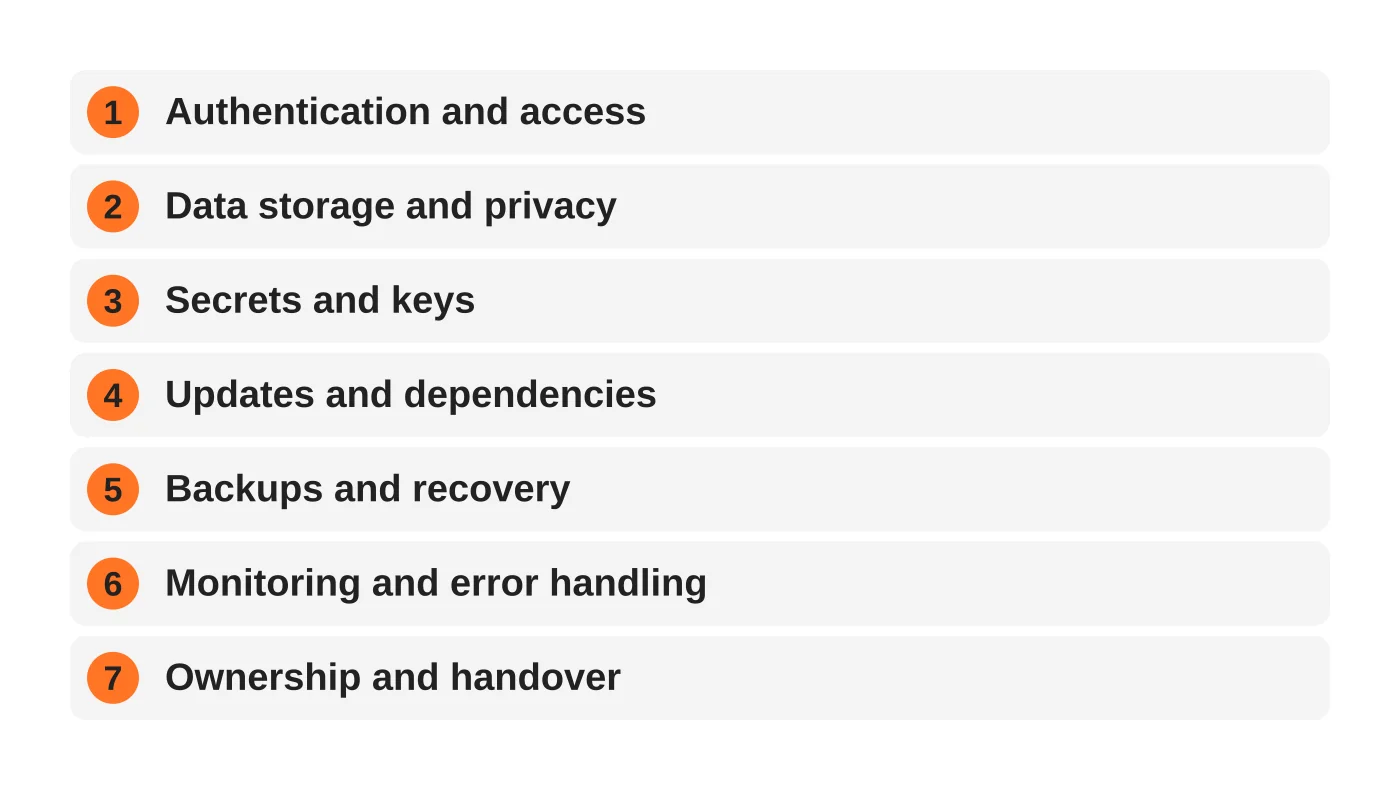
Before customers use an app built with AI, check seven things: authentication and access, data storage and privacy, secrets and keys, updates and dependencies, backups and recovery, monitoring and error handling, and ownership and handover. A working demo hides these areas, so test them deliberately before launch.
- Test access control deliberately: check whether one user can see another’s data by changing a number in the address bar.
- Keep API keys and database passwords out of code, and replace any key pasted into chat tools or screenshots.
- Make sure the business, not an individual’s personal account, owns hosting, domains and code, and restore a backup once.
AI tools make it possible to turn an idea into a working application in days, sometimes hours. That is a real achievement and a real opportunity. But “it works” and “it is ready for customers” are different statements.
This guide gives founders, agencies and small businesses seven practical checks to run before customers rely on something built quickly with AI or no-code tools, and it explains when to bring in a developer.
Why “it works” is not “it is ready”
A prototype proves an idea. A production system has to keep working when real people use it, when something fails, when someone tries to misuse it and when the person who built it is unavailable.
Two things make AI-built apps especially easy to launch too early. First, the demo looks finished because the visible parts work. Second, the hidden parts, such as access control, data storage, updates and recovery, are not visible in a demo, so nobody checks them.
The newsletter issue You Built the App. Who’s Looking After It? makes the point that every application needs someone responsible after launch, and Your Website Still Works. That Doesn’t Mean It’s Safe. adds that the software underneath an app can carry risks even when the app itself seems fine. Why Are You Changing Your Business to Fit the Software? explores why more businesses will now build instead of bending their process to fit generic software. That is a good development, as long as the building includes the unglamorous parts.
The seven checks
1. Authentication and access
- Who can sign in, and can anyone sign up who should not?
- Are passwords stored securely by a trusted login system, not by custom code?
- Is two-factor authentication available for admin users?
- Can one user see another user’s data by changing a number in the address bar? Test this deliberately.
- Are admin functions hidden from ordinary users on the server, not just on screen?
2. Data storage and privacy
- What personal data does the app collect, and do you need all of it?
- Where is it stored, and who can access it?
- Is data encrypted in transit (HTTPS everywhere) and, where appropriate, at rest?
- Can you delete a customer’s data if asked?
- Have you considered your obligations under privacy law? See what a breach costs and what the Data Privacy Act expects.
3. Secrets and keys
- Are API keys, database passwords and tokens kept out of the code and out of any public repository?
- Is each key limited to what it needs?
- Have any keys been pasted into chat tools or screenshots? If so, replace them.
- Can you rotate keys without rebuilding the app?
4. Updates and dependencies
- Do you know which libraries and frameworks the app depends on?
- Is there a process to apply security updates?
- Are any dependencies abandoned, or did the AI choose something obscure?
- Is the hosting platform kept up to date?
5. Backups and recovery
- Are backups automatic, stored off the main system and covering both code and data?
- When did you last restore one successfully?
- How much data could you afford to lose, and how long could you be offline?
6. Monitoring and error handling
- Will you hear about failures before customers tell you?
- Are errors logged somewhere a person will read them?
- Does the app fail safely when a service it depends on is down, such as email or payments?
- Have you tested the real customer journey end to end, including confirmation emails?
7. Ownership and handover
- Who owns the code, the hosting accounts, the domain and the third-party services?
- Is there a short document explaining what the app does, how it is deployed and what it relies on?
- Could another competent developer take over without rebuilding it?
- Who is responsible next month, and who do users contact?
See our guide to who looks after a web app after launch for what ongoing responsibility looks like.
Related reading: Custom Built Website vs Website Template: Which is best?
The cost of fixing late versus early
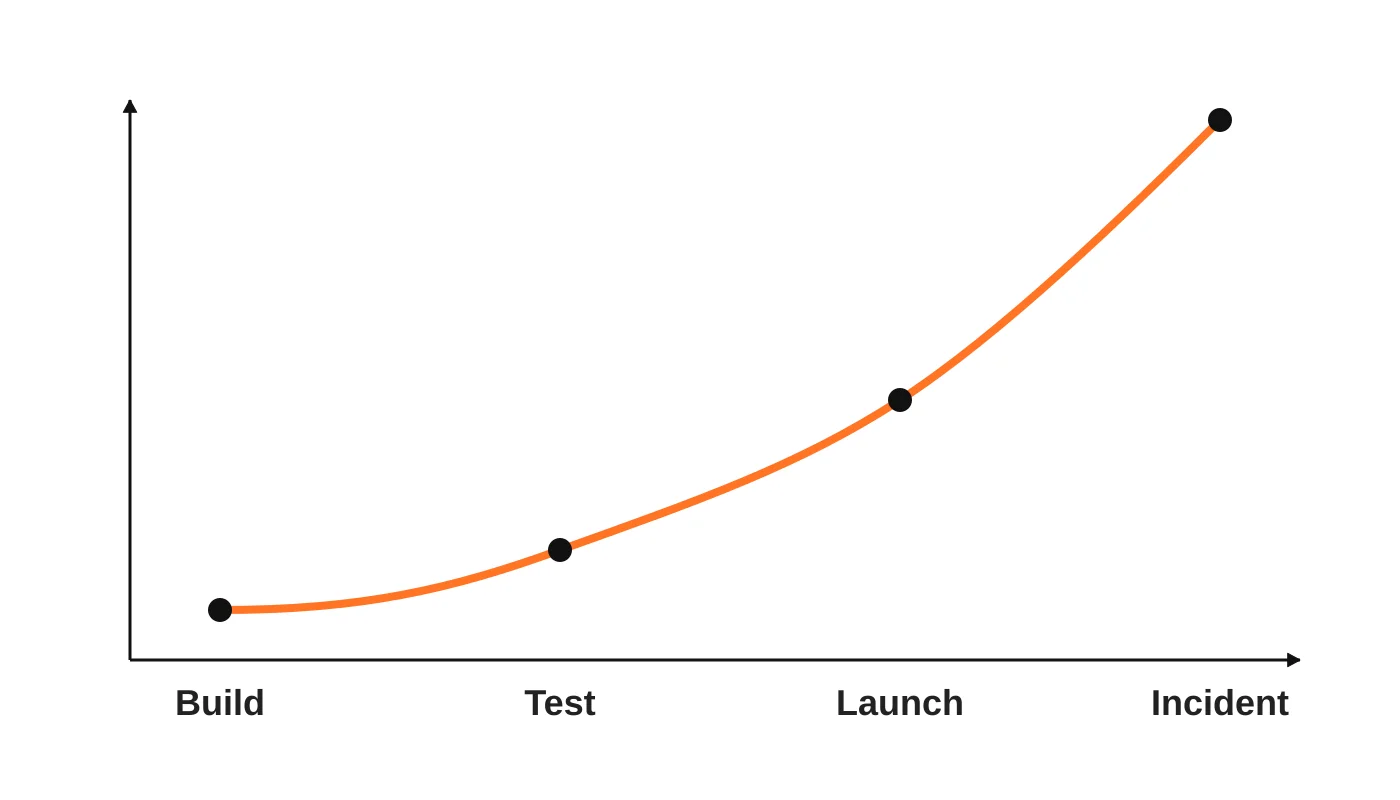
Problems found while building are cheap to fix. Problems found after customers have signed up, entered data and started depending on the app cost more: you need to repair the issue, repair the data and manage the trust. A security problem found only after an incident is the most expensive of all.
That is not a reason to stop building quickly. It is a reason to spend an hour on these checks before launch, and to repeat them as the app grows. For an ongoing routine, adapt our monthly security audit checklist, and for the bigger picture see the five layers of website security.
When to bring in a developer
You should consider professional help when:
- The app handles payments, health information, financial records or other sensitive data.
- Customers or staff depend on it daily.
- You cannot answer more than two or three of the checks with confidence.
- You are integrating with systems that hold customer information.
- The code is growing complex, or the AI keeps producing fixes that break something else.
- You need an audit trail, compliance evidence or an agreed support response.
A developer can review the code, harden the setup and put maintenance in place, which is often much quicker than rebuilding.
Frequently asked questions
Is AI-generated code insecure?
Not automatically, but it is not automatically safe either. It can contain mistakes, use outdated approaches or skip protections you did not ask for, so it needs the same review as any code.
Can I just ask the AI to make it secure?
It can help find issues and suggest fixes, but it does not take responsibility, and it cannot see your hosting, accounts or data. A person still needs to review and decide.
What is the minimum I should do before launch?
At least check access control, secrets, backups with a restore test, and who owns the app afterwards.
Do small internal tools need this?
Yes, in proportion. An internal tool holding customer data can still cause harm if it is breached or lost.
Who should own the app?
The business. Make sure the business, not an individual’s personal account, owns hosting, domains and code.
From the Wired for Growth newsletter
This checklist follows on from You Built the App. Who’s Looking After It? in Duarne Bernhagen’s LinkedIn newsletter, Wired for Growth, about who looks after an application after launch. Related issues are Your Website Still Works. That Doesn’t Mean It’s Safe. and Why Are You Changing Your Business to Fit the Software?.
Want a second pair of eyes?
Get in touch to talk through your app before it goes live.
Web Design Davao’s web development team can review an app before launch and set up ongoing maintenance and security. Ask for an app readiness review.


