Quick answer
The right online booking tool depends on your business. Calendly suits polished scheduling links, Google Calendar appointment schedules suit Google users, Microsoft Bookings suits Microsoft 365 offices, and GoHighLevel suits agencies wanting booking inside a CRM. Facts come from vendor pages dated 20 November 2026, so check them before buying.
- Solo consultants can start with Calendly’s free plan, which is limited to one event type, or Google appointment schedules.
- Check Philippine details first: visitor time zones, SMS reminders on local numbers, payment providers, and Data Privacy Act obligations.
- Embed booking on a dedicated page, link it from key pages, test on phone and computer, and track bookings.
If someone has to phone, wait for a reply and trade messages to book an appointment, some will not bother. Online booking removes that friction, but the market is crowded, and the right tool depends on whether you are a solo consultant, a clinic, a team or an agency running a full sales system.
This guide compares four common options, Calendly, Google Calendar appointment schedules, Microsoft Bookings and GoHighLevel, and shows how to add booking to a website. Features and prices change often, so the facts below are from the vendors’ own pages on 20 November 2026 and should be checked again before you buy.
Why booking friction costs conversions
A visitor who is ready to book is the most valuable one you will get. Every extra step, such as filling a contact form and waiting for an email, gives them time to change their mind or try a competitor who lets them book right away.
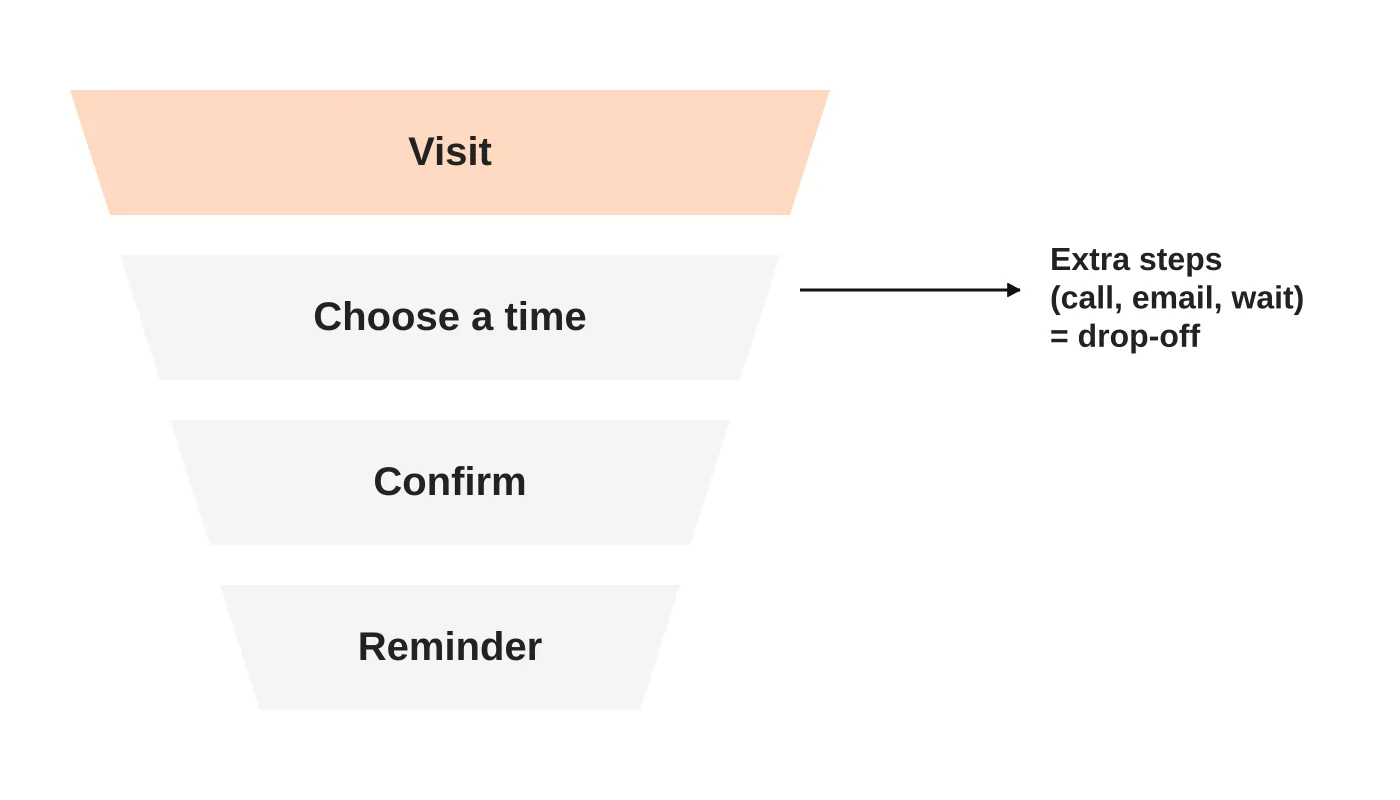
Online booking helps by:
- Letting people choose a time that suits them, at any hour.
- Cutting back-and-forth messages for your team.
- Sending confirmations and reminders automatically.
- Reducing no-shows through reminders.
- Capturing details you need before the appointment.
The newsletter issue Calendly vs Google vs Microsoft vs GoHighLevel: What’s Actually Worth It? compares built-in calendars with dedicated tools. This article updates the idea for website owners and adds a how-to.
Read next: Clinic Appointment Forms: What to Ask Before the Receptionist Calls Back.
The four tools compared
| Calendly | Google Calendar appointment schedules | Microsoft Bookings | GoHighLevel | |
|---|---|---|---|---|
| Best for | Individuals and teams who want polished scheduling links | Anyone already on Google Calendar who needs simple booking | Organisations using Microsoft 365 | Agencies and businesses wanting booking inside a CRM and automation system |
| Free option | Yes: one event type, one calendar connection, one-on-one scheduling | Available with a personal Google Account; some features need an eligible Workspace or Google One subscription | Check which Microsoft 365 plans include it | 14-day trial on paid plans |
| Paid pricing (verify) | Standard US$10 per seat per month billed yearly; Teams US$16 per seat per month billed yearly | Included with the account; some features need a subscription | Included in some Microsoft 365 plans; page lists no price | Starter US$97 per month; Unlimited US$297; Founder US$497 per month (currency not named on the page, assume USD) |
| Payments | Stripe and PayPal on Standard | Stripe connection | Check current features | Check current features |
| Reminders | Automations and reminders on Standard | Up to 5 reminders, text cannot be edited | Confirmations and reminders for appointments | 2-way SMS and email; marketing messages are usage-based |
| Team features | Round-robin and team scheduling on Teams | Co-hosts only within your own domain; no resource calendars | Multiple booking calendars with staff and appointment types | Booking calendars with CRM, pipelines and workflow automations |
| Notable limits | Free plan is limited to one event type | Creating schedules requires a computer browser, not the mobile app | Bookings plan inclusion not confirmed on the product page | Higher price, and a larger system to learn |
Sources: Calendly pricing, Google Calendar help, Microsoft Bookings and GoHighLevel pricing.
Notes on each tool
Calendly is the scheduling specialist. Its free plan is limited, so most businesses with more than one service need a paid plan. Round-robin and team routing sit on the higher Teams plan.
Google Calendar appointment schedules are the simplest option if your business already lives in Google Workspace. You can build a booking page, add a booking form, connect Stripe for payment and send confirmation and reminder emails. Limits include a cap of five reminders and desktop-only set-up.
Microsoft Bookings suits Microsoft 365 offices. It syncs with your calendar, supports several booking calendars with their own staff and appointment types, offers Teams meeting links and lets customers reschedule or cancel themselves. Check which of your plans include it.
GoHighLevel is more than a booking tool. It bundles calendars with a CRM, pipelines, messaging and workflow automations. That helps agencies and sales-led businesses, but it is a bigger system and a bigger monthly cost than a simple scheduler.
Read next: Direct Bookings vs Online Travel Agencies: A Decision Guide for Resort Owners.
Which fits which business
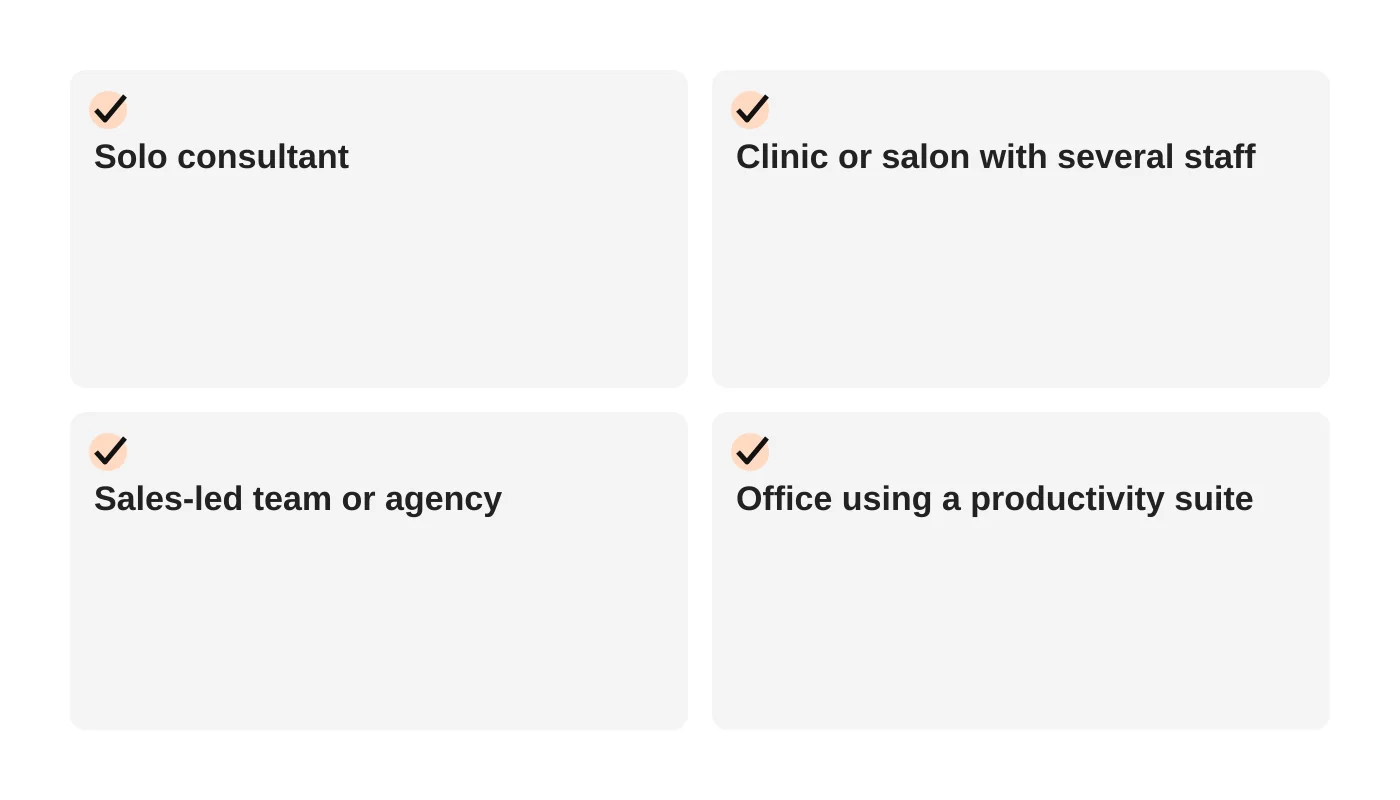
| Business | Likely fit | Why |
|---|---|---|
| Solo consultant or coach | Calendly (free or Standard) or Google appointment schedules | Quick to set up, low cost |
| Clinic, spa or salon with several staff and services | Microsoft Bookings or a booking system built for that sector | Multiple staff calendars, reminders and reschedule options |
| Sales-led team or agency | GoHighLevel, or Calendly Teams with a CRM | Routing, follow-up automation and pipeline tracking |
| Business already on Microsoft 365 | Microsoft Bookings | Fits existing accounts and Teams |
| Business already on Google Workspace | Google appointment schedules | Uses your existing calendars |
Clinics have extra needs, such as patient privacy, forms and referrals, so check what each tool handles. See our medical clinic website checklist and how spas and wellness centres in Davao can attract more clients with SEO and online booking.
To stop enquiries slipping through, read about connecting your website to a CRM so each one gets an owner.
Read next: How Resorts and Hotels in Davao Can Boost Bookings with Local SEO and Storytelling.
What to check for a Philippine business
- Time zones: make sure the tool shows times in the visitor’s zone and stores yours correctly, particularly if you serve Australian clients.
- Reminders: SMS reminders reduce no-shows, but confirm whether they work with Philippine mobile numbers and what they cost.
- Payments: if you want deposits, check which payment providers each tool supports and whether they work for your business and customers.
- Language and forms: make sure the booking form can capture what you need without collecting more personal data than necessary.
- Data and privacy: booking tools collect personal data. Ask where it is stored and what the vendor’s privacy terms say, then consider your obligations under the Data Privacy Act. See what the Data Privacy Act expects.
How to add booking to a WordPress site
- Choose the tool and set up your services, availability and buffer times.
- Create a booking page inside the tool and test it yourself from a phone and a computer.
- Embed it on your website using the tool’s embed code or a plugin, usually on a dedicated “Book now” page.
- Add clear buttons on your homepage, service pages and contact page that lead to the booking page.
- Connect notifications so you and the customer get confirmations and reminders.
- Check mobile layout and speed. Embedded widgets can slow a page, so test it.
- Track bookings by setting up goal tracking in your analytics tool.
A well-structured service page makes booking easier to find. See how to fix your website messaging and positioning for page structure.
Read next: Resort Website Checklist: Rooms, Rates, Availability and Mobile Booking.
Use case: consultation requests for accountants and advisers
For many professional firms a request form is safer than live booking, because the first meeting needs a person to check fit. Ask only what you need to reply.
Ask: name and business name, mobile and email, the service wanted (from a list), a short description with a warning not to include documents or ID numbers, a preferred contact time, and consent with a link to your privacy notice.
Leave out: government ID and tax numbers, bank or card details, uploaded financial documents unless you have a secure agreed process, and details about other people that you do not need.
After submitting: show a confirmation and send an automatic reply that says the request was received, when to expect a reply (only if you can meet it), what to prepare, and what not to send by email.
Own the replies: decide who checks the inbox, use a template and log each outcome (consulted, engaged, not suitable and why).
This is general information, not legal advice. Check your situation with a qualified adviser.
Frequently asked questions
Do I need a paid plan?
Free plans suit a simple, single service. Most businesses with several services, staff or payment needs outgrow free plans quickly.
Can customers pay when they book?
Several tools support payment connections, usually through a payment processor. Check which ones and which plan you need.
Which tool is best for a clinic?
Check sector-specific systems as well, because privacy, forms and record integration matter. A general scheduler may not be enough.
Will online booking replace phone calls?
Not entirely. Offer both, but make online booking the easiest option.
Can Web Design Davao set it up?
Yes. We build booking into websites and connect it to your calendar and CRM.
From the Wired for Growth newsletter
This comparison updates Calendly vs Google vs Microsoft vs GoHighLevel: What’s Actually Worth It? from Duarne Bernhagen’s LinkedIn newsletter, Wired for Growth, which compared built-in calendars with dedicated booking tools.
Get a booking-ready website
Web Design Davao’s web design and development service builds booking into your site, from the right tool to a page that converts. Request a booking-ready website quote.
Sources
- Calendly pricing, Calendly
- Create appointment schedules, Google Calendar Help
- Scheduling and booking app, Microsoft
- GoHighLevel pricing, GoHighLevel
Vendor details checked on 20 November 2026. They change frequently, so confirm them on the vendors’ own pages before you decide.