
Quick answer
A trucking route page should exist only when it helps a shipper: you run the route, shippers ask for it by name, you have specific facts to add, you can keep it current and it differs from other routes. Otherwise, list minor routes on one coverage page instead of publishing near-identical pages.
- Include route and service type, cargo types, transit time range, drop-off points, restrictions and what you need to quote.
- Assign an owner to each page with a last checked date, and remove or redirect routes you stop serving.
- Do not list routes you do not serve or swap place names in the same text.
Trucking firms are often tempted to create a page for every town, city and province: “Trucking Davao to Cebu”, “Trucking Davao to Cagayan de Oro” and so on, each with near-identical text. Pages like these add little and can look like spam.
A route page should exist only when it helps a shipper. This guide shows how to decide and what to include. It is a website practice guide, not regulatory advice, and no rankings are promised.
The route page test
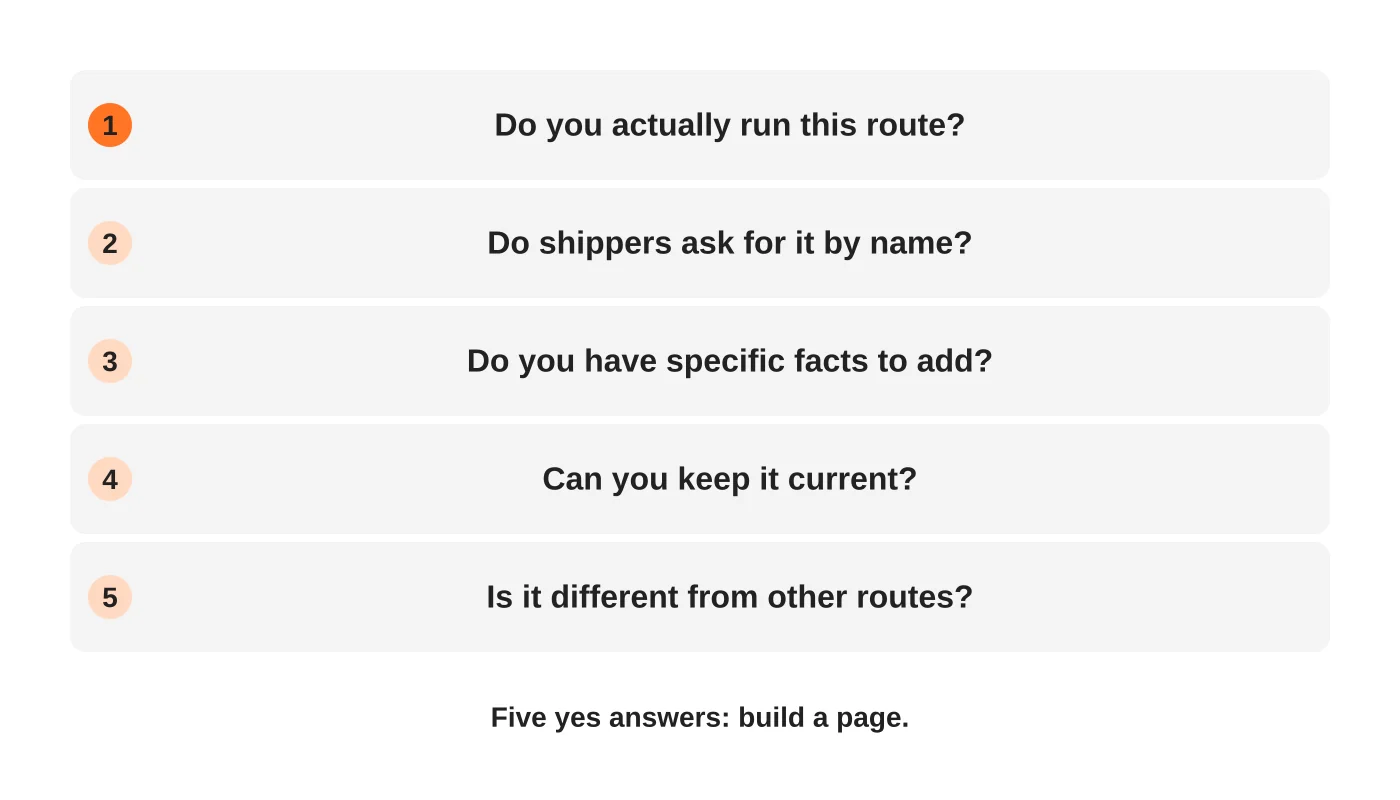
Give a route its own page only when all five answers are yes:
- You actually run it.
- Shippers ask for it by name.
- You have specific facts to add.
- You can keep it current.
- It differs meaningfully from your other routes.
For minor or similar routes, use one coverage page that lists them. See the content audit for merging thin pages.
Read next: How to Use Keywords Effectively for Better Search Engine Rankings.
What a good route page includes
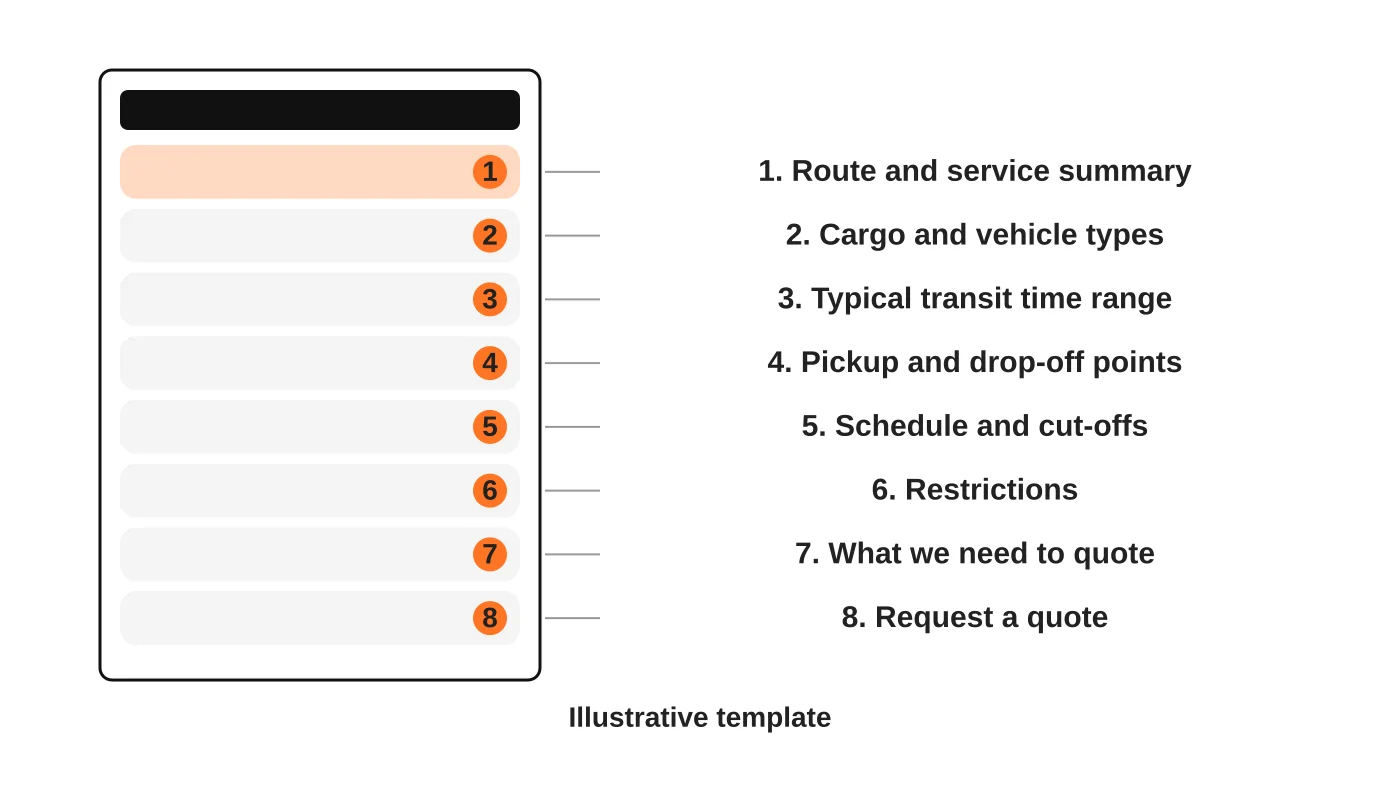
The wireframe is an illustrative template. Fill each block with facts you can verify.
- Route and service summary: origin, destination and the service type, such as full truckload, less-than-truckload or consolidated.
- Cargo and vehicle types you use on the route.
- Typical transit time range, with what affects it. Do not promise exact times you cannot meet.
- Pickup and drop-off points, such as depots and terminals.
- Schedule and cut-offs, if you run fixed departures.
- Restrictions: weight limits, cargo exclusions and seasonal conditions.
- What you need to quote. See freight quote form fields.
- A quote request.
Add a short FAQ built from real questions your dispatchers hear.
Read next: Freight Quote Forms: What to Ask Before Your Sales Team Calls Back.
Avoid thin and copied pages
- Do not swap place names in the same text and publish dozens of pages.
- Do not list routes you do not serve to catch searches.
- Do not copy descriptions of towns from other sites. Say what is useful for shippers, such as drop-off points and access.
- Do not stuff place names into headings.
If a route page has nothing specific, merge it into a coverage page.
Build a coverage hub
Create one main coverage page that explains your service areas, links to route pages and gives an easy way to ask about any route not listed. This helps shippers whose route is not on the list and avoids unnecessary pages. See the logistics website guide.
Keep pages current
Schedules, restrictions and regulations change. Assign an owner to each page, add a “last checked” date and review it on a schedule. Remove routes you stop serving or redirect them.
Connect to local signals
Where you have depots or terminals, create location pages with addresses and hours, and match your Business Profile. See the Business Profile guide.
Measure the pages
Track quote requests by page and route, and check if enquiries are suitable. If a route page gets visits but no suitable requests, review its content. See the logistics marketing guide and how long SEO takes.
Frequently asked questions
How many route pages is too many?
When you cannot keep them accurate or when they say the same thing.
Should route pages be in other languages?
Only if your customers use those languages and you can maintain them.
Can I add a map?
Yes, if it loads quickly and is accessible. Include a text description too.
Should I list rates on route pages?
Only if rates are stable and honoured.
Sources
Plan your route pages
Web Design Davao’s SEO team can help you decide which routes deserve pages. Get in touch.


