

Quick answer
A freight quote form should ask only what sales or dispatch needs to price the job: pickup and delivery points, cargo type, weight or volume, timing and contact details. Make those required, keep dimensions and special handling optional, and leave paperwork and account setup for the follow-up. State what happens next and who will contact them.
- Ask dispatchers which missing fact delays quotes most, then make only the needed-to-price fields required.
- Use drop-downs, a number pad for phone, date pickers, plain labels, large buttons and errors next to the field.
- Try honeypot fields or rate limits before a CAPTCHA, and do not request identity numbers or payment details.
A freight quote form should give your sales or dispatch team enough information to quote, and not so much that visitors give up. Too few fields mean back-and-forth calls. Too many mean abandoned forms.
This guide helps you choose fields, set expectations and handle replies. It is a design guide and not a statement about regulations. No statistics are claimed.
Sort fields by need
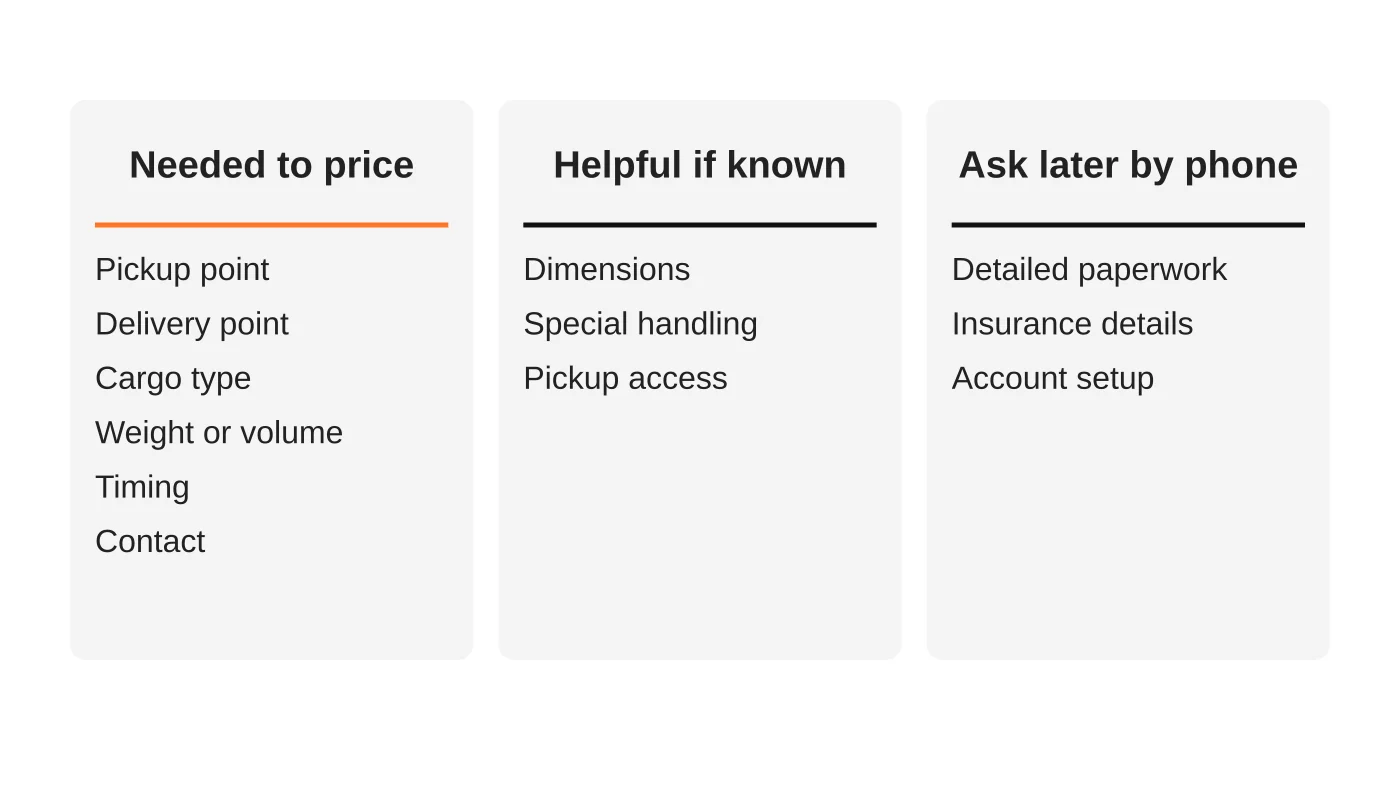
List every field you currently ask for, then sort:
- Needed to price: pickup and delivery points, cargo type, weight or volume, timing and contact details.
- Helpful if known: dimensions, special handling and pickup access.
- Ask later: detailed paperwork, insurance details and account setup.
Only the first group belongs as required fields. The second group can be optional. The third belongs in a follow-up conversation. Talk to your dispatchers: ask which missing fact delays quotes most.
A sample form
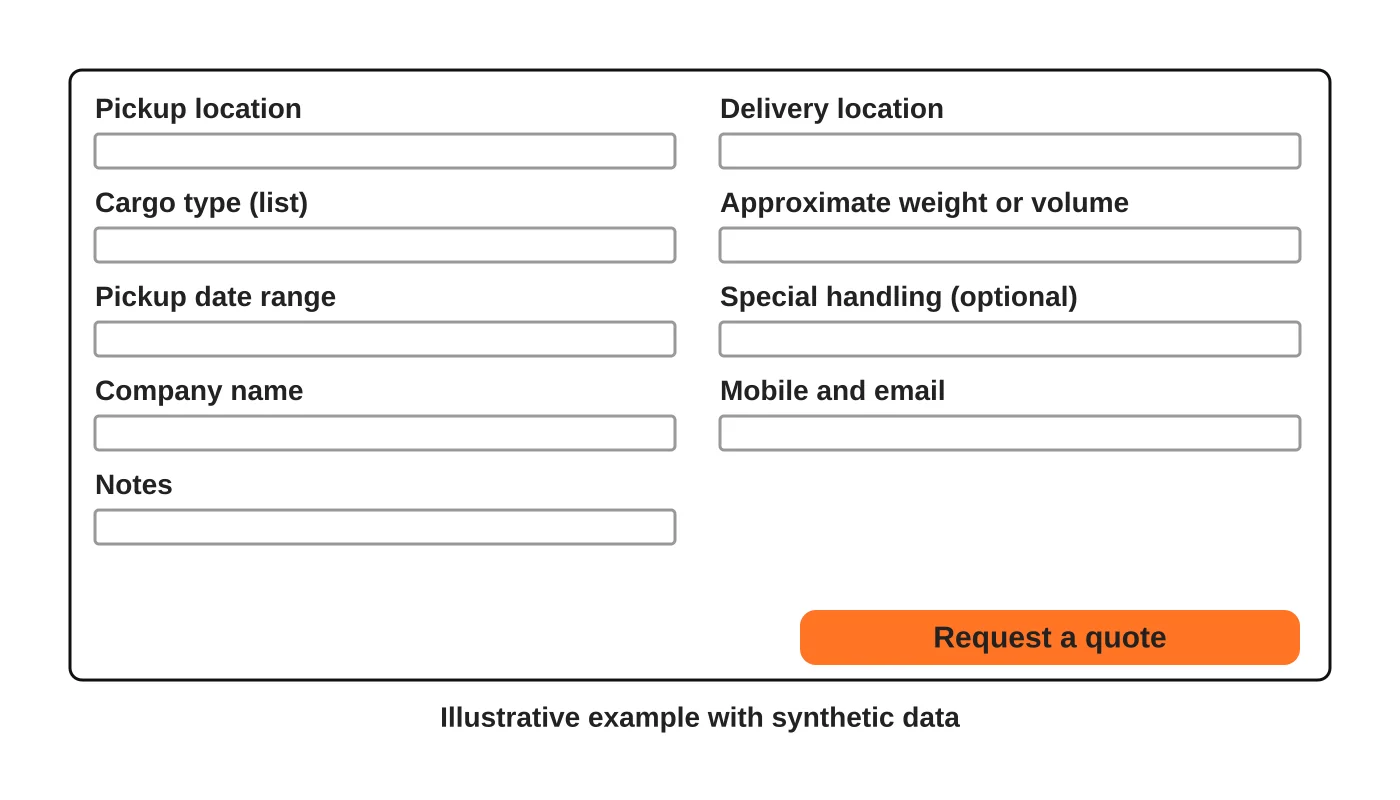
The sample uses synthetic details and is illustrative. Use drop-downs for cargo type, and a range for date. Use plain labels such as “Approximate weight” and add short help text where terms are unclear.
Reduce friction
- Use the right input types: number pad for phone, date pickers for dates.
- Avoid forced account creation.
- Show errors next to the field in plain language.
- Keep it to one page unless your quote process needs more.
- Let people attach a file only if you really need one, and say which types.
- Make buttons large enough for a phone.
Test on a phone with a normal connection. See website speed and the resort website checklist, which applies to any form.
Set expectations
On the page and in the confirmation, state:
- What happens next and who will contact them.
- When, only if you can meet it.
- What you may need, such as photos or a packing list.
- How to reach dispatch urgently.
Handle spam without blocking customers
Use simple spam filters, hidden honeypot fields or rate limits before a CAPTCHA. If you use a CAPTCHA, choose one that is accessible. Review blocked submissions occasionally. See what a maintenance plan should include.
Read next: Why Your Website Copy Attracts the Wrong Customers (and How to Fix Your Positioning).
Protect the data
Collect the minimum, restrict access, delete old submissions and add a privacy notice. Do not request identity numbers or payment details on a quote form. See the Data Privacy Act checklist. This is general information, not legal advice. Check your situation with a qualified adviser.
Own the follow-up
Decide who owns the inbox, how fast to reply and what a standard quote looks like. Use templates. Log each request: new, quoted, won, lost, and why. Review monthly. The log is more useful than website visit numbers. See the logistics marketing guide.
Read next: SEO for Trucking Companies: Useful Route and Service-Area Pages.
Add a phone and messaging option
Some shippers prefer to call. Show dispatch hours, and a click-to-call button on mobile. If you use a messaging app, state response times honestly.
Frequently asked questions
Should I ask for the budget?
Usually no. It can deter people. Ask about requirements and timing.
Should I require a company name?
If you deal only with businesses, yes. If you also serve individuals, make it optional.
Can I give instant quotes?
Only if your pricing is rule-based and accurate. Otherwise a fast human reply is better.
Do I need a multi-step form?
Only for complex quotes. Test whether it helps.
Sources
Improve your quote request form
Web Design Davao’s web design team can discuss a quote form that matches how your team prices. Get in touch.


