

Quick answer
Keep electrical capability statements and credentials current by giving every claim an owner, tracking credential expiry dates and updating the website within the same week of any change. Maintain one dated version of each downloadable statement, review project pages quarterly and test tender and project enquiry paths.
- Record each claim’s owner, source document and last-checked date; without an owner nobody notices when a claim stops being true.
- Remove superseded PDFs from the site, date the current version and check every download link opens the right file.
- Avoid wording that implies a credential under renewal is current, and describe credentials no more broadly than they apply.
An out-of-date licence number, an expired credential or an old capability PDF can cost a tender or damage trust. Keeping them current is a process, not a one-off. This guide gives a simple register and routine for electrical contractors. It does not state which credentials you need; those depend on your work and local requirements, and should be confirmed by qualified people.
1. Assign owners to capability claims
Every claim on your site, such as a licence, accreditation, safety statement, project figure or capability description, needs an owner who can verify it. Record the owner, the source document and the date it was last checked. Without an owner, nobody notices when a claim stops being true.
Typical owners are the compliance or safety lead for credentials and policies, the project manager for project pages and the managing director for the capability statement.
2. Track credential expiry and changes
List each credential with its holder, issuing body and expiry or renewal date. Set reminders well before each date. When a credential lapses, changes name or is suspended, update or remove the related website content promptly, the same week at most.
If a credential is under renewal, avoid wording that implies it is current when it is not.
3. Update downloadable statements
Capability statements, safety policies and brochures are often saved as PDFs that outlive their facts. Keep a single current version of each, put the date on it, remove superseded files from the site and from search engines where possible, and avoid having different versions in different places. Check that every download link opens the right file.
4. Review project pages and claims
Each quarter, review project pages. Check that client permission is still valid, that descriptions are accurate and that any claim is backed by records. Retire pages that are no longer representative. Have a qualified person review technical wording at least annually.
Related reading: Electrical Service Pages That Help Homeowners Make the Right Enquiry.
5. Test tender and project enquiry paths
Each quarter, submit a test project enquiry and a test tender request. Check that:
- the form works on mobile and desktop,
- the right person receives it,
- an acknowledgement is sent,
- the reply time stated on the site is realistic,
- document downloads work.
Record the results and fix any problems at once. See the commercial electrical website guide for the overall structure and SEO for commercial electricians for how buyers find your pages.
Related reading: Commercial Electrical Project Case Studies: Showing Coordination and Delivery Evidence.
Capability document review register
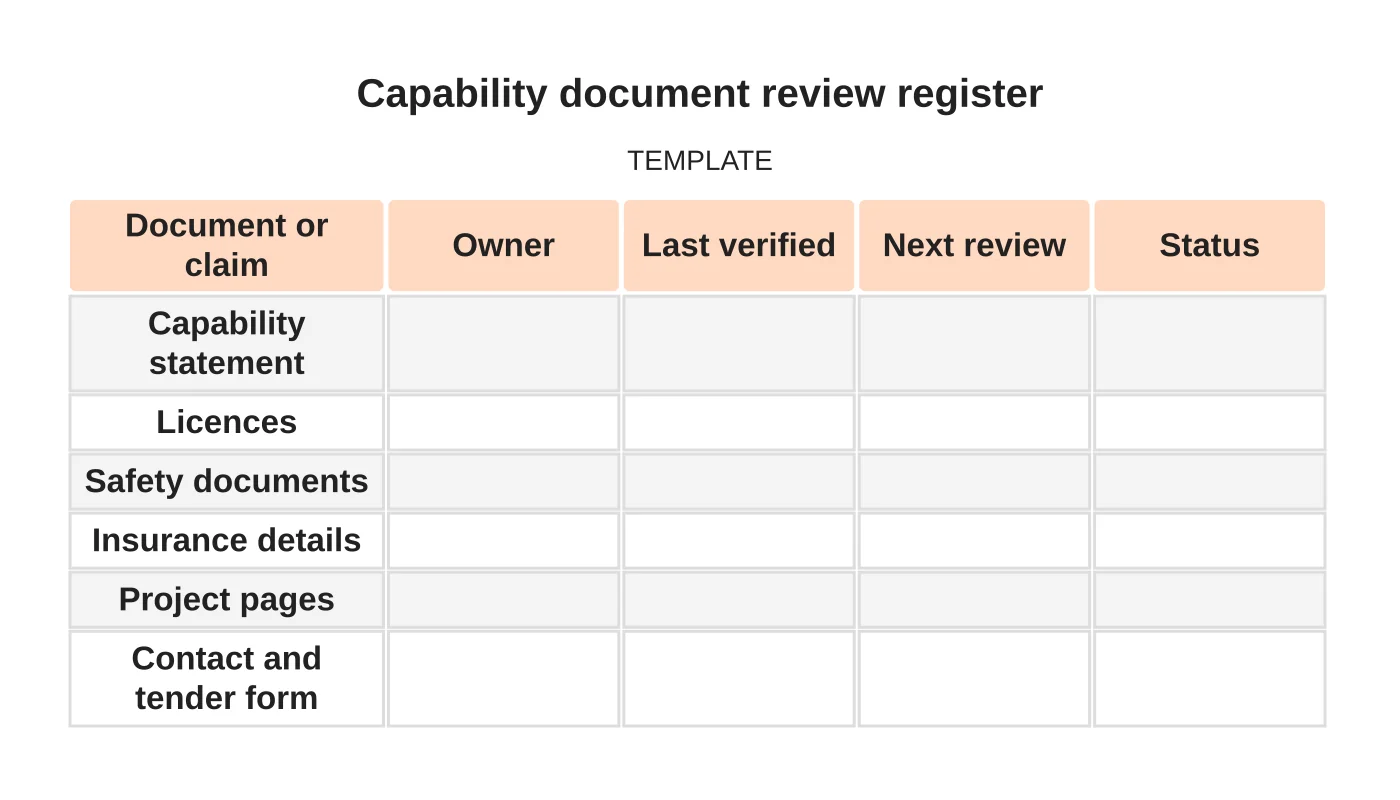
| Document or claim | Owner | Last verified | Next review | Status |
|---|---|---|---|---|
| Capability statement | ||||
| Licences | ||||
| Safety documents | ||||
| Insurance details | ||||
| Project pages | ||||
| Contact and tender form |
Common mistakes
- No named owner for credentials.
- Leaving old PDFs online.
- Describing credentials more broadly than they apply.
- Not testing tender forms.
- Treating website review as a one-off task.
Questions contractors ask
How often should we review? A quarterly check for forms and project pages, and an immediate update whenever a credential changes, is a sensible starting point. Adjust to your own risk.
Who should have edit access? A small, named group with logins of their own. Review access when staff change.
Do we need a log? Yes. A simple record of changes, who made them and when helps in audits and tender questions.
Can maintenance be outsourced? Website updates can be, but a qualified person in your business must still verify the content.
Next step
Discuss ongoing website checks, updates and support responsibilities with Web Design Davao. Read about our website maintenance service or contact us.
Frequently asked questions
How often should we review capability documents and project pages?
Review forms and project pages quarterly, and update immediately whenever a credential changes. Adjust the schedule to your own risk, and have a qualified person review technical wording at least annually.
Who should have edit access to the website?
A small, named group, each with their own logins. Review access when staff change. Keep a simple log of changes, who made them and when, which helps in audits and tender questions.
What should we test on tender and project enquiry paths?
Submit a test project enquiry and a test tender request each quarter. Check the form works on mobile and desktop, the right person receives it, an acknowledgement is sent, the stated reply time is realistic and document downloads work.
Sources and notes
Last updated 21 November 2026. This guide is general information based on Web Design Davao’s web design and digital marketing practice. It cites no statistics and makes no promise about rankings, enquiries or contracts. Web Design Davao is not licensed or certified in this industry, so check technical, safety, legal and regulatory matters with a suitably qualified professional. Examples are templates or illustrations, not client results.


