

Quick answer
A training centre with many courses and venues should separate course intent from location intent: course pages explain content, suitability, schedule and fees, while location pages cover address, access, parking and facilities. Link them, avoid course-by-venue pages with repeated text, update schedules each intake and retire pages for courses no longer offered.
- Use one page per course, one per real venue and links between them.
- Give accurate address, transport, parking, accessibility and facilities with real photographs, and keep your Google listing consistent.
- Record enquiries by course and location and compare them with capacity; there is no fixed time for results.
Learners search by course and by place. A centre with many courses and venues needs a page structure that does not duplicate. This guide gives a matrix and a maintenance approach. It makes no ranking claim, and search platforms change their guidance, so check current official guidance before technical changes.
1. Separate course and location intent
A course page explains the course: content, suitability, schedule and fees. A location page explains the venue: address, access, parking and facilities. Link them. Avoid pages that combine every course with every location and repeat the same text.
2. Show genuine venue information
Give accurate address, transport, parking, accessibility and facilities, with real photographs. Keep your Google listing and website consistent. Check holiday and intake-period hours.
3. Manage schedules and outdated pages
Update schedules each intake. Retire pages for courses no longer offered by marking them clearly or redirecting after SEO review rather than leaving them live.
4. Use honest reviews and references
Ask graduates for honest reviews where appropriate and respond politely. Never write or buy reviews. Genuine mentions from employers and partners are worth earning by being a good partner. No outreach is authorised by this guide.
5. Track course enquiries
Record enquiries by course and location and compare with capacity. See the training centre marketing guide and course pages.
Related reading: Keeping Training Centre Websites Accurate Between Course Intakes.
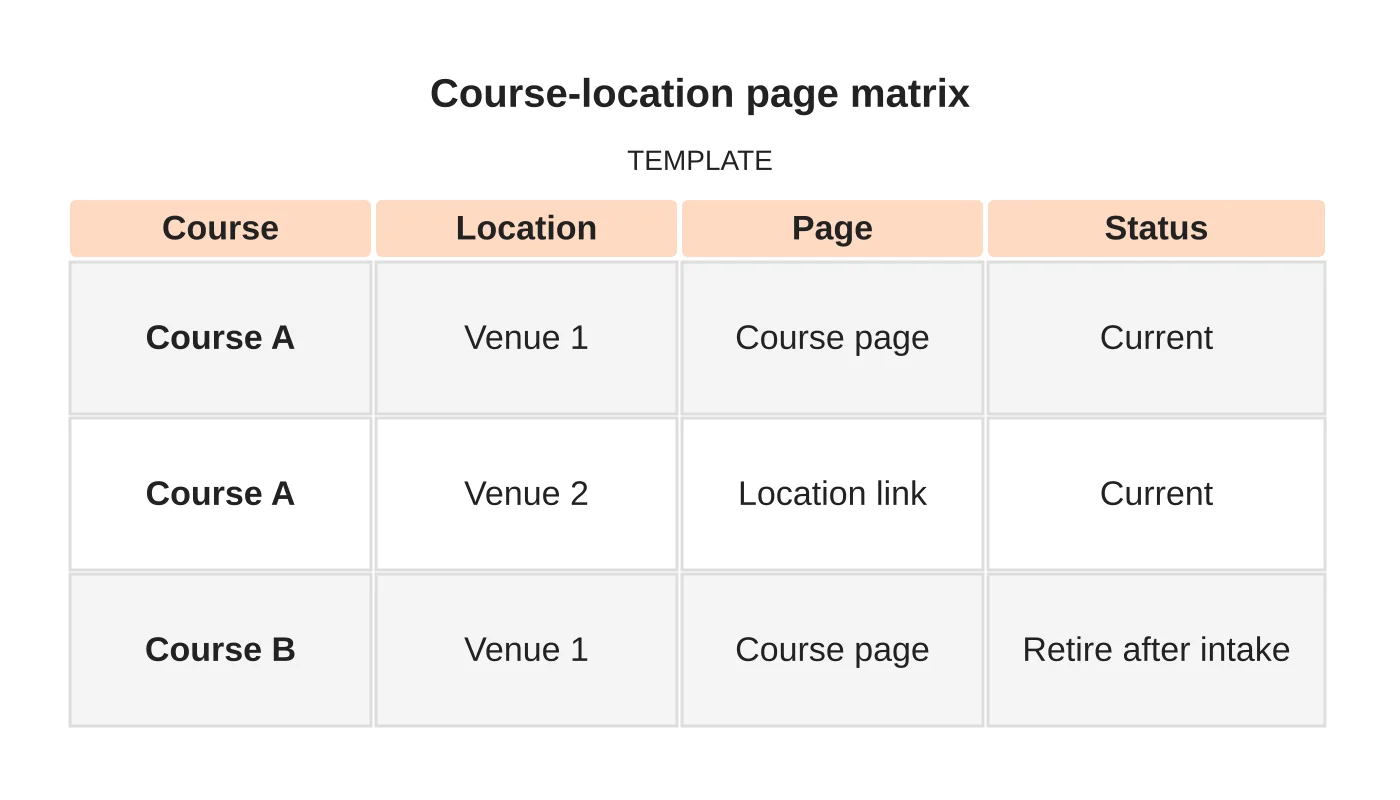
Course-location page matrix
| Course | Location | Page | Status |
|---|---|---|---|
| Course A | Venue 1 | Course page | Current |
| Course A | Venue 2 | Location link | Current |
| Course B | Venue 1 | Course page | Retire after intake |
Common mistakes
- Course-by-suburb pages with identical text.
- Stale schedules.
- Leaving old courses online.
- Inconsistent venue details.
- Not tracking enquiries by course.
Questions centres ask
How many pages do I need? One per course, one per real venue and links between them.
How long until results? There is no fixed time. Review enquiries across several intakes.
Next step
Discuss your target customers, service area and lead-generation priorities with Web Design Davao. Read about our digital marketing service or contact us.
Frequently asked questions
How many pages does a training centre need?
One per course, one per real venue and links between them. Avoid pages that combine every course with every location and repeat the same text. Retire pages for courses no longer offered.
What should a venue page include?
Give accurate address, transport, parking, accessibility and facilities, with real photographs. Keep your Google listing and website consistent, and check hours during holidays and intake periods so learners are not misled.
How do I handle outdated courses and reviews?
Update schedules each intake and retire pages for courses no longer offered, by marking them clearly or redirecting after SEO review. Ask graduates for honest reviews where appropriate and respond politely, but never write or buy reviews.
Sources and notes
Last updated 21 November 2026. This guide is general information based on Web Design Davao’s web design and digital marketing practice. It cites no statistics and makes no promise about rankings, enquiries or contracts. Web Design Davao is not licensed or certified in this industry, so check technical, safety, legal and regulatory matters with a suitably qualified professional. Examples are templates or illustrations, not client results.


