
Quick answer
Bing Webmaster Tools has a free AI Performance report that shows how often your content is cited in Microsoft Copilot and AI-generated answers in Bing. Microsoft introduced it in public preview on 10 February 2026. It reports citations, cited pages and grounding queries, but it does not show clicks or ChatGPT.
- Add or import your site from Google Search Console, verify ownership, then open AI Performance.
- Use grounding queries to improve headings and cover missing sub-questions, and check your most-cited pages are accurate and current.
- Compare citations with enquiries: citations without leads mean the page needs a stronger call to action.
Google’s AI report shows impressions. Bing went first, and in some ways further. In early 2026 Microsoft added an AI Performance report to Bing Webmaster Tools that shows how often your content is cited in Copilot and AI-generated answers in Bing. It is free and a good way to learn what AI systems pick up from your site.
What it is
Microsoft introduced AI Performance in public preview on 10 February 2026 as a set of insights showing how publisher content appears across Microsoft Copilot, AI-generated summaries in Bing and select partner integrations. In June 2026 Microsoft added more views, including intents, topics, citation share and a compare feature. Microsoft says Bing respects content owner preferences expressed through robots.txt and other supported controls.
Set it up
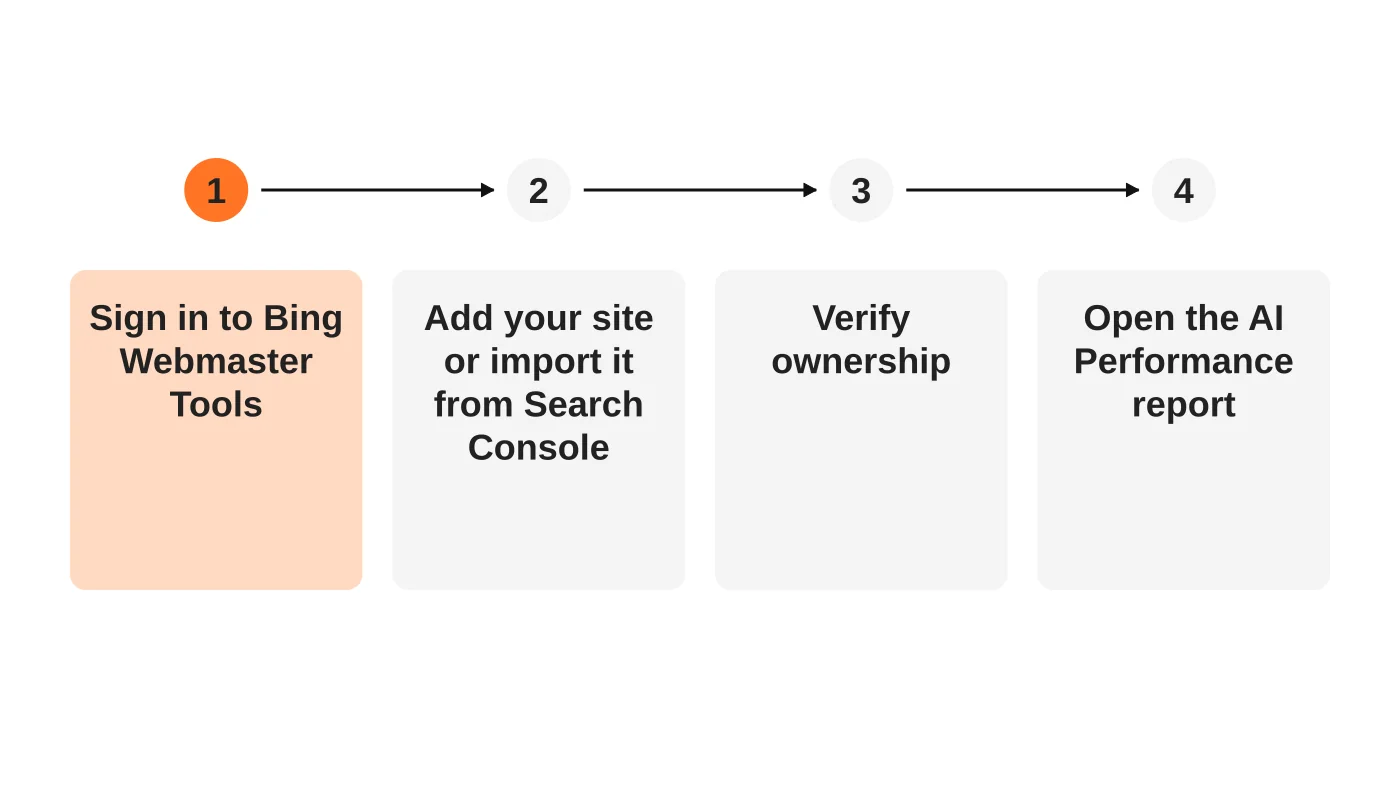
- Sign in at Bing Webmaster Tools with a Microsoft account.
- Add your site, or import it from Google Search Console, which takes a couple of minutes.
- Verify ownership.
- Open AI Performance in the Search Performance area.
Use your own accounts, not a developer’s, so you keep control. See the one-hour security audit.
What the report shows
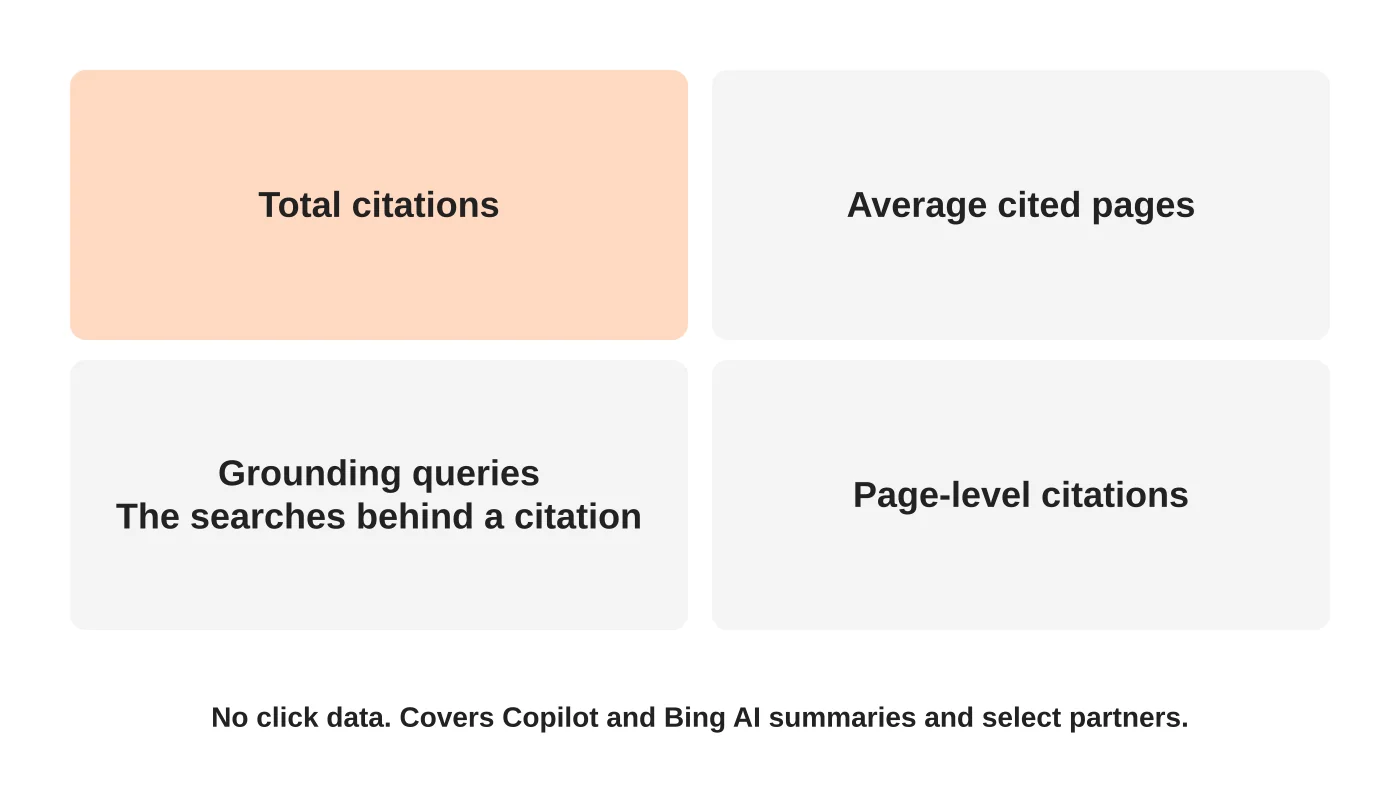
- Total citations for the period, meaning how often your content was cited as a source.
- Average cited pages, a sense of how many of your URLs are being used.
- Grounding queries. The search phrases the AI used to find content that it then cited. These are not the user’s exact prompts.
- Page-level data. Which URLs are cited and how often.
Reports note that it covers Copilot and Bing AI summaries only, so it does not show ChatGPT. It also does not show clicks, so it measures citations, not traffic.
How to use it
- Find your most-cited pages. These are your content strengths. Check they are accurate, current and have a clear next step.
- Read the grounding queries. They show how an AI system describes the need your page met. Use the wording to improve headings and cover missing sub-questions. See how AI search chooses its sources.
- Spot gaps. Important pages with no citations may be weak, unclear or not indexed.
- Watch trends, not single days. Preview data can change.
- Compare with your enquiries. Citations without leads mean the page needs a stronger call to action.
What it does not tell you
- Which AI answer a person saw, or what they did next.
- Anything about ChatGPT, Perplexity or Google. For Google, see the Search Console Generative AI report.
- Whether the citation was favourable.
Why bother if few Filipino searchers use Bing?
The report is also a free signal about what AI systems extract from your pages. Bing’s data can guide improvements that help your content everywhere. Judge its value by your own numbers, since Bing’s share of local search is not documented here.
Frequently asked questions
Is it free?
Yes. Bing Webmaster Tools is a free service.
Do I need a Microsoft account?
Yes, or sign in with Google or another supported option. Check the sign-in screen.
Can I see the actual prompts?
No. It shows grounding queries, not the user’s prompts.
How does it differ from Google’s report?
Bing reports citations and grounding queries. Google reports impressions by page, country and device.
Sources
- Introducing AI Performance in Bing Webmaster Tools Public Preview, Bing Webmaster Blog, February 2026
- New AI Visibility Insights in Bing Webmaster Tools, Bing Blog, June 2026
- Bing Webmaster Tools officially adds AI Performance report, Search Engine Land
Read the data with us
Web Design Davao’s SEO team can set up both Google and Bing reports and explain them in plain language. Ask for setup.


