
Quick answer
Google Search Console has an official Generative AI performance report for AI Overviews and AI Mode, announced on 3 June 2026. Open Performance, then Search results, and find the Generative AI section. It shows impressions, pages, countries and devices, but not queries, and it combines AI Overviews with AI Mode.
- Reports start from mid-May 2026, so there is no earlier history to compare against.
- An impression means a link was shown, not that anyone read the answer or visited.
- Export monthly, note the top ten pages, and improve pages with many AI impressions and few clicks.
For years nobody outside Google could say how often a site appeared in AI Overviews. Since June 2026 there is an official report in Google Search Console. It is limited, but it is the first real data. This guide shows how to find it, what it contains and what to do with the numbers.
What the report is
Google announced the Generative AI performance reports on 3 June 2026. There are two: one for generative AI features in Search (AI Overviews and AI Mode) and one for generative AI in Discover. Google’s help page says the Search report lets you see how your impressions from generative AI features change over time, which pages get the most and fewest impressions, and where those impressions come from, such as device or country. Google said the features were rolled out to all websites worldwide as of 31 August 2026.
Related reading: Should You Opt Out of AI Overviews? The Search Console Setting Explained.
Open the report
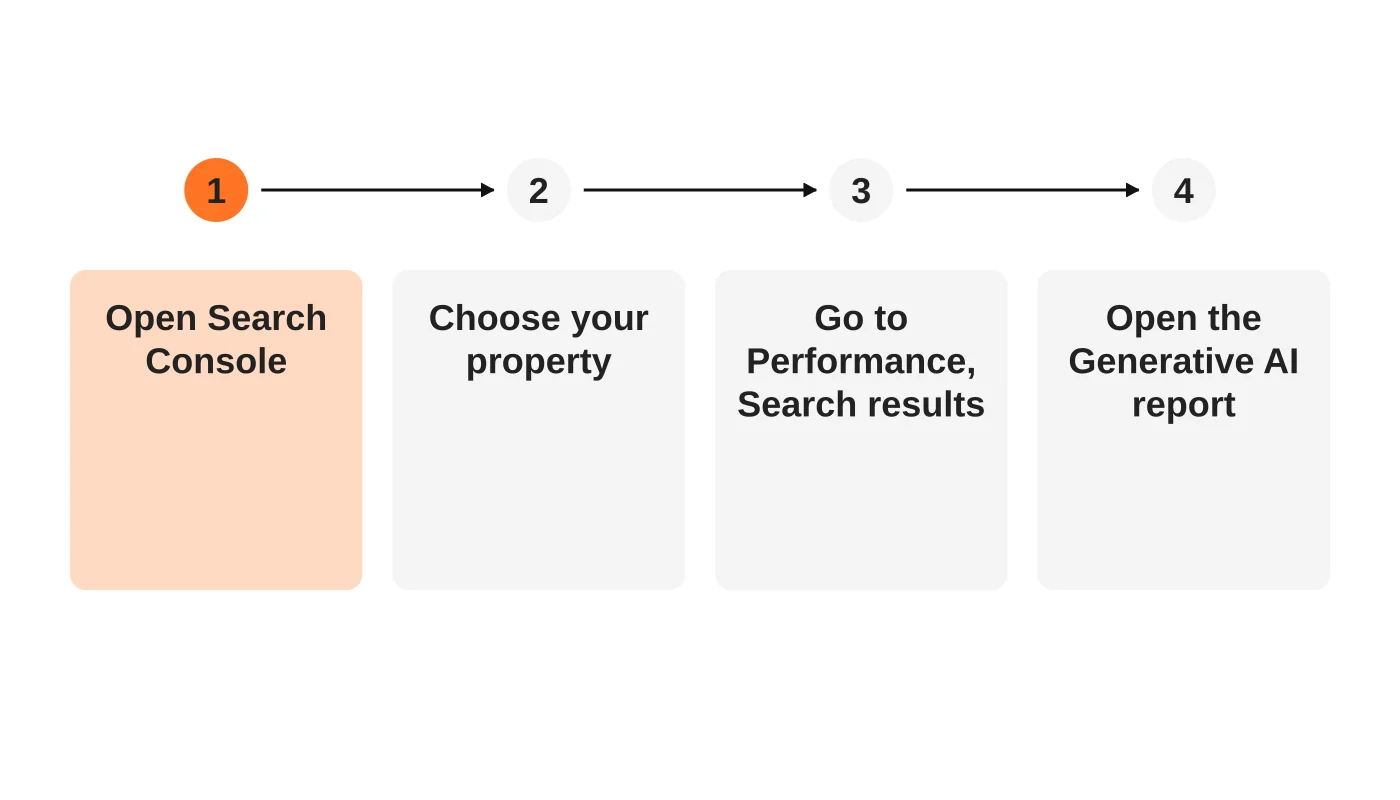
- Sign in to Google Search Console and choose your website property. If you do not have one, set it up first. See the one-hour security audit for why owning your own accounts matters.
- Open Performance and then Search results.
- Find the Generative AI section.
- Set the date range. Reports start from mid-May 2026, with no earlier history.
If you cannot see it, Google’s help page lists reasons, such as the property type or permissions. Check you have the right property and access level.
What you can read
- Impressions over time. A rising line means your pages are being shown more often as links in AI answers.
- Pages. Which URLs appear most. These are your best candidates for improvement and promotion.
- Countries and devices. Filter to the Philippines to see local visibility.
What the report cannot tell you
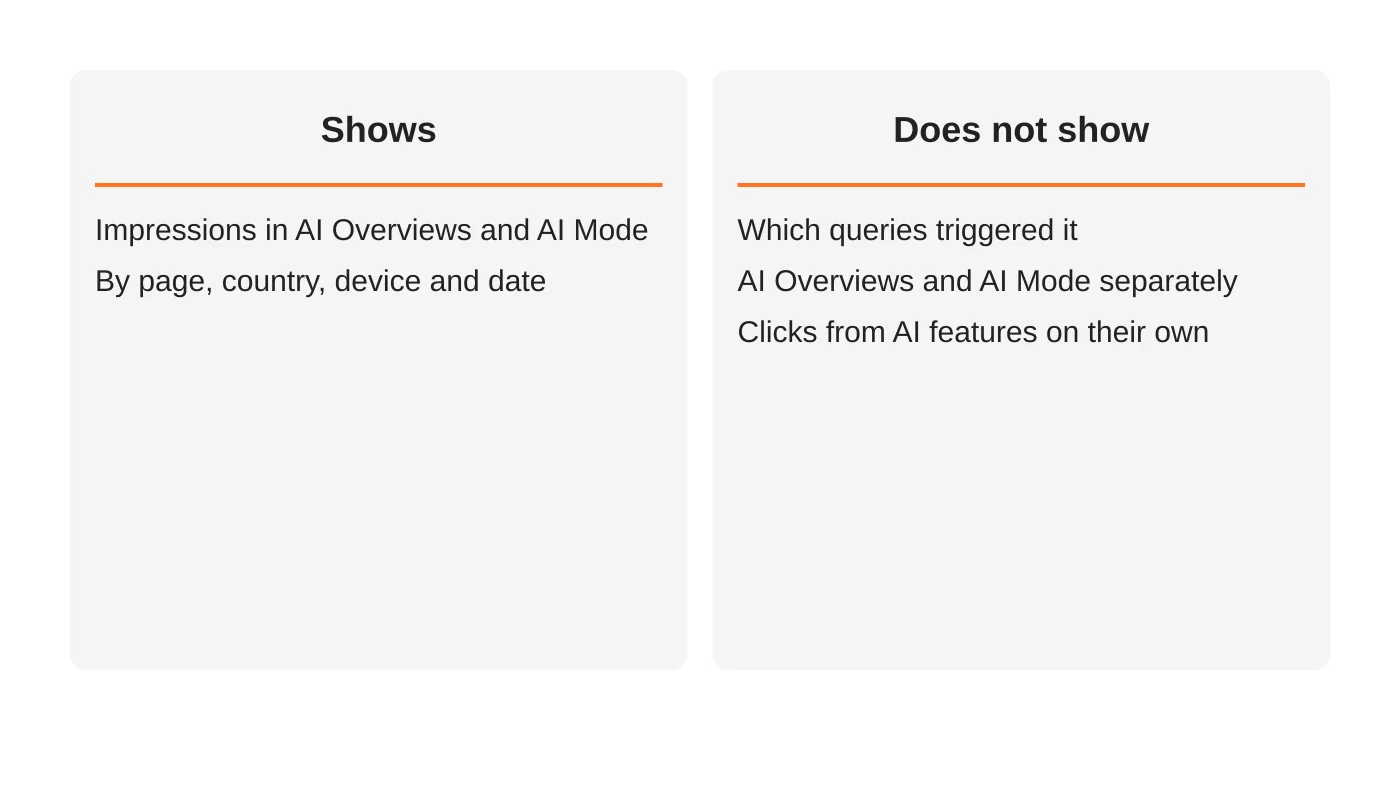
- Queries. It does not tell you which searches triggered the appearance, as far as current documentation shows.
- AI Overviews versus AI Mode. They are combined.
- Clicks from AI features alone. AI clicks are counted in the normal web totals, and Google documents no way to separate them.
- Why you appeared or whether anyone noticed.
An impression means a link to your page was shown. It does not mean someone read the AI answer, saw your link or visited. Treat it as a signal that your content is being used, not as a traffic figure.
Related reading: Do AI Overviews Kill Clicks? What the Data Says and What to Measure Instead.
A simple monthly routine
- Export the report each month.
- Note the top ten pages and any large change.
- Compare with the Performance report for clicks and with your enquiries.
- For pages with many AI impressions and few clicks, improve the page with something a summary cannot give: a tool, a checklist, a clear next step.
- For important pages with no AI impressions, check indexing, snippets and quality. See Google’s AI search guide in plain English.
- Record the numbers in one sheet so you can see the trend.
Do not confuse this with other tools
Google’s guide warns against third-party tools that claim access to internal Google metrics. Use Search Console for Google data. Bing has its own report, covered in Bing AI Performance. ChatGPT and others have no equivalent report, so use analytics and manual checks. See tracking AI referral traffic.
Frequently asked questions
Why is my report empty?
It may be too early, the site may be new, the property may not match or your pages may not be indexed. Check indexing first.
Does a low number mean I am doing badly?
Not necessarily. Many searches do not show AI Overviews at all.
Can I filter by keyword?
Not in the current report as far as Google documents. Use the standard Performance report for queries.
How often does the data update?
Check Google’s help page for current timing.
Sources
- Generative AI performance report (Search), Search Console Help
- Introducing Search Generative AI performance reports in Search Console, Google Search Central, 3 June 2026
- New opportunities, control and insights for website owners, Google
Set up your reporting
Web Design Davao’s SEO team can set up Search Console and a monthly report you can read in ten minutes. Ask for help.


