

Quick answer
Track AI referral traffic in GA4 by opening Traffic acquisition, switching to Session source / medium and looking for sources such as chatgpt.com and perplexity.ai. Then build a custom channel group for them. The numbers undercount, because missing mediums, apps, copied links and unclicked answers hide visits, so treat the figure as a floor.
- Create an AI assistants channel with a source regex, place it above Referral and update the pattern regularly.
- Compare the channel with others on engaged sessions, key events and conversions, not visit counts alone.
- Add a how did you hear about us question with AI assistants as an option, and ask on the phone.
If AI assistants send you customers, you want to know. The good news is some of that traffic is visible in Google Analytics 4. The bad news is a lot of it is not. This guide shows how to find what you can and how to read the number honestly.
Why Follower Counts Don’t Matter — And What Actually Does argued that follower counts do not matter and something else does. For AI search, the equivalent is visits and enquiries, not mentions.
Step 1: look in the standard report
In GA4, open Reports, Acquisition, Traffic acquisition. Change the dimension to Session source / medium and look for names such as chatgpt.com, perplexity.ai, claude.ai, gemini.google.com and copilot.microsoft.com. If you see them, you have AI visits already. Practitioners report that ChatGPT adds utm_source=chatgpt.com to links in its answers, which makes visits easier to spot. Behaviour changes, so test with a link you control.
Step 2: build a custom channel group
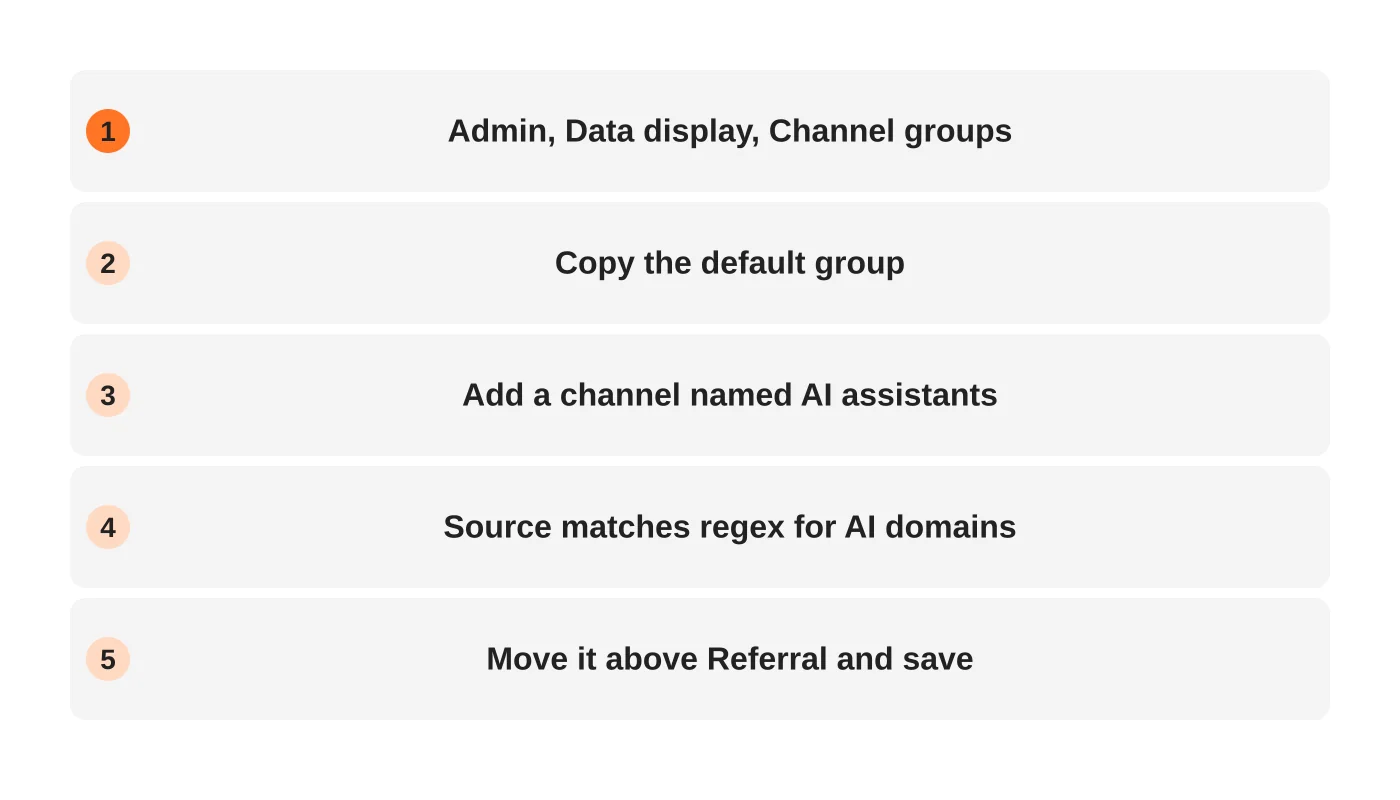
A custom channel groups all AI sources together so you can report on them as one.
- In GA4 go to Admin, Data display, Channel groups.
- Copy the default channel group.
- Add a new channel named AI assistants.
- Set the condition to Source matches regex with a pattern covering the domains you want, for example
chatgpt\.com|perplexity\.ai|claude\.ai|gemini\.google\.com|copilot\.microsoft\.com. - Move the channel above Referral so it takes priority, then save.
Check the pattern against your own data and update it as new tools appear.
Why the numbers undercount
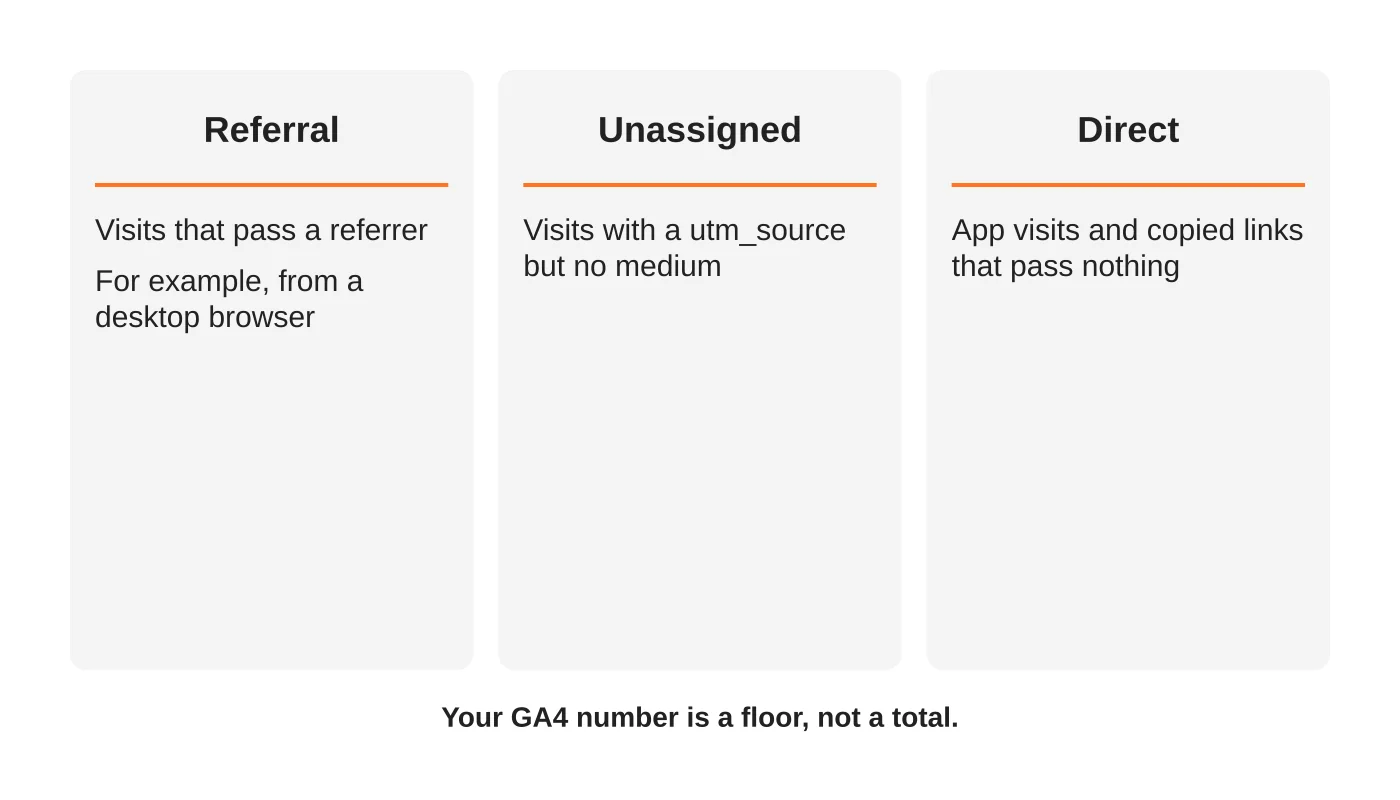
- Missing medium. If a link carries a source but no medium, GA4 may put it under Unassigned instead of Referral, according to analytics practitioners.
- Apps and copied links. Visits from mobile apps or pasted URLs often pass no referrer and fall into Direct.
- Answers without clicks. Many people read an AI answer, remember your name and search for you later. That shows up as brand search or direct traffic.
- Different tools behave differently. Some pass a referrer, some do not.
So treat your GA4 AI traffic as a floor, not the total.
Step 3: connect traffic to results
Visits are not the goal. In GA4, compare your AI assistants channel with others on engaged sessions, key events (enquiry form, call click, booking) and conversions. A small channel that converts well is worth more than a large one that does not. Add a question to your enquiry form: “How did you hear about us?” with AI assistants as an option, and ask on the phone.
Step 4: add other signals
- Search Console Generative AI report for Google impressions. See how to check.
- Bing AI Performance for Copilot citations. See Bing AI Performance.
- Brand search trends in Search Console.
- Server logs to see AI bot visits. See robots.txt for AI crawlers.
- Your monthly audit. See the 30-minute audit.
Privacy note
If you add tracking or forms, follow your privacy obligations. See the Data Privacy Act checklist.
Frequently asked questions
Why is my AI traffic so small?
Many AI answers do not produce clicks, and some visits are misclassified. Compare it with enquiries, not with Google organic volume.
Can I tag my links so AI traffic is easier to track?
You cannot control how assistants display links. You can tag links you share yourself.
Should I trust tools that show AI traffic share?
Check how they collect the data. Estimates are not the same as your analytics.
Is Gemini inside Google tracked here?
Visits from AI Overviews are not separated in GA4 and arrive as Google organic. Use Search Console for that.
From the Wired for Growth newsletter
This guide builds on Why Follower Counts Don’t Matter — And What Actually Does from Duarne Bernhagen’s LinkedIn newsletter, Wired for Growth.
Sources
- Your AI Traffic Is Hiding: A Practical Guide to Tracking ChatGPT, Claude, and More, Seer Interactive
- AI traffic source reference, SearchPilot
- How to Track AI Referral Traffic in GA4, Semrush
Set up your tracking
Web Design Davao’s SEO team can set up GA4 channels and an enquiry report you can trust. Ask for setup.


