

Quick answer
A social media approval workflow keeps content moving by naming one creator, a reviewer, an approver and a backup approver, and using a small set of states from idea to published. Agree review time limits and what happens on silence, separate corrections from new scope, and add extra checks for sensitive content.
- Separate corrections, which fix errors against the brief, from new scope, and agree how many rounds are included.
- Give urgent changes a fast route and agree who can pause scheduled content in an emergency.
- Add a checklist for facts, permissions and tone on health claims, prices, legal statements and customer photos.
Social media content stalls when nobody knows who approves, how long they have or what happens when they disagree. Posts go out late, or without a check. This guide sets up an approval workflow between an owner and an agency or in-house team that keeps content moving and protects accuracy.
The templates are illustrative. Time limits are for you to set. Content planning is covered in a 90-day content plan and strategy in social media marketing strategies.
Step 1: assign reviewers
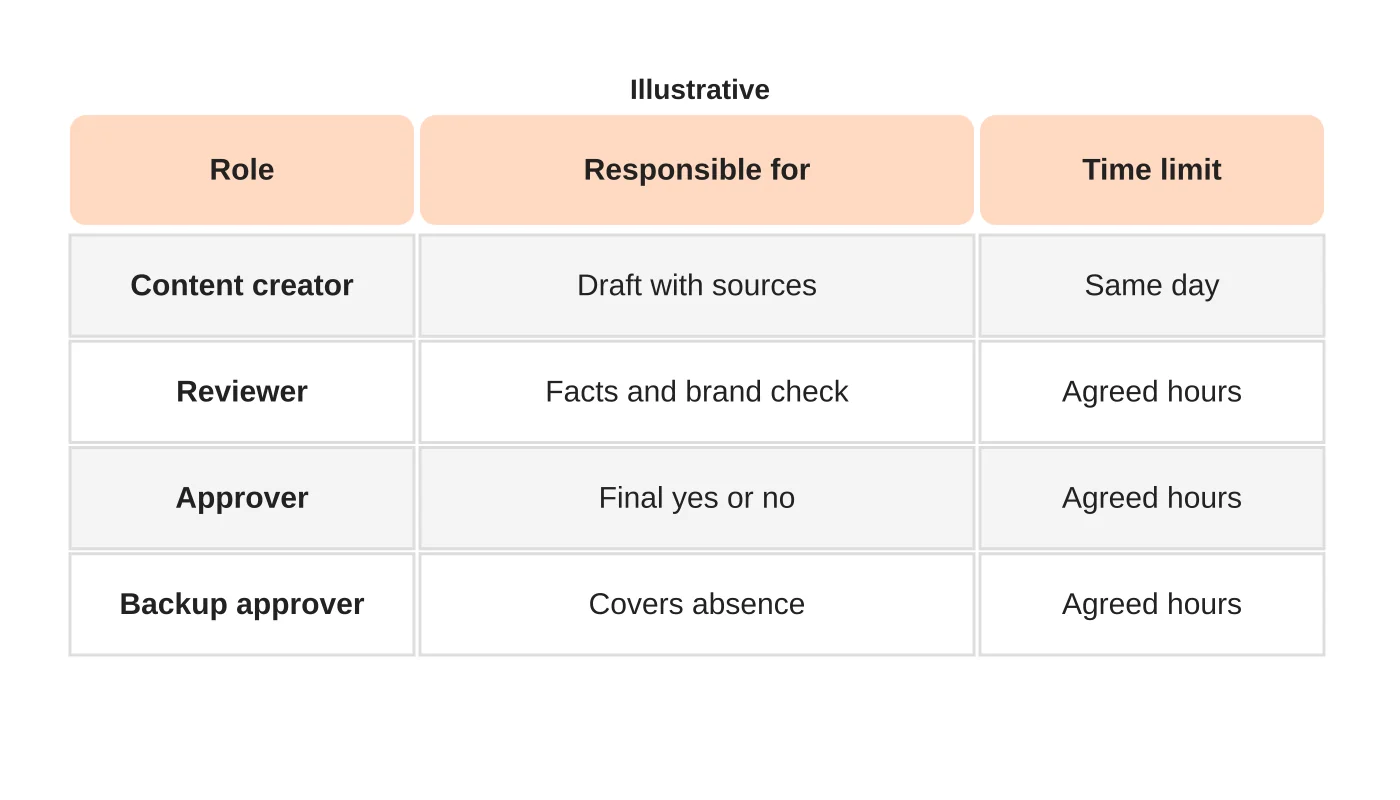
Name one creator, one reviewer for facts and brand, one approver and a backup approver. A person who is both creator and sole approver is a risk. In a small business the owner may approve, but name a backup for holidays and illness. Write the names and what each is responsible for.
Step 2: separate corrections from new scope
A correction fixes an error against the brief: a wrong fact, a typo or off-brand wording. A new scope request changes the brief: a new idea, a different angle or an additional post. Agree how many rounds of corrections each post includes, and how new scope is handled, such as added to the next cycle or quoted. This avoids disputes later. Put it in writing.
Related reading: Engaging Gen Z: Innovative Social Media Marketing Tactics for the Next Generation.
Step 3: define the approval states
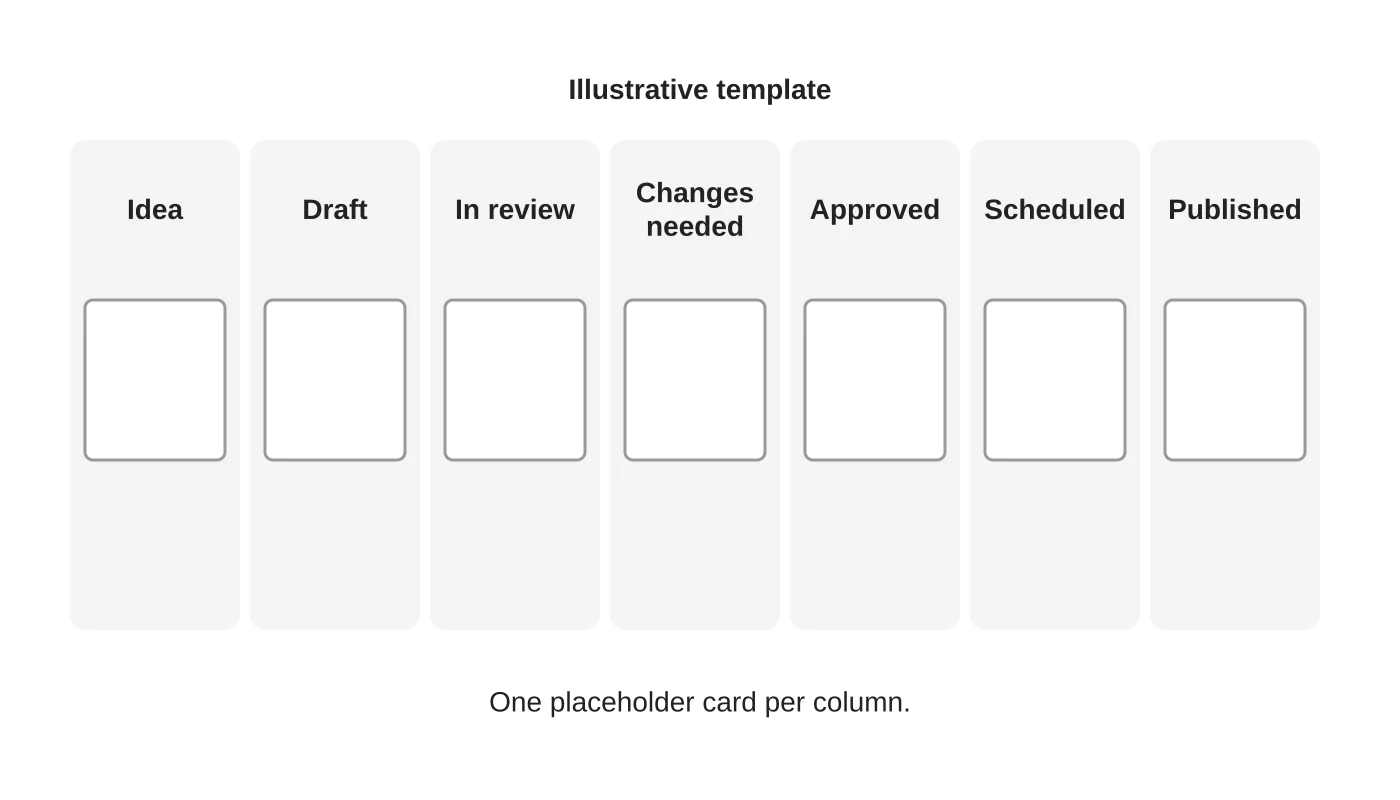
Use a small set of states everyone understands: idea, draft, in review, changes needed, approved, scheduled and published. Use a shared board, a sheet or a tool you already have. Each post moves one step at a time, and only the approver can mark it approved.
Step 4: set time limits and defaults
Agree how fast reviews happen, such as within a working day. Decide what happens if no response comes: wait, escalate to the backup or hold the post. Do not assume silence means approval for sensitive posts. For routine posts, you may agree a default, but write it down.
Step 5: handle urgent changes
Define what urgent means: a wrong price, an event update or a complaint. Give the team a fast route: call or message the approver, take the post down if needed and record the change. Agree who can pause scheduled content in an emergency.
Step 6: add checks for sensitive content
Some posts need extra review: health claims, prices, legal statements and anything with customer photos or comments. Add a checklist for facts, permissions and tone. See using customer photos and user-generated content. For access to accounts, see who owns your social accounts.
Related reading: A Social Media Content Plan for Auto Detailing Businesses.
Step 7: review the process monthly
Check how many posts were late, how many needed changes and where they stalled. Adjust the limits or the brief. A good workflow is light enough that people use it.
Frequently asked questions
How many approvers do I need?
One accountable approver and one backup.
Should I approve every comment reply?
Agree rules for routine replies and escalate sensitive ones. See responding to negative comments.
Can an agency approve posts?
For routine posts within agreed rules, perhaps. Sensitive posts need your approval.
What tool should I use?
The simplest that everyone will actually use.
Sources
Set up your workflow
Web Design Davao’s social media team can discuss an approval workflow that suits your business. Get in touch.


