
Quick answer
To check who owns your business social accounts, list every page, profile, ad account and linked tool, confirm each belongs to a business-owned account, and add a second admin with two-step verification. Remove old access, check recovery details belong to the business and record any agency handover. Review access every quarter and whenever someone leaves.
- Record platform, setup person, access holders, linked business account and recovery options for each asset, but never passwords.
- Remove former staff, freelancers and agencies, and check ad account payment methods for cards belonging to people who left.
- Keep brand assets, content calendars and reports in a shared folder you control.
The person who set up your business pages may be an employee, a freelancer or a past agency. If they leave, can you still control the page, the ad account and the recovery options? Many businesses find out only when they are locked out. This guide gives a checklist to inventory your social assets, confirm ownership and complete a handover.
It does not give platform-specific click paths, which change. Check each platform’s current instructions. For related offboarding, see offboarding a freelancer or virtual assistant.
Step 1: inventory every asset
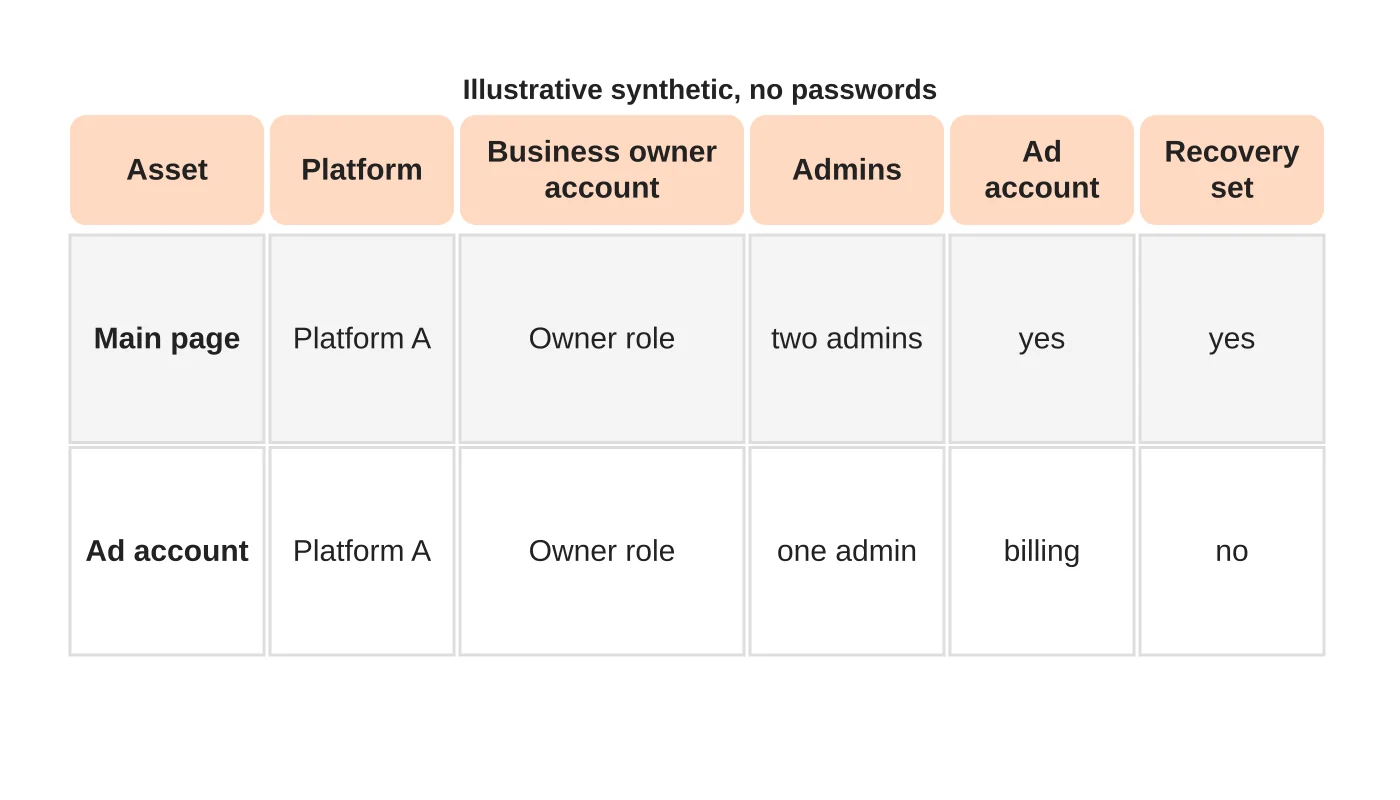
List every page, profile, group, ad account, business manager, catalogue, messaging number and linked tool. For each note the platform, who set it up, who has access, whether it is linked to a business account and what recovery options exist. Never write passwords in this list.
Step 2: confirm business ownership
Each asset should belong to a business-owned account, not to a personal profile of an individual who may leave. Check who holds the top-level owner or admin role. Where possible, use a business email address you control. If an agency created the assets for you, confirm in writing that the business owns them and that the agency has only the access it needs.
Step 3: add a second owner or admin
Having one person with full control is a single point of failure. Add at least one trusted second admin, with appropriate security such as two-step verification. Keep roles at the lowest level people need to do their jobs. See role-based access for a virtual assistant for a permission approach.
For the wider picture, read our introduction to social media marketing.
Step 4: remove old access
Remove people who no longer need access, including former staff, freelancers and agencies. Review third-party apps and scheduling tools connected to accounts. Check payment methods on ad accounts and remove cards that belong to people who left.
Step 5: test recovery
Check that recovery email addresses and phone numbers belong to the business and that at least two people can recover access. Do not trigger real recovery on a live account unless you must. Review the platform’s guidance on recovery, and record where it is.
Step 6: complete a documented handover
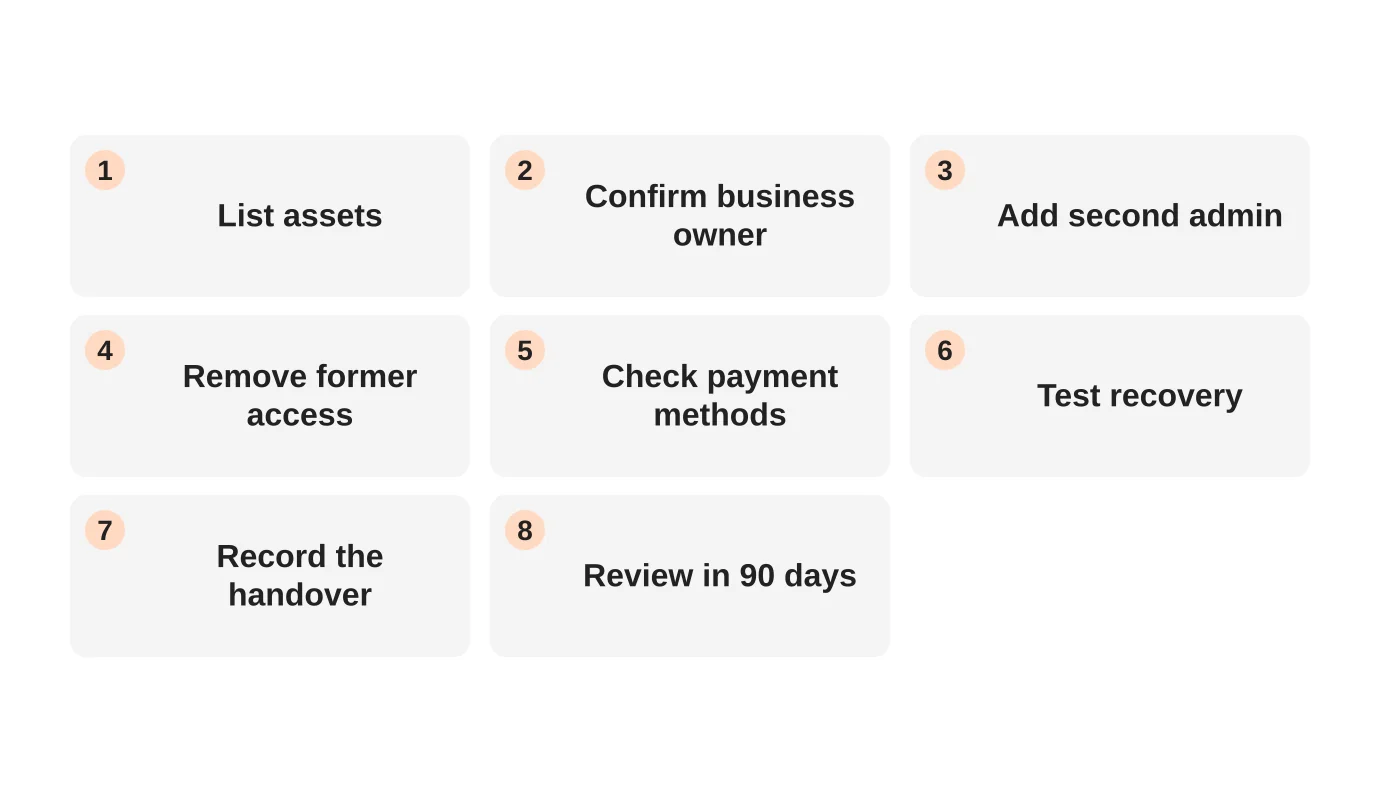
When an agency or staff member changes, record the date, what was handed over, who now holds each role and what access was removed. Ask the outgoing party to confirm. Keep brand assets, content calendars and reports in a shared folder you control. See a social media approval workflow.
Step 7: review regularly
Review access every quarter and whenever someone leaves. Add the register to your onboarding and offboarding checklists.
Frequently asked questions
Can an agency run my page without owning it?
Yes, with the right role assigned from your business account.
What if the person who created the page is gone?
Check the platform’s process for claiming or recovering assets, and gather evidence of ownership. It can take time.
Should ad accounts use my card?
Ensure the payment method belongs to the business and is monitored.
Is two-step verification necessary?
It is strongly recommended for all admins.
Sources
Secure your accounts
Web Design Davao’s social media team can help inventory and tidy your social account access. Get in touch.
Related guide: Planning Website Ownership Transfer When a Business Is Sold


