

Quick answer
When an AI assistant gets your business wrong, check regularly, log each error, trace the source and fix what you control. Update your website, Business Profile, directories and structured data so the facts are consistent, then report the error through the assistant’s feedback option and recheck after two weeks and again after a month.
- Once a month, ask the main assistants questions a customer would ask, and save dated screenshots.
- Keep an error log with the date, tool, question, what it said, what is true and what you did.
- Do not argue with the chatbot or publish fake pages to override facts; fix the sources instead.
You ask an AI assistant about your own business and it says you close at 5 pm when you close at 8, lists a service you stopped offering or confuses you with another company. It happens. You Might Trust AI—But Your Customers Probably Don’t warned that customers may not trust AI as much as you do, and AI Is Scaling Faster Than Trust said AI is scaling faster than trust. A wrong answer about your business can cost you a customer who never tells you why.
This guide shows how to find errors, trace them and fix what you control.
Why AI gets things wrong
- Out-of-date sources. A directory, old page or forum post still shows your old hours or prices.
- Conflicting sources. Your site says one thing and your profile says another.
- Confusing similar names. Another business with a similar name gets mixed in.
- Gaps in the data. When facts are missing, a model may fill them in with something plausible.
- Model limits. Google notes that AI responses may include mistakes, and every major assistant carries similar warnings.
You cannot fully control what an AI says, but you can control the facts it is likely to find.
Step 1: check regularly
Once a month, ask the main assistants questions a customer would ask about you: opening hours, services, prices, address, how to book, whether you do a specific job. Use a few tools and a few phrasings. See the 30-minute audit. Save screenshots with the date.
Step 2: keep an error log
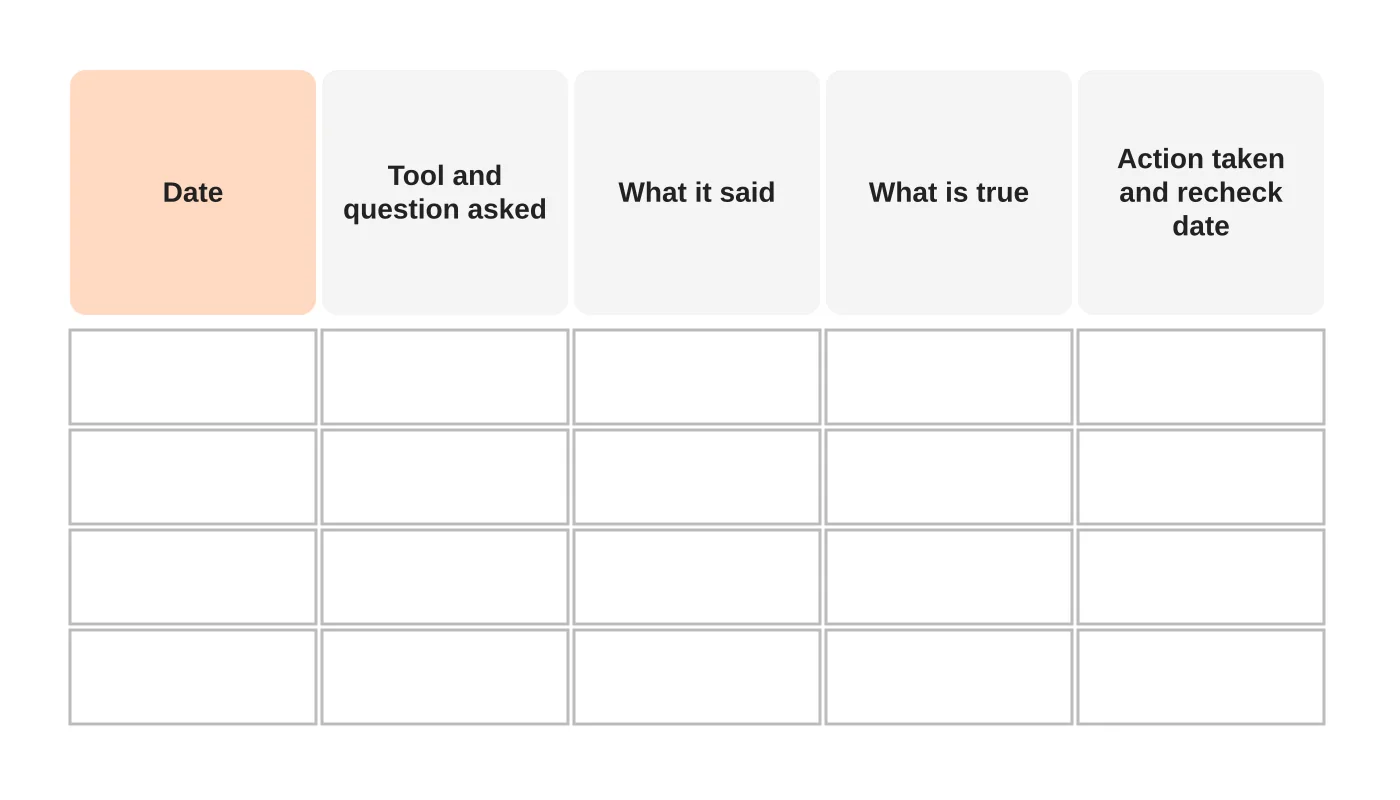
For each error, record the date, the tool and question, what it said, what is true and what you did. A log shows patterns, such as the same old directory causing repeated mistakes.
Step 3: trace the source
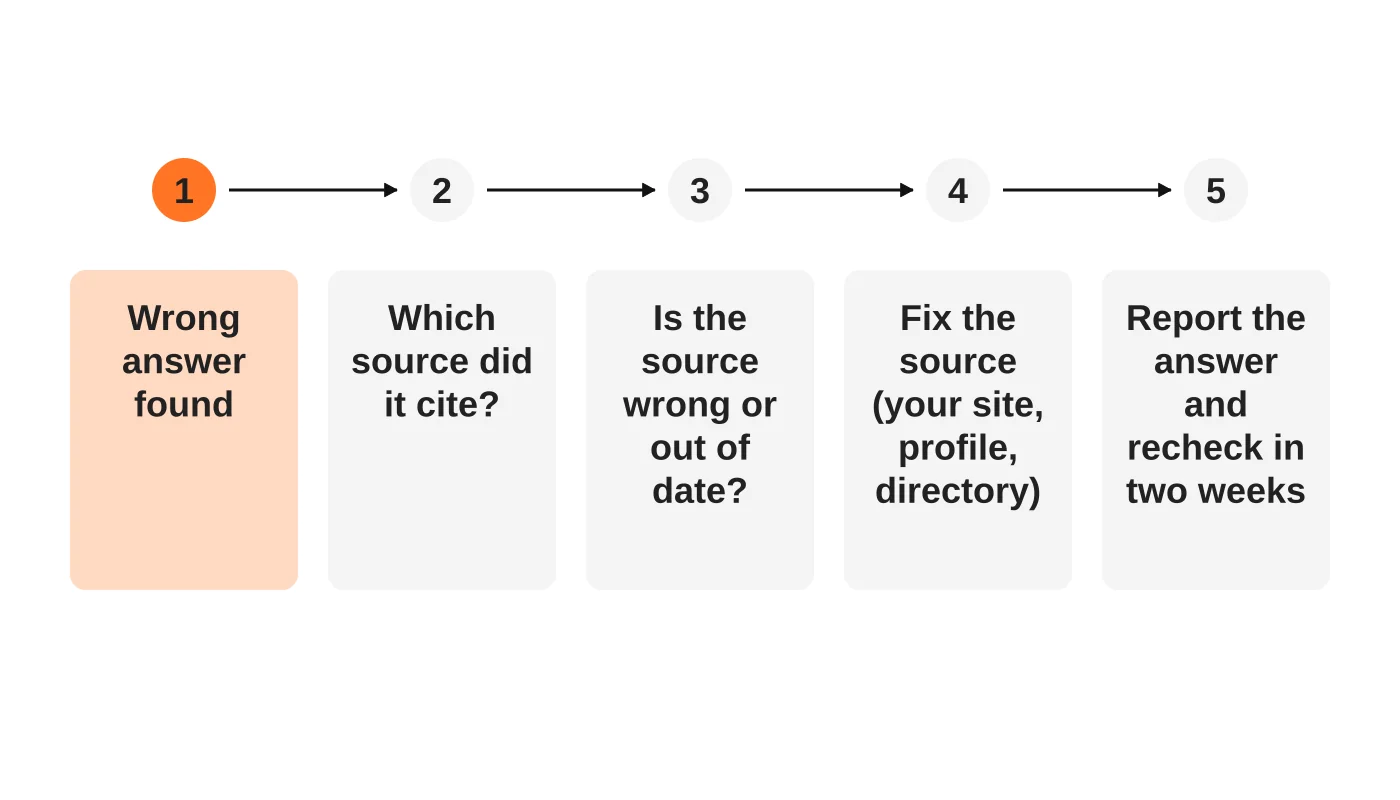
If the tool shows its sources, open them. Check whether the wrong fact came from your site, your Business Profile, a directory, a news story or another business. If no source is shown, search for the wrong phrase yourself.
Step 4: fix what you control
- Your website. Make key facts clear, current and in plain text on the right pages. Remove or redirect old pages that contradict current information. See the content audit.
- Your Business Profile and social pages. Update hours, services and descriptions. See the Business Profile guide.
- Directories and listings. Claim and update them, or ask for corrections.
- Structured data. Make sure it matches visible content. See schema markup for AI search.
- Your own wording. Use the same name, address, phone and descriptions everywhere.
Then wait. Search indexes and AI answers do not update instantly. OpenAI, for example, says search opt-out changes can take around 24 hours, and index refresh for other facts can take longer.
Related reading: If Your Website Isn’t Converting Like It Used To, Here’s Why — And What Davao Businesses Should Fix First.
Step 5: report the error
Most assistants have a feedback option on each answer, such as a thumbs-down or report link. Use it with a short factual note. Google also has feedback controls on AI Overviews. For serious factual errors, such as harmful or defamatory claims, keep your evidence and consider legal advice. This is general information, not legal advice. Check your situation with a qualified adviser.
Step 6: recheck
Repeat the question after two weeks and again after a month. Record the result.
What not to do
- Do not argue with the chatbot and expect it to remember. Most assistants do not update from one chat.
- Do not publish fake pages to override facts. It will backfire.
- Do not assume it is malicious. Most errors are stale data.
- Do not paste private information into tools to “correct” them. See the one-page AI use policy.
Prepare your own team
If staff use AI to answer customers, they should check facts before sending. If you run your own assistant, restrict it to approved material. See how to build a custom AI assistant safely.
Frequently asked questions
Can I make AI stop mentioning my business?
Some controls exist, such as crawler rules. See the robots.txt guide. Blocking reduces visibility and does not guarantee removal from past answers.
Who is responsible if AI says something false about me?
That is a legal question that depends on the facts. Take advice.
How often do errors happen?
It varies by tool and topic. Check your own business.
Will fixing my website fix every tool?
No, but consistent facts help every tool and every customer.
From the Wired for Growth newsletter
This guide builds on You Might Trust AI—But Your Customers Probably Don’t and AI Is Scaling Faster Than Trust from Duarne Bernhagen’s LinkedIn newsletter, Wired for Growth.
Sources
Keep your facts straight
Web Design Davao’s content team can audit your public information and keep it consistent. Ask for an audit.


