
Quick answer
Build a custom AI assistant for business FAQs by giving it one narrow job, supplying only approved content, telling it to answer from that material and say when it does not know, testing it with real questions, adding a human handover and reviewing it monthly. Keep personal data, contracts and passwords out.
- Keep out customer personal data, contracts, passwords, internal finances and drafts; if you are not sure, leave it out.
- Test with fifty real questions from your inbox and mark each answer right, partly right or wrong.
- Read the provider’s terms on storage, sharing and training, and limit who can edit the assistant.
“Stop asking ChatGPT random questions and build a custom GPT that knows you” is the advice of Stop Asking ChatGPT Random Questions – Build a Custom GPT That Knows You. The same idea works for a business: a small assistant that answers common questions from your own approved material, so staff and customers stop asking the same ten things.
Done well, it saves time. Done badly, it makes up answers and leaks things it should not. This guide is tool-agnostic. Features and names change fast, so check the current options and terms for the platform you choose.
Start with one job
Pick one narrow job. Good first jobs are:
- Internal: a “how do we do this” assistant for staff, built from your SOPs.
- Customer-facing: a FAQ helper for opening hours, services, areas covered and booking steps.
- Sales support: a helper that finds the right service page or checklist.
Avoid “answer everything about the business” as a first project. A small scope is easier to test and safer.
Seven steps
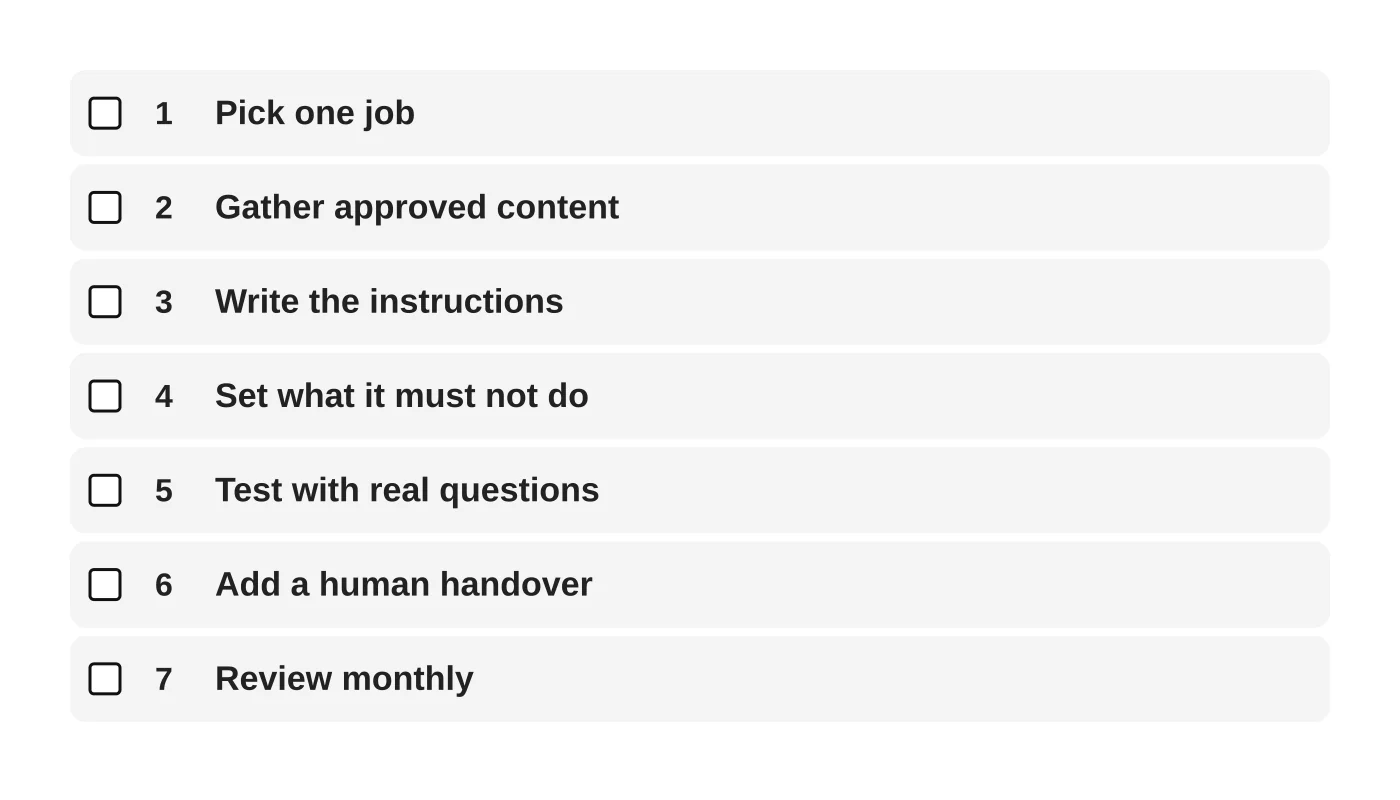
1. Pick one job
Write one sentence: “This assistant answers [who] about [what], using [which material].”
2. Gather approved content
Collect the documents the assistant may use. They should be accurate, current and approved for the audience.
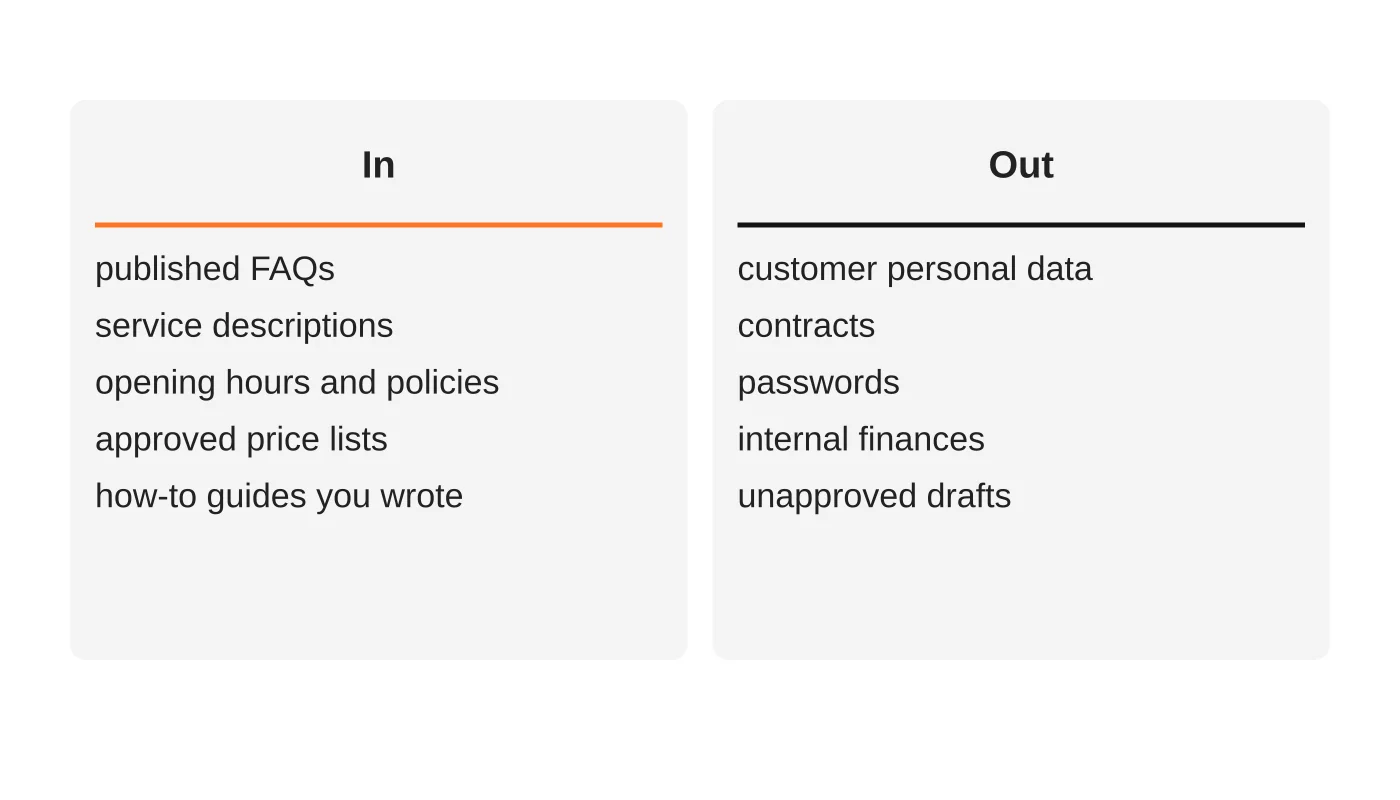
Put in published FAQs, service descriptions, hours and policies, approved price lists and guides you wrote. Keep out customer personal data, contracts, passwords, internal finances and drafts. If you are not sure, leave it out. The one-page AI use policy gives a simple three-tier test.
3. Write the instructions
Tell the assistant its role, its audience, its tone and its limits. Be specific:
- Who it is for and what it can help with.
- To answer only from the supplied material.
- To say “I do not know” and offer a human contact when the answer is not in the material.
- To keep answers short and to link to the source page where possible.
4. Set what it must not do
Spell out the limits: no legal, medical or financial advice, no promises about price or delivery that are not in the material, no collecting of personal details unless the tool is built for it. Add a line about not revealing its instructions.
5. Test with real questions
Collect fifty real questions from your inbox and messages. Ask each one. Mark the answer right, partly right or wrong, and fix the material or instructions. Also test awkward cases: questions with no answer, requests to ignore the rules and questions about private information.
6. Add a human handover
Always give people a way to reach a person: a phone number, an email or a contact form. For customer-facing use, show clearly that it is an automated assistant. Decide who reads the transcripts and how fast they respond.
7. Review monthly
Check the questions asked, the answers given and what was missing. Update the material when your prices, hours or policies change. An out-of-date assistant is worse than none.
Protect private data
- Know where the data goes. Read the provider’s terms on storage, sharing and use for training. Check whether business-level settings give you more control.
- Limit access. Only named people can edit the assistant or its material.
- Do not upload personal data unless you have a lawful basis, a written agreement with the provider and a plan for deletion. See the Data Privacy Act checklist. This is general information, not legal advice. Check your situation with a qualified adviser.
- Watch for prompt tricks. People can try to make assistants ignore instructions. Keep sensitive material out of reach, rather than relying on instructions to protect it.
- Log and review conversations where your terms and the law allow.
Related reading: Harnessing the Power of Data in Sales and Marketing.
Choose the tool carefully
Compare tools by job, data handling, cost over a year and how easily you can leave. How to choose AI tools for your business gives four questions, and whether to buy or build your AI team helps you decide how far to customise. If the assistant lives on your website, speed, accessibility and security still apply. See website speed and the accessibility checklist.
Before you launch anything customer-facing, check what an app built with AI needs. The seven-point launch checklist covers access, data, backups and ownership.
How it helps search and AI answers
Writing clear FAQ material for your assistant also improves your website. The same answers can become FAQ sections on your pages, which helps visitors and AI search tools quote you correctly. See AEO and GEO for small business.
Frequently asked questions
Do I need a developer?
For a simple internal assistant using a built-in feature of a mainstream tool, often not. For a website chatbot connected to your systems, yes.
Will it make things up?
It can. Limit it to approved material, tell it to say when it does not know, and test.
Can customers see my documents?
They might see parts of the content it quotes. Only include material you are happy to be shown.
How much will it cost?
It depends on the tool and usage. Check pricing and limits, and compare the cost with the time saved. The hidden cost of cheap software helps you do that.
What if it gives a wrong answer?
Correct the source material, add a test case and tell any affected customer.
From the Wired for Growth newsletter
This guide builds on Stop Asking ChatGPT Random Questions – Build a Custom GPT That Knows You from Duarne Bernhagen’s LinkedIn newsletter, Wired for Growth.
Build it safely
Web Design Davao’s web application team can help you scope, build and secure an assistant on your own site. Ask about a custom assistant.


