
Quick answer
A one-page AI use policy tells staff and virtual assistants which tools they may use, which information they must never paste, who checks AI output and who to ask. Sort information into never paste, ask first and fine to use, and require a named person to approve AI-assisted work before it leaves the business.
- Never paste passwords, client personal data, contracts, bank details or unpublished financials into an AI tool.
- Give figures, legal statements and health statements a second check, and treat all AI output as a draft.
- Review the policy every six months, and make reporting an accidental paste safe so people report quickly.
Your staff and virtual assistants are probably already using AI tools, whether you have approved them or not. The risk is not the technology. It is people pasting a client’s details into a public tool, sending unchecked text to a customer, or using a tool whose terms nobody read.
A short written policy fixes most of that. It should fit on one page, because a long one will not be read. This guide explains what to put in it and gives a template.
Why one page
The more rules you write, the fewer people remember. A one-page policy answers five questions people actually have: which tools, which information, who checks, what is not allowed and who to ask. Public Prompts, Private Selves touches on the privacy side of prompts. This article turns the idea into something you can hand to a team.
Start with the information, not the tools
Tools change monthly. The information you must protect does not. Sort what your business handles into three tiers.
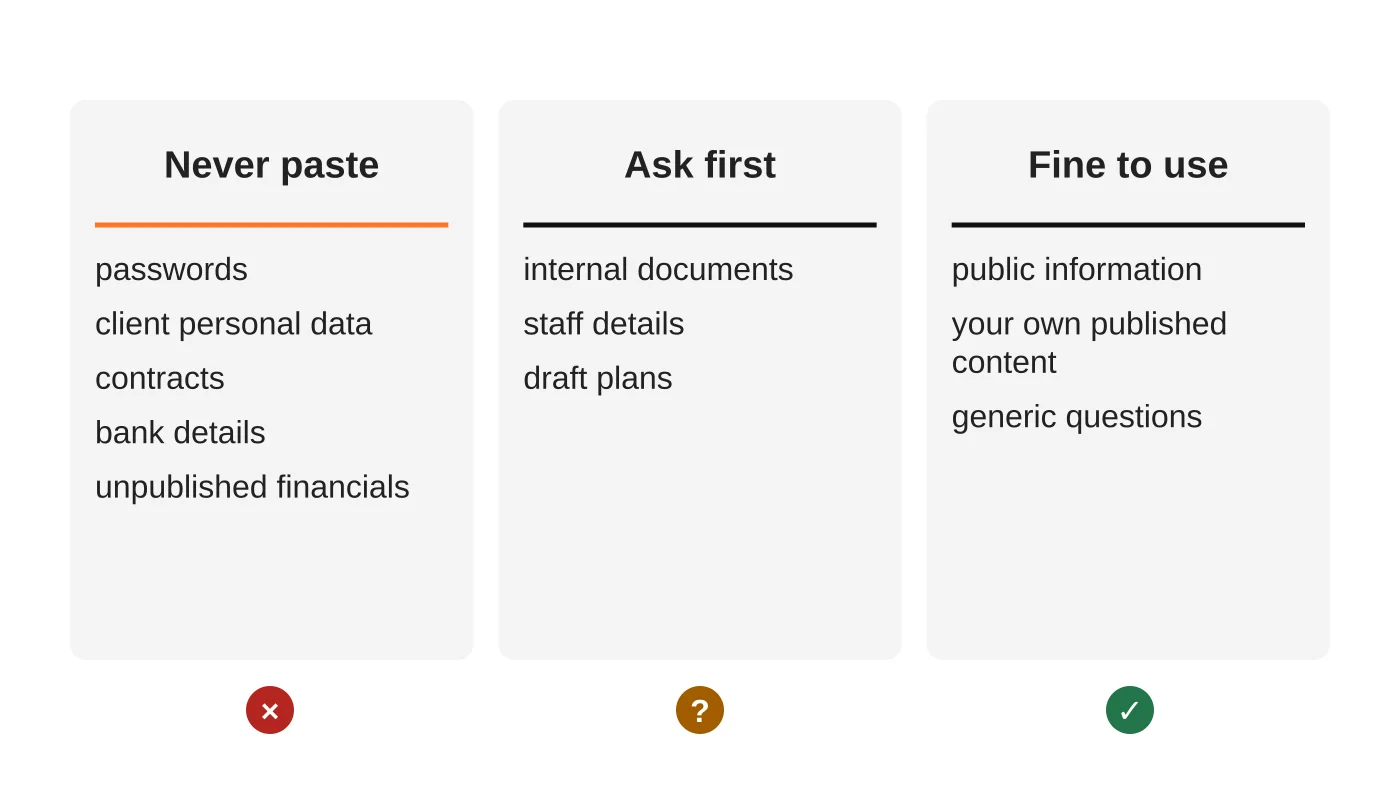
- Never paste: passwords and access keys, client personal data, contracts, bank and payment details, unpublished financial figures.
- Ask first: internal documents, staff details, draft strategy and anything a client gave you in confidence.
- Fine to use: public information, your own published content and generic questions.
If you handle personal data of customers in the Philippines, the Data Privacy Act applies to how you share it with any third party, including a tool. See the Data Privacy Act checklist for websites and check your obligations with a qualified adviser. This is general information, not legal advice. Check your situation with a qualified adviser.
Who checks the work
AI output is a draft. A named person is responsible for what leaves the business.
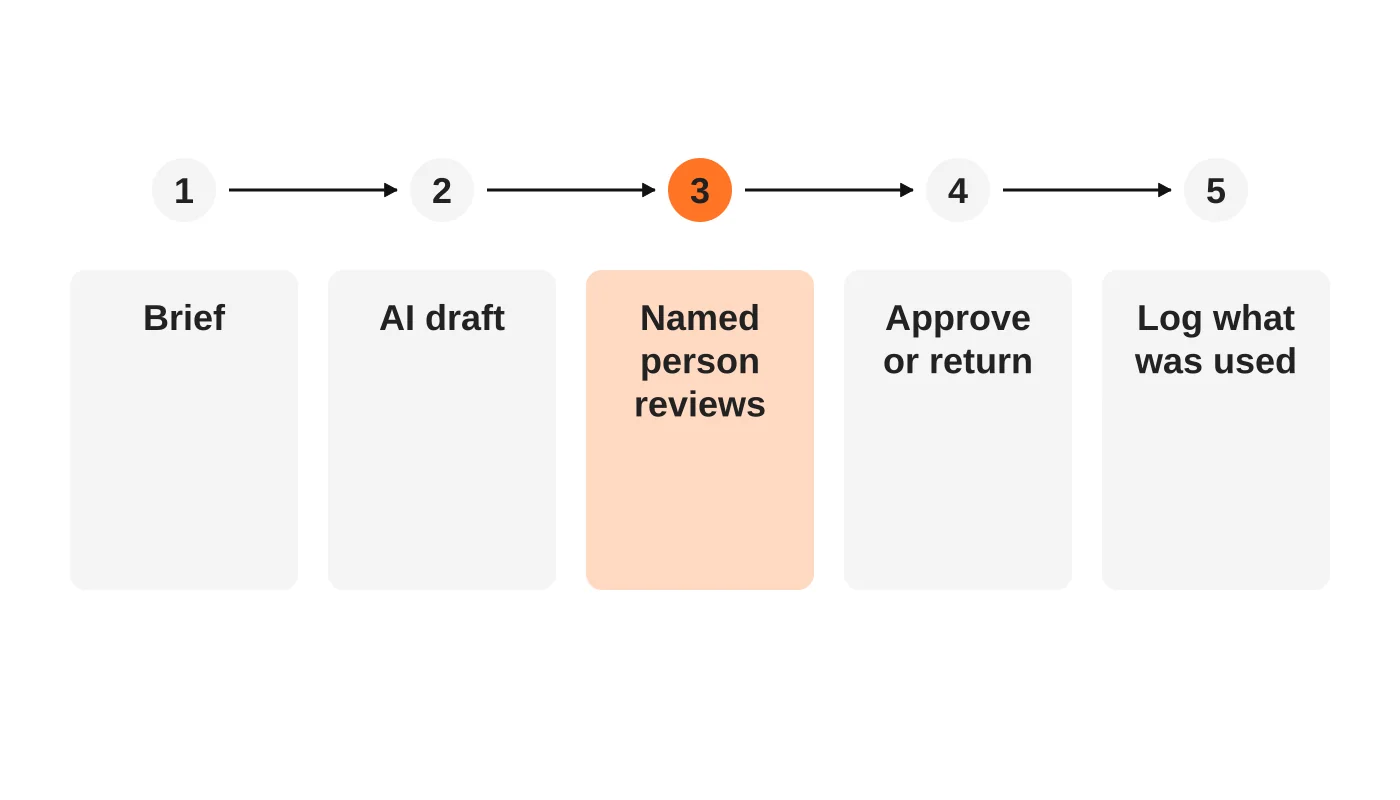
State this plainly in the policy: nothing goes to a client, is published or is acted on without a person reading and approving it. Add a second check for anything with figures, legal claims or health claims. The same human-in-the-loop idea runs through how to choose AI tools for your business.
Approved tools and accounts
Name the tools staff may use and say which accounts to use. Business accounts usually give you more control over data settings than personal ones. Ask each provider how it handles the data you enter and whether you can opt out of its use for training. Read the current terms yourself rather than relying on a summary, because they change.
If virtual assistants use their own subscriptions, decide who pays and who owns the account and the history. This matters when someone leaves; the access rules in the offboarding checklist apply to AI tools too.
Keep accounts safe with this role-based permissions checklist for virtual assistants.
Related reading: How US and Australian Businesses Reduce Operational Bottlenecks With Offshore Operations Virtual Assistants.
A policy template
Copy this, adapt it and keep it to one page.
1. Purpose. We use AI tools to save time on drafts, summaries and routine work. People remain responsible for everything we send or publish.
2. Approved tools. [LIST TOOLS AND ACCOUNT TYPE.]
3. Information tiers. Never paste: passwords, client personal data, contracts, bank details, unpublished financials. Ask first: internal documents and anything shared in confidence. Fine to use: public information.
4. Review. A named person reads and approves AI-assisted work before it leaves the business. Figures, legal statements and health statements get a second check.
5. Disclosure. [DECIDE: state whether you tell clients when AI assisted the work.]
6. Records. Note which tool was used for client work in the job record.
7. Not allowed. Using personal accounts for client data. Entering information from another client’s job. Presenting AI output as personally verified when it was not.
8. Questions and incidents. Ask [NAME] before using a new tool. Report any accidental paste of restricted information to [NAME] straight away. Reporting is not punished.
Make it stick
- Explain it in ten minutes on a call, with two real examples.
- Put it in the onboarding pack for every new hire and assistant.
- Review it every six months. Tools and terms move quickly.
- Handle slips calmly. If someone pastes something they should not have, the right response is to report it quickly so you can assess any notification duty, not to hide it.
Frequently asked questions
Do we need a policy if only two of us use AI?
Yes, keep it short. The habits you set now are the ones new staff and assistants will copy.
Can we ban AI tools instead?
A ban usually pushes use onto personal accounts where you have no visibility. Clear rules are safer than silence.
Should we tell clients we use AI?
Decide a position and be consistent. Some contracts require it. Check your agreements. [DECIDE: confirm your own position.]
Who owns AI-assisted work?
Check the tool’s terms and your client contracts. If this matters to a project, ask a lawyer.
How do we handle an accidental paste?
Report immediately, record what was shared and with which tool, and assess whether any notification duty applies.
From the Wired for Growth newsletter
This guide builds on Public Prompts, Private Selves from Duarne Bernhagen’s LinkedIn newsletter, Wired for Growth.
Need help with your team’s setup
If you work with a virtual assistant or offshore team, Web Design Davao’s virtual staffing team can help you set the access and review rules from day one. Talk to us.


