

Quick answer
To turn social media messages into tracked enquiries, define what counts as an enquiry, record only the essentials such as date, channel, need, owner, status and outcome, assign owners with a backup, and check for duplicates before creating a record. A person still handles the real answer, and outcomes are reviewed monthly.
- Use a reference number instead of sensitive details such as health or financial information in a shared sheet.
- Name who answers each channel plus a backup, set a reply time you can keep, and define manager escalations.
- Record the outcome, booked, quoted, won, lost or not suitable, and close politely even when the answer is no.
Customers message businesses on social platforms, and some of those messages are enquiries. If they live only in a chat app, they get lost when a person is away, answered twice or never counted. This guide turns messages into tracked enquiries while keeping the human conversation.
It is for clinics, resorts and local service providers. The workflow is synthetic. Check each platform’s rules on messaging and data use. For measurement, see social media metrics that matter.
Step 1: define an enquiry
Decide what counts: a request for price, availability, an appointment, a quote or a booking. Support questions, complaints and spam are different and may need other handling. Write it down so staff classify messages the same way.
Step 2: record the essentials
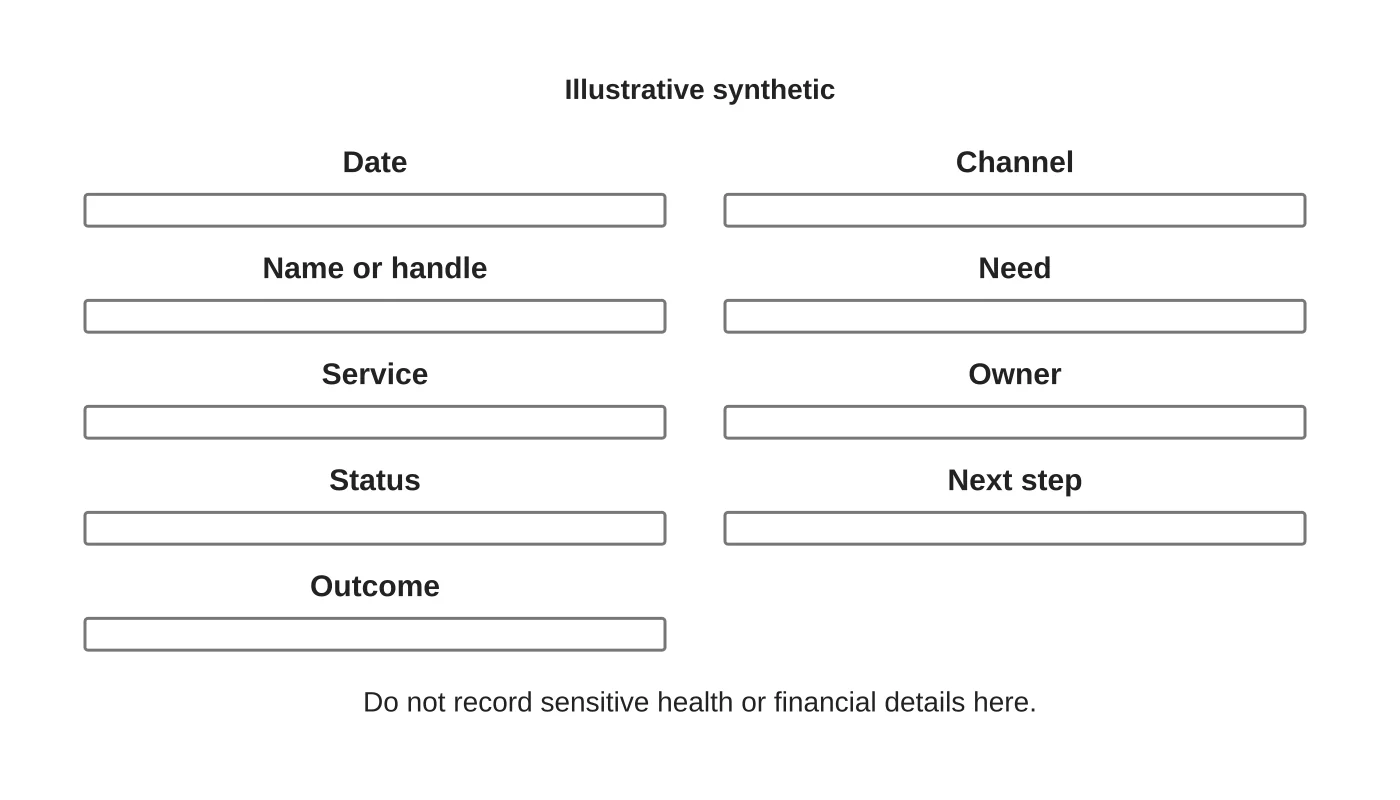
Record only what you need: date, channel, name or handle, the need, the service, owner, status, next step and outcome. Do not record sensitive details such as health information or financial data in a shared sheet. Use a reference number instead. See the Data Privacy Act checklist. This is general information, not legal advice. Check your situation with a qualified adviser.
Related reading: Engaging Gen Z: Innovative Social Media Marketing Tactics for the Next Generation.
Step 3: assign and escalate
Name who answers each channel and a backup. Set a target reply time you can keep. Define what goes to a manager: complaints, complex quotes and anything involving safety or privacy. See responding to negative social comments for the public side.
Related reading: Turning Wedding Work into a Social Media Portfolio That Generates Enquiries.
Step 4: follow the workflow
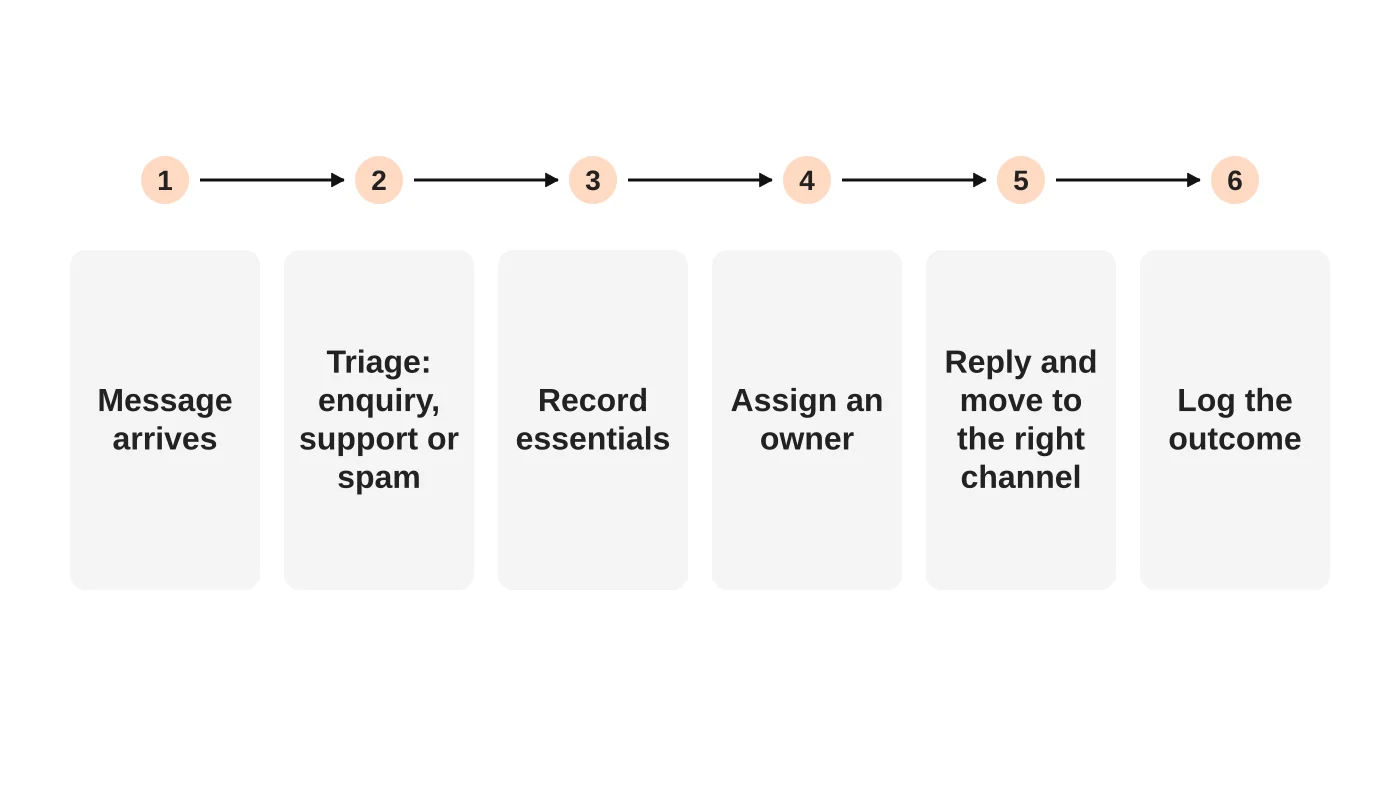
When a message arrives, classify it. If it is an enquiry, create a record, assign an owner and reply. Move the conversation to the right channel when it helps: a phone call for a quote, or a form for details that should not sit in a chat. Tell the person what happens next. Avoid copying and pasting the same message into several tools.
Step 5: avoid duplicates
People write on several channels. Before creating a record, check for an existing one by name or phone number. If it exists, add a note instead of a new enquiry. Decide the matching rule and test it. See connecting your website to a CRM.
Step 6: close the loop
Record the outcome: booked, quoted, won, lost or not suitable, and why. Close the conversation politely, even if the answer is no. A short thank-you or an invitation to ask again keeps goodwill.
Related reading: The Lost Art of Conversation.
Step 7: review monthly
Count enquiries by channel, reply time and outcome. Look for the questions that repeat and fix them with posts or website content. See digital sales funnels for how this fits the wider path.
Tools
You can run this with a shared sheet and a rule. A shared inbox or CRM helps when volume grows. Check what your tool can do and what data it keeps.
Frequently asked questions
Should replies be automatic?
Instant acknowledgements can help, but a person should handle the real answer.
What about voice notes and images?
Treat them like text, and be careful with sensitive images.
Can I give prices in chat?
If prices are stable. Otherwise move to a quote.
How do I count enquiries from comments?
Count them if they meet your definition and you record them.
Sources
Set up your inbox process
Web Design Davao’s social media team can discuss a messaging-to-enquiry process for your business. Get in touch.


