
Quick answer
AI-written phishing reads fluently, so spelling is no longer a reliable warning sign. Judge what a message asks you to do instead. Use a call-back rule for money and access requests, two-factor sign-in, a password manager, email authentication, updates, limited access, an easy way to report and short regular practice.
- Confirm any request to change bank details, pay an unusual invoice or share access using contact details you already hold.
- Turn on two-factor sign-in first for email, website admin, hosting, domain registrar and banking accounts.
- Name one person to receive reports of suspicious messages and praise staff who report a real phish.
A few years ago you could spot a scam email by its spelling. That habit is now unreliable. Tools that write fluent, polite and well-structured text are available to everyone, including the people sending fake invoices and “urgent” requests. The warning sign has moved from how the message reads to what it asks you to do.
This guide covers eight defences that suit a small Philippine business with a few staff, a website and perhaps a virtual assistant or two. None needs a security team.
What phishing is, in one paragraph
Phishing is a message designed to make you click a link, open a file, sign in on a fake page or send money or information. When AI Becomes the Attacker looks at how AI changes the attacker’s side of that picture. For a business owner the practical point is simple: more attacks will look genuine, and they will use real names, roles and suppliers.
The scale is already large. The FBI’s 2024 Internet Crime Report ranked phishing at the top of the five most reported cybercrimes, with 193,407 complaints, according to CISA’s training page for organisations. Those figures are US reports, but the techniques are not local to the US.
Why the old warning signs are not enough
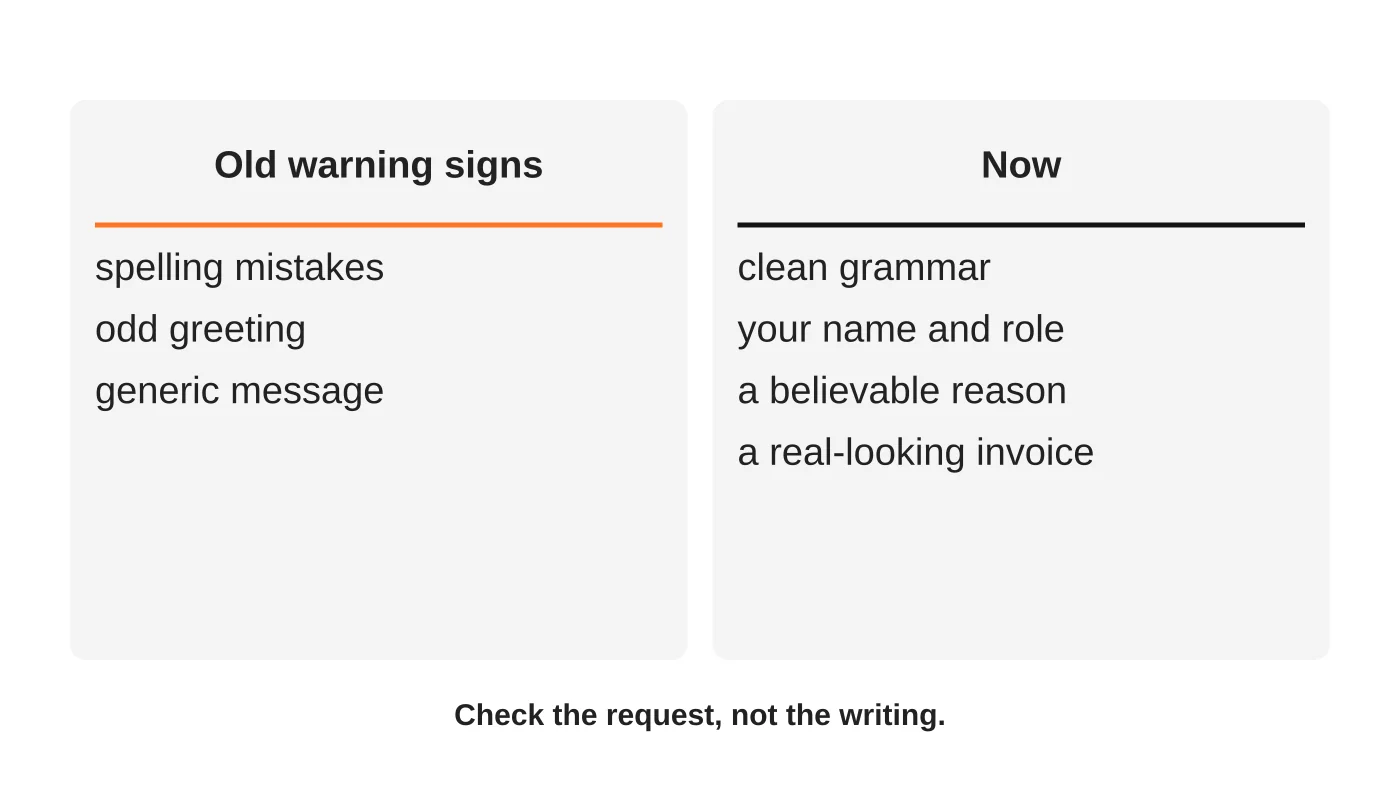
CISA’s public guidance still lists signs such as urgency, requests for sensitive information and mismatched sender details. These remain useful. What has weakened is the advice to “look for bad grammar”. Clean writing proves nothing.
So shift the test:
- Ignore how polished it is. Ask what the message wants.
- Anything involving money, passwords or access gets a second check, however convincing the email.
- Verify through a channel you already trust, such as a phone number you saved earlier, not the one in the message.
Eight defences
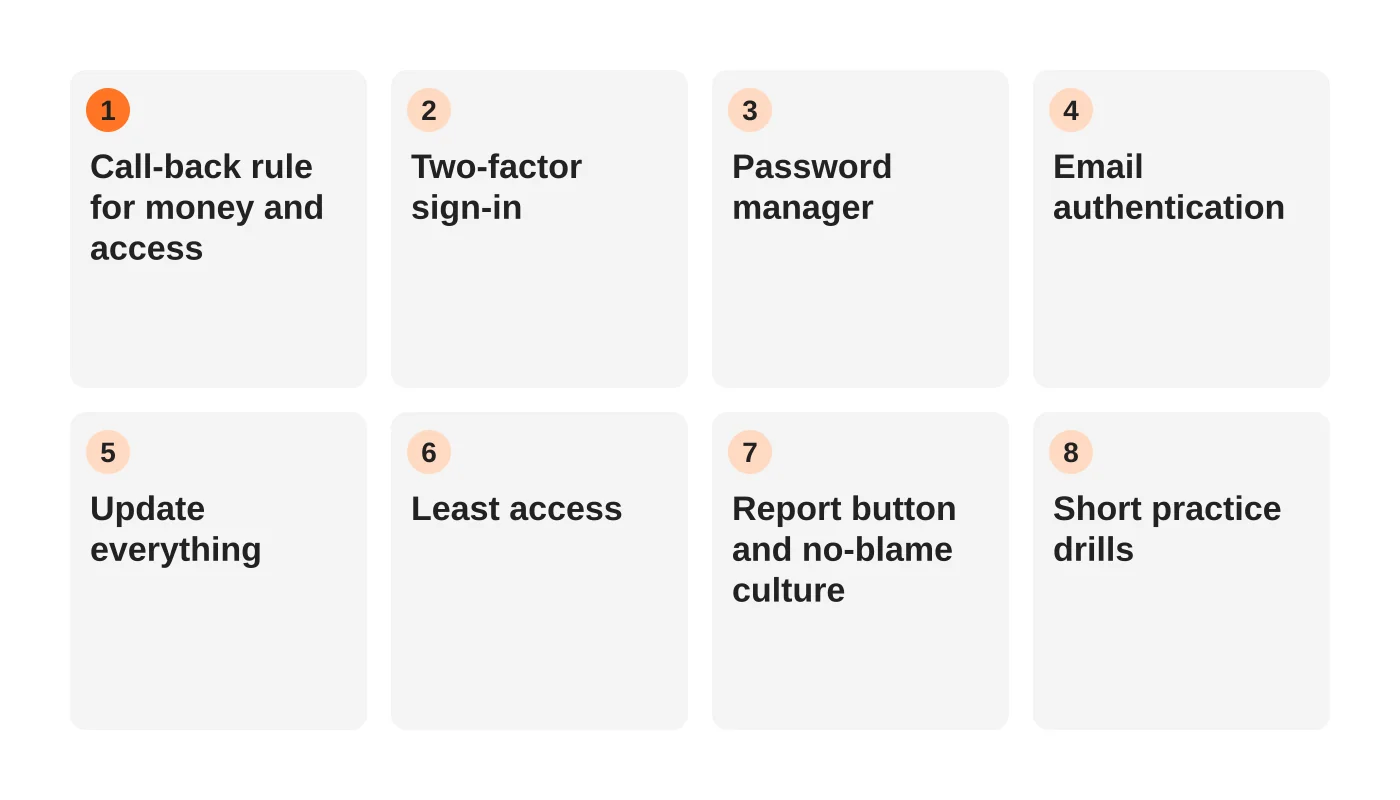
1. A call-back rule for money and access
Write one rule and make it normal: any request to change bank details, pay an unusual invoice, share a password or grant access is confirmed by phone or in person, using contact details you already hold. This stops the most expensive attacks, because it does not rely on anyone spotting a fake.
2. Two-factor sign-in everywhere it is offered
A stolen password then fails on its own. Turn it on first for email, your website admin, your hosting account, your domain registrar and banking. NIST’s small business guidance on phishing lists multi-factor authentication among its core protections.
3. A password manager
It fills in passwords only on the genuine address, so a look-alike site gets nothing. It also ends reused passwords, which are what turn one stolen login into five.
4. Email authentication on your own domain
Properly configured sender records make it harder for criminals to send mail that appears to come from your domain, and they protect your own messages from landing in spam. See SPF, DKIM and DMARC for small business for a plain-English walkthrough.
5. Keep everything updated
Phishing often delivers software that exploits old flaws. Updates for your computers, browsers, website platform and plugins close them. The routine in the one-hour monthly security audit covers this.
6. Give people the access they need, not everything
If an assistant only needs your scheduling tool and shared drive, do not give them your hosting or banking. A compromised account then has a limited reach. Offboarding a freelancer or virtual assistant shows the other end of the same principle.
7. A report button and a no-blame culture
CISA advises that employees know how, and to whom, to report suspicious messages. Make it easy: one named person, one email address or chat channel. If staff fear blame, they will hide a mistake until it is expensive. Praise the person who reports a real phish.
8. Short, regular practice
A ten-minute review every quarter beats a long annual session. Show two real examples from your own inbox, remove the names, and ask “what does this want?” You do not need paid simulation software to start.
What to do if someone clicked
Speed matters more than blame. Follow the same first-hour approach as a hacked website: contain, preserve evidence, reset access, restore and notify. Signs your website has been hacked and what to do in the first hour sets it out. If personal data may be involved, see the Data Privacy Act checklist for the notification duties to check.
A note on AI tools and your own data
The same technology that helps attackers can also leak your information if staff paste confidential details into public AI tools. A short written rule helps. The one-page AI use policy gives a template.
Frequently asked questions
Can AI detectors catch AI-written phishing?
Do not rely on them. Detection tools are unreliable on short messages, and the better test is what the message asks you to do.
Are links the only danger?
No. Attachments, fake invoices, QR codes and phone calls can all carry the same trick. The call-back rule covers all of them.
Do we need paid security software?
Start with the free and built-in controls: two-factor sign-in, a password manager, updates and email authentication. Add paid filtering if your volume or risk justifies it.
What should a virtual assistant do with a suspicious message?
Forward it to the named reporter and delete nothing until told. Do not click, reply or test the link.
How often should we remind staff?
Quarterly, briefly, plus straight after any real incident or near miss.
From the Wired for Growth newsletter
This guide builds on When AI Becomes the Attacker from Duarne Bernhagen’s LinkedIn newsletter, Wired for Growth.
Get a second pair of eyes on your setup
Web Design Davao’s website maintenance and security team can review your sign-in settings, backups and email setup. Ask for a security review.


