
Quick answer
To turn product searches into quote requests, a Davao supplier should organise clean catalogue data first, then build category and product pages that match how buyers think. Add a quote button and form on those pages, show verified credibility, keep local profile details consistent, and track quote requests by source and category.
- Create one clean sheet listing each product’s names, specifications, availability basis, price basis, images and documents.
- Use only brand names and logos you are authorised to use, and reply to quote requests quickly.
- Work in three 30-day blocks: organise data, build pages with quote routes, then track enquiries and refine.
This guide is for suppliers, wholesalers and distributors in Davao who want more suitable business enquiries from their website. It covers marketing and website practice only. It makes no promise about rankings or order volumes.
B2B buyers are not browsing for fun. They need the right product, specification, price basis and delivery terms, and they want a clear way to ask. Your website should help them decide if you are worth a call.
Understand how business buyers choose
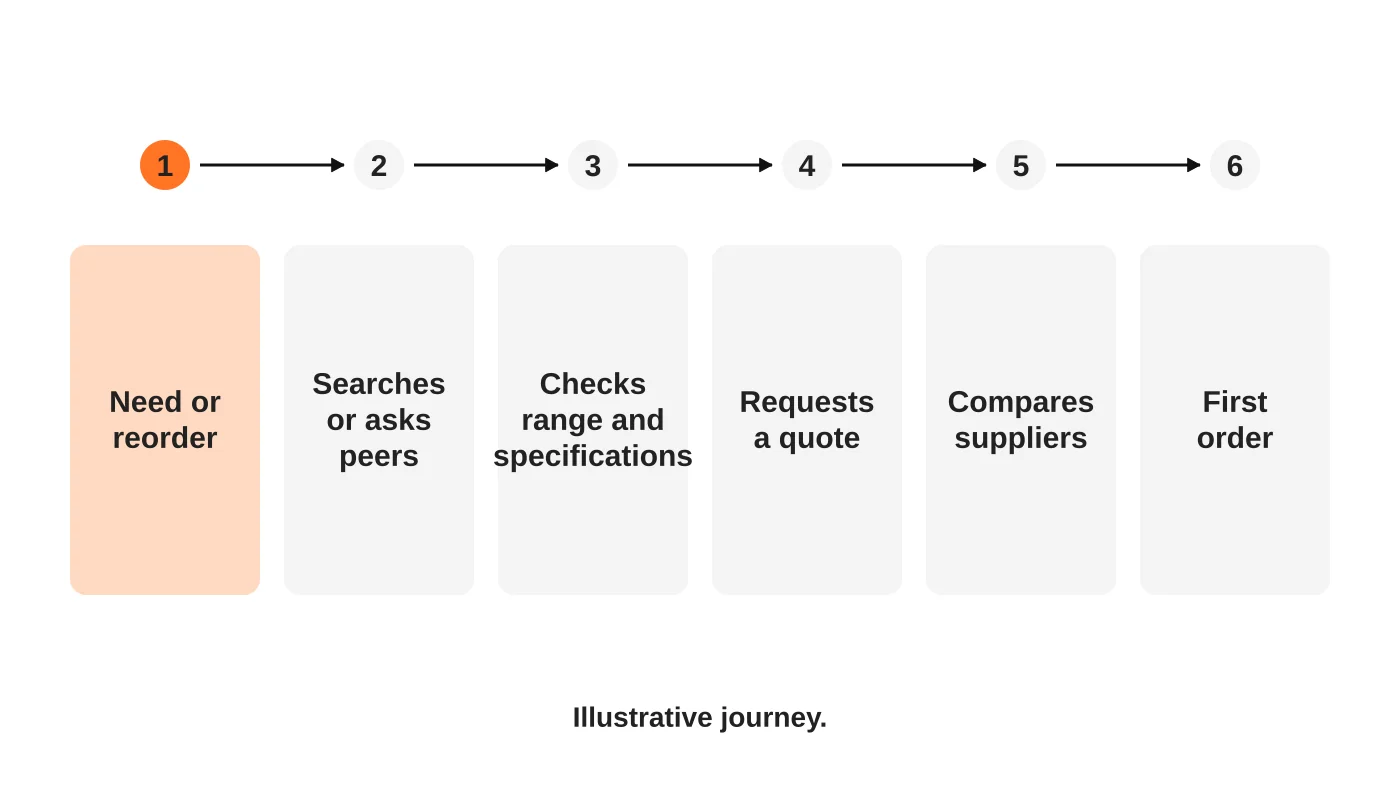
A buyer usually starts with a need, such as a reorder, a new project or a failing supplier. They ask peers, search, check specifications and request quotes from a few suppliers. Fast, clear replies often decide who gets the first order.
Ask your last few new customers how they found you and why they chose you. Use that to set priorities.
Read next: How to Use Keywords Effectively for Better Search Engine Rankings.
Organise your catalogue data first
Good pages come from good data. Before building anything, create one clean sheet with, for each product:
- Name and the name buyers use.
- Category and brand, where you may use it.
- Specifications, such as size, material, rating and pack size.
- Availability basis, such as in stock or on order, if you can keep it accurate.
- Price basis, such as list price, tiered or quote only.
- Images you own or have permission to use.
- Documents, such as data sheets.
Clean data makes everything else easier. See from PDF catalogue to website.
Read next: From Data to Decisions: How to Turn Website Analytics into Real Marketing Results.
Decide: catalogue website or online store?
Many suppliers do not need to take payment online. If buyers need quotes, account pricing or delivery arrangements, a catalogue with a quote request may work better. See catalogue website versus online store.
Read next: Product Catalogue Website or Online Store: Which Does Your Distribution Business Need?
Build category and product pages
Create category pages for how buyers think and product pages where the specifications matter. See product pages for shoppers and AI assistants and category page SEO for equipment suppliers. Avoid duplicate pages for near-identical variants.
Make the quote request easy
Provide a quote button on category and product pages, and a form that collects what you need. See wholesale request for quote websites. State who replies and when.
Show credibility
Show verified facts: brands you may represent, years operating, warehouse location, delivery coverage and certifications where relevant. Use only brand names and logos you are authorised to use.
Be found locally and by product
Keep your Business Profile and website details consistent. See the Business Profile guide. For product search and AI assistants, clear specifications help. See product pages for shoppers and AI assistants.
Measure B2B enquiries
Track quote requests by source and product category, how many were suitable, how fast you replied and how many became orders. Log the reasons for losses. See how long SEO takes.
A 90-day plan
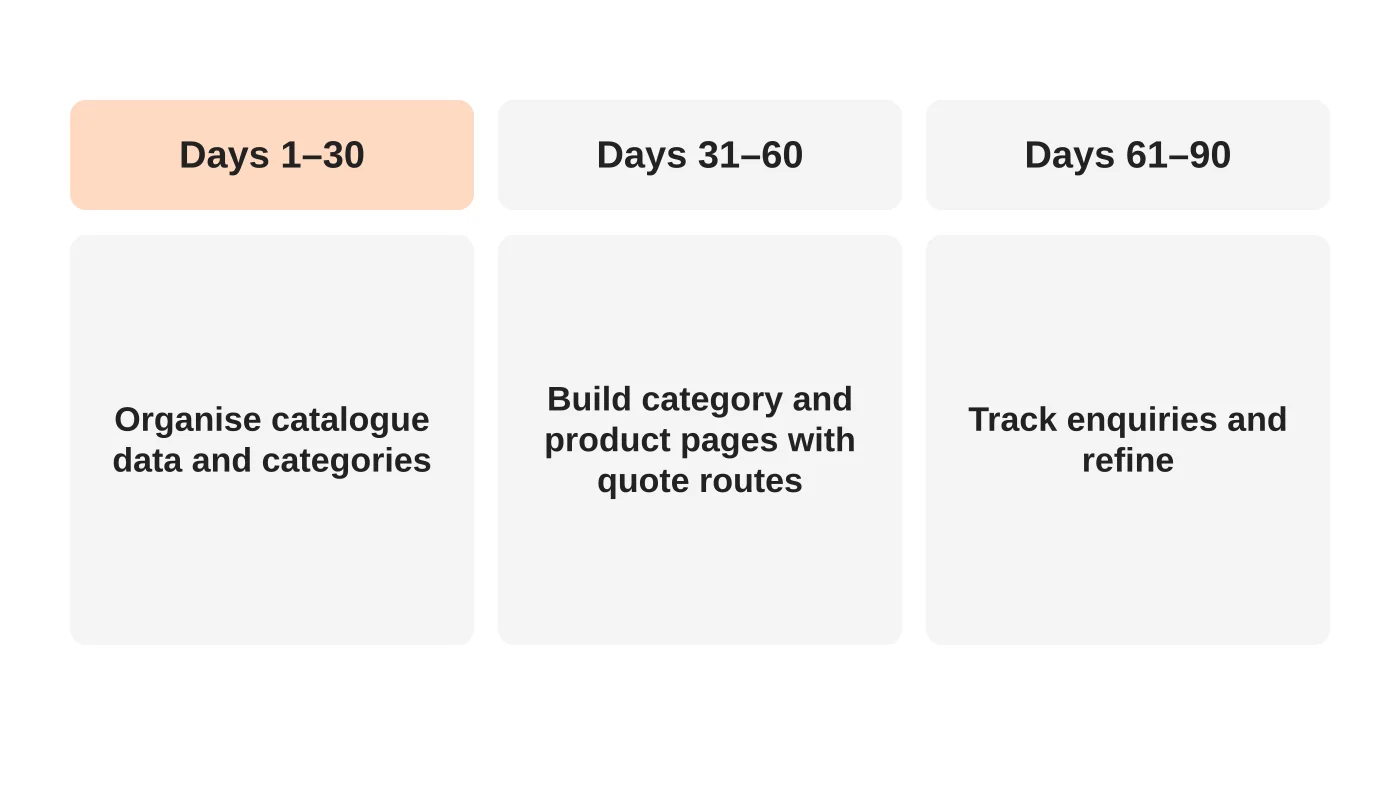
Days 1 to 30: organise catalogue data and categories.
Days 31 to 60: build category and product pages with quote routes.
Days 61 to 90: track enquiries and refine.
Frequently asked questions
Do I need to show prices?
Only if they are stable and you can honour them. Otherwise explain how to get a quote.
Should I list every product?
Start with the categories and products that bring the most business, and expand as you can maintain them.
Do I need a login for trade customers?
Only if you will run it well. Start simpler.
Can I use manufacturer images?
Only with permission. Check your agreement.
Sources
Plan your B2B website
Web Design Davao’s SEO and marketing team can discuss a B2B catalogue website for your business. Get in touch.


