

Quick answer
A product page works for shoppers and AI assistants when it answers five questions clearly: what it is, what it costs, whether it suits them, how soon it arrives and what happens if it is wrong. Add accurate structured data that matches the visible page, so software reads the same facts.
- Show price and availability up front, with several photos including a close-up and a scale shot, and add alt text.
- Check that structured data matches what visitors see, since a mismatch on price or stock causes problems.
- Write your own descriptions instead of copying supplier text, and keep claims honest.
More shopping now starts with a question to an assistant, not a list of search results. Two newsletter issues, AI Just Changed the Way We Shop—Forever. and Meta Just Quietly Changed the Retail Game. Were You Paying Attention?, look at how AI is changing retail. The practical lesson for a small online shop is that product information has to be clear, complete and consistent, because both shoppers and software read it.
This checklist helps you improve product pages for both.
The shopper comes first
Before thinking about machines, make the page work for a person on a phone. Most buying decisions come from answers to five questions: what is it, what does it cost, will it fit or suit me, how soon will I get it and what if it is wrong? A page that answers these clearly will outperform a clever one that does not.
The anatomy of a good product page
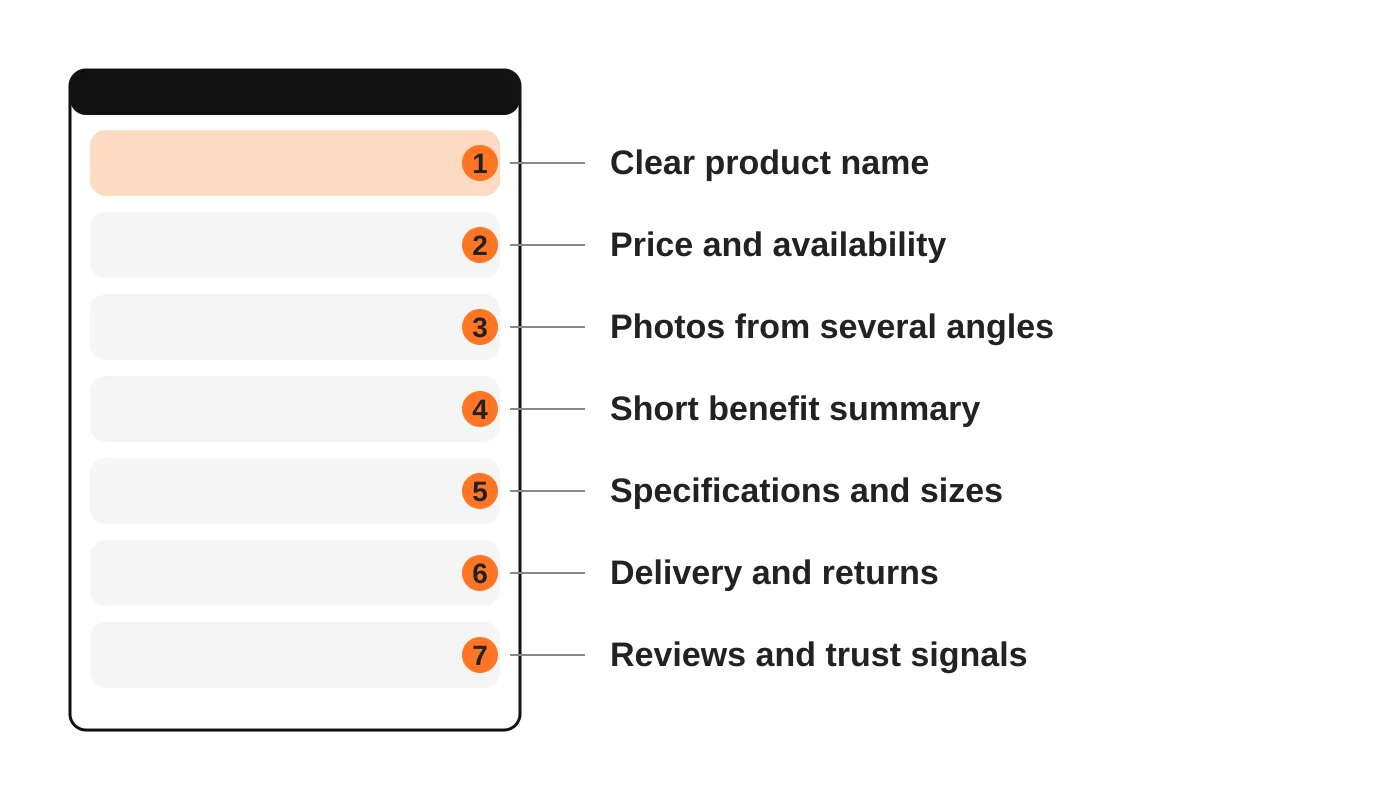
- A clear product name. Say what it is in plain words, with the key detail such as size, colour or model. Avoid vague names.
- Price and availability, up front. Show the current price and whether it is in stock.
- Photos from several angles, with a close-up and one showing scale. Add alt text.
- A short benefit summary at the top, then the detail beneath.
- Specifications and sizes in a table, so they are easy to scan.
- Delivery and returns in plain words. Say how long delivery takes to Davao and other regions, what it costs and how returns work.
- Reviews and trust signals, such as real customer reviews, contact details, payment options and a visible privacy notice. See the Data Privacy Act checklist.
Read next: Turn Supplier PDF Catalogues into Useful Website Product Pages.
Make the facts machine-readable
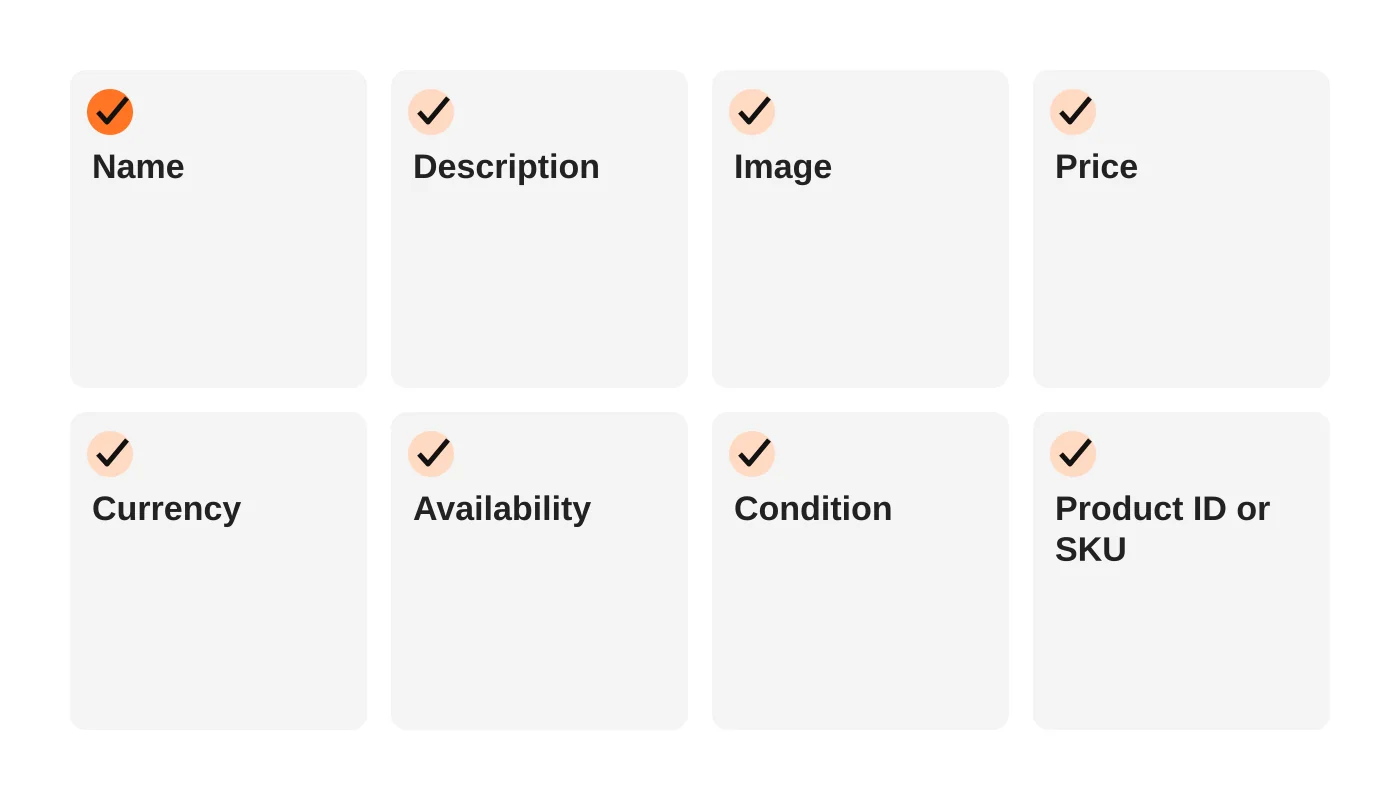
Search engines and shopping systems read structured data, which is markup added to the page that labels the facts. Google’s documentation for Merchant Center says structured data markup lets Google read your product details directly from your site, and that the markup should be added as JSON-LD where possible.
Google’s guidelines for this markup include several points worth knowing:
- Specify price, currency, availability and condition so product details can update automatically.
- The landing page should have a single offer for the product it describes.
- The markup must be present in the HTML the server returns, not generated by JavaScript after the page loads.
- The page must not change the product information based on who is visiting.
Check that what the markup says matches what the visitor sees. A mismatch on price or stock causes problems and erodes trust. Your ecommerce platform or a plugin may add this markup automatically, so test a few pages with Google’s testing tools rather than assuming.
Google’s product data specification also sets limits that help you write well. A product title can run to 150 characters and a description to 5,000, but shoppers read the first line first.
Write descriptions that sell and inform
- Start with what it is and who it is for.
- Use short paragraphs and bullet points for features.
- Include the facts a person would ask in a message: size, material, compatibility, care, warranty.
- Keep claims honest. If you cannot prove it, do not state it.
- Avoid copying the supplier’s text word for word. Duplicate descriptions blur your pages.
- Write each product page’s opening so that one paragraph could stand alone as an answer.
Support the whole shop
- Categories should be clear and have short, useful introductions.
- Internal links from guides and categories to products help both visitors and search engines. See the local SEO structure guide.
- Speed matters. Product images are heavy. Compress and size them. See website speed and Core Web Vitals.
- Checkout should be short and secure, with clear payment options.
- Accessibility helps everyone, especially on a phone. See the accessibility checklist.
- Security. An online shop handles customer data and payments. See the five layers of website security.
Read next: SEO for Equipment Suppliers: Build Categories Around How Buyers Search.
Keep your business details consistent
Your name, address, contact details and policies should be the same on your site, your Google Business Profile and your marketplace listings. AEO and GEO for small business explains why consistency helps AI assistants quote you correctly. If you also have a physical shop, see Google Business Profile optimisation.
A quick audit you can run today
Pick your five best-selling products and check each for:
- [ ] A clear name and a price shown
- [ ] Availability shown and correct
- [ ] At least three photos with alt text
- [ ] Delivery and return information on the page
- [ ] A real review or a clear way to ask questions
- [ ] Structured data present and matching the page
- [ ] Loads quickly on a phone
Fix the gaps in order of sales importance.
B2B product pages: what is different
Business buyers check a different set of things from retail shoppers. Add these to the product pages that serve them.
- Specifications in text: size, material, capacity, rating and standards, in a table or list, not only in an image or PDF, with consistent units.
- Variants and pack sizes with a code for each, and compatibility information where relevant.
- Negotiated or tiered price: if price is not fixed, say so, explain what affects it and show how to ask for a quote.
- Minimum order quantity and lead time, if you have them.
- Documents: data sheets, manuals and certificates that are linked, current and dated. Put the key facts on the page too.
- Honest availability wording: "in stock", "on order" or "ask us", only if you keep it accurate.
- A request-for-quote button that carries the product code into the form.
For the quote journey, see How to Build a Request-for-Quote Website for Wholesale Customers. For the catalogue-or-store decision, see Product Catalogue Website or Online Store.
For larger catalogues, website search and product filters help buyers reach the right item quickly.
Read next: Digital Marketing for Davao Suppliers: Turn Product Searches into Quote Requests.
Frequently asked questions
Do I need structured data to sell online?
You can sell without it, but it helps search and shopping systems read your products accurately.
Will AI assistants send me customers?
Nobody can promise that. Clear, accurate and consistent product information improves your chances of being understood and shown correctly.
Should I use the supplier’s description?
Rewrite it in your own words, adding the details your customers ask about.
How many photos do I need?
Enough to answer the shopper’s questions: front, back, detail and a scale shot are a good start.
Do reviews matter?
Yes. Genuine reviews help shoppers decide. Never fake them. See the problem of fake reviews.
From the Wired for Growth newsletter
This guide builds on AI Just Changed the Way We Shop—Forever. and Meta Just Quietly Changed the Retail Game. Were You Paying Attention? from Duarne Bernhagen’s LinkedIn newsletter, Wired for Growth.
Sources
- Set up structured data for Merchant Center, Google
- About structured data markup for Merchant Center, Google
- Product data specification, Google
Build a shop that sells
Web Design Davao’s web design and development team builds and improves online shops. Ask about an ecommerce review.


