

Quick answer
Choose the page type by looking at what search results show for the phrase. Commercial intent such as hire, book or get a quote suits a service page, educational intent suits an article, and comparison intent suits a guide with honest criteria. Give every query one owner page, and let other pages support it with links.
- Search the phrase as a customer would and record the date, location and device, since results vary.
- Keep a sheet mapping each query to its intent and owner page, and update that page before publishing anything new.
- Link the service page to its most relevant articles and back, with descriptive anchors and no forced links.
A business hears “write a blog” and publishes articles for searches that really want a service page, or builds a service page for a search that wants an explanation. The page ends up in the wrong place and competes with another page on the same site. This guide gives a method to choose the right page for each search intent and give every keyword one owner.
It applies to Web Design Davao’s own audit and to any service site. The matrix uses illustrative queries. No ranking is promised.
Step 1: inspect search intent
Search the phrase as a customer would and look at the results. Note the page types that appear: service pages, guides, lists, tools, maps. Search engines show what they think satisfies the searcher. If the first page is full of service pages, a blog article is unlikely to be what they want. Record the date, location and device, since results vary. See how to use keywords for better rankings.
Step 2: choose the page type
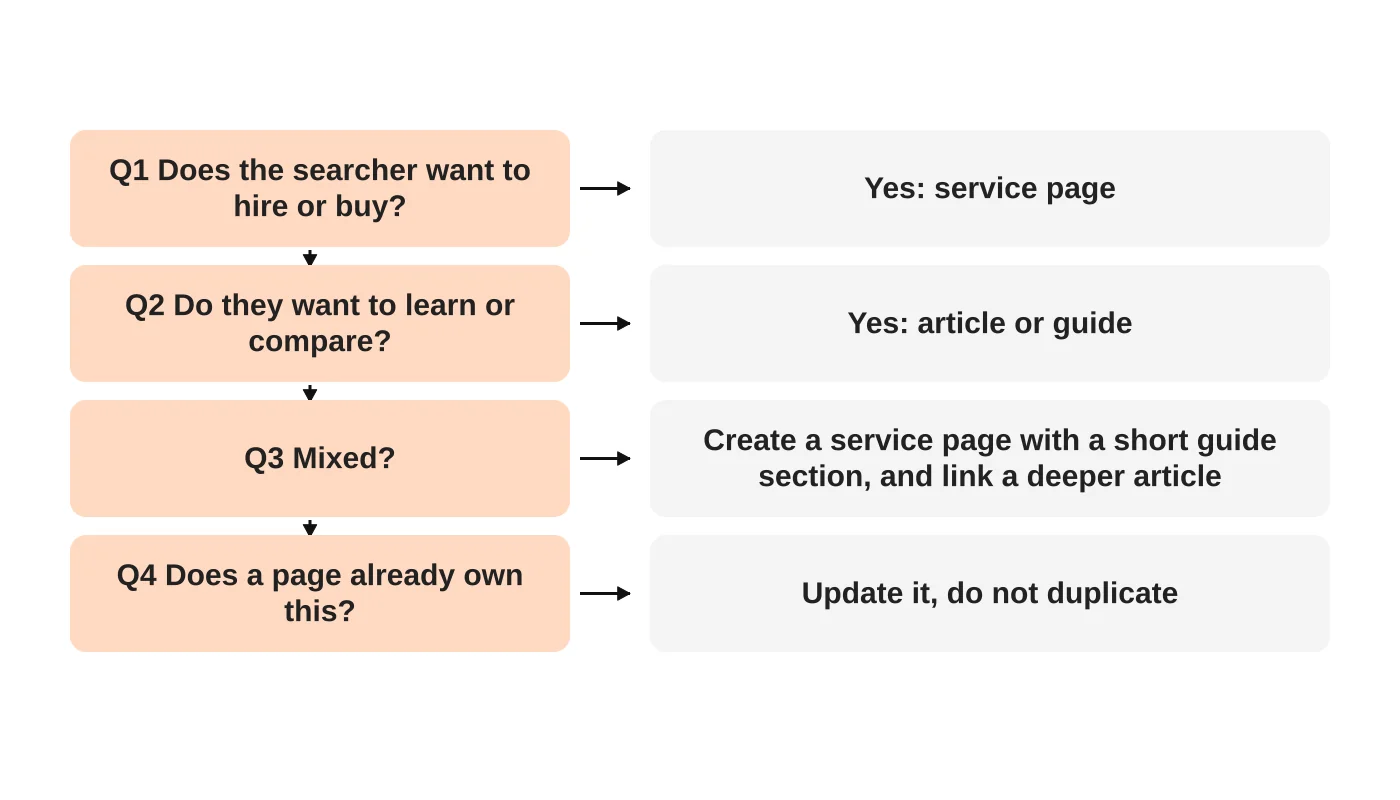
- Commercial intent (hire, book, get a quote): a service page with clear scope, proof and a next step.
- Educational intent (how, why, what is): an article or guide that answers the question and links to the related service.
- Comparison intent: a guide with honest criteria.
- Local intent: a page tied to a real location and Business Profile. See the Business Profile guide.
Step 3: handle mixed intent
Many searches mix both. A person asking about cost may want to learn and to hire. Create a service page with a short guide section, and link a deeper article for the learning part, or a guide that links to the service. Pick the page that best serves the searcher and let the other support it. Avoid duplicating the same answer on both.
Step 4: map keywords to one owner
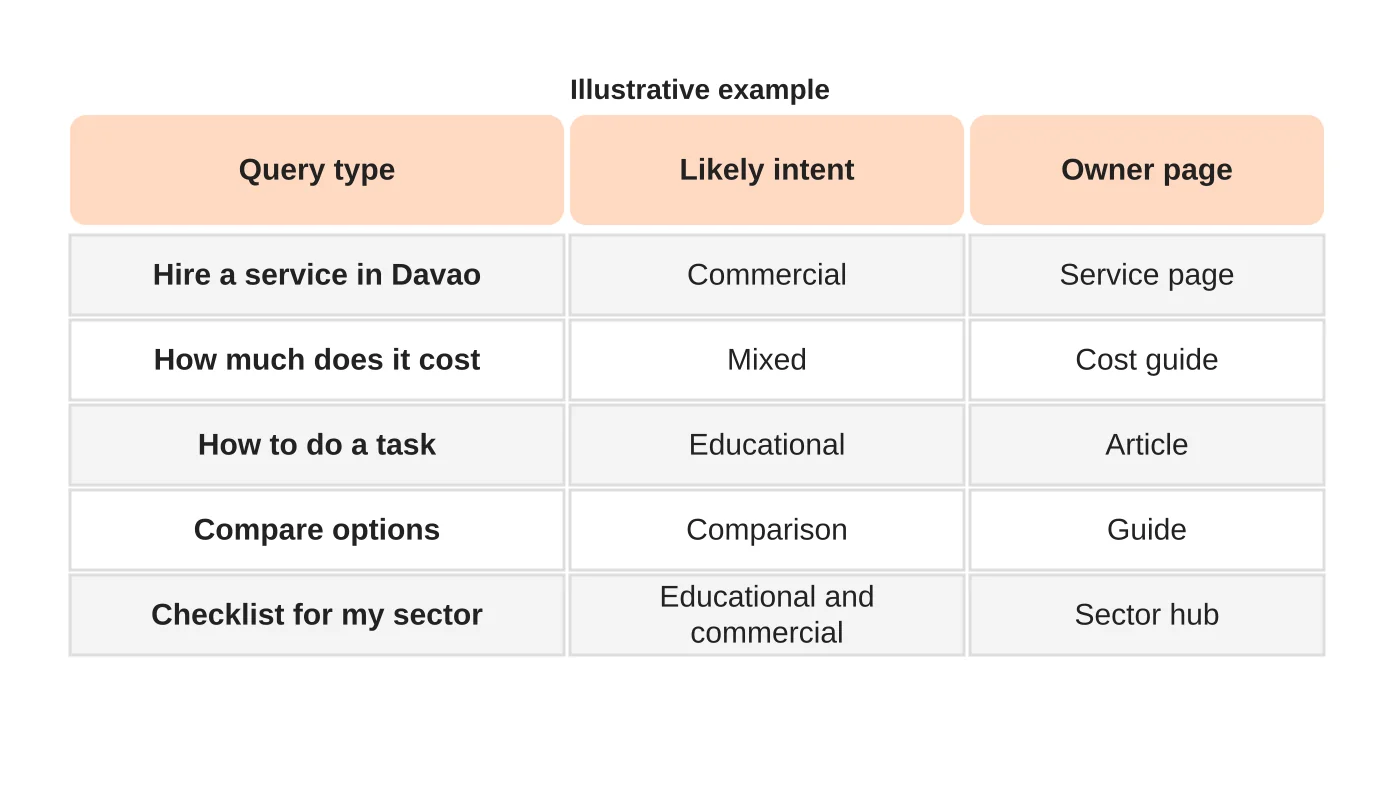
Make a simple sheet: query, intent, owner page, supporting pages, date reviewed. Each query gets one owner. Before publishing anything new, check the sheet. If an owner exists, update it instead. See the content audit for merging overlapping pages.
Related reading: One Website or Separate Websites for Each Branch? A Decision Guide.
Step 5: link the pair
The service page links to the best supporting articles. Each article links back to the service where it helps the reader. Use descriptive anchors, and do not force a link into every paragraph.
Step 6: review with evidence
After a few months, compare queries and enquiries by owner page. Where the wrong page appears for a query, adjust the page or its links before creating a new one. See internal linking for a small business website.
Frequently asked questions
Can one page serve both intents?
Sometimes, if it is organised clearly. Often two linked pages work better.
Do I need a blog at all?
Only if you have useful educational content to publish and maintain.
What if a competitor ranks with the other page type?
Compare what they offer before copying. See a competitor comparison worksheet.
How often should I review the sheet?
Quarterly, and before publishing new pages.
Sources
Plan your page ownership
Web Design Davao’s digital marketing team can discuss a query-to-page plan for your site. Get in touch.
Related guide: How to Decide Whether Two Blog Posts Should Be Merged


