
Quick answer
A small business can improve website accessibility by working through a short WCAG 2.2 checklist: readable text contrast, alt text, keyboard use, visible focus, clear headings, labelled forms, comfortable tap targets, alternatives to dragging, captions and plain language. Most organisations aim for level AA. This is general information, not legal advice.
- Check text contrast: WCAG AA asks for at least 4.5 to 1 for normal text.
- Test keyboard-only use with the Tab key; menus that open only on hover are a common failure.
- Allow pasting into password fields and support password managers, as WCAG 2.2 Accessible Authentication expects.
An accessible website is one that more people can use: someone with low vision, someone who cannot use a mouse, someone on a bright screen outdoors, someone reading in their second language. It also tends to be faster to use, easier to maintain and clearer to search engines. For a small business, it is a practical quality check, not a legal exercise.
This guide gives you a short checklist based on the Web Content Accessibility Guidelines (WCAG) 2.2, without the jargon.
What WCAG is
WCAG is the international standard for web accessibility, published by the World Wide Web Consortium (W3C). Version 2.2 became a W3C Recommendation on 5 October 2023. It adds nine success criteria to WCAG 2.1 and is backwards compatible, so a site that meets 2.2 also meets earlier versions. It removes one old criterion, 4.1.1 Parsing, which no longer applies to modern browsers and assistive tools.
Criteria sit at three levels: A, AA and AAA. Most organisations aim for AA. WCAG says that not all content can meet every AAA criterion, so AAA is not a typical target for a whole site.
This is not legal advice. Whether a specific law or contract requires WCAG conformance for your business depends on your sector and customers. This is general information, not legal advice. Check your situation with a qualified adviser.
The four ideas behind WCAG
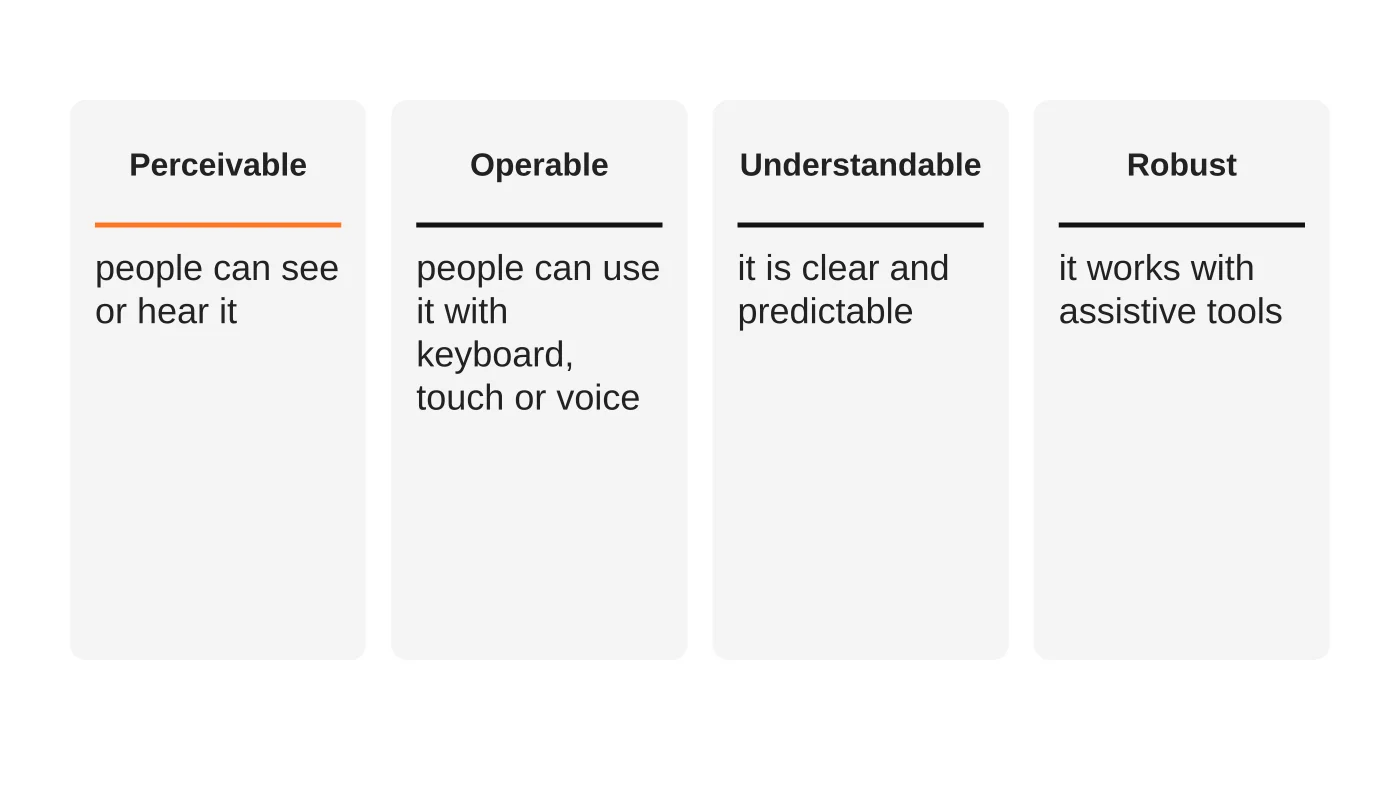
Everything in the guidelines sits under four ideas. People must be able to perceive your content, operate your interface, understand what is going on, and use it with different tools.
Ten checks you can do this week
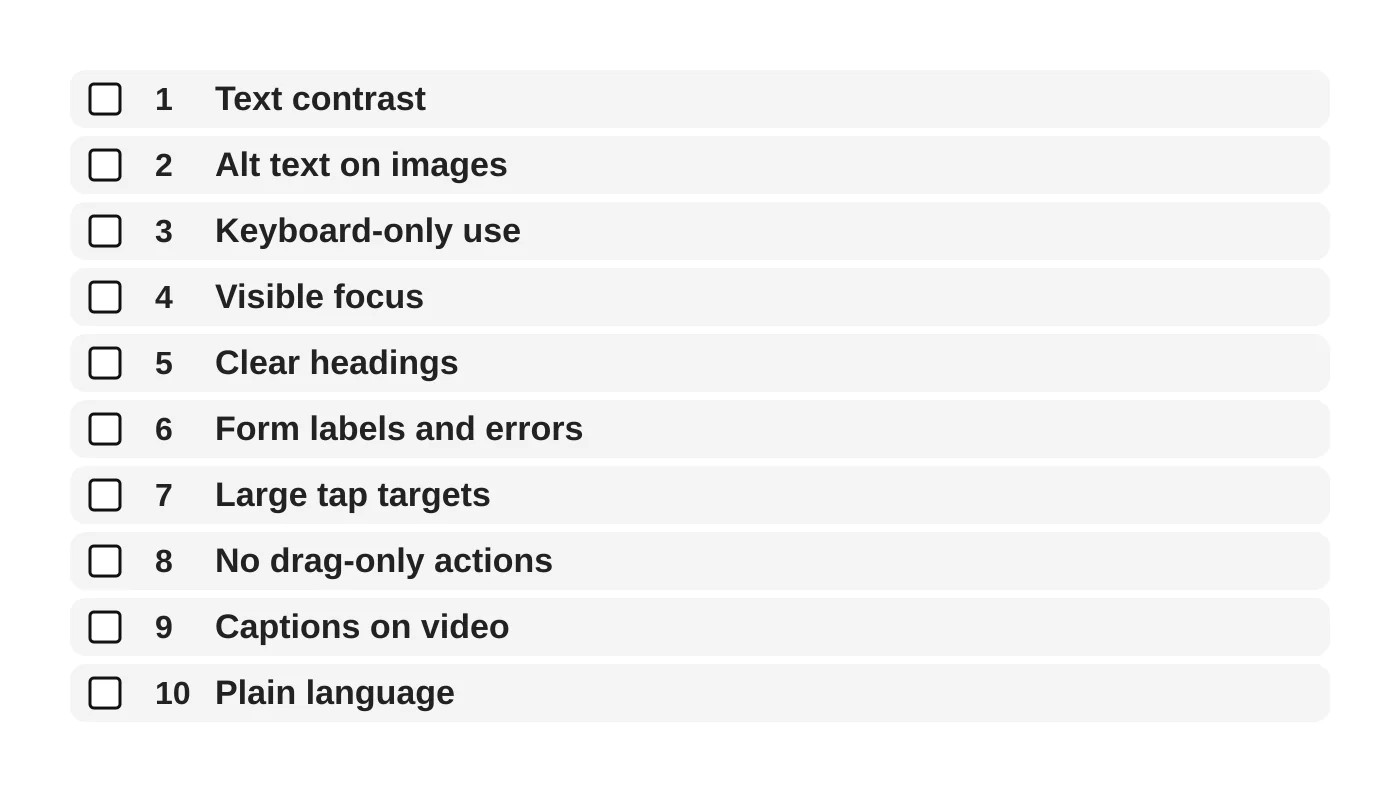
1. Text contrast
Make sure text stands out clearly from its background. WCAG AA asks for a contrast ratio of at least 4.5 to 1 for normal text. Free contrast checkers will test your colours. Watch light grey text on white and white text over photos.
2. Alt text on images
Every image that carries meaning needs a short description. Decorative images should have empty alt text so screen readers skip them. Avoid “image of”. Good alt text also helps image search. See website speed for keeping image files light.
3. Keyboard-only use
Put your mouse away. Can you reach every link, button, menu and form field with the Tab key, and use them with Enter and Space? Menus that only open on hover are a common failure.
4. A visible focus marker
When you tab through the page you should see where you are. WCAG 2.2 adds a criterion, 2.4.11 Focus Not Obscured (Minimum), at level AA: the focused item must not be completely hidden by something else, such as a sticky header or cookie banner.
5. Clear headings
Use headings in order to describe the page structure, not just to make text bigger. Screen reader users jump between headings, and search engines use them too.
6. Form labels and error messages
Every field needs a visible label. Error messages should say what went wrong and how to fix it, in text and not by colour alone. WCAG 2.2 also adds Redundant Entry: do not make people retype information they already gave in the same process.
7. Large enough tap targets
On a phone, small buttons close together cause errors. WCAG 2.2 adds Target Size (Minimum) at level AA. Make buttons and links comfortable to tap and leave space between them.
8. No drag-only actions
WCAG 2.2 adds a criterion that dragging actions, such as sliders or sorting, need a simple alternative like buttons or a click.
9. Captions and transcripts
Add captions to videos and a transcript for audio. Captions help people in noisy places, people who are deaf or hard of hearing and anyone watching without sound.
10. Plain language
Short sentences, plain words and clear labels help everyone, including customers reading in English as a second language.
Forms should work for everyone, and this accessible website forms checklist covers labels, errors and keyboard use.
Related reading: English, Filipino or Cebuano? Planning a Multilingual Business Website.
Login and authentication
WCAG 2.2 adds Accessible Authentication (Minimum) at level AA: logging in should not depend on a cognitive test, such as remembering a password with no way to paste or use a password manager. Allow pasting into password fields and support password managers. This also improves security, as the phishing defences guide explains.
How to test, in order of effort
- Run the ten checks above by hand on your top five pages.
- Use an automated checker in your browser. These catch contrast, missing alt text and label problems, but only a portion of all issues.
- Try a screen reader on one key journey, such as sending an enquiry.
- Ask real users. Even two people with different needs will find things you will not.
- Fix, record and retest after changes. Add accessibility to your maintenance plan so it is not forgotten after each update.
Accessibility and design go together
Accessibility is cheaper to build in than to bolt on. Ask any designer or developer to include it from the start, and add it to the quote. See what a business website costs for the items to ask about, and the power of UX for the link to conversion.
Frequently asked questions
Is an accessibility overlay or plugin enough?
No tool fixes every issue automatically. Overlays can help with small items but cannot replace sound design, markup and content.
Do we need to meet AAA?
Not usually. W3C itself says AAA conformance is not possible for all content, so most sites aim for AA.
Does accessibility help SEO?
Many of the same things help both: clear headings, descriptive alt text, readable text and fast pages. It is not a ranking trick, but it overlaps with good practice.
What is the quickest win?
Fix contrast and add missing alt text and form labels. These affect the most people with the least effort.
How often should we check?
After any redesign or new feature, and at least yearly.
Build accessibility into your site
Web Design Davao’s web design and development team can audit your site against the checklist and fix the issues in order of impact. Ask for an accessibility review.


