
Quick answer
A price calculator suits a business where a few inputs drive the price, the rules are stable and buyers want a range early. It fits poorly when price depends on a site visit or negotiation. Write the pricing rules first, say whether the result is an estimate or a quote, and test it.
- Write the inputs, formulas, minimums, zones, exclusions and rule date before building, and record who approved them.
- Show a range with its conditions next to the result, and never display a figure you might refuse to honour.
- Test a normal case, a boundary case, an unusual combination and an invalid entry against a manual calculation.
A price calculator can answer the first question a buyer has. It can also create a false promise, a stream of unsuitable enquiries or a maintenance burden. This guide helps suppliers, logistics firms and professional services decide whether an estimate tool fits, and how to specify one honestly.
The specification below is illustrative. Nothing here promises more leads.
When a calculator fits
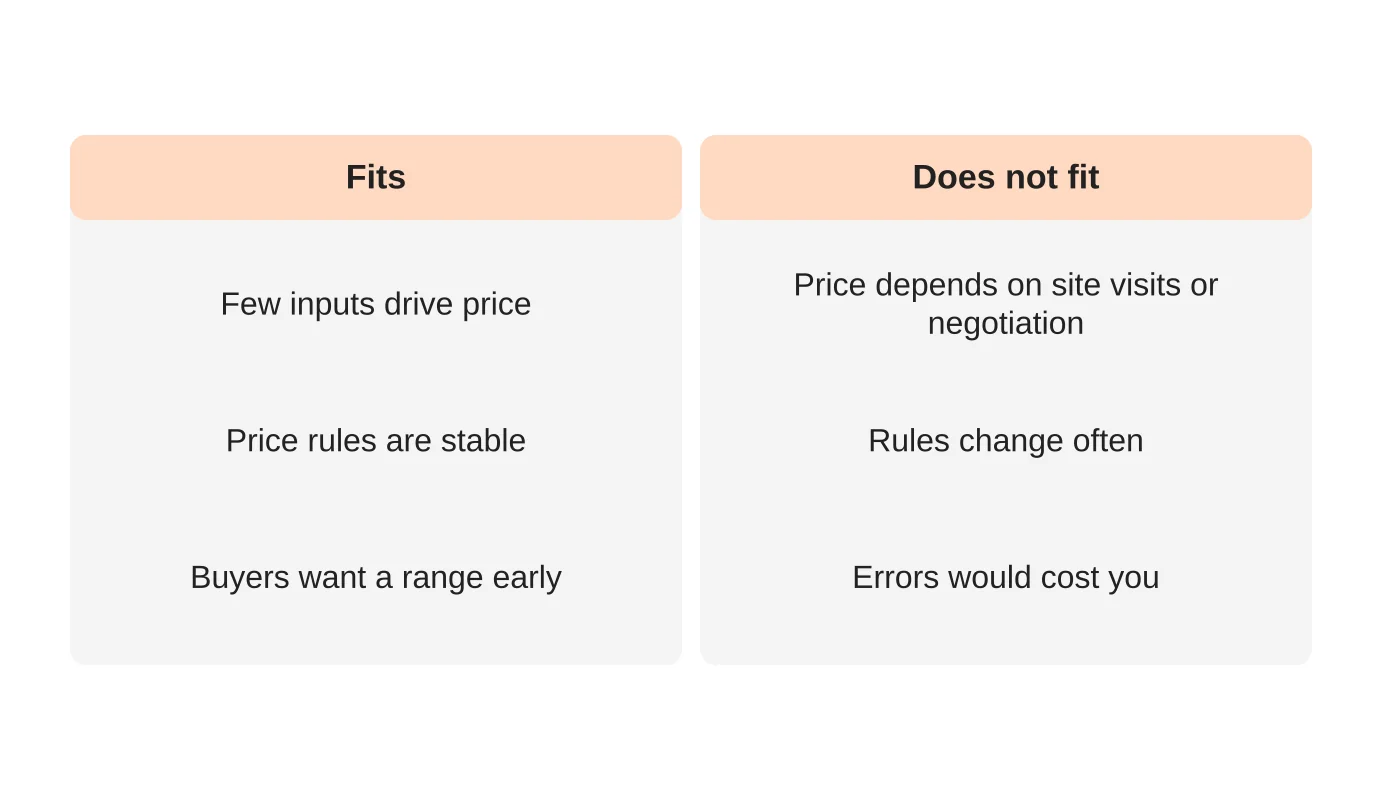
A calculator suits cases where a few inputs drive the price, the rules are stable and buyers want a range early. It fits poorly when price depends on a site visit or negotiation, when rules change often or when a wrong figure would cost you. If you are unsure, start with a clear “what affects price” section and a quote request.
Define the assumptions
Write the pricing rules before you write the tool: inputs, formulas, minimums, zones, exclusions and the date the rules were set. If you cannot explain the rules in a short table, the calculator will be hard to trust. Keep a record of who approved them.
Estimate or binding quote?
Say which one the tool gives. Most tools give an estimate, with a range and the conditions that could change it. Make this clear next to the result, not hidden in small print. Do not display a figure that you might refuse to honour. This is general information, not legal advice. Check your situation with a qualified adviser.
Qualify and route the lead
A good calculator is also a lead-qualification tool. After the estimate, offer a clear next step: request a firm quote, book a call or send details. Capture only what staff need. Route the lead to a named person and record the estimate they saw. See connecting your website to a CRM and request-for-quote websites for the follow-up.
Test it
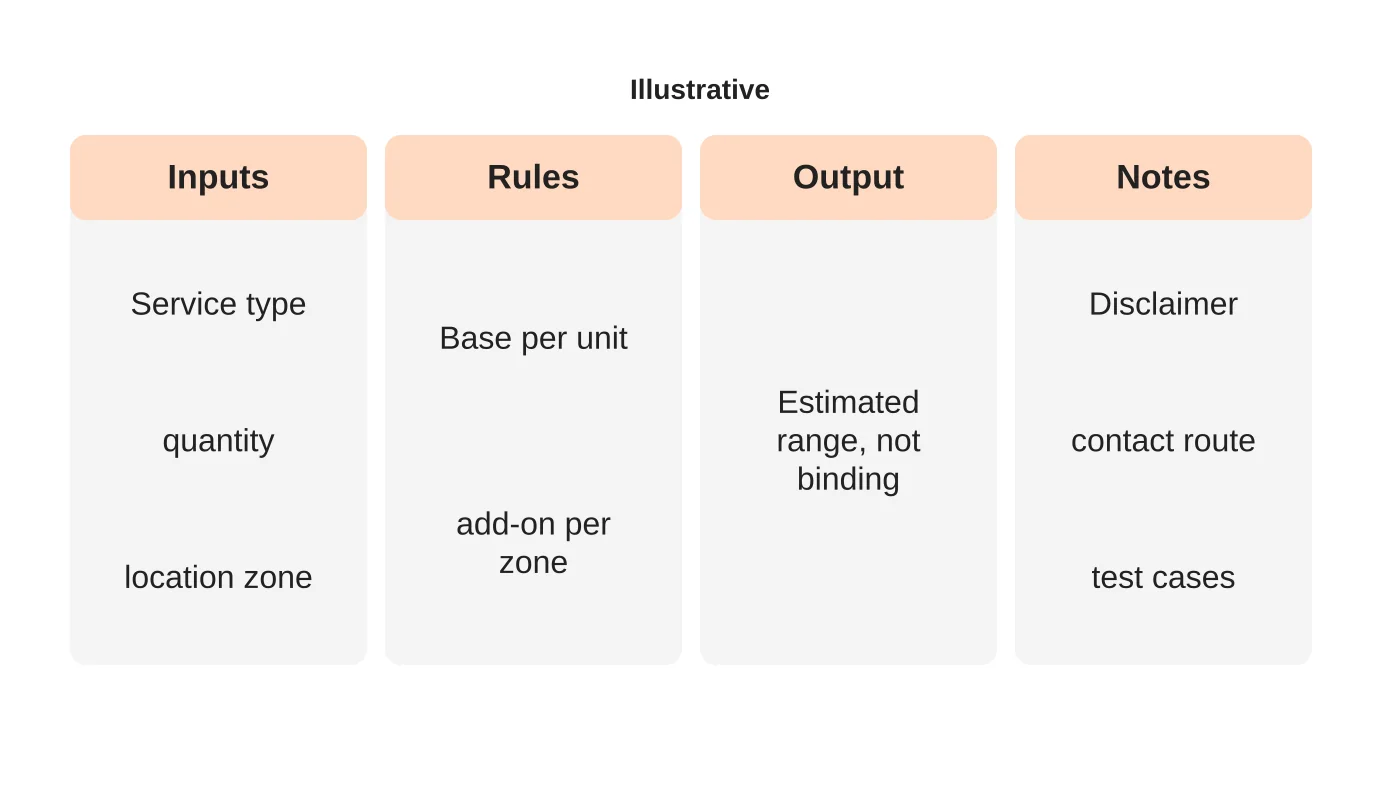
Write test cases from the rules: a normal case, a boundary case, an unusual combination and an invalid entry. Compare the tool’s output with a manual calculation. Test on a phone. Have a person who did not build it try three tasks.
Maintain it
Prices change. Assign an owner, review dates and a way to update rules without redoing the tool. If the rules become too complex or too often wrong, retire the calculator and use a form.
Build, buy or configure
Simple calculators can be built with existing form tools. Complex ones may need custom work. See off-the-shelf software versus custom web apps and what a business website costs.
Frequently asked questions
Will a calculator get me more leads?
It may help buyers who want a range early, and may deter others. Measure enquiries before and after.
Should I show a range or one figure?
A range is usually more honest for estimates.
Can I use it for services with variable scope?
Only if you can state the assumptions clearly. Otherwise use a form.
Do I need accessibility checks?
Yes. Labels, keyboard use and clear error messages matter. See accessibility basics.
Sources
Decide if an estimate tool fits
Web Design Davao’s web design team can discuss an estimate tool or a better quote path for your business. Get in touch.


