
Quick answer
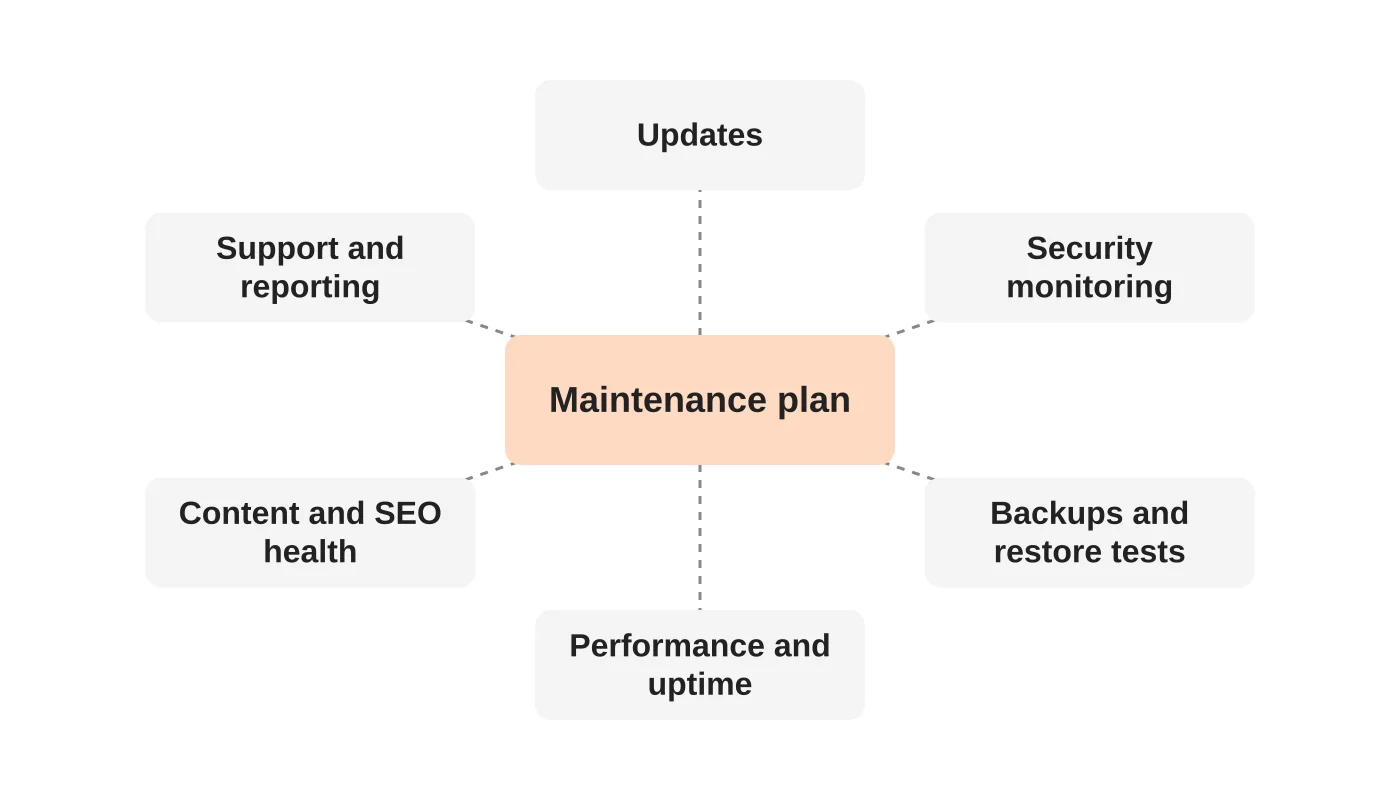
A proper website maintenance plan is built around business risk, not a task list. It should cover updates and patching, security monitoring, backups with tested restores, performance and uptime, content and SEO health, and support with reporting. Pricing depends on site size, integrations, hosting and support hours, so compare what is covered, not the number alone.
- Ask whether backups are off-server and when the last restore test happened; a recovery time you can quote matters.
- Watch for red flags: unlimited everything, updates applied straight to the live site, no reporting, or lock-in terms.
- Confirm you keep admin access to your own site, hosting and domain, and know the exit terms before signing.
Ask most business owners what website maintenance means and you will hear “plugin updates and backups.” Those chores matter, but they are only the surface. A good plan is designed around business risk, not a checklist of tasks, and the difference decides whether a problem is caught in minutes or discovered by your customers.
This guide explains what a proper plan includes, how to compare tiers, the red flags to watch for and the questions to ask before you sign.
Why most plans are structured wrong
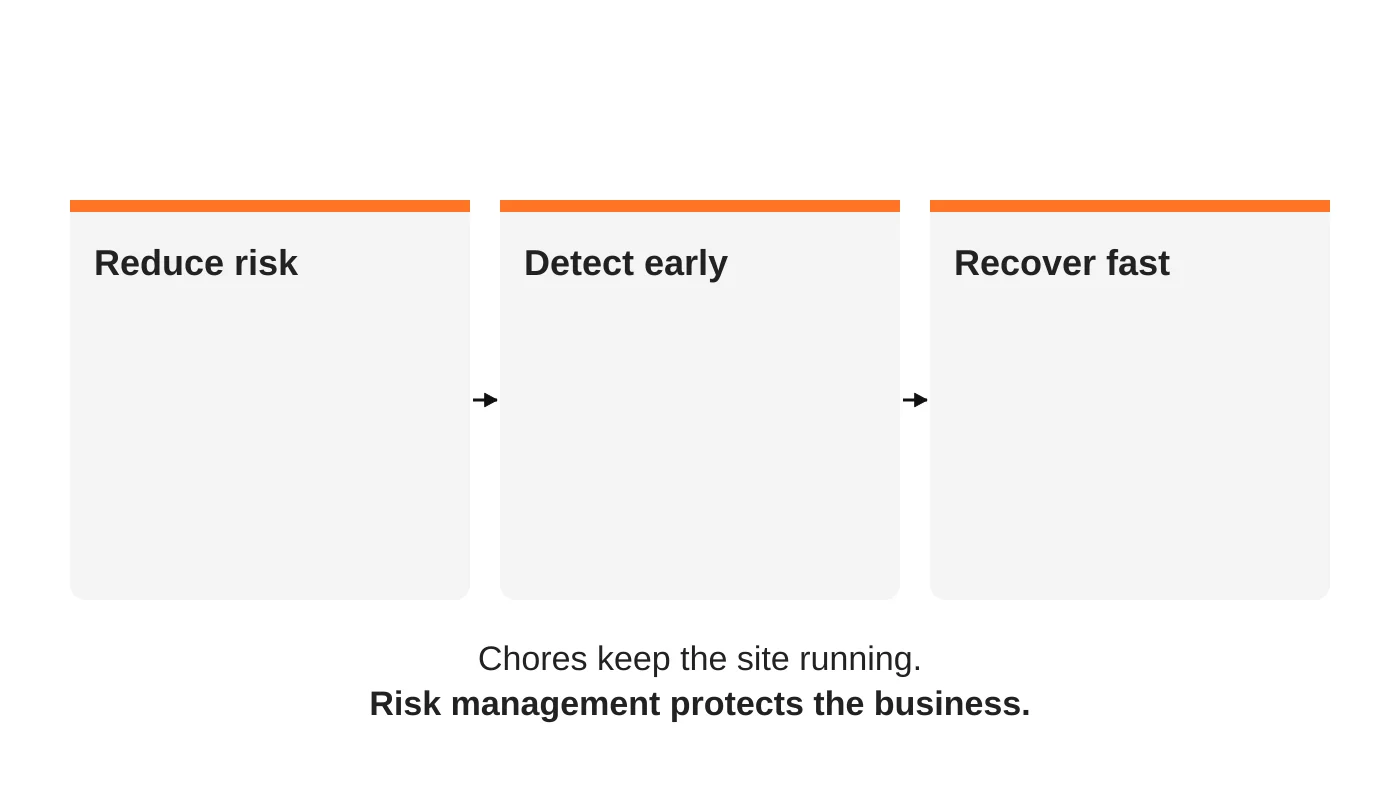
A typical plan lists routine tasks: update plugins, update the CMS, take weekly backups, watch uptime. All necessary, but all focused on activity rather than outcomes. The questions that matter are different:
- Are we reducing the chance of a compromise?
- Will we notice quickly if something goes wrong?
- Can we recover fast, and have we proved it?
That reflects how websites are used now. A website is no longer just a brochure. It supports lead generation, bookings, online sales, customer accounts and integrations, so it behaves like business infrastructure. The newsletter issue Why Most Website Maintenance Plans Are Structured Wrong makes this argument, and The Most Expensive Website Is the One You Don’t Maintain makes the related point that the most expensive website is the one nobody maintains.
If an update does take the site down, here is how to diagnose a plugin conflict.
The six components of a proper plan
1. Updates and patching
- CMS core, themes and plugins updated on a schedule, with testing before changes go live.
- Removal of abandoned plugins.
- A change log showing what was updated and when.
2. Security monitoring and hardening
- Malware scanning and file-change monitoring.
- Login protection, two-factor authentication and an access review.
- A web application firewall where appropriate. For the full model, see the five layers of website security.
3. Backups and tested restores
- Automatic, off-server backups of both files and database.
- A stated retention period and a restore test on a regular schedule.
- A recovery time you can quote, such as “restored within X hours.”
4. Performance and uptime
- Uptime monitoring with alerts that reach a person.
- Speed checks and fixes for obvious slowdowns.
- SSL and domain renewal tracking.
5. Content and SEO health
- Checks for broken links, missing pages and indexing problems.
- Minor content edits within an agreed allowance.
- Basic reporting on traffic and search visibility. The hidden power of website maintenance explains why updates feed trust and traffic.
6. Support and reporting
- A named contact, a response time commitment and support hours that suit you.
- A short monthly report in plain language.
- A defined incident response, including who calls whom.
To see whether this work is being done, check what a monthly website maintenance report should show.
Plan tiers compared
Providers use different names, but plans usually fall into three bands. Use this table to compare proposals side by side, and replace the placeholders with your own provider’s real tiers.
| Component | Essential | Standard | Business-critical |
|---|---|---|---|
| Updates (core, themes, plugins) | Monthly | Weekly, tested | Weekly, staged and tested |
| Security scanning | Basic scan | Scheduled scan and firewall | Continuous monitoring and alerts |
| Backups | Weekly, off-server | Daily, off-server | Daily or more, with scheduled restore tests |
| Restore testing | On request | Quarterly | Monthly |
| Uptime monitoring | Yes | Yes, with alerts | Yes, with escalation |
| Support response | Business days | Within one business day | Within hours, with incident response |
| Reporting | On request | Monthly summary | Monthly report and review call |
| Monthly price | On request | On request | On request |
If forms still submit but follow-up work stops, check scheduled jobs and webhooks.
Red flags in maintenance proposals
- “Unlimited everything” with no scope, hours or response times stated.
- No mention of backup location or restore testing.
- Updates applied straight to the live site without testing.
- No reporting, so you cannot see what was done.
- A very low price with nothing about security, which usually means updates only.
- No clear owner for incident response, or no commitment on response time.
- Lock-in terms that make it hard to get your own data, logins and files back.
If your plan is only updates and backups, you can still close the gap yourself with a monthly check. Our 1-hour security audit checklist is a good starting point.
Before your next round of changes, read how to update WordPress safely with staging and backups.
Questions to ask before you sign
- What exactly is included each month, and what costs extra?
- How and where are backups stored, and when was the last restore test?
- How are updates tested before they go live?
- What is your response time during an incident, and during which hours?
- Do I keep admin access to my own site, hosting and domain?
- What will the monthly report show?
- Who handles customer or regulator notification if personal data is exposed? See what a breach costs and what the Data Privacy Act expects.
- What are the exit terms?
Add a routine check for broken links and missing downloads to your upkeep.
What website maintenance costs
Pricing depends on the size of the site, the number of integrations, the hosting arrangement and the support hours you need. Because market ranges differ widely and change over time, we do not quote generic figures here.
For Web Design Davao plans, pricing depends on your site and what you need. Contact us for a quote.
When comparing prices, compare what is covered, not the number alone. For agencies outside the Philippines, our article on why Australian agencies hire offshore website maintenance teams explains how a managed offshore team works.
You can also read about our approach on the website maintenance and security overview, our maintenance services and website care services.
Before your next renewal, run through this hosting renewal and exit checklist.
Frequently asked questions
Is website maintenance really necessary?
Yes. Software changes constantly, and unpatched sites are among the easiest targets for attackers. Maintenance also protects performance, search visibility and customer trust.
Can I just update the plugins myself?
You can, and many owners do. The risks are untested updates breaking the site, and missing the other parts of a plan: monitoring, tested recovery and response.
What is the difference between maintenance and hosting?
Hosting keeps the server running. Maintenance looks after the website software and content that runs on it. Some providers bundle both. See secure web hosting.
How often should maintenance happen?
Updates and checks are normally weekly or monthly, while monitoring and backups run continuously or daily.
What if my site is built on something other than WordPress?
The principles are the same: patching, access control, monitoring and tested recovery. Specific tools change with the platform.
From the Wired for Growth newsletter
This buyer’s guide expands on Why Most Website Maintenance Plans Are Structured Wrong from Duarne Bernhagen’s LinkedIn newsletter, Wired for Growth, which argues that maintenance should be built around risk. It also draws on The Most Expensive Website Is the One You Don’t Maintain, about the true cost of neglect.
Get a maintenance quote
Web Design Davao’s website maintenance and security plans are built around risk reduction, early detection and fast recovery. Request a maintenance quote and we will review your current setup first.


