

Quick answer
Plan one shoot day into a month of short-form content by choosing buyer questions first, writing a shot list per clip, confirming permissions, and capturing extra reusable footage. Then map clips to weeks, check every claim in captions, publish with approval and review which questions and enquiries followed. Each clip answers one question.
- List ten questions from messages, calls and enquiries, and choose the ones that most affect buying decisions.
- Get consent from identifiable people, property owners and for any music, and record who agreed to what.
- Bring a spare memory card, charge equipment and check audio; a phone with stabiliser and clip-on microphone can be enough.
Making one short video every week is hard. Planning one shoot day that produces a month of clips is easier. This guide shows how to plan, capture and review the content for resorts, retailers and professional firms, without relying on trends or making claims about reach.
The tables are illustrative. If you already have an article to reuse, see a content repurposing workflow. This guide starts from original video capture. See also a guide to social media content creation.
Step 1: select buyer questions
Start from what customers ask, not from what is easy to film. List ten questions from messages, calls and enquiries: how it works, what is included, where you are, how to book, what to bring. Choose the ones that most affect decisions. Each clip answers one question.
Step 2: write the shot list
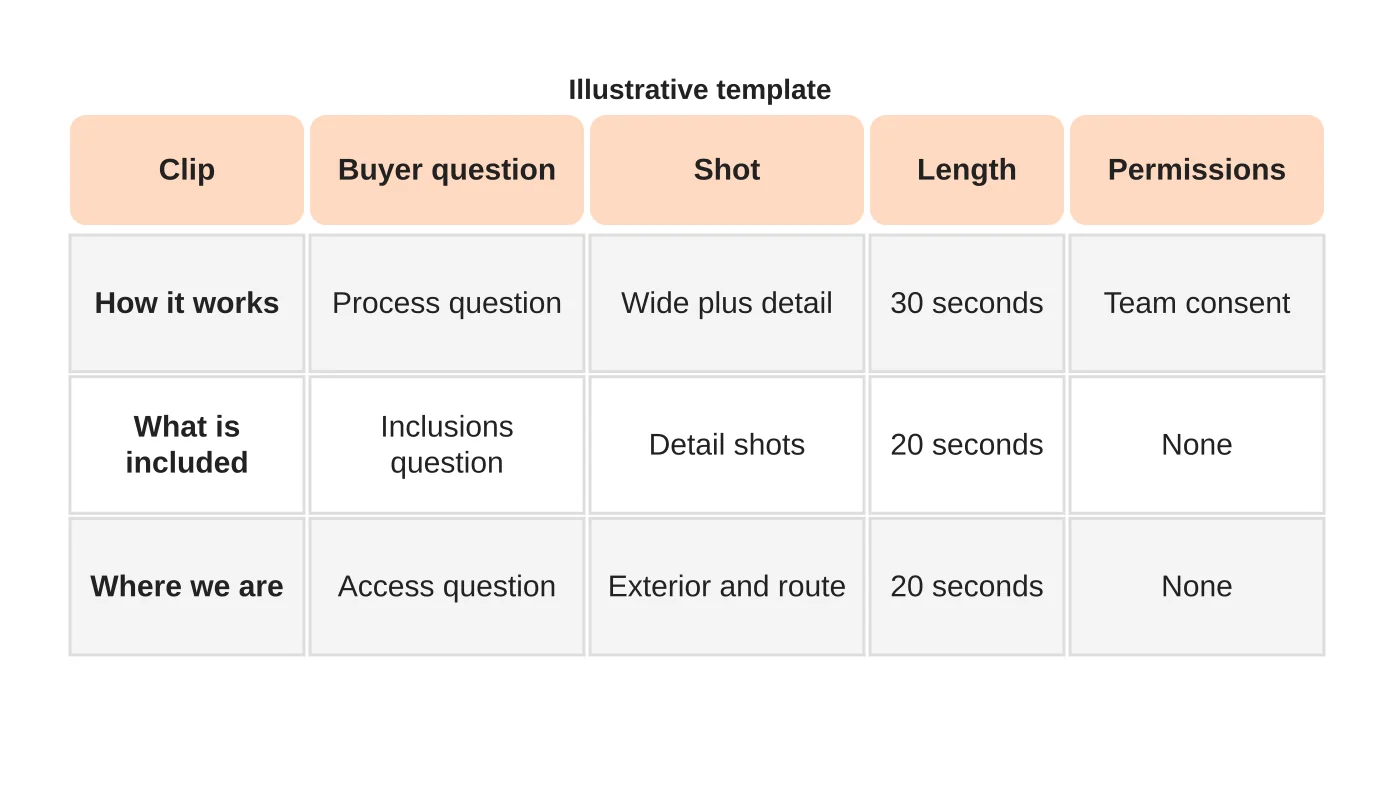
For each clip write the question, the shots needed, the length and any permission required. Plan wide, medium and detail shots, and capture short pieces without a script that you can use as cutaways. Plan for vertical video if your channels need it, while framing so a wider version is possible.
Related reading: How Much is the Production Cost of Animated Explainer Video?
Step 3: confirm permissions
Get consent from anyone identifiable, from the people whose property or products appear and for any music. Do not show private spaces, patient information or customers without written consent. Record who agreed to what. See using customer photos and user-generated content and the Data Privacy Act checklist. This is general information, not legal advice. Check your situation with a qualified adviser.
Related reading: Five Things That Will Show the Need for Animated Video in Small Businesses.
Step 4: schedule and prepare the shoot
Plan the day around light and quiet periods. Clean the space, charge the equipment, bring a spare memory card and check audio. Brief the people on camera, but keep their words natural. A phone with a stabiliser and a clip-on microphone can be enough for many clips.
Step 5: capture reusable footage
Record more than you plan: additional angles, short reactions and details. Keep the first and last seconds clean so editing is easy. Label takes during the shoot. Capture the same location in different orientations if you will publish in more than one format.
Step 6: map clips to a month
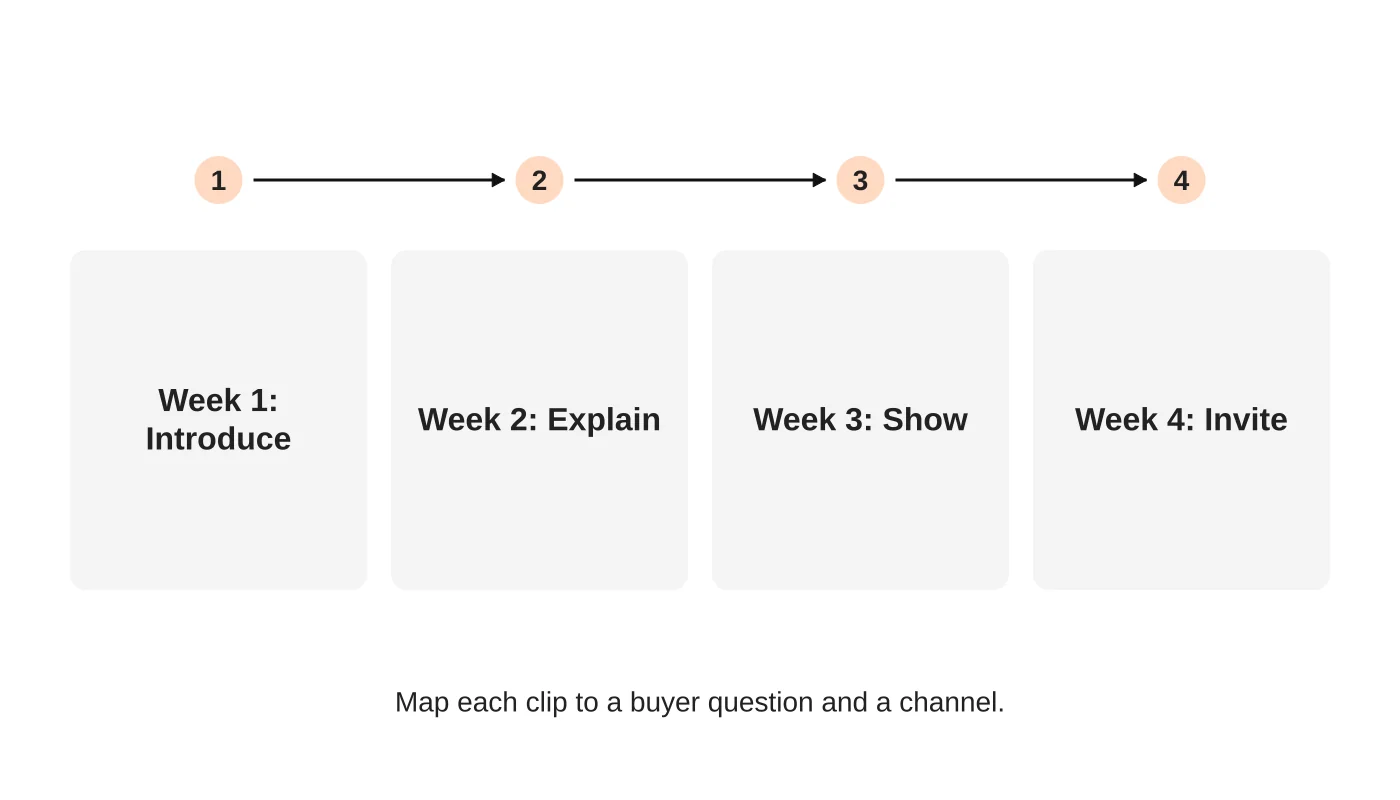
Assign each clip to a week and a purpose: introduce, explain, show and invite. Add captions, a clear next step and a link to a useful page. Use captions that are accurate and, for accessibility, add text for spoken content. For resorts see social content that answers booking questions.
Step 7: review and publish
Check every claim in the captions, such as prices and inclusions. Have the approver sign off. See a social media approval workflow. Schedule posts, then check that comments get replies.
Step 8: review the results
Review what questions people ask in comments and messages, which clips led to enquiries and what to film next time. Do not judge by views alone.
Frequently asked questions
Do I need a professional videographer?
Not for every clip. Use one for key brand videos if the budget allows.
How long should clips be?
As long as the answer takes.
Can I use trending music?
Check the platform’s licensing rules for business accounts before using any.
How many clips from one shoot?
Enough to cover your plan. Start small.
Sources
Plan your shoot day
Web Design Davao’s social media team can discuss a shoot plan and content calendar. Get in touch.


