

Quick answer
A pickleball coach’s website turns visitors into lesson bookings by stating who the coaching is for, showing only verified qualifications and clear lesson formats, giving availability, location and pricing approach, and offering a short enquiry or booking journey that works on a phone. Use testimonials only with permission, and track enquiries, trial lessons and repeat bookings.
- Ask only for name, a contact method, experience level, a goal and preferred times, and say what happens next.
- State only credentials you hold and can show, or describe experience instead if unsure how to describe a qualification.
- Get written permission before quoting students, never write testimonials yourself, and obtain consent before showing a child’s image or name.
A coach’s website has one job: help the right player take the next step. That might be a trial lesson, an enquiry about group coaching or a booking. Coaching is different from court hire, so it needs its own page with its own information. This guide covers the structure.
1. Explain who the coaching is for
Name the players you help in everyday words: complete beginners, social players who want to improve, families, juniors or players returning to sport. Say what a first lesson involves and what players do not need to bring or know. A short, clear opening line works better than a general slogan; see writing headlines and opening lines that get enquiries.
2. Present verified qualifications and lesson formats
State only credentials you hold and can show, with the awarding body and year where appropriate. Do not claim certification you do not have or imply an endorsement. If you are not sure how to describe a qualification, describe experience instead, such as years coaching and the groups you work with.
Lay out your formats clearly:
- private lessons,
- small-group sessions,
- clinics or programmes,
- sessions for juniors, if you coach them and follow the relevant safeguarding requirements.
3. Show availability, location and pricing approach
- Where lessons happen, with a link to the venue, and whether the player books the court or you do.
- Days and times you typically teach.
- Your pricing approach. Show prices if you can. If they vary by format or group size, show the structure and what affects it, rather than “contact for price.”
- Your cancellation and rescheduling rules, in plain words.
4. Build an accessible enquiry or booking journey
Keep the enquiry short. Ask only for name, a contact method, experience level, a goal and preferred times. Tell people what happens next and when to expect a reply.
- Make the form usable on a phone and by keyboard, with labelled fields.
- Offer the messaging channel you really monitor.
- Confirm receipt automatically.
- If you use a booking tool, see online bookings or Messenger to choose what suits you.
5. Use permission-based testimonials
Ask students if you may quote them, and in what form. Use their words, not yours. Do not write testimonials yourself, offer rewards for them or pay for reviews. Do not show a child’s image or name without a parent’s or guardian’s consent. If you collect results or outcomes, say what they are based on, and do not promise improvement.
6. Track trial lessons and repeat bookings
Record:
- how many enquiries came from the website, social posts and word of mouth,
- how many became trial lessons,
- how many booked more lessons,
- how long it took to reply.
See following up pickleball enquiries and measuring pickleball marketing results.
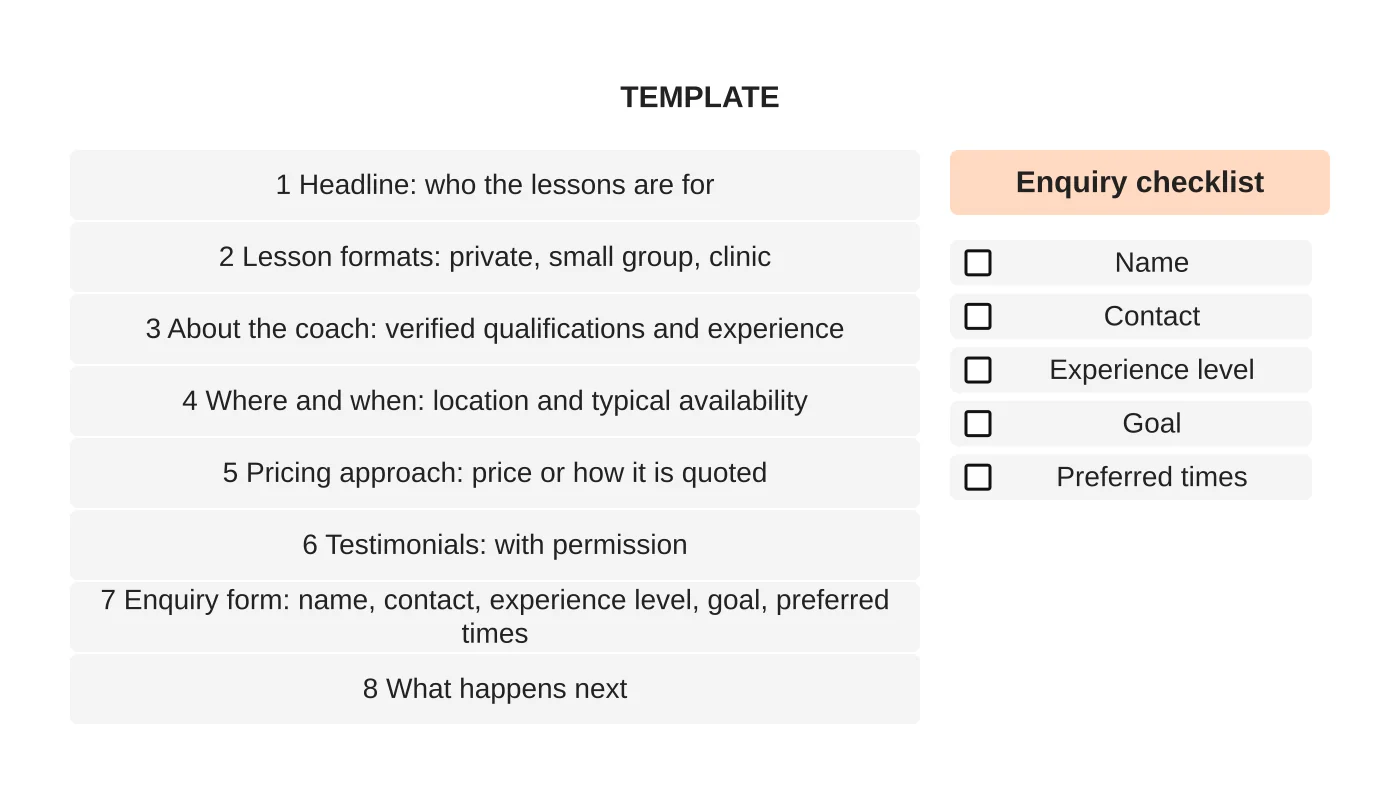
Coaching page template and enquiry checklist
The template above shows eight blocks in the order a visitor needs them. Use this checklist before you publish:
- ☐ Who the lessons are for is clear in the first screen.
- ☐ Qualifications are accurate and evidence is available.
- ☐ Lesson formats are listed with duration.
- ☐ Location, availability and cancellation rules are stated.
- ☐ A clear enquiry route works on mobile.
- ☐ Testimonials have written permission.
- ☐ Prices or the pricing approach are shown.
If you also run a venue, your coaching page should link to the court website. See the pickleball court website checklist. The overall plan is in how to market a pickleball court business.
Next step
Discuss a website that helps prospective players enquire about your coaching, or see our web design service.
Frequently asked questions
What should a pickleball coach’s page include?
Who the lessons are for, a clear opening line, verified qualifications, lesson formats, location, availability, pricing approach, cancellation rules and a clear enquiry route. Also describe what a first lesson involves and what players do not need to bring.
How should a coach show pricing?
Show prices if you can. If they vary by format or group size, show the structure and what affects it, rather than ‘contact for price’. Include your cancellation and rescheduling rules in plain words.
How can a coach use testimonials?
Ask students if you may quote them, in what form, and use their words. Do not write testimonials yourself, offer rewards for them or pay for reviews. Do not show a child’s image or name without parent or guardian consent.
Sources and notes
This article is based on our own web design practice. No credential, result or testimonial is cited, and no coach is endorsed.


