
Quick answer
Equipment suppliers should build category pages around how buyers describe their need, by task, industry, material or equipment type, not internal product codes. Keep the tree to two or three levels, and give each page buying guidance, subcategory links, a product list with key specifications and a quote request for buyers who need help choosing.
- Interview your sales team or review quote requests to learn the words buyers use, then name categories to match.
- Avoid empty or one-item categories and overlap; if a product fits two categories, pick a main one and link.
- Do not copy supplier descriptions; merge categories with no real difference and track quote requests by category.
For an equipment supplier, category pages are often the most valuable pages on the site. They match a buyer’s need in general terms, such as “what do you have for this job”, before the buyer knows exactly which product to ask for. Weak category pages are usually just lists of items with a title.
This guide shows how to organise categories around buyer intent and make each page useful. It makes no promise about rankings. See digital marketing for Davao suppliers and distributors for the wider plan.
Organise by how buyers think
Your internal product codes and supplier names may not match how customers think. Interview your sales team or review the quote requests you receive, and list how buyers describe their need: by task, by industry, by material or by type of equipment.
Then build categories to match. Use the buyer’s words in names, with technical terms in the description if needed.
Read next: SEO Best Practices: Tips for Achieving Higher Search Engine Positioning.
Build a clear category tree
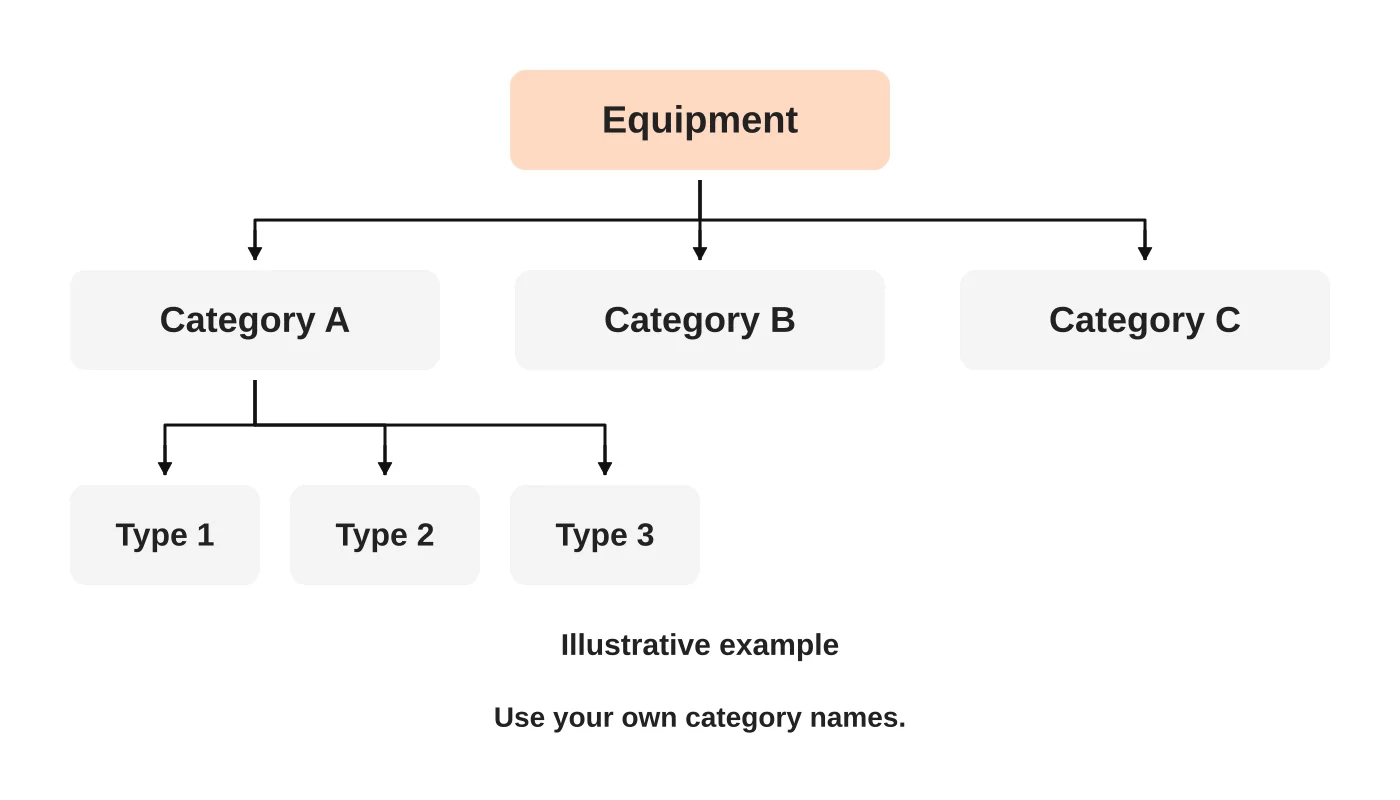
The tree is illustrative. Use two or three levels at most. Each level should answer: what is the buyer choosing between at this point?
- Do not create categories you cannot fill, since empty or one-item categories frustrate buyers.
- Avoid overlap. If a product sits in two categories, choose a main one and link from the other.
- Keep names consistent. Use the same wording in menu, headings and links.
What a category page should contain
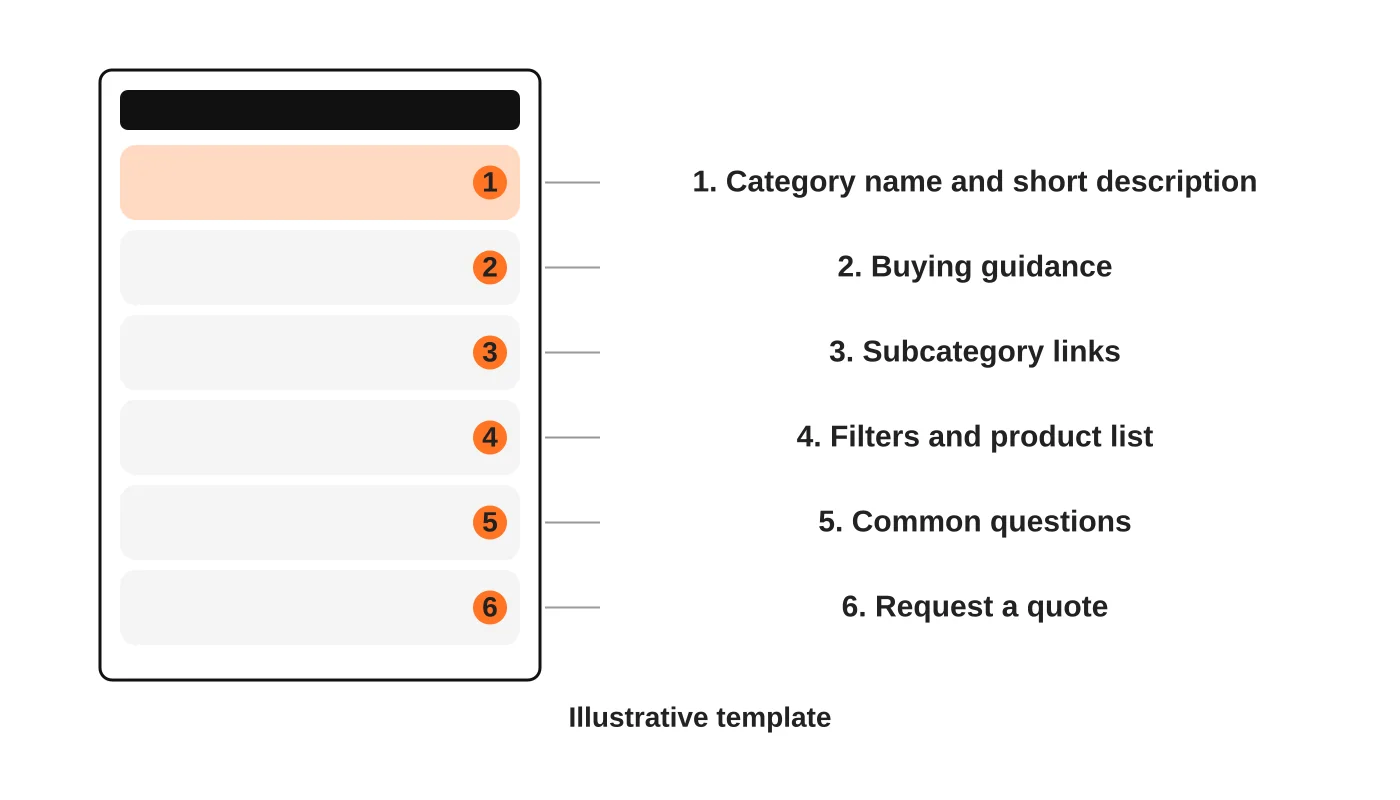
- A clear name and short description of what the category covers.
- Buying guidance: how to choose between types, what specifications matter, and common mistakes. Base it on real knowledge from your sales team.
- Links to subcategories.
- A product list with key specifications visible and useful filters.
- Common questions that buyers ask.
- A quote request for people who need help choosing.
Buying guidance is what separates a helpful page from a list. Keep it factual, specific and verified.
Filters and URLs
Filters help buyers narrow a long list, but they can create many near-duplicate URLs. Keep filters simple and make sure the main category page is the version you want people to find. Ask your developer how filtered pages are handled. See website speed because filters can slow pages.
Related reading: Website Search and Product Filters: Help Buyers Find the Right Item in a Large Catalogue.
Link categories and products
Each category should link to its products and key buying guides. Each product should link back to its category and to related items. See product pages for shoppers and AI assistants.
Avoid copied and thin text
Do not copy supplier descriptions or write the same paragraph for every category. If a category has little to say, keep it short and useful. Merge categories that have no real difference. See the content audit.
Local signals
If you serve a region, state it and keep your Business Profile and site consistent. See the Business Profile guide. Only create location pages when you truly serve those places.
Measure categories
Track quote requests by category, search terms that lead to category pages and categories with traffic but no enquiries. Fix the weakest first. See how long SEO takes.
Read next: How to Use Keywords Effectively for Better Search Engine Rankings.
Frequently asked questions
How many categories are too many?
When buyers cannot tell them apart or you cannot maintain them.
Should I use brand names as categories?
Only if buyers search by brand and you are authorised to use it. Otherwise categorise by need and mention brands within.
Do I need a long description on every category?
No. Make it as long as it needs to be to help the buyer choose.
What about out-of-stock products?
Show honest availability or remove them. Do not leave dead pages.
Sources
Plan your categories
Web Design Davao’s SEO team can help organise categories around buyer intent. Get in touch.


