
Quick answer
To prepare a website for AI agents, fix the basics: use real HTML buttons and links, label every form field, keep booking steps short, put prices and hours in text, and keep pages fast. Agents can use the standard HTML built for people, so a site that is clear to screen readers is likely clearer to agents too.
- Use real buttons and links, and give each form field a visible label rather than a placeholder-only label.
- Review CAPTCHAs and firewalls so they do not block legitimate assistants and customers, without weakening security to please a bot.
- Test your booking form by keyboard, run a screen reader over it for two minutes, and fix the first obstacle.
So far this series has covered AI that answers questions. The next step is AI that does things: compares quotes, fills in a form or books an appointment for someone. Prompting Is Dead. Agents Are Here. said prompting is dead and agents are here, and The New Operating System Is Agentic called agentic AI the new operating system. Whether or not you believe the hype, some customers will soon send an assistant to do part of the work.
You do not need to rebuild your site. You do need to avoid making it hard for a machine or a person to use.
How agents use websites
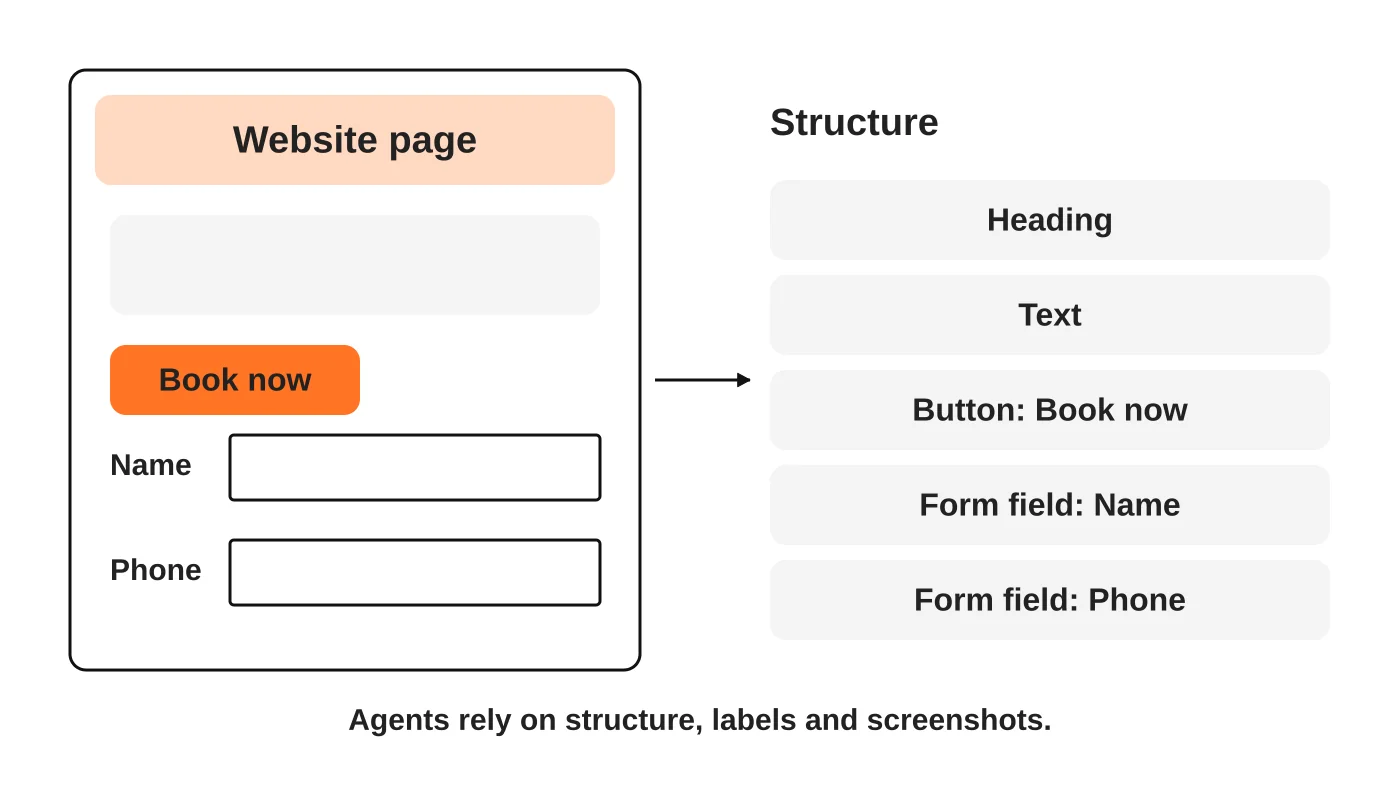
Google’s AI guide notes that AI agents may access websites through screenshots, DOM structure and accessibility trees, and points to agent-friendly website practices and emerging protocols. John Mueller has said current agents can use the standard HTML interface built for humans, and that a newer protocol called WebMCP is the more substantive direction for agent readiness.
In practice, it means an agent sees much of what a screen reader sees. If your site is clear to assistive technology, it is probably clearer to agents too.
The agent-ready checklist
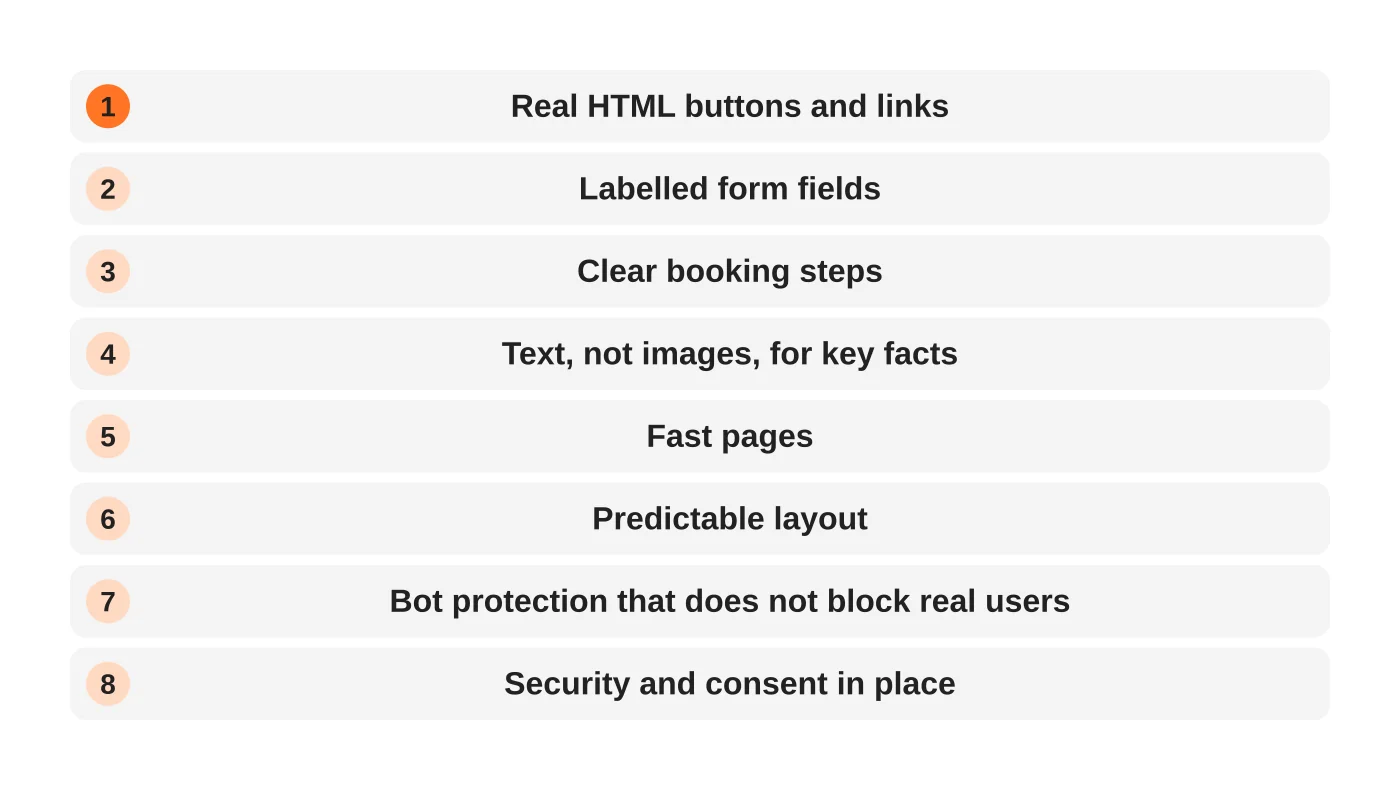
1. Use real HTML controls
Buttons should be buttons and links should be links, not styled boxes with scripts. This helps keyboard users, screen readers and agents alike.
2. Label every form field
Each field needs a visible label tied to the input, such as Name, Phone, Preferred date. Avoid placeholder-only labels. See the accessibility checklist.
3. Keep booking steps short and clear
Number the steps, show what you need and avoid surprise pop-ups. See online booking tools for service businesses.
4. Put key facts in text
Prices, hours, service areas and policies should be readable text, not only images or PDFs. See the product page checklist.
5. Keep pages fast and stable
Slow, shifting pages break people and automated tools. See website speed.
6. Keep layouts predictable
Consistent navigation and page patterns make tasks easier.
7. Review bot protection
CAPTCHAs and aggressive firewalls can block legitimate assistants and real customers. Balance spam control with access. See the five layers of website security. Do not weaken security to please a bot.
8. Cover security and consent
If an agent submits a form on someone’s behalf, you still need valid consent and sensible data handling. See the Data Privacy Act checklist. This is general information, not legal advice. Check your situation with a qualified adviser.
Think about confirmation and fraud
Agents can also be used for abuse. Keep confirmation steps for bookings and payments, send confirmations by email or text, and monitor for odd patterns. For payment flows, use established providers, not custom code.
Do not overbuild
For most local businesses, the best investment is a clean, fast, accessible site with a simple booking path. Special agent protocols are a later step, and standards are still forming. Revisit once your basics are strong and the standards have settled.
A quick test
- Try your booking or enquiry form with only a keyboard.
- Run a screen reader over it for two minutes.
- Ask an AI assistant with browsing to find your opening hours and booking link, and note where it struggles.
- Fix the first obstacle you find.
Frequently asked questions
Do I need WebMCP or a special protocol now?
Probably not. Fix the fundamentals first and review the standards later.
Will agents replace my booking system?
They may use it. A good system with clear steps works for both people and agents.
Should I block AI agents?
That depends on your risk and goals. See robots.txt for AI crawlers for what controls can and cannot do.
Is this only for ecommerce?
No. Any site with forms, bookings or quotes is affected.
From the Wired for Growth newsletter
This guide builds on The New Operating System Is Agentic and Prompting Is Dead. Agents Are Here. from Duarne Bernhagen’s LinkedIn newsletter, Wired for Growth.
Sources
- Optimizing your website for generative AI features on Google Search, Google Search Central
- Google’s Mueller calls llms.txt purely speculative and points to WebMCP, TechWyse summary
- Google exposes llms.txt flaw, Search Engine Journal
Prepare your site
Web Design Davao’s web design and development team can review your forms and booking flow for people and for agents. Ask for a review.


