

Quick answer
A pickleball club or venue should plan social media content around the questions players ask, such as location, cost, free times, whether newcomers can turn up, and what to bring. Mix facilities, coaching, community and availability posts, assign who drafts, approves and replies, and link each post to the matching booking page.
- Get written consent, or a guardian’s for children, before featuring anyone, and record what you may use.
- Test every link before posting, and count enquiries and completed bookings weekly, since likes and comments do not show bookings.
- Move booking messages to your booking page or an agreed channel, and set a reply time for comments and messages.
A club or venue that posts only when it remembers rarely builds momentum. A content plan sets out what you will say, in which format, who produces and approves it and where each post sends the reader. This guide gives a four-week plan and a way to separate engagement from bookings.
1. Choose content around player questions
Start with what people ask you. Typical questions include:
- Where are you and how do I get there?
- What does it cost and what times are free?
- I am new. Can I just turn up?
- What should I bring and can I hire equipment?
- Is there coaching, and how do I book?
Each answer can become a post. Content that answers real questions earns more trust than generic sports posts. For general guidance on creating social content, see our guide to social media content creation.
2. Balance facilities, coaching, community and availability
Aim for a mix across a month:
- Facilities: courts, lighting, amenities, how the venue looks on a normal day.
- Coaching: formats, who the coach is and what a first lesson involves. See coach lesson booking pages.
- Community: events, open play nights and member stories, with permission.
- Availability: this week’s open times and any quiet-session offers. See filling off-peak hours.
- Tournaments: only for confirmed events. See marketing a pickleball tournament.
3. Plan short videos and permission-based player features
Short videos are easy to make with a phone: a court walkthrough, a how-to-book explainer, a first-time visitor guide. Keep them short and add captions, since many people watch without sound.
Before you feature a player or a child, get their consent, or a parent’s or guardian’s consent, in writing. Record what you may use and where. Do not tag or name people without permission, and remove content when someone asks.
4. Assign production, approvals and responses
For each post, decide:
- Who drafts it, who takes the photo or video, who approves it and who publishes.
- When it needs to be approved so it can go out on time.
- Who replies to comments and messages, and within what time. Messages about bookings should move to your booking page or an agreed channel.
Keep approvals simple, such as one person checking facts, prices and consent before posting.
5. Link posts to the right booking page
Every promotional post should send people to the page that matches the offer, not to a general homepage. For example, a post about a trial goes to the trial booking page. Use a link that works on mobile, and test it before posting. Keep the booking steps clear; see the pickleball court website checklist.
6. Review enquiries and completed bookings
Engagement (likes, comments, shares) shows whether people notice your posts. It does not show bookings. Each week, count:
- messages and enquiries that came from social posts,
- completed bookings that came from them, if you can tell,
- which topics produced questions you could answer.
Ask new customers how they found you, and see measuring pickleball marketing results. Respond to enquiries quickly; see following up pickleball enquiries.
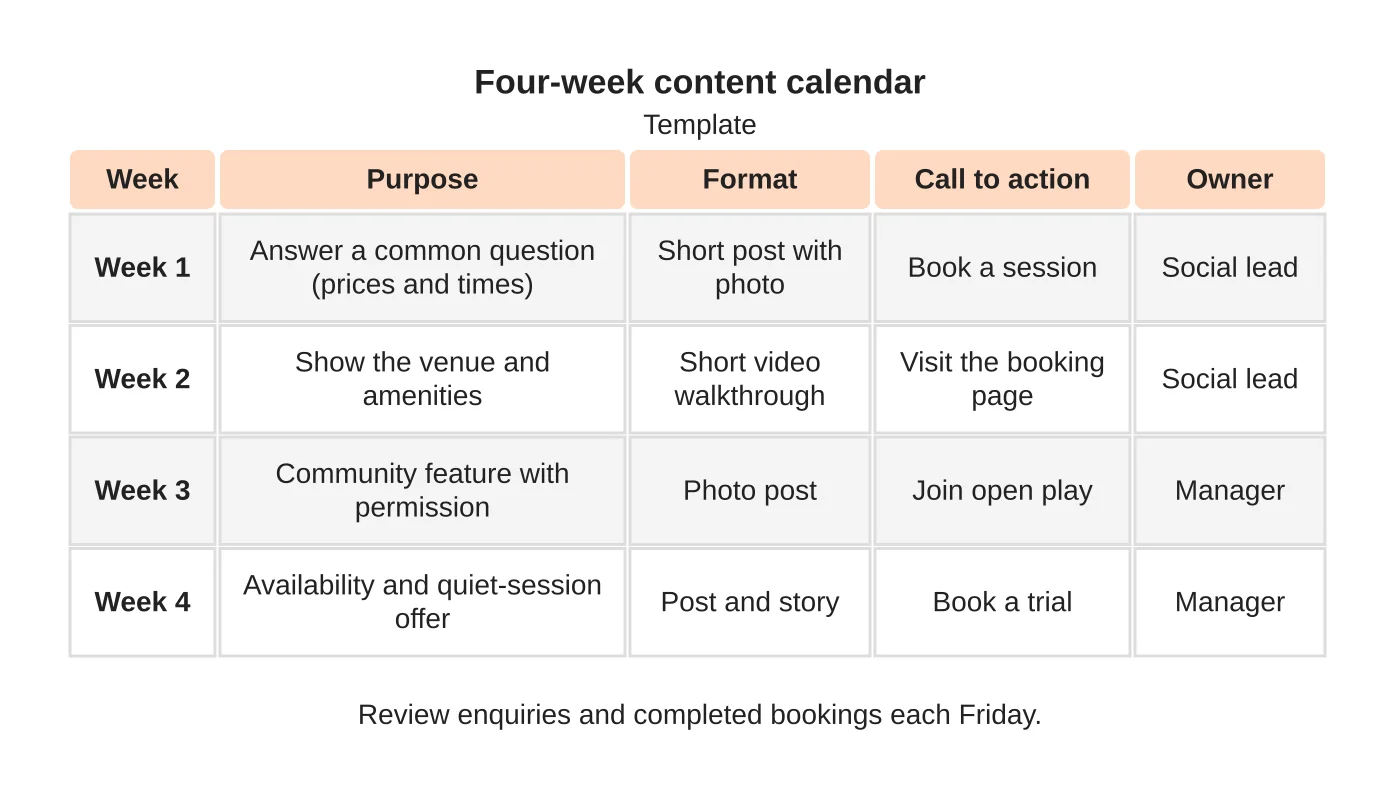
A four-week content calendar
| Week | Purpose | Format | Call to action | Owner |
|---|---|---|---|---|
| 1 | Answer a common question about prices and times | Short post with a photo | Book a session | Social lead |
| 2 | Show the venue and amenities | Short video walkthrough | Visit the booking page | Social lead |
| 3 | Feature a community moment, with permission | Photo post | Join open play | Manager |
| 4 | Share availability and a quiet-session offer | Post and story | Book a trial | Manager |
Add the exact posting days and the person responsible next to each row, and review enquiries and completed bookings every week. This is a template. Adjust it to your venue, language and the channels where your players already are.
The overall plan is in how to market a pickleball court business.
Next step
Ask us about a social content plan for your venue or club, or read about our social media service.
Frequently asked questions
What should a pickleball club post about?
Start with what people ask: where you are, what it costs, what times are free, whether newcomers can turn up and what to bring. Balance posts across facilities, coaching, community, availability and confirmed tournaments so the feed stays useful.
Who should approve and publish posts?
For each post, decide who drafts it, who takes the photo or video, who approves it and who publishes. Keep approvals simple, such as one person checking facts, prices and consent before posting, and decide who replies to comments and within what time.
How do I tell whether social posts lead to bookings?
Engagement shows whether people notice posts, not whether they book. Each week, count messages and enquiries from social posts, completed bookings from them if you can tell, and which topics produced questions. Ask new customers how they found you.
Sources and notes
This plan is based on our own content planning practice. No engagement or booking statistics are claimed. Obtain consent before publishing identifiable people.


