

Quick answer
A virtual assistant should answer from a written list of approved responses, pass restricted decisions to the person who decides, and route urgent issues through a defined contact. Restricted decisions include prices, discounts, refunds, contracts, deadlines, scope changes and legal or medical advice. Audit message quality regularly and protect client information.
- Write short approved answers for common questions such as hours and how to book, with a named owner.
- Define urgent issues such as outages, safety matters or key-client complaints, and give a route that works out of hours.
- Sample messages weekly at first, check accuracy, permission, tone and escalation, and feed corrections back into the approved responses.
A virtual assistant who answers every client message alone may promise something they should not. One who escalates everything slows the business. The answer is clear rules for what they may answer, what they must pass on and how.
This guide is for agency, support and admin teams. It does not state what Web Design Davao staff may do for any client; permissions depend on the agreement. Set your own rules and put them in writing. See how to delegate to a virtual assistant and how to write SOPs. For public-facing channels see responding to negative social comments.
Step 1: define approved responses
List the questions that arise often and write approved answers: hours, location, how to book, what is included, how to reach a person. Keep them short and current, and name an owner who updates them. Provide the tone to use. Give the assistant permission to answer from this list without asking.
Related reading: Why Businesses Are Replacing Traditional Admins with AI-Enhanced Virtual Assistants.
Step 2: identify restricted decisions
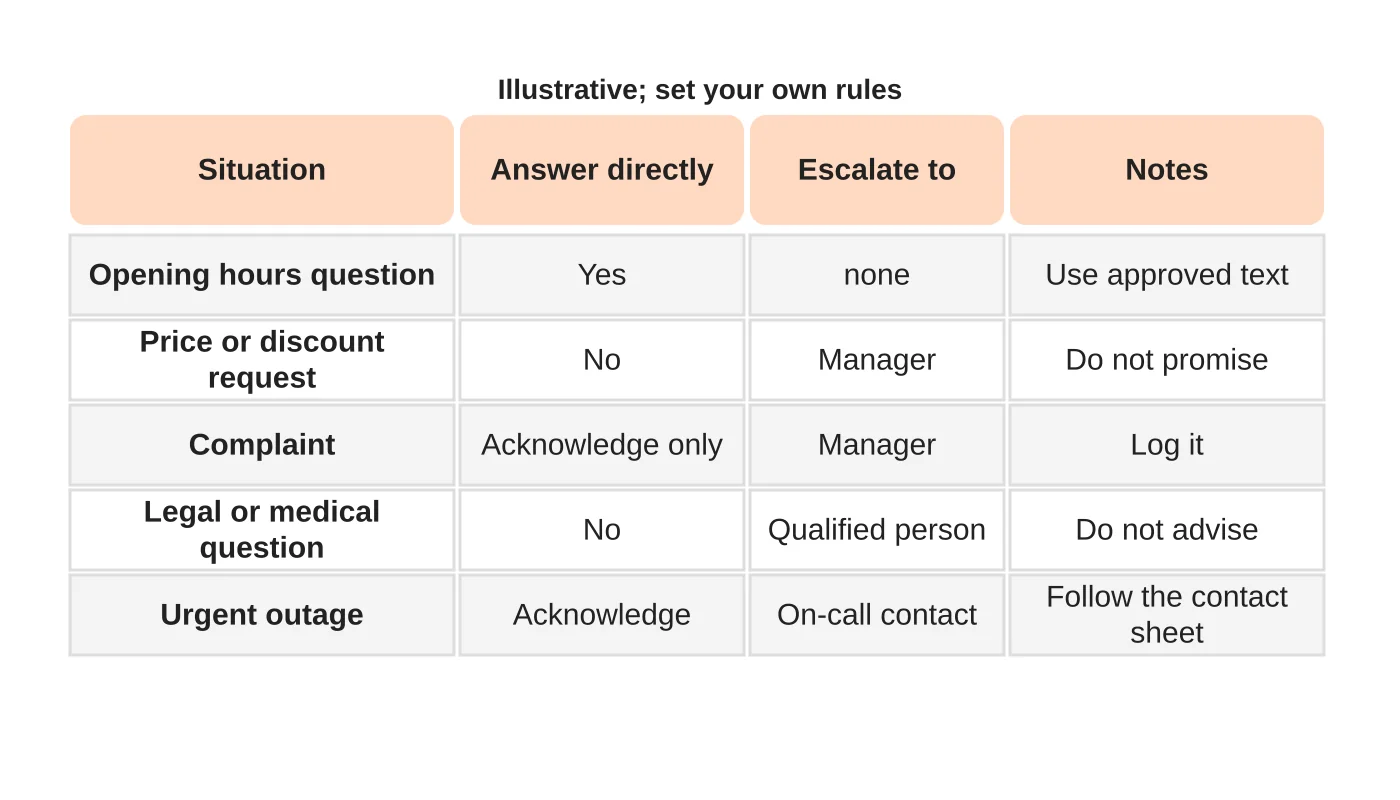
Name what the assistant must not decide: prices and discounts, refunds, contracts, legal or medical advice, commitments on deadlines and changes to scope. They can acknowledge and pass these on, but not promise. Say exactly who decides each.
Fictional example reply: “Thanks for asking. I have passed your request to our manager, who will reply by [time you commit to]. I cannot confirm a discount myself.”
Step 3: route urgent issues
Define urgent: an outage, a safety matter, a complaint from a key client or a threat. Give a route that works out of hours if needed, with a contact and a backup. Decide what the assistant says while waiting. See who responds when your website breaks for a related contact sheet.
Step 4: audit message quality
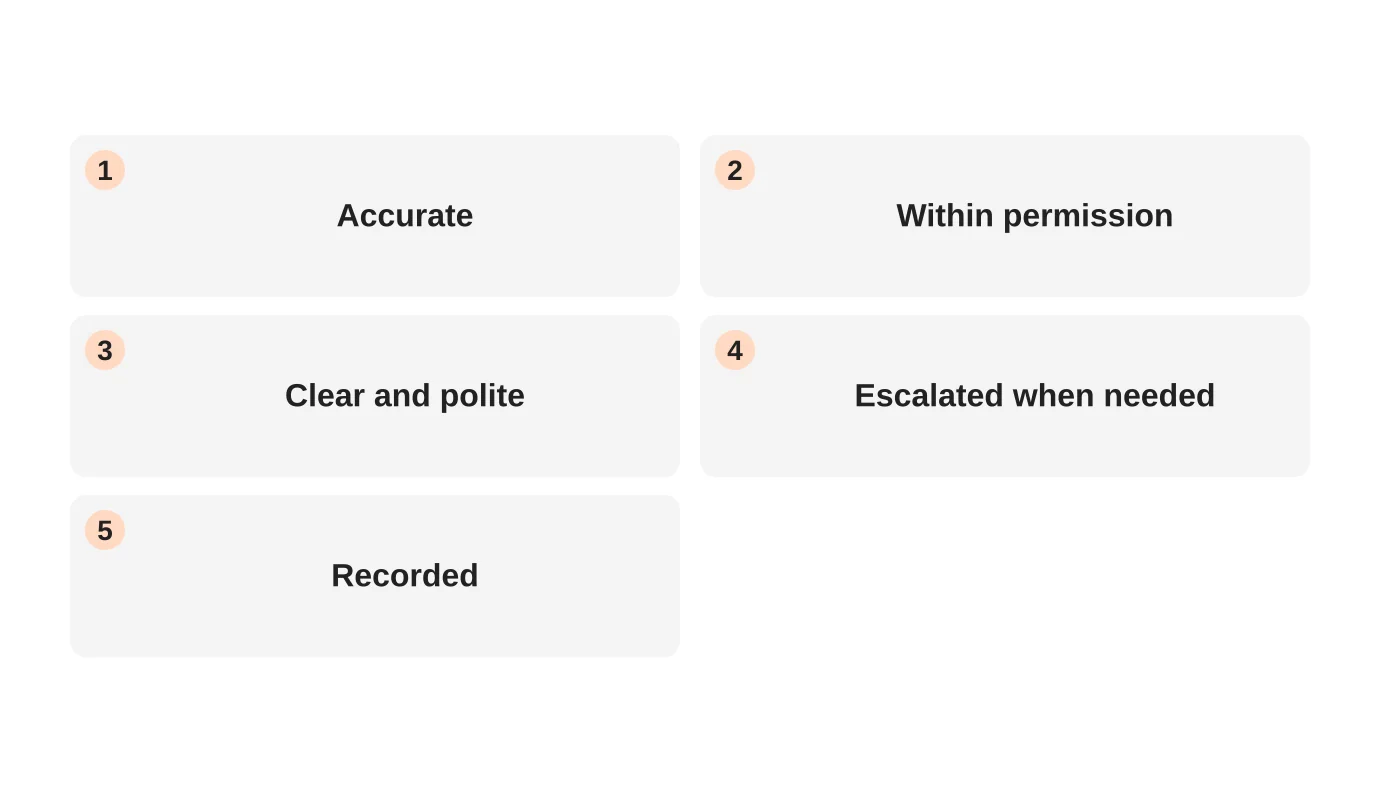
Sample messages weekly at first. Check accuracy, permission, tone and whether escalation happened when it should. Feed corrections into the approved responses. Praise good judgement. Keep client data confidential and limit who can read the samples.
Step 5: protect client information
Share client details only as needed. Do not paste confidential information into tools without approval. Align with your AI and data rules. See an AI use policy for staff and virtual assistants and a role-based access checklist.
Related reading: How Davao Is Becoming the Global Hub for AI Trained Virtual Assistants.
Step 6: update as you learn
Add new situations to the matrix and retire old ones. Review it with the assistant monthly. Include it in the 30-day onboarding plan.
Frequently asked questions
Should the assistant ever say “I don’t know”?
Yes, followed by a clear next step.
How fast should escalations be answered?
Set an expectation you can keep.
Can the assistant speak for the business?
Within written permissions only.
What about sensitive messages?
Escalate and keep the record minimal.
Sources
Set the rules clearly
Web Design Davao’s outsourced staffing team can discuss client-contact rules for your support arrangement. Get in touch.


